


 NuGet
Deploy your application
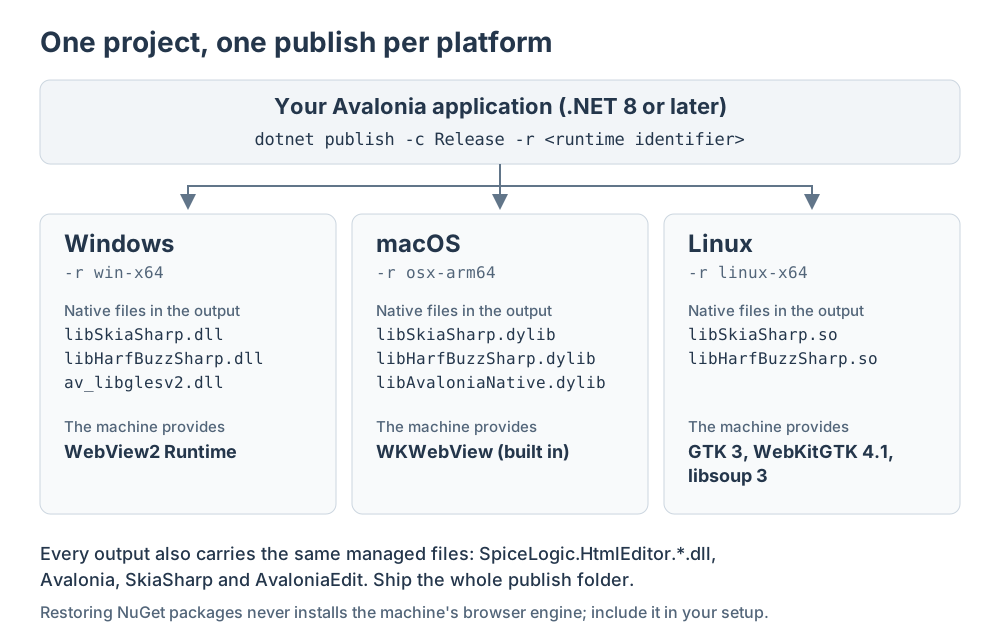
The Avalonia HTML Editor runs on Windows, macOS and Linux, so you publish your application once for each platform you support. Each publish folder is complete: it holds your application, the editor, Avalonia and the native graphics libraries for that platform.
The browser engine that draws the editing surface comes from the operating system, so the target machine must have it. Supported platforms and prerequisites lists exactly what each system needs and which environments we have tested; this page covers the publish itself and what to ship.
Publish for each platform
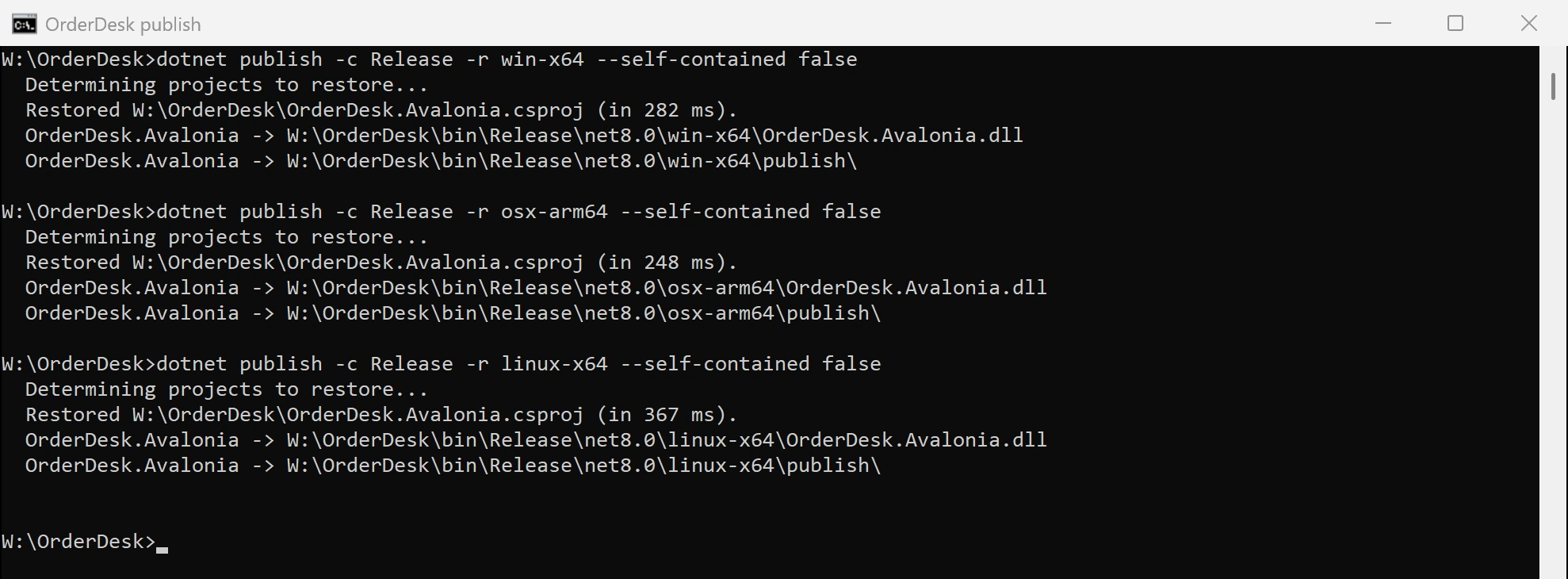
Run one dotnet publish per platform, naming it with a runtime identifier. You can publish all three from a Windows machine:
dotnet publish -c Release -r win-x64 --self-contained false
dotnet publish -c Release -r osx-arm64 --self-contained false
dotnet publish -c Release -r linux-x64 --self-contained false
Each command writes a complete folder to bin\Release\net8.0\<runtime identifier>\publish (the framework part follows your project's target). Use osx-x64 for Intel Macs and linux-arm64 for ARM Linux; our recorded testing covers the three identifiers above.
With --self-contained false the machine needs the .NET 8 or later runtime installed. Change it to --self-contained true to bundle the .NET runtime into the folder, so users do not need to install .NET at all. A self-contained Linux folder is about 140 MB instead of about 70 MB.
What each publish folder contains
Every publish folder carries the same managed files, plus the native libraries for its platform:
| Files | What they do |
|---|---|
SpiceLogic.HtmlEditor.Avalonia.dll, SpiceLogic.HtmlEditor.BrowserCore.dll, SpiceLogic.HtmlEditor.Common.dll, SpiceLogic.HtmlEditor.Resources.dll | The editor. SpiceLogic.HtmlEditor.Resources.dll is the largest file, about 41 MB, because it carries the images, the localized text and the built-in spell-check dictionaries. |
Avalonia*.dll, SkiaSharp.dll, HarfBuzzSharp.dll, AvaloniaEdit.dll, WeCantSpell.Hunspell.dll | Avalonia itself, its graphics and text stack, the HTML source view and the spell-check engine. |
Windows: libSkiaSharp.dll, libHarfBuzzSharp.dll, av_libglesv2.dll | The native graphics libraries for that platform. The publish picks the right set from your runtime identifier. |
macOS: libSkiaSharp.dylib, libHarfBuzzSharp.dylib, libAvaloniaNative.dylib | |
Linux: libSkiaSharp.so, libHarfBuzzSharp.so | |
*.pdb | Debug symbols. Leave them out of a release package unless you collect crash stack traces with line numbers. On Windows, libSkiaSharp.pdb alone is about 82 MB. |
Ship the folder as a whole rather than a hand-picked list of files. There is no license file to ship: the key is set in your code through AvaloniaHtmlEditor.LicenseKey (see Activate your Avalonia license).
Package for each operating system
Windows
Zip the publish folder or point your installer at it, including subfolders. The editor needs the Microsoft Edge WebView2 Runtime on the machine. Windows 11 includes it; for Windows 10, add the WebView2 Runtime to your setup as Microsoft describes in its WebView2 distribution guide.
macOS
The editor uses the system WKWebView, so there is no browser runtime to add. Wrap the publish folder in an application bundle (.app) and sign and notarize it for distribution, as described in Avalonia's macOS deployment guide.
Linux
Ship the publish folder in the format your users install from, such as an archive or a distribution package. Declare the browser libraries as dependencies so the package manager installs them: GTK 3, WebKitGTK 4.1 and libsoup 3. On Ubuntu these are libgtk-3-0, libwebkit2gtk-4.1-0 and libsoup-3.0-0.
When it works on your machine but not on another
Restoring NuGet packages never installs an operating system's browser engine, and a development machine usually has it already. Check the target machine against the prerequisites first: the WebView2 Runtime on Windows, or GTK 3, WebKitGTK 4.1 and libsoup 3 on Linux. Then confirm the whole publish folder arrived, including the native libraries listed above.
Related guides
Ask your AI to do this
Connect the SpiceLogic MCP server, then give your coding assistant this prompt.
I use the SpiceLogic Avalonia HTML Editor. Help me publish my application for the platforms I support: write the dotnet publish commands, tell me what each publish folder must contain, and list the browser prerequisites each target machine needs. Confirm the details with the SpiceLogic MCP documentation, then show the changes for my project.