


 NuGet
NuGet
IME, Unicode and right-to-left text
Author Unicode content in Design or Source and preserve it through HTML export. Document text direction can be expressed in the HTML independently of the application interface language.
The Windows qualification includes real Microsoft Japanese IME composition, commit, cancellation and history in both views. Test the input methods and fonts used by your application.
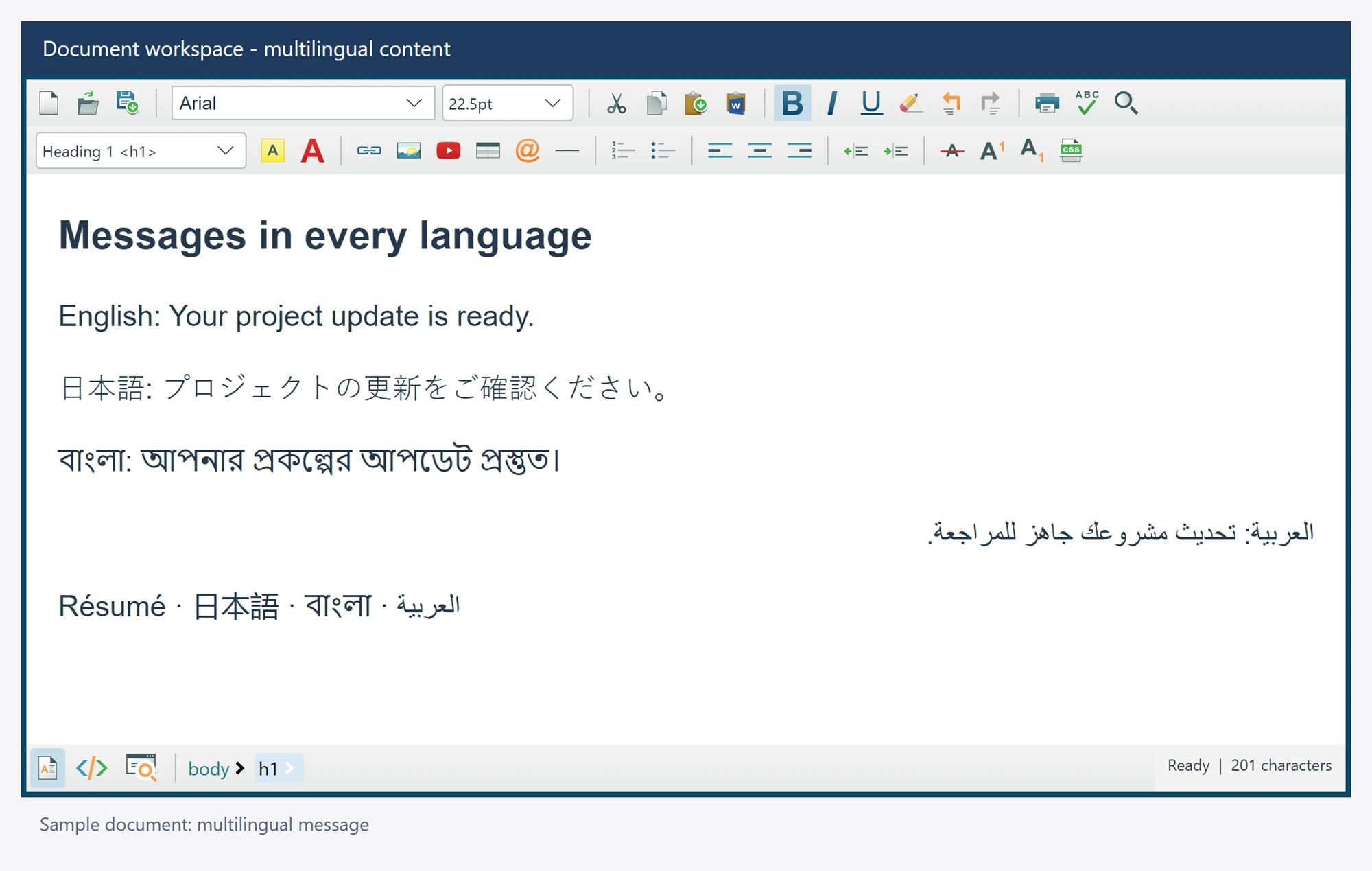
Use it in your application
Use Unicode strings and keep document character encoding consistent when saving files. Set language and direction in the authored document when its content requires them. There is no separate direction property: a right-to-left paragraph carries dir="rtl" in its markup, as in the example below.
During IME composition, preedit belongs to the active editor. Avoid replacing the document from a competing binding or timer while the user is composing.
Caret and selection text indices use UTF-16 units in the documented native API. They are not byte positions in an encoded HTML file.
editor.Charset = "utf-8";
await editor.SetBodyHtmlAsync(@"<p>Unicode: café, Ω, 日本語.</p><p dir=""rtl"">مرحبا بالعالم</p>");
string document = await editor.GetDocumentHtmlAsync();