


 NuGet
NuGet
Relative URLs and BaseUrl
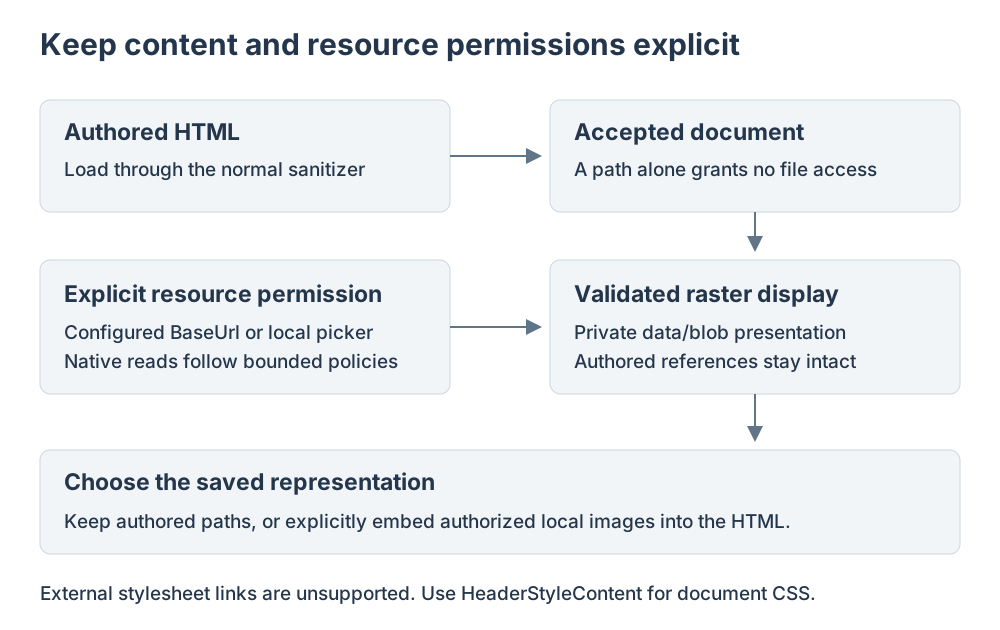
Set a document base address when authored links or images use relative paths. Export conversion uses that base address rather than the application working directory.
Link formatting and resource permission are separate settings: a base address does not grant navigation or remote-resource access.
Use it in your application
Use an absolute, trusted base address for documents that belong to a known site or folder. Assign it before loading related content.
Enable relative URL conversion only when the exported document will retain that same base context. Cross-origin links cannot be treated as local relative links.
Export through the awaited content API so a pending Source draft is applied and the captured export policy is checked. Local images also require the editor local-resource authorization.
editor.BaseUrl = "https://example.com/reports/";
editor.Options.ConvertAbsoluteUrlsToRelativeUrls = true;
await editor.SetBodyHtmlAsync(@"<p><a href=""https://example.com/reports/quarterly.html"">Quarterly report</a></p>");
string html = await editor.GetBodyHtmlAsync();