


 NuGet
Control properties
Configure native presentation, document binding, resource policy and replaceable services through AvaloniaHtmlEditor properties. Document content and native chrome have separate settings.
Use standard Avalonia bindings for the bindable HTML properties and awaited exports when saving the latest edited document.
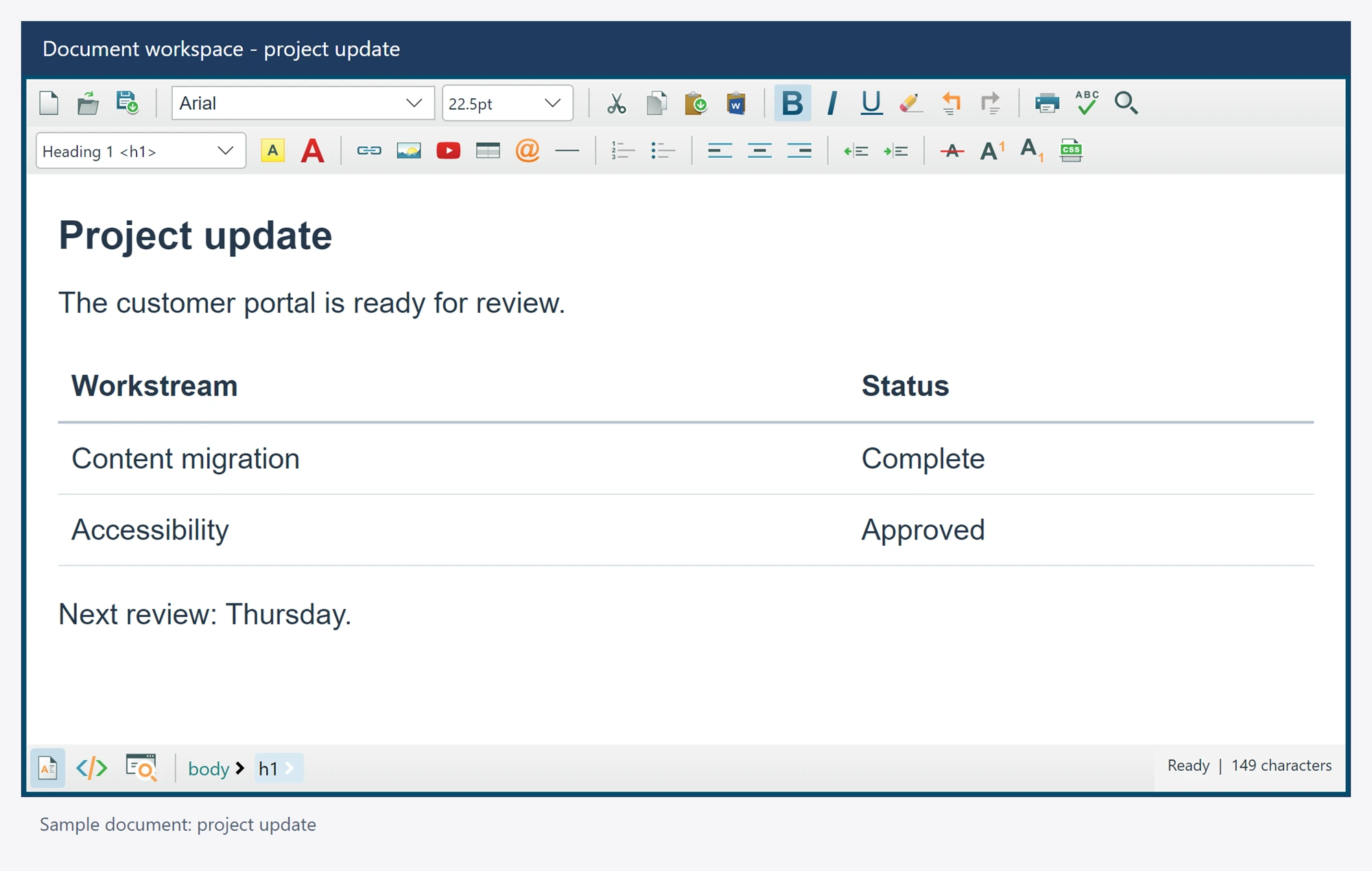
Use it in your application
Set a commercial LicenseKey before constructing any editor. Show the owner window before awaiting Ready.
BodyHtml is a fragment and DocumentHtml is a full document. Content is the authoring facade; the inherited Child property owns the native visual tree.
FontFamily and FontSize style native chrome. DefaultFontFamily, DefaultFontSizeInPt and document styling APIs control authored text.
editor.IsReadOnly = false;
editor.DefaultFontFamily = "Arial";
editor.DefaultFontSizeInPt = 11;
string html = await editor.GetDocumentHtmlAsync();
Members
These declarations come from the package's own XML documentation. Await operations and supply cancellation tokens where your application needs them.
AllowExternalResources Property
Permits bounded native raster loading within the configured HTTPS base and supported YouTube preview. Disabled by default.
Syntax
bool AllowExternalResources { get; set; }
Images reach the document through validated data or blob transport. This option does not permit direct browser HTTPS raster requests or unrestricted CSS resource loading.
BackgroundImagePath Property
Gets or sets an authored body background image path.
Syntax
string BackgroundImagePath { get; set; }
Uses the existing bounded native resource policy; no arbitrary file or browser network permission is granted. Source returns empty and ignores setters.
BaseUrl Property
Gets or sets the explicit image base folder or HTTPS directory, also used by relative link authoring. It never creates a directory.
Syntax
string BaseUrl { get; set; }
BodyColor Property
Gets or sets the body background color.
Syntax
Color BodyColor { get; set; }
Source returns the empty native color and ignores setters. Rendered mode uses CSS background-color, with the shared white fallback.
BodyCSSClassName Property
Gets or sets the authored body class attribute.
Syntax
string BodyCSSClassName { get; set; }
Source behavior matches BodyStyle. Imported classes and unrelated document markup are preserved.
BodyHtml Property
The markup inside the document body, with two-way binding.
Syntax
string BodyHtml { get; set; }
BodyStyle Property
Gets or sets the authored body style attribute.
Syntax
string BodyStyle { get; set; }
In Source, reads the composed draft. A setter edits only a unique visible body opening; a body-only source projection is rejected unchanged. Await SynchronizeDocumentPropertiesAsync after a rendered setter.
BrowserAdapterInfo Property
The initialized native browser engine and version, or null before creation.
Syntax
WebViewAdapterInfo BrowserAdapterInfo { get; }
Caret Property
Replaceable awaited caret geometry, visibility and current-view navigation with actual host ownership guards.
Syntax
ICaretService Caret { get; set; }
Charset Property
Gets or sets the explicitly declared document charset.
Syntax
string Charset { get; set; }
An absent declaration reads empty. This declaration does not choose file export encoding. Source returns empty and ignores setters.
Content Property
Replaceable awaited document authoring; the native Child property owns visual layout.
Syntax
IContentService Content { get; set; }
ContextMenuItems Property
Persistent named customization of the built-in native menu items.
Syntax
ContextMenuItemReferences ContextMenuItems { get; }
DefaultContextMenu Property
The built-in native document menu. Its identity is retained for the editor lifetime.
Syntax
ContextMenu DefaultContextMenu { get; }
DefaultFontFamily Property
Gets or sets the body font family. The shared fallback is Times New Roman.
Syntax
string DefaultFontFamily { get; set; }
This changes the body, without inserting caret spans. Explicit configured defaults are retained for ReapplyDefaultBodyStyleAsync; later document loads are preserved until that deliberate call. Source returns the shared fallback and ignores setters.
DefaultFontSizeInPt Property
Gets or sets the body font size in points. The shared fallback is 12pt.
Syntax
float DefaultFontSizeInPt { get; set; }
Independent of native chrome FontSize. Source returns the shared fallback and ignores setters.
DefaultForeColor Property
Gets or sets the body text color. The shared fallback is black.
Syntax
Color DefaultForeColor { get; set; }
Source returns the shared fallback and ignores setters.
Dialog Property
Replaceable awaited native dialog workflows and ten typed fresh-window factory hooks.
Syntax
IDialogService Dialog { get; set; }
DisableLocalResourceSelection Property
Gets or sets whether local image and hyperlink selection and automatic local Office clipboard picture embedding are disabled. It does not revoke an explicitly configured base folder.
Syntax
bool DisableLocalResourceSelection { get; set; }
DocumentHtml Property
A complete HTML document, with two-way binding.
Syntax
string DocumentHtml { get; set; }
DocumentTitle Property
Gets or sets the document title without introducing duplicate title elements.
Syntax
string DocumentTitle { get; set; }
Returns empty and ignores setters in Source. Null is treated as empty; an empty title clears the title element.
Editor Property
Replaceable awaited editor clipboard, history, search, print and focus operations.
Syntax
IEditorService Editor { get; set; }
EditorBorderColor Property
Gets or sets the color of the actual native border.
Syntax
Color EditorBorderColor { get; set; }
A non-solid native brush reads the empty color. No additional frame is created.
EditorBorderWidth Property
Gets or sets the thickness of the actual native border.
Syntax
Thickness EditorBorderWidth { get; set; }
EditorContextMenuStrip Property
A complete replacement document menu. Null restores the built-in menu.
Syntax
ContextMenu EditorContextMenuStrip { get; set; }
EditorMode Property
The requested design, source or preview mode.
Syntax
EditorModes EditorMode { get; set; }
EmbedLocalImageAsBase64 Property
Gets or sets the image dialog's initial explicit embed preference. Display transport never changes authored paths.
Syntax
bool EmbedLocalImageAsBase64 { get; set; }
EnableInlineSpellChecking Property
Enables automatic snapshot-based inline refresh. Default false, matching the WPF opt-in policy.
Syntax
bool EnableInlineSpellChecking { get; set; }
Native refresh follows accepted content changes; MSHTML firing-key and timer customization are unsupported.
Focused Property
Gets whether the visible Design or Source editing surface has keyboard focus.
Syntax
bool Focused { get; }
Preview returns false, matching the Windows public focus contract.
FontFamily Property
Gets or sets the native chrome font family.
Syntax
FontFamily FontFamily { get; set; }
FontSize Property
Gets or sets the native chrome font size.
Syntax
double FontSize { get; set; }
FontStretch Property
Gets or sets the native chrome font stretch.
Syntax
FontStretch FontStretch { get; set; }
FontStyle Property
Gets or sets the native chrome font style.
Syntax
FontStyle FontStyle { get; set; }
FontWeight Property
Gets or sets the native chrome font weight.
Syntax
FontWeight FontWeight { get; set; }
FooterTagNavigatorFontInfo Property
Native footer font settings. Null uses the editor's inherited font.
Syntax
FooterTagNavigatorFontInfo FooterTagNavigatorFontInfo { get; set; }
FooterTagNavigatorTextColor Property
The native footer tag text color, matching the Windows teal default in Light and adapting for Dark until explicitly customized.
Syntax
Color FooterTagNavigatorTextColor { get; set; }
Foreground Property
Gets or sets the native chrome text foreground.
Syntax
IBrush Foreground { get; set; }
Formatting Property
Replaceable awaited formatting, with the six Windows-compatible source wrappers delegated to the real source editor.
Syntax
IFormattingService Formatting { get; set; }
HeaderStyleContent Property
Gets or sets scalar CSS rules in the owned head style element.
Syntax
string HeaderStyleContent { get; set; }
Source returns empty and ignores setters. Stylesheet resource loading, imports and active markup are unsupported; ordinary body image properties use the bounded native raster pipeline.
HeaderStyleContentElementID Property
Gets or sets the ID of the head style element owned by HeaderStyleContent.
Syntax
string HeaderStyleContentElementID { get; set; }
The default is page_style, matching both Windows constructors. Changing it removes only the previous matching head style. An empty ID disables text writes. Collisions with other authored elements are rejected.
IsReadOnly Property
Prevents user mutations in every visible mode.
Syntax
bool IsReadOnly { get; set; }
KeyBindings Property
Shared editor shortcut manager. Framework key bindings remain available through the native base type.
Syntax
KeyBindingsManager KeyBindings { get; }
Change bindings on the UI thread. Await SynchronizeKeyBindingsAsync when an acknowledged browser configuration is required.
Language Property
The instance's language; no process-wide localization state is changed.
Syntax
EditorLanguage Language { get; set; }
LicenseKey Property
Gets or assigns the signed Avalonia product license key for every editor in this application.
Syntax
static string LicenseKey { get; set; }
Assign in application startup before constructing controls. Later assignment refreshes existing instances without restarting or replacing their documents. Keys for other products do not activate this edition.
LicenseStatus Property
The most recently validated commercial or evaluation state.
Syntax
LicenseStatusInfo LicenseStatus { get; }
MailMerge Property
Shared canonical placeholder insertion, discovery and literal-text field replacement.
Syntax
MailMergeService MailMerge { get; }
Options Property
Replaceable per-editor behavior settings with WPF-compatible names and defaults.
Syntax
UserOption Options { get; set; }
ProductVersion Property
Gets the version of the actually loaded native control assembly.
Syntax
string ProductVersion { get; }
Ready Property
Completes when the native browser and initial document have loaded.
Syntax
Task Ready { get; }
ScrollBarSetting Property
Gets or sets the document body overflow policy.
Syntax
ScrollBarVisibility ScrollBarSetting { get; set; }
Custom leaves authored overflow declarations untouched. Source returns Auto and ignores setters. Native None hides both axes; horizontal and vertical modes constrain the other axis.
Search Property
Awaited find/replace on the visible rendered document or source draft.
Syntax
FindReplaceService Search { get; }
Selection Property
Replaceable selection operations on the actual rendered document or visible uncommitted source draft.
Syntax
ISelectionService Selection { get; set; }
ShowCtrlClickTooltipOnHyperlinks Property
Gets or sets whether blank hyperlink titles receive the canonical shared Ctrl+Click hint.
Syntax
bool ShowCtrlClickTooltipOnHyperlinks { get; set; }
Snapshot Property
The latest accepted state of this document.
Syntax
EditorSnapshot Snapshot { get; }
SourceEditorFontSize Property
Gets or sets the source editor's base font size, default 14, before display zoom.
Syntax
double SourceEditorFontSize { get; set; }
The raw TextEditor.FontSize remains its actual displayed size. Direct raw assignments update this base by dividing by the current zoom.
SpellCheckLanguage Property
The effective dictionary locale. Setting a locale selects an explicit language; the typed option can restore following the UI language.
Syntax
string SpellCheckLanguage { get; set; }
SpellCheckOptions Property
Replaceable spelling policy, including following language, dictionary files, custom engines and localized actions.
Syntax
SpellCheckerOption SpellCheckOptions { get; set; }
A shared model is observed per editor and is not disposed by the editor. One custom engine instance may belong to only one live editor.
StateQuery Property
Replaceable fresh acknowledged browser command, element and CSS state queries.
Syntax
IStateQueryService StateQuery { get; set; }
TableAuthoringService Property
Awaited table and cell operations against the actual selected native document element.
Syntax
TableAuthoringService TableAuthoringService { get; }
Toolbar1 Property
The first native factory toolbar, with WPF factory item names.
Syntax
FirstToolbar Toolbar1 { get; }
Toolbar1Items Property
Custom native controls appended after the first factory strip.
Syntax
ItemCollection Toolbar1Items { get; }
Toolbar1ItemsSource Property
A bound collection of custom first-toolbar items.
Syntax
IEnumerable Toolbar1ItemsSource { get; set; }
Toolbar2 Property
The second native factory toolbar, with WPF factory item names.
Syntax
SecondToolbar Toolbar2 { get; }
Toolbar2Items Property
Custom native controls appended after the second factory strip.
Syntax
ItemCollection Toolbar2Items { get; }
Toolbar2ItemsSource Property
A bound collection of custom second-toolbar items.
Syntax
IEnumerable Toolbar2ItemsSource { get; set; }
ToolbarContextMenuStrip Property
The native context menu for toolbar chrome. Document menus use EditorContextMenuStrip.
Syntax
ContextMenu ToolbarContextMenuStrip { get; set; }
ToolbarFooter Property
The native mode and tag-navigation toolbar.
Syntax
FooterToolbar ToolbarFooter { get; }
ToolbarIconSize Property
Changes existing stock icon visuals without replacing any factory controls.
Syntax
ToolbarIconSizes ToolbarIconSize { get; set; }
ToolbarItemOverrider Property
The WPF-named override events and persistent references to actual factory controls.
Syntax
ToolbarItemOverrideHelper ToolbarItemOverrider { get; }
WordWrap Property
Gets or sets document body wrapping.
Syntax
bool WordWrap { get; set; }
True removes an explicit white-space override; false writes nowrap. Source returns false and ignores setters; its separate native text wrapping is unchanged.
ZoomFactor Property
Gets or sets display zoom in percent. Use SetZoomFactorAsync to await the browser acknowledgment.
Syntax
double ZoomFactor { get; set; }
Read-only and preview views may be zoomed. No authored HTML or undo history is changed.