


 NuGet
Editor options
Configure authoring, Source presentation, HTML export and native option adaptations through editor.Options. The native options share canonical names with the other HTML Editor editions.
Set options for the workflow you deploy, and keep local resource or external-content permission explicit.
Use it in your application
WordWrap controls document wrapping; the raw Source editor has its own WordWrap property. Native Source formatting has a separate dirty-draft apply boundary.
Host-specific unsupported option values fail explicitly. Do not assume that a Windows COM or Internet Explorer mechanism has an equivalent native Avalonia behavior simply because a shared option name exists.
The table lists the shared property signatures and native option additions. Use the focused guides for the native behavior and defaults that matter to your integration.
editor.Options.FormatHtmlSource = true;
editor.Options.AutoDetectWordPaste = true;
editor.Options.ShowZeroBorderGuideline = true;
Members
These declarations come from the package's own XML documentation. Await operations and supply cancellation tokens where your application needs them.
AutoDetectWordPaste Property
Automatically detects when clipboard content is from MS Word/Office and applies PasteFromWord cleaning. When true, the editor automatically detects Word/Office content and cleans it without requiring the user to manually click "Paste from Word". Supports Word, Outlook, OneNote, Excel, PowerPoint (2007-2025+).
Syntax
bool AutoDetectWordPaste { get; set; }
AutoResizeLargeImages Property
When true, images wider than EditorOptionState.MaxPastedImageWidth pasted or inserted via the Image dialog are automatically scaled down (aspect-preserving) before being added to the document. Fixes the "I pasted a phone photo and my page exploded" complaint out of the box; set to false to preserve the original dimensions.
Syntax
bool AutoResizeLargeImages { get; set; }
ContinueSameStyleAfterEnterKey Property
When false (default), formatting applied to the current selection or caret position (font, size, color, and similar character styles) carries over to the text typed immediately after pressing Enter. Set to true to have each new line/paragraph start with the document's unstyled default formatting instead.
Syntax
bool ContinueSameStyleAfterEnterKey { get; set; }
ConvertAbsoluteUrlsToRelativeUrls Property
When true (default), URLs found on <a href>, <img src>, and <link href> that are absolute under the editor's configured BaseUrl are rewritten to relative paths during cleanup. Only takes effect when a BaseUrl has actually been configured on the host editor; with no BaseUrl set, absolute URLs are left untouched regardless of this value. Only takes effect while EditorOptionState.SacrificeOptimizationForLongHtml is false.
Syntax
bool ConvertAbsoluteUrlsToRelativeUrls { get; set; }
ConvertFileUrlsToLocalPaths Property
When true, file:// URLs found on <a href>, <img src>, and <link href> are rewritten to plain local file system paths during cleanup - for example "file:///D:/My%20Folder/pic.jpg" becomes "D:\My Folder\pic.jpg". Default false (left as a file:// URL). Only takes effect while EditorOptionState.SacrificeOptimizationForLongHtml is false.
Syntax
bool ConvertFileUrlsToLocalPaths { get; set; }
ConvertHyperlinkTargetsToBlankBeforePreview Property
When true (default), every hyperlink's target attribute is set to "_blank" just before the editor switches to read-only Preview mode, so clicking a link in the preview opens a new browser window/tab instead of navigating the preview surface away from the document. Set to false to leave hyperlink targets exactly as authored.
Syntax
bool ConvertHyperlinkTargetsToBlankBeforePreview { get; set; }
CustomDoctype Property
A literal DOCTYPE declaration (for example <!DOCTYPE html PUBLIC "-//W3C//DTD XHTML 1.0 Strict//EN" "...">) emitted verbatim in place of the built-in HTML5/HTML4 choice. Only takes effect when EditorOptionState.DoctypeOverrideOptions is set to DocTypes.Custom; otherwise it is ignored. Defaults to an empty string, not null - leaving EditorOptionState.DoctypeOverrideOptions at DocTypes.Custom without setting this property makes EditorOptionState.GetDocTypeValue return an empty document doctype.
Syntax
string CustomDoctype { get; set; }
DefaultCssFileLinkNameAttribute Property
The id attribute the editor assigns to the single managed stylesheet <link> element it maintains in the document <head> when a default CSS file URL is set on the editor. Used internally to find and update that one link element rather than creating a new one on every change; only needs to change if the default id ("DefaultCSSFileLinkElement") collides with an id already used in imported content.
Syntax
string DefaultCssFileLinkNameAttribute { get; set; }
DefaultFontSizeUnit Property
Default unit emitted by the font-size dropdown in the toolbar when the user picks a value. ALM feature #145. Pt (current historical behaviour, default) populates the dropdown with values like "12pt"; Px populates and emits "16px". Existing customers see no change.
Syntax
FontSizeUnit DefaultFontSizeUnit { get; set; }
DefaultHtmlType Property
Which slice of the document the editor's Html-content properties and source-view toggle read and write. HtmlContentTypes.BodyHtml (default) operates on the <body> element's inner HTML only; HtmlContentTypes.DocumentHtml operates on the complete document including <head>, its stylesheet links, and the DOCTYPE. Switch to DocumentHtml when the host needs to author or round-trip head-level content (a page title, embedded/linked CSS) through the editor rather than injecting it separately.
Syntax
HtmlContentTypes DefaultHtmlType { get; set; }
DisableEditorRightClick Property
When true, right-clicking inside the document (in edit mode) is swallowed entirely: neither the default context menu nor the ContextMenuShowing event fires. Default false. This only affects the editable document; the read-only Preview browser's context menu is controlled separately by EditorOptionState.DoNotShowContextMenuInPreviewMode.
Syntax
bool DisableEditorRightClick { get; set; }
DisableLocalResourceSelection Property
When true, the Hyperlink and Image dialogs hide the "browse for a local file" option, so the user can only reference remote URLs (or whatever data the dialog already carries). Default false (local file selection is allowed). Use this to keep authored content portable when the editor's output will be viewed somewhere the author's local filesystem is not reachable.
Syntax
bool DisableLocalResourceSelection { get; set; }
DoctypeOverrideOptions Property
Selects how the saved document's DOCTYPE declaration is determined: DocTypes.DoNotOverride (default) derives it from EditorOptionState.UseHtml5DocType; DocTypes.Html5 and DocTypes.Html401Transitional force that specific doctype regardless of EditorOptionState.UseHtml5DocType; DocTypes.Custom emits EditorOptionState.CustomDoctype verbatim; DocTypes.None omits the doctype line entirely. Read by EditorOptionState.GetDocTypeValue.
Syntax
DocTypes DoctypeOverrideOptions { get; set; }
DoNotShowContextMenuInPreviewMode Property
When true, the browser's native right-click menu is suppressed in read-only Preview mode. Default false (the native menu is shown). Mirrors the long-standing WinForms option so both hosts expose the same preview-mode behavior.
Syntax
bool DoNotShowContextMenuInPreviewMode { get; set; }
EditorLanguage Property
UI language for tooltips, menus, dialogs, and status text. Setting this property routes to LocalizationManager.CurrentLanguage so that every live editor (and the shared resource-manager cache) picks up the change - subscribers of LocalizationManager.LanguageChanged (WinForms / WPF toolbars and context menus) refresh their visible strings. The spell checker's SpellCheckLanguage option defaults to SameAsEditorLanguage, which resolves through this value via EditorLanguageMapper.ResolveSpellCheckLanguage. To decouple spell-check language from UI language, set SpellCheckLanguage to a specific language explicitly.
Syntax
EditorLanguage EditorLanguage { get; set; }
EnableTableCellMerge Property
When true (default), the user can select a rectangular block of adjacent table cells and merge them into one (and later split a merged cell back apart) through the table toolbar/context menu. Setting this to false disables cell merging and splitting entirely; existing merged cells in loaded content are unaffected. Changing this property live takes effect on the current document immediately.
Syntax
bool EnableTableCellMerge { get; set; }
EnterKeyResponse Property
What the Enter key inserts at the caret: EnterKeyResponses.LineBreak (default) inserts a <br>; EnterKeyResponses.Paragraph closes the current block and starts a new <p>. Choose Paragraph for content meant to read as distinct paragraphs (blog posts, articles); the default suits chat-like or tightly spaced content.
Syntax
EnterKeyResponses EnterKeyResponse { get; set; }
FireHtmlElementClickEventFor Property
Restricts which clicked element types raise the editor's HtmlElementClicked event. Default HtmlElementTypes.All fires the event for a click on any element; set it to a single member (for example HtmlElementTypes.Hyperlink) to receive the event only when that kind of element is clicked, filtering out the rest at the source instead of checking the element type in every handler. HtmlElementTypes.Other must not be used here (it is a classification value returned to event handlers, not a valid filter).
Syntax
HtmlElementTypes FireHtmlElementClickEventFor { get; set; }
FireHtmlElementMouseDownEventFor Property
Restricts which element types raise the editor's HtmlElementMouseDown event, on the same terms as EditorOptionState.FireHtmlElementClickEventFor: default HtmlElementTypes.All fires for any element; narrowing it to one member limits the event to that element type only. HtmlElementTypes.Other must not be used here.
Syntax
HtmlElementTypes FireHtmlElementMouseDownEventFor { get; set; }
FooterTagNavigatorFontInfo Property
Footer tag font settings. Null uses the editor's inherited font.
Syntax
FooterTagNavigatorFontInfo FooterTagNavigatorFontInfo { get; set; }
Replacing the font or changing one of its members notifies every editor using these options.
FooterTagNavigatorTextColor Property
Footer tag text color, default teal. An uncustomized default adapts for readable dark-theme text.
Syntax
Color FooterTagNavigatorTextColor { get; set; }
Assigning even the default teal explicitly preserves that exact color in every theme.
FormatHtmlSource Property
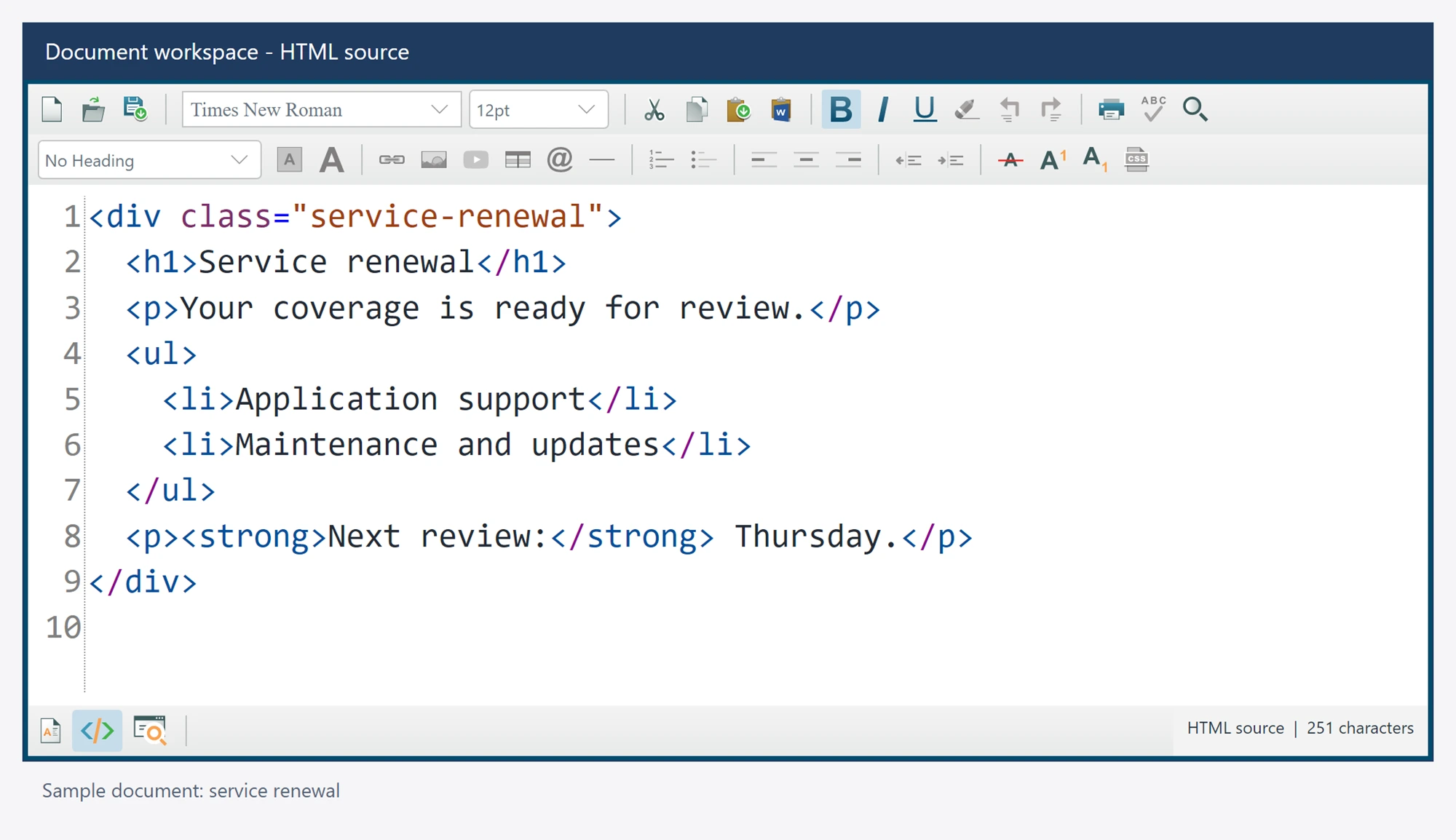
When true (default), switching to source view reformats the raw HTML with indentation reflecting element nesting. When false, the source is shown exactly as the browser engine serializes it (typically a single unindented line).
Syntax
bool FormatHtmlSource { get; set; }
InsertSpaceOnTabKey Property
When true, pressing Tab inserts EditorOptionState.TabWidth literal tab characters ('\t') at the caret instead of moving focus to the next control in the host's tab order. Default false (Tab moves focus, the usual behavior for a form control). Note the "space" wording in the description below is historical - the character actually inserted is a tab, not a space.
Syntax
bool InsertSpaceOnTabKey { get; set; }
KeepTextSelectedAfterFontChange Property
When true (default), the current text selection is preserved after the user applies a font, size, or color change from the toolbar, so further formatting can be layered on without reselecting. When false, the selection collapses after the change is applied, matching typical word-processor behavior.
Syntax
bool KeepTextSelectedAfterFontChange { get; set; }
MaxPastedImageWidth Property
Maximum width (in pixels) applied to images when EditorOptionState.AutoResizeLargeImages is enabled. Height scales proportionally. Default 720 fits most email and blog templates; set higher for wide layouts or lower for narrow sidebar editors.
Syntax
int MaxPastedImageWidth { get; set; }
MsIePasteBehavior Property
When true, a plain Ctrl+V paste is handed to MSHTML's native paste handling instead of the editor's managed insert path. MSHTML's own paste does not populate the pasted HTML on the Pasting event's arguments (so a handler cannot inspect or rewrite it there), and it drops clipboard bitmaps entirely rather than honoring the clipboard image-storage tier. Word/Office content is unaffected by this setting either way: when EditorOptionState.AutoDetectWordPaste detects Office clipboard data (or the user explicitly chooses Paste from Word), the managed Word-cleaning path always runs regardless of this property. This base class defaults to false (managed paste); the WinForms host overrides the default to true in its own constructor for backward compatibility with its historical behavior.
Syntax
bool MsIePasteBehavior { get; set; }
OutputMetaGenerator Property
When true, the saved/exported HTML includes a <meta name="generator" ...> element in the document <head> identifying the editor that produced it. Default false (no generator tag is emitted). Has no effect on HtmlContentTypes.BodyHtml output, since body-only HTML has no <head> to place it in.
Syntax
bool OutputMetaGenerator { get; set; }
PasteImageFromClipboardBehavior Property
Chooses how image-only clipboard data is inserted. Defaults to Base64.
Syntax
ImageStorage PasteImageFromClipboardBehavior { get; set; }
SacrificeOptimizationForLongHtml Property
When true, the editor skips its automatic HTML cleanup passes (legacy <font>-to-span conversion, empty-span/nested-span merging, and URL/path normalization such as EditorOptionState.ConvertFileUrlsToLocalPaths and EditorOptionState.ConvertAbsoluteUrlsToRelativeUrls) that would otherwise run after most editing operations. Default false (cleanup runs normally). Enable this only if those passes are measurably slow on very large documents in your scenario; the trade-off is messier generated markup and non-functioning URL normalization.
Syntax
bool SacrificeOptimizationForLongHtml { get; set; }
ShowCtrlClickTooltipOnHyperlinks Property
When true, the Hyperlink dialog defaults the Title (HTML title attribute) of newly inserted hyperlinks to "Ctrl+Click to view" when the user leaves the Title field blank. The browser shows the title attribute as a native tooltip on hover, with no script injection required. ALM features #72 + #217. Default false to preserve historical behaviour.
Syntax
bool ShowCtrlClickTooltipOnHyperlinks { get; set; }
ShowDefaultContextMenu Property
When false, the editor's built-in right-click context menu is never shown, even though the ContextMenuShowing event still fires so a host can supply its own menu. Default true. To suppress right-click handling entirely (no menu, no event), use EditorOptionState.DisableEditorRightClick instead.
Syntax
bool ShowDefaultContextMenu { get; set; }
ShowZeroBorderGuideline Property
When true (default), a table whose border width is zero (invisible at runtime) is outlined in the editor using EditorOptionState.ZeroBorderTableGuidelineCss so the author can still see and select it while editing; the guideline is a design-time-only overlay and is never written to the saved HTML. Set to false to edit zero-border tables with no visual aid. Changing this property live re-applies (or removes) the guideline on the current document immediately.
Syntax
bool ShowZeroBorderGuideline { get; set; }
TabWidth Property
Number of tab characters inserted at the caret each time the Tab key is pressed. Only read when EditorOptionState.InsertSpaceOnTabKey is true; ignored otherwise. Default 1.
Syntax
int TabWidth { get; set; }
ToolbarIconSize Property
Selects the native factory icon tier. Defaults to Medium.
Syntax
ToolbarIconSizes ToolbarIconSize { get; set; }
UpdateFooterTagNavigator Property
When true (default), the footer bar's tag navigator (the breadcrumb of ancestor tags for the element at the caret) is kept in sync as the caret moves, while the editor is in WysiwygDesign mode. Set to false to leave the footer tag navigator static and skip the per-caret-move work of recomputing it; has no effect outside WysiwygDesign mode.
Syntax
bool UpdateFooterTagNavigator { get; set; }
UrlEncodeHyperlinkHRefs Property
When true (default), hyperlink href values are kept URL-encoded when the document is cleaned up; when false, the cleanup pass URL-decodes anchor hrefs instead (for example turning %20 back into a literal space). Only takes effect while EditorOptionState.SacrificeOptimizationForLongHtml is false, since that option skips the cleanup pass entirely.
Syntax
bool UrlEncodeHyperlinkHRefs { get; set; }
UseHtml5DocType Property
When true (default), the document's DOCTYPE is <!DOCTYPE html> (HTML5); when false, it is the HTML 4.01 Transitional public DOCTYPE. Only has an effect when EditorOptionState.DoctypeOverrideOptions is DocTypes.DoNotOverride (the default) - any other override option ignores this property. Read by EditorOptionState.GetDocTypeValue.
Syntax
bool UseHtml5DocType { get; set; }
UseInlineStyleForImageDimensions Property
When true, the Image dialog writes width and height as inline CSS (style="width:240px;height:120px") instead of HTML width / height attributes. ALM feature #187. Default false to preserve the legacy attribute-based behaviour for customers parsing the saved HTML by attribute.
Syntax
bool UseInlineStyleForImageDimensions { get; set; }
YouTubeVideoIFrameDefaultCss Property
CSS applied to the <iframe> the toolbar's YouTube-video command inserts. Accepts any inline CSS declaration list. Default "border:1px;border-style:solid;border-color:gray;" (a thin gray border); set to an empty string for a borderless embed.
Syntax
string YouTubeVideoIFrameDefaultCss { get; set; }
ZeroBorderTableGuidelineCss Property
Inline CSS applied to the design-time guideline overlay drawn around a zero-border table when EditorOptionState.ShowZeroBorderGuideline is true. Default "border: 1px dashed #000000" (a thin dashed black outline); this styling is never written to the saved HTML, only used to render the design-time aid.
Syntax
string ZeroBorderTableGuidelineCss { get; set; }