


 NuGet
NuGet
Selection, formatting and state queries
Use the awaited authoring services to operate on the current rendered selection. Selection and caret services use the actual visible Source draft or rendered document. The six inline tag formatting commands support Source; other formatting requires editable Design.
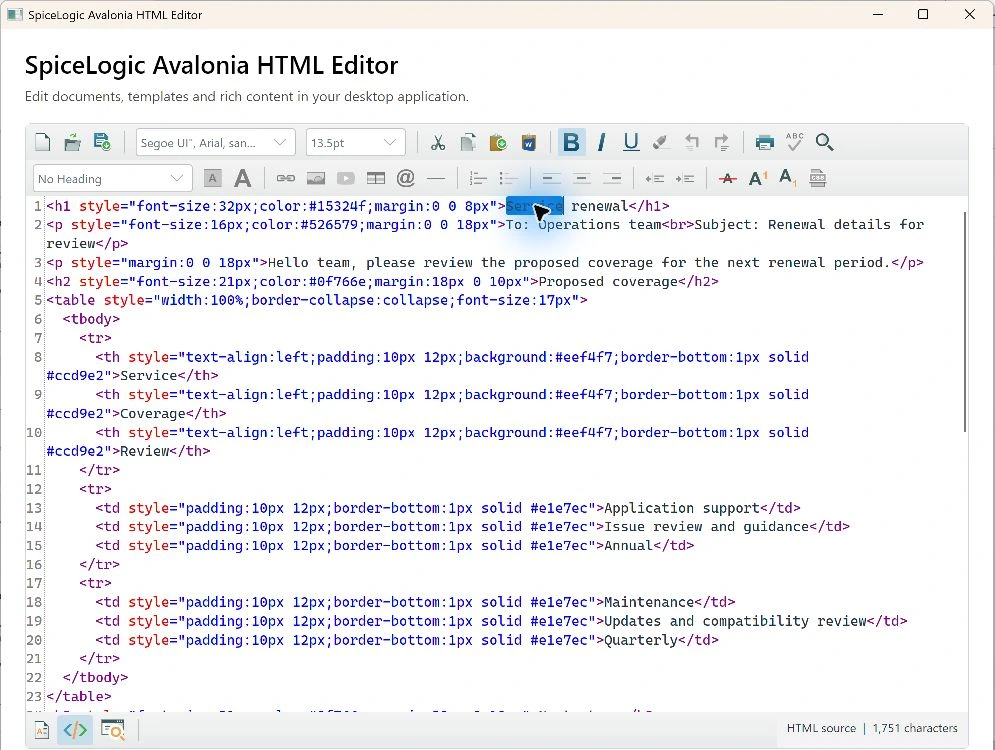
await editor.Selection.SelectTextAsync(0, 5);
string selectedText = await editor.Selection.GetSelectedTextAsync();
await editor.Formatting.BoldAsync();
bool bold = await editor.StateQuery.IsBoldAsync();
Selection
Selection.GetSelectionInfoAsync() provides selection details. SelectTextAsync(start, length) uses UTF-16 text offsets. SelectAllAsync() and DeselectAllAsync() provide explicit selection commands. In Source, selected text and offsets refer to the literal uncommitted draft; selected HTML is empty. Reading or selecting Source does not apply it.
Formatting
Formatting exposes commands such as ItalicAsync(), UnderlineAsync(), AlignLeftAsync() and ChangeFontNameAsync(). ApplyTitleHeaderAsync(0) selects ordinary paragraph text; levels 1 through 6 select headings. Most formatting requires editable Design. Bold, italic, underline, strike through, superscript and subscript wrap the literal Source selection in one draft undo operation.
State
StateQuery provides awaited queries such as CanUndoAsync(), CanRedoAsync(), CanCopyAsync() and GetActiveForeColorAsync(). A state query reads accepted editor state; it does not silently commit source edits.
Use the active context
A state query does not commit a source draft. Source selection is distinct from rendered document selection. Formatting uses one guarded undoable edit in its supported view, and a stale captured selection is rejected.