


Consistency ratio and Transitivity Rule
The consistency ratio shows how consistent your pairwise comparisons are. A simple example makes the idea easier to see. Suppose you prefer an apple twice as much as an orange.

Now suppose you prefer an orange 3 times as much as a banana.

If those two judgments are consistent, you should prefer an apple 6 times as much as a banana.


If you are then asked to compare apple and banana, but you do not choose a 6:1 preference, your judgments contain some inconsistency.
The consistency ratio measures that inconsistency. When your judgments are perfectly consistent, the consistency ratio is 0. As the judgments move farther away from perfect consistency, the number increases.
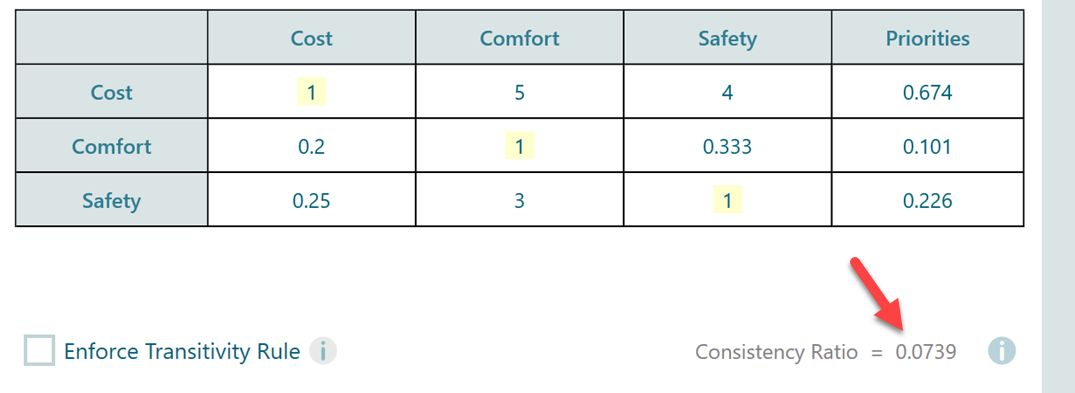
In SpiceLogic AHP Software, the consistency ratio appears whenever you perform pairwise comparisons or view the pairwise comparison matrix. It is shown at the bottom of the comparison panel.
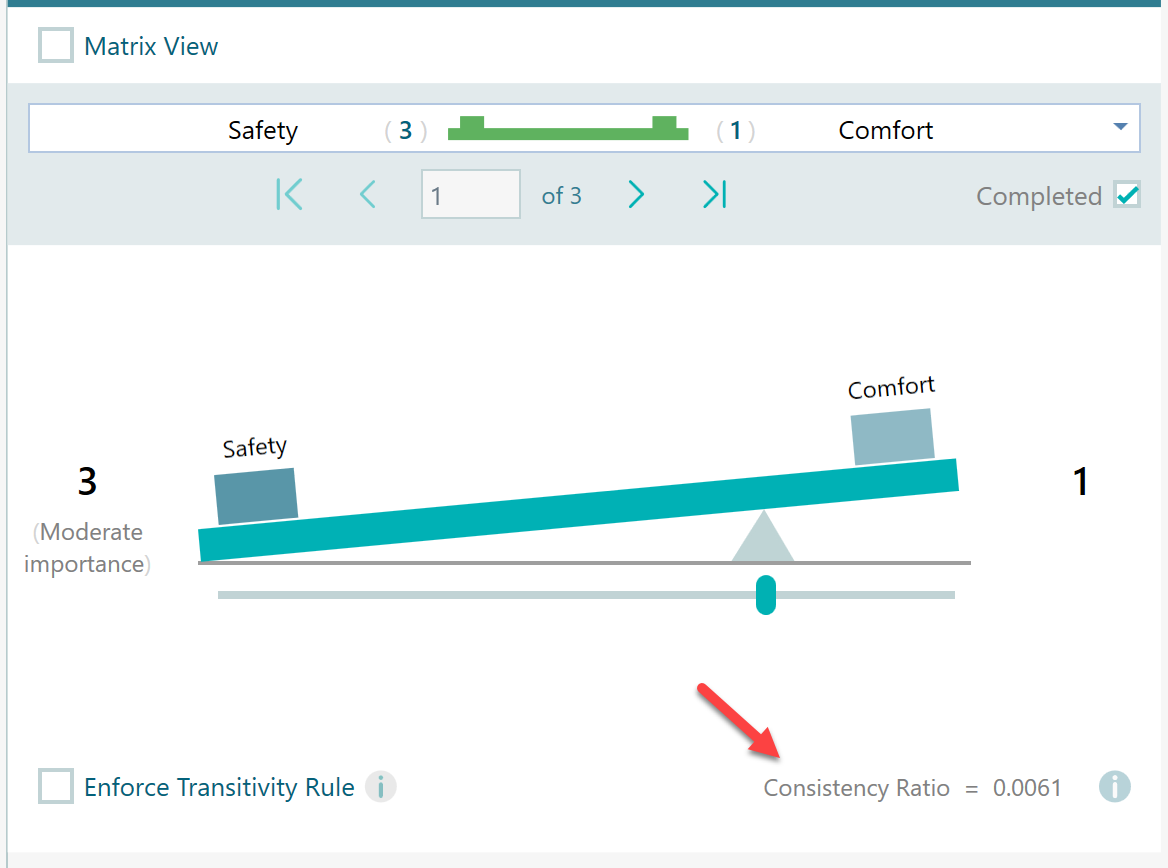
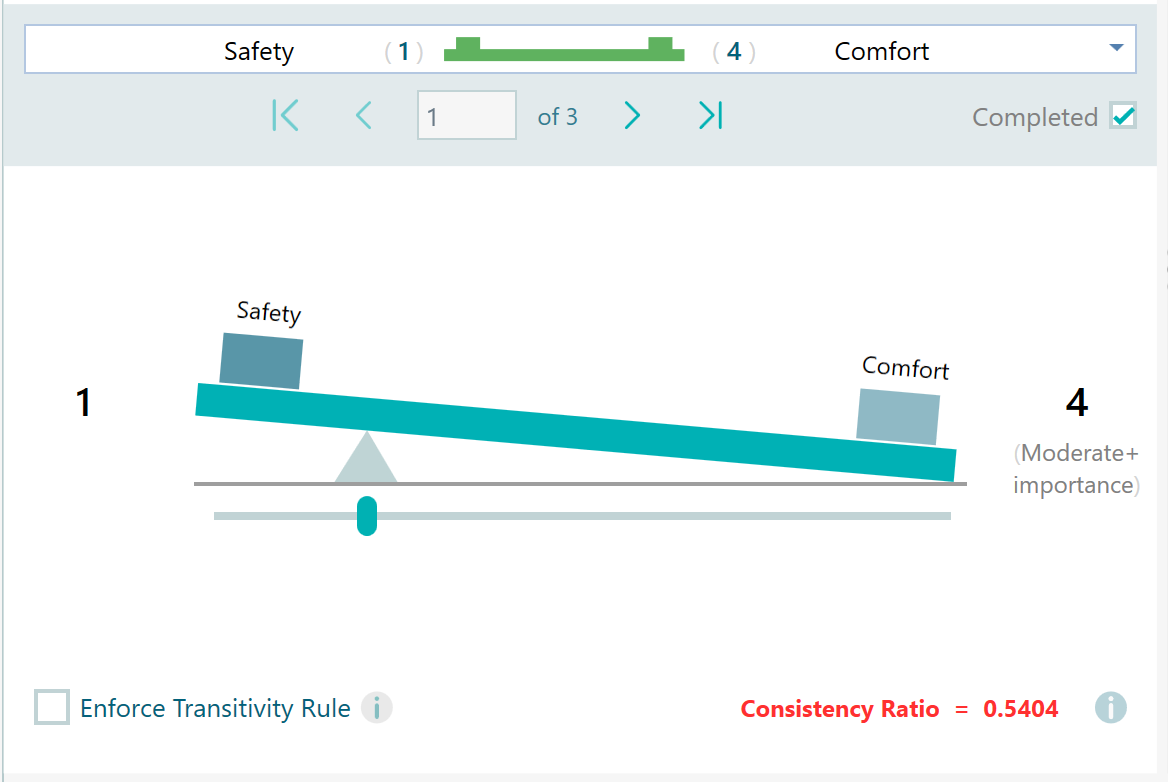
Thomas L. Saaty suggested that the consistency ratio should usually be less than or equal to 0.1. If the value is above 0.1, you should review the judgments and see whether some comparisons need to be revised. When the consistency ratio goes above 0.1, the software highlights it in red so it is easy to notice.
Calculation Method
The page about AHP calculation methods explains how pairwise comparison priorities are calculated.
After the priority vector is calculated, the consistency calculation uses the principal eigenvalue from the pairwise comparison matrix. From that value, we calculate the Consistency Index. Then we divide the Consistency Index by the Random Index to get the Consistency Ratio.
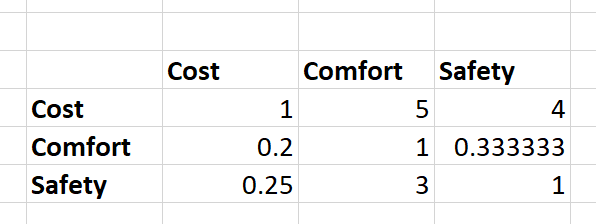
Suppose we have the pairwise comparison matrix shown below.
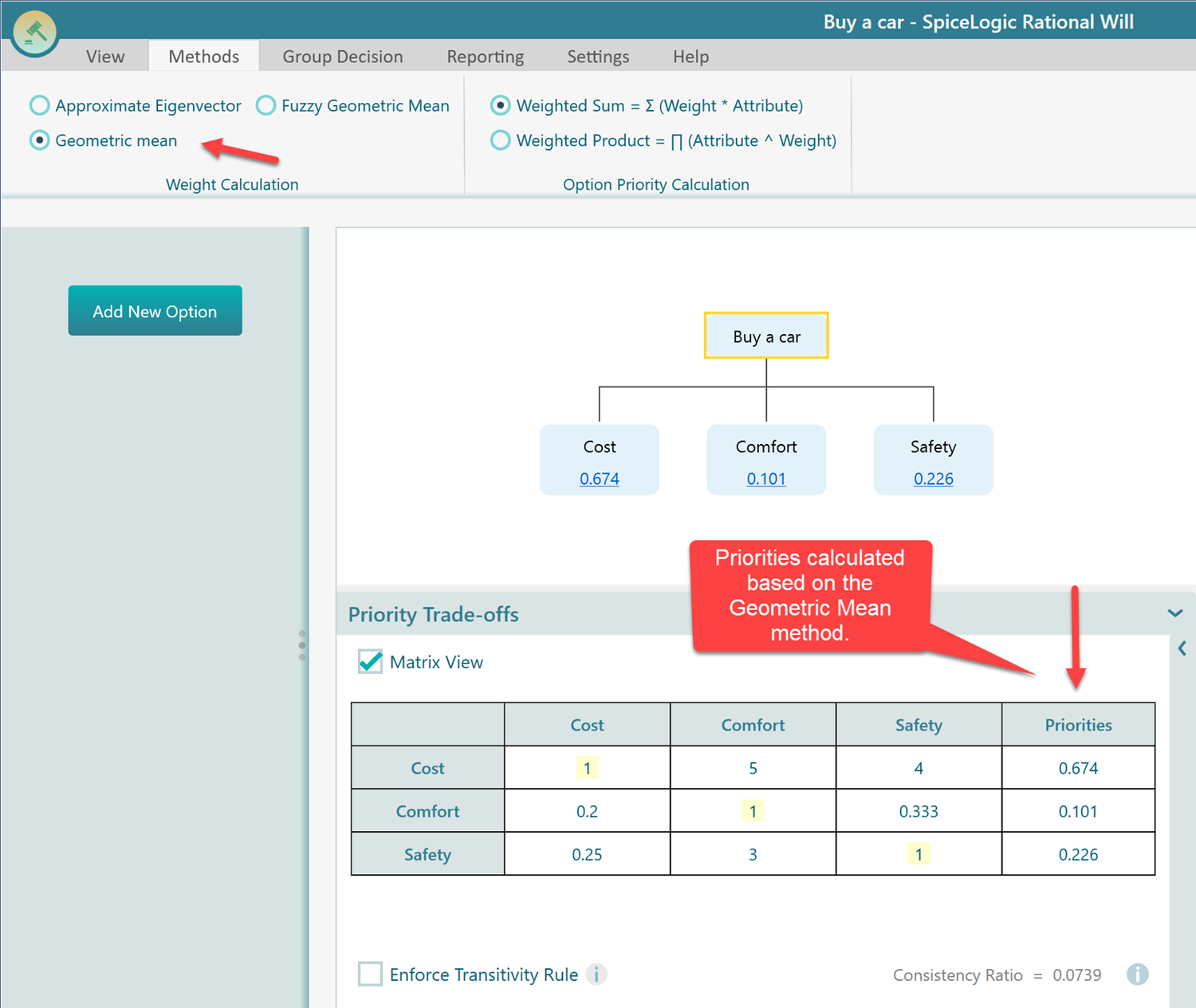
Using the geometric mean method, we get the following priority vector.
To get the principal eigenvalue, we multiply the pairwise comparison matrix by the priority vector.
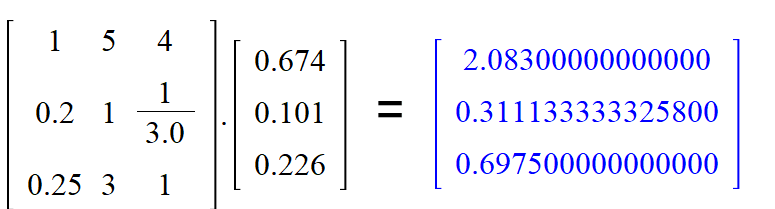
Next, divide each value in the multiplication result by the matching value in the priority vector. This gives a small vector of eigenvalue estimates.
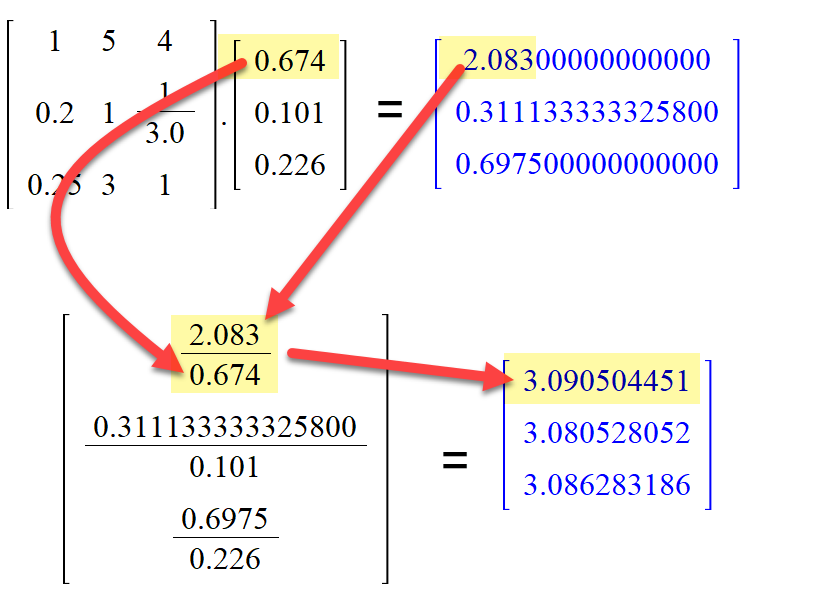
The principal eigenvalue is the average of those values: (3.090504451 + 3.080528052 + 3.086283186) / 3 = 3.085771896.
The next step is to calculate the Consistency Index.

Here, n = 3 and the principal eigenvalue is 3.085771896. So the Consistency Index is 0.042885948.
Now we compare this value with the Random Index. The Random Index represents the expected inconsistency from a randomly filled pairwise comparison matrix of the same size. Saaty provided Random Index values for matrices with different numbers of items.
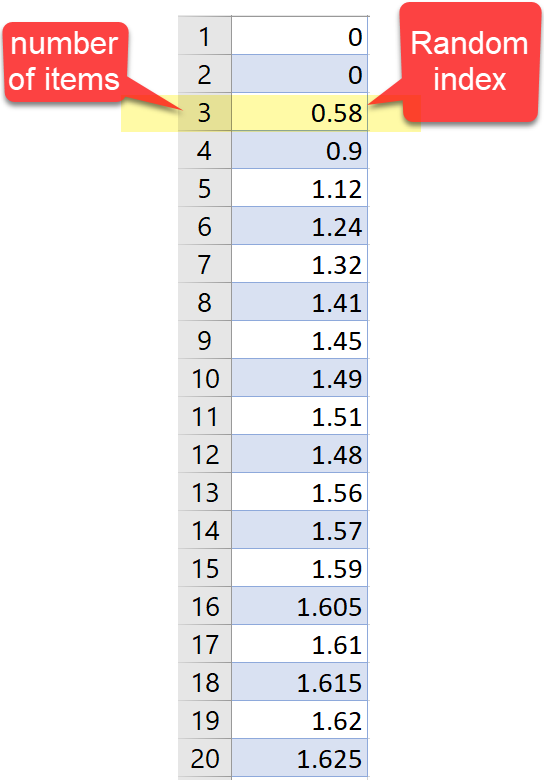
In this example, the matrix has 3 items, so the Random Index is 0.58.
We already calculated the Consistency Index as 0.042885948.
Consistency Ratio = Consistency Index / Random Index.
= 0.042885948 / 0.58 = 0.0739.
This matches the Consistency Ratio shown in SpiceLogic AHP Software.
Transitivity Rule
The transitivity rule is another way to enforce consistency. If you say an apple is 2 times preferred to an orange, and an orange is 3 times preferred to a banana, then a fully transitive model implies that an apple is 6 times preferred to a banana.
Human judgment does not always follow that pattern. A person may choose 4 or 5 instead of 6 when directly comparing apple and banana. That is why AHP normally asks for the apple-vs-banana comparison as well.
If you enforce transitivity, the missing comparison can be inferred from the earlier comparisons. This can reduce the number of pairwise comparisons. Without transitivity, the number of comparisons is 1/2 * n * (n - 1). With transitivity enforced, it can be reduced to n - 1.
That can save a lot of time when your AHP model has many criteria or subcriteria. SpiceLogic AHP Software can enforce the transitivity rule, as shown below.
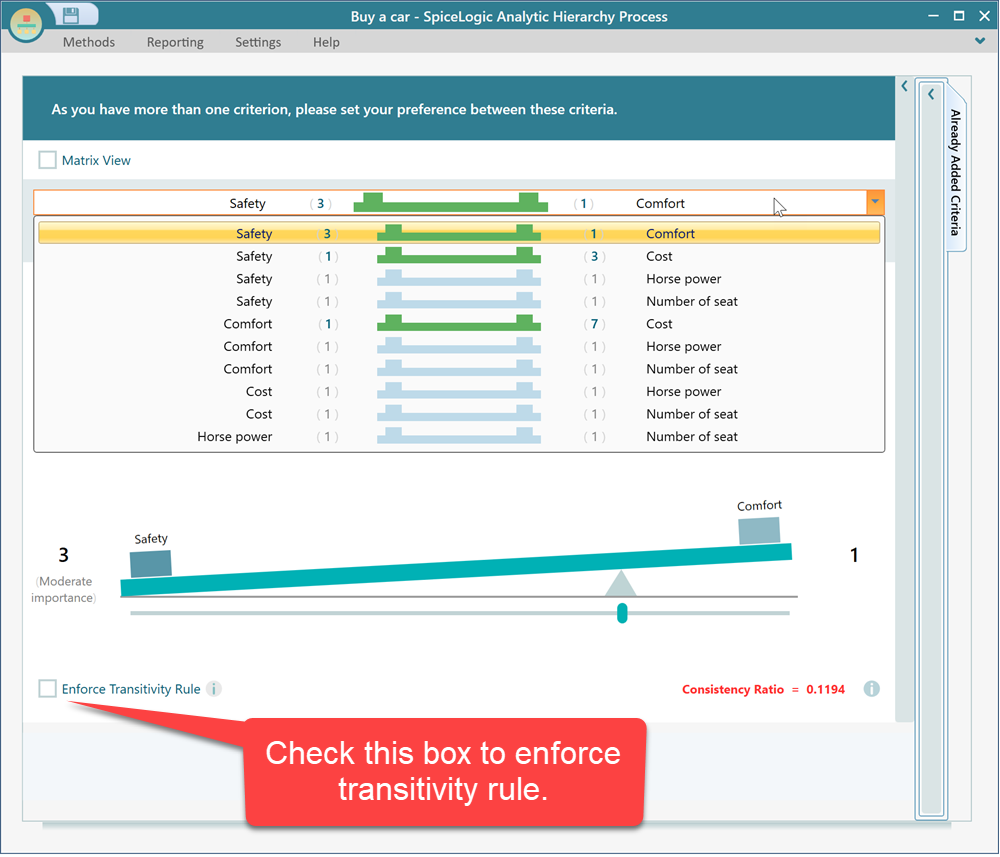
Before applying the transitivity rule, the example above requires 10 pairwise comparisons.
After checking the transitivity-rule checkbox, the number of comparisons is reduced to 4.
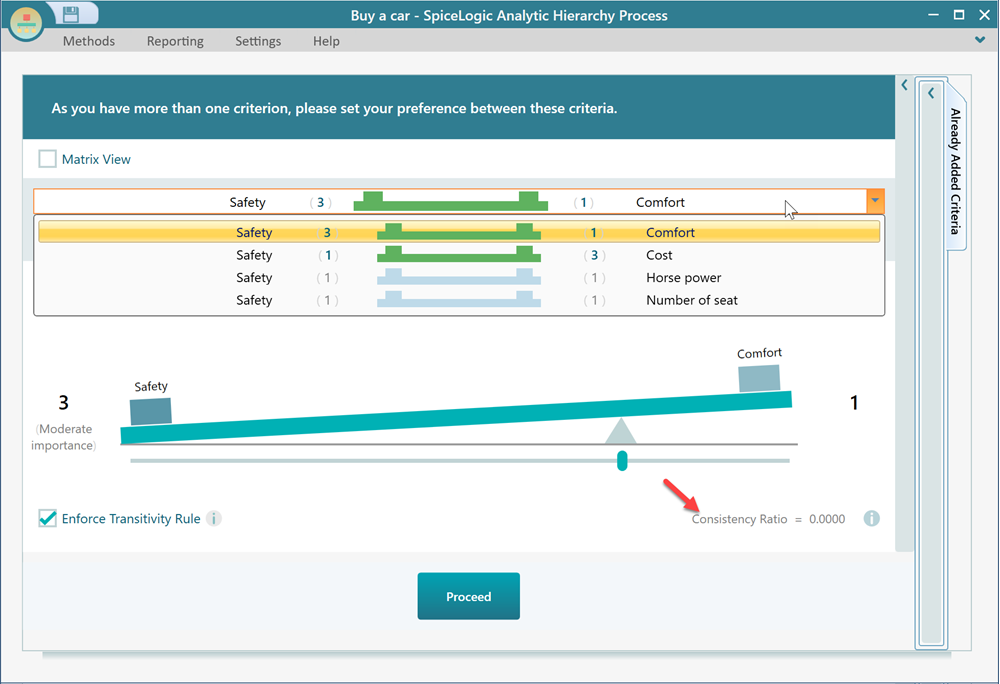
The consistency ratio is also shown as 0. That is expected because the software is not allowing judgments that violate transitivity.