


 NuGet
NuGet
Use your own menus and buttons
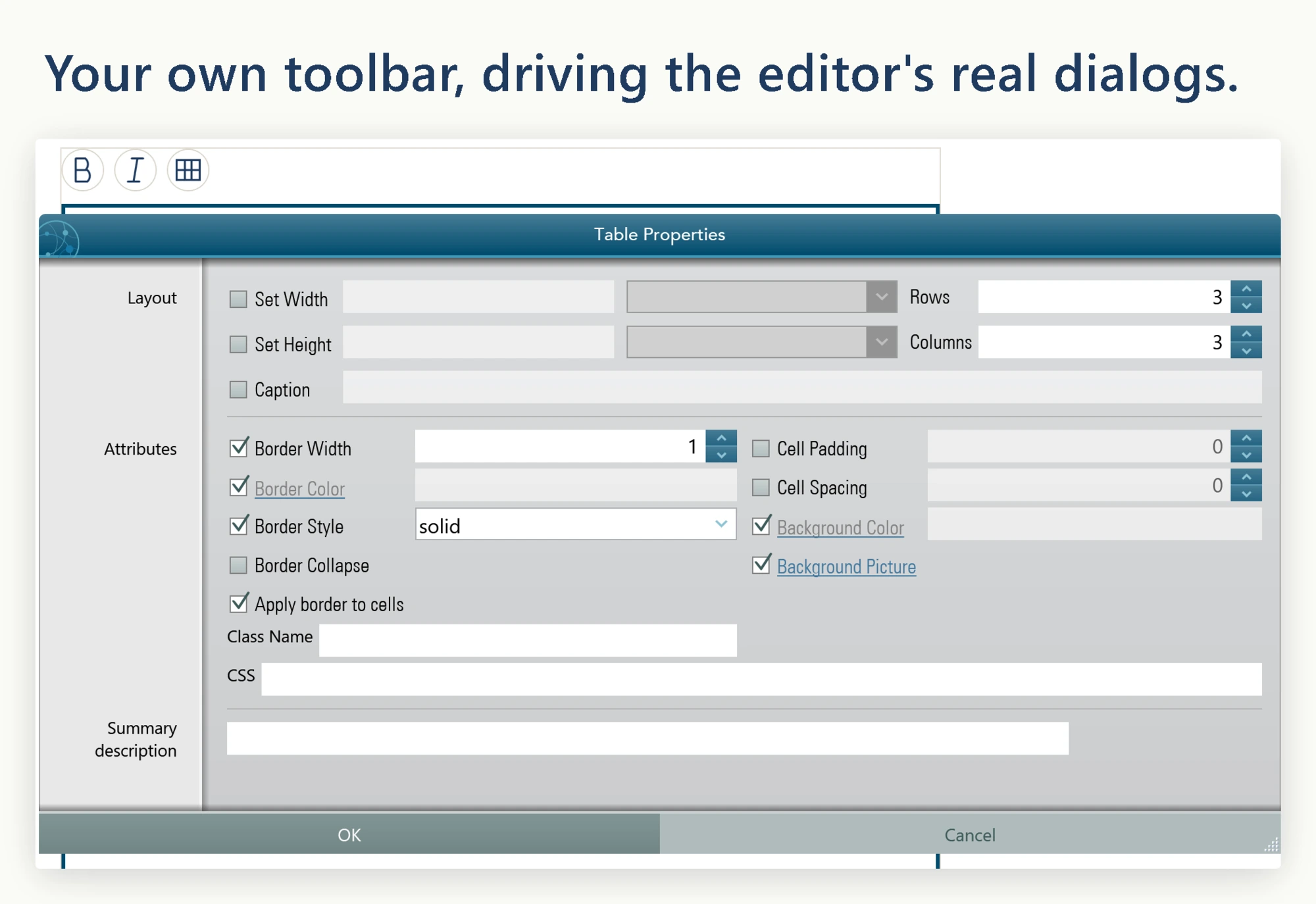
Editing commands can live in your application's ribbon, menus or buttons as well as in the editor toolbar. ToolbarItemOverrider lets those controls run the same commands and dialogs, so you can fit HTML editing into an existing interface.
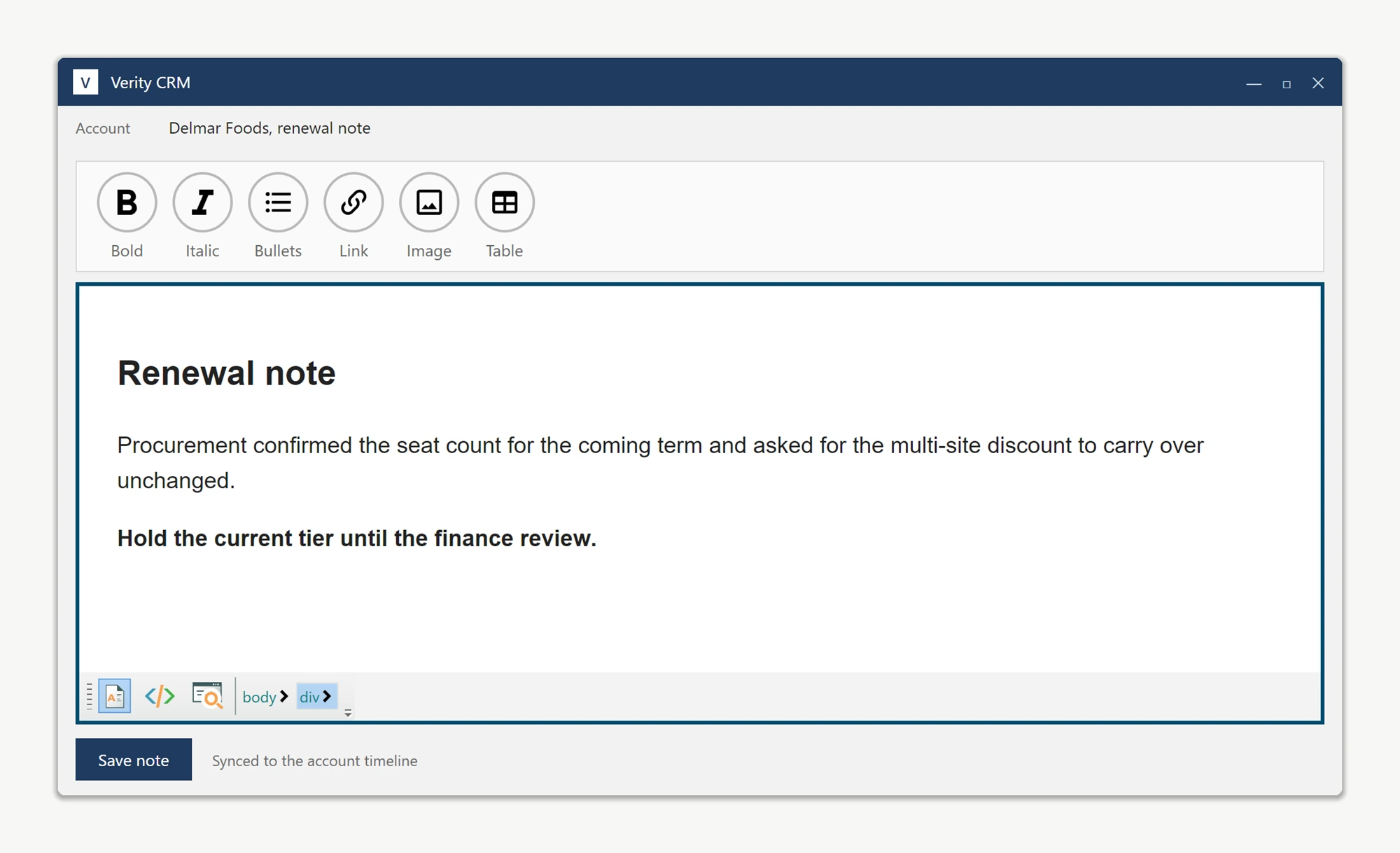
Hide both built-in toolbars in the editor's Loaded event. The editing surface, footer, context menus, and dialogs remain fully functional; only the toolbar strips disappear.
private void KbEditor_OnLoaded(object sender, RoutedEventArgs e)
{
    KbEditor.Toolbar1.Visibility = Visibility.Collapsed;
    KbEditor.Toolbar2.Visibility = Visibility.Collapsed;
}
Private Sub KbEditor_OnLoaded(sender As Object, e As RoutedEventArgs)
KbEditor.Toolbar1.Visibility = Visibility.Collapsed
KbEditor.Toolbar2.Visibility = Visibility.Collapsed
End SubFor simple commands you can call the formatting and content services directly, such as Formatting.Bold() or Content.InsertHtml(...). Commands like Insert Image, Insert Hyperlink, or Symbol are different: the factory click handler opens a dialog, listens for its events, and writes the result back into the document. You do not need to reimplement that logic.
ToolbarItemOverrider exposes a public On...ButtonClicked method for every command. Calling one of these methods runs the exact same code path as clicking the built-in button, so route each custom button through the matching method.
private void Bold_Click(object sender, RoutedEventArgs e) =>
    KbEditor.ToolbarItemOverrider.OnBoldButtonClicked(sender, e);

private void Italic_Click(object sender, RoutedEventArgs e) =>
    KbEditor.ToolbarItemOverrider.OnItalicButtonClicked(sender, e);

private void InsertImage_Click(object sender, RoutedEventArgs e) =>
    KbEditor.ToolbarItemOverrider.OnImageButtonClicked(sender, e);

private void InsertHyperlink_Click(object sender, RoutedEventArgs e) =>
    KbEditor.ToolbarItemOverrider.OnHyperLinkButtonClicked(sender, e);

private void InsertTable_Click(object sender, RoutedEventArgs e) =>
    KbEditor.ToolbarItemOverrider.OnTableInsertButtonClicked(sender, e);

private void InsertSymbol_Click(object sender, RoutedEventArgs e) =>
    KbEditor.ToolbarItemOverrider.OnSymbolInsertButtonClicked(sender, e);
Private Sub Bold_Click(sender As Object, e As RoutedEventArgs)
KbEditor.ToolbarItemOverrider.OnBoldButtonClicked(sender, e)
End Sub
Private Sub Italic_Click(sender As Object, e As RoutedEventArgs)
KbEditor.ToolbarItemOverrider.OnItalicButtonClicked(sender, e)
End Sub
Private Sub InsertImage_Click(sender As Object, e As RoutedEventArgs)
KbEditor.ToolbarItemOverrider.OnImageButtonClicked(sender, e)
End Sub
Private Sub InsertHyperlink_Click(sender As Object, e As RoutedEventArgs)
KbEditor.ToolbarItemOverrider.OnHyperLinkButtonClicked(sender, e)
End Sub
Private Sub InsertTable_Click(sender As Object, e As RoutedEventArgs)
KbEditor.ToolbarItemOverrider.OnTableInsertButtonClicked(sender, e)
End Sub
Private Sub InsertSymbol_Click(sender As Object, e As RoutedEventArgs)
KbEditor.ToolbarItemOverrider.OnSymbolInsertButtonClicked(sender, e)
End SubClicking a custom button opens the same dialog the factory button would have opened, just triggered from your own control. The image picker still validates the URL, still respects the editor's BaseUrl for relative paths, and still fires the HtmlChanged event when the image is inserted.
The full set of overrider methods: OnNewButtonClicked, OnOpenButtonClicked, OnSaveButtonClicked, OnCutButtonClicked, OnCopyButtonClicked, OnPasteButtonClicked, OnPasteFromMsWordButtonClicked, OnUndoButtonClicked, OnRedoButtonClicked, OnPrintButtonClicked, OnBoldButtonClicked, OnItalicButtonClicked, OnUnderlineButtonClicked, OnStrikeThroughButtonClicked, OnSuperScriptButtonClicked, OnSubscriptButtonClicked, OnAlignLeftButtonClicked, OnAlignCenterButtonClicked, OnAlignRightButtonClicked, OnOutdentButtonClicked, OnIndentButtonClicked, OnOrderedListButtonClicked, OnUnOrderedListButtonClicked, OnHyperLinkButtonClicked, OnImageButtonClicked, OnYouTubeVideoInsertButtonClicked, OnTableInsertButtonClicked, OnTableModifyButtonClicked, OnSymbolInsertButtonClicked, OnHorizontalRuleButtonClicked, OnFormatResetButtonClicked, OnBodyStyleButtonClicked, OnFontForeColorButtonClicked, OnTextHighlightColorButtonClicked, OnSearchButtonClicked, and OnCheckSpellingButtonClicked.
Ask your AI to do this
Connect the SpiceLogic MCP server, then give your coding assistant this prompt.
I use the SpiceLogic WPF HTML Editor. Help me connect my application menus and buttons to the editor commands. Confirm the exact API names, types and defaults with the SpiceLogic MCP documentation, then show the changes for my project.