


 NuGet
NuGet
Spell checking
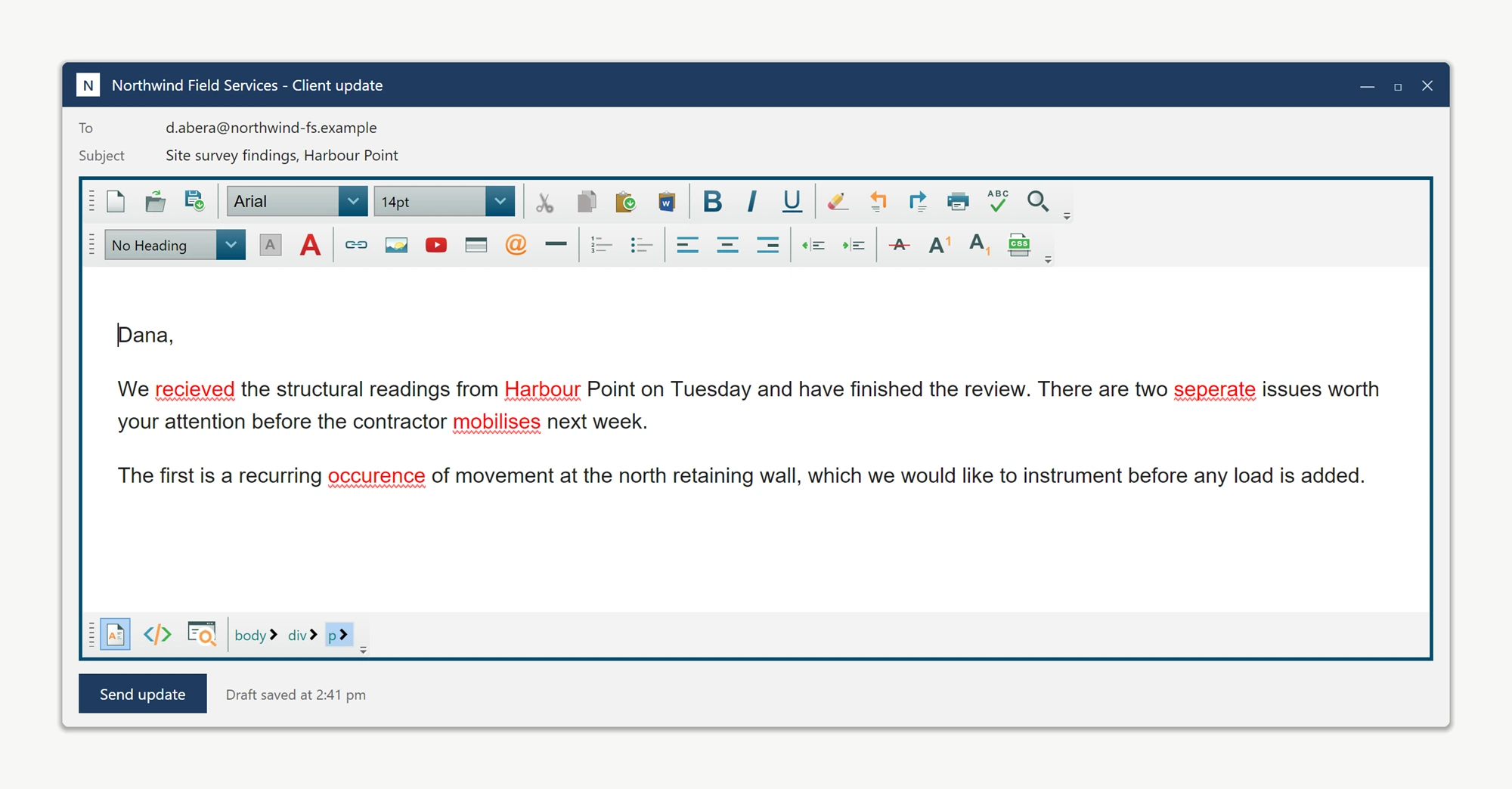
Spell checking helps users find and correct misspelled words in the documents they edit. Inline checking flags words as they type, while the spell-check dialog lets them review the document one word at a time. Use SpellCheckOptions to choose the dictionary and checking behavior.
<Window xmlns:editor="clr-namespace:SpiceLogic.HtmlEditor.WPF;assembly=SpiceLogic.HtmlEditor.WPF">
    <editor:WpfHtmlEditor x:Name="NoteEditor" />
</Window>
Two ways to check, and they coexist
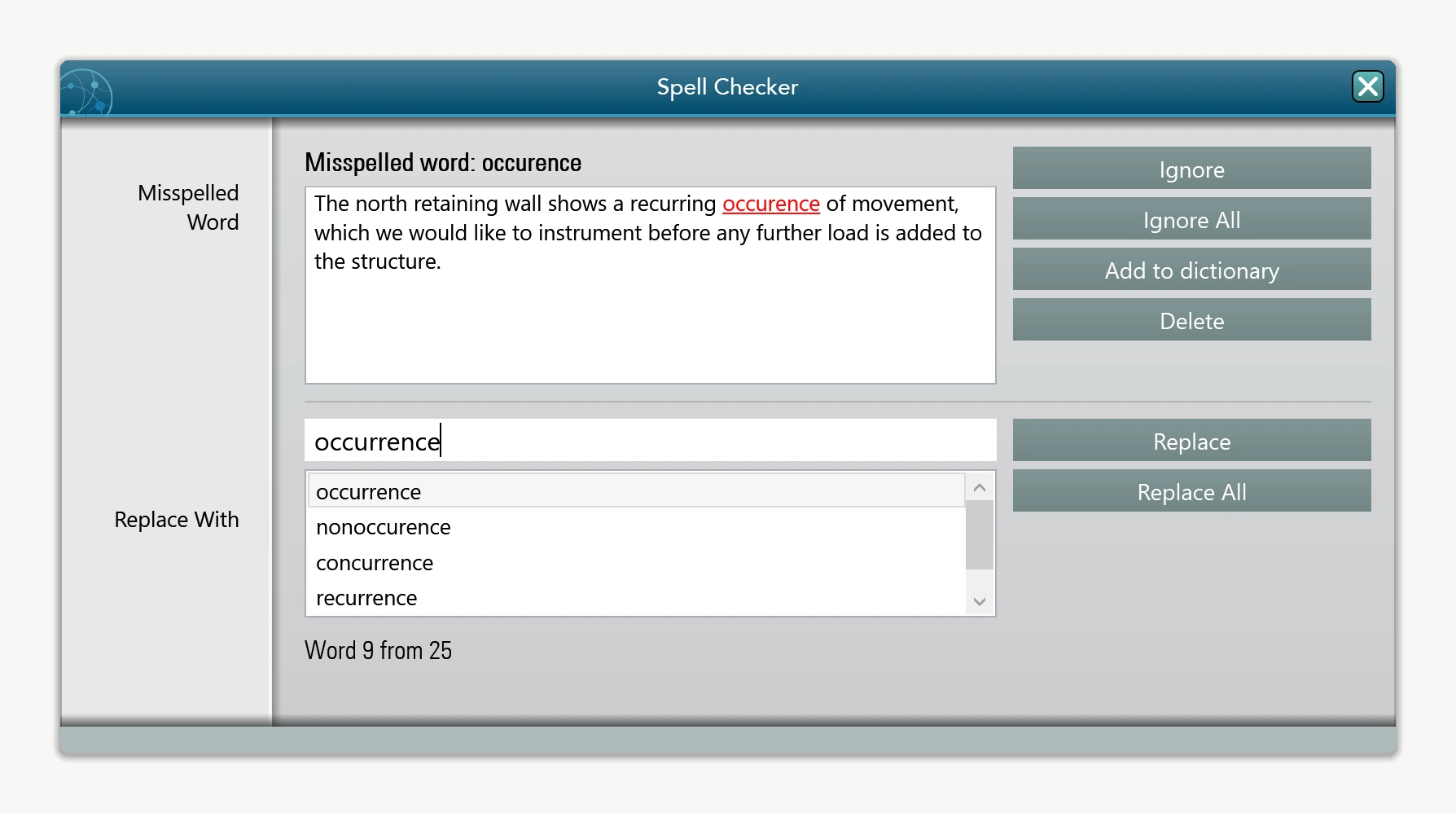
The control supports two checking modes simultaneously: inline squiggles under misspelled words as the user types, and a dialog walker (launched from the toolbar) that steps through every flagged word one at a time, similar to Microsoft Word. Both are configured through the SpellCheckOptions property:
NoteEditor.SpellCheckOptions.FireInlineSpellCheckingOnKeyStroke = true;
NoteEditor.SpellCheckOptions.InlineSpellCheckDebounceMilliseconds = 300;
NoteEditor.SpellCheckOptions.FireInlineSpellCheckingOnKeyStroke = True
NoteEditor.SpellCheckOptions.InlineSpellCheckDebounceMilliseconds = 300InlineSpellCheckDebounceMilliseconds coalesces a burst of typing (such as a pasted, thousand-line block of text) into a single check instead of re-scanning on every keystroke. The default 300 ms window keeps the editor responsive even on lower-powered devices.
Using a different dictionary language
To spell-check in a language other than US English, supply an OpenOffice-format .dic/.aff dictionary pair and point the editor at the files:
NoteEditor.SpellCheckOptions.DictionaryFile.DictionaryFilePath = @"Dictionaries\de_DE.dic";
NoteEditor.SpellCheckOptions.DictionaryFile.AffixFilePath      = @"Dictionaries\de_DE.aff";
NoteEditor.SpellCheckOptions.SpellCheckLanguage = SpellCheckLanguage.German;
NoteEditor.SpellCheckOptions.DictionaryFile.DictionaryFilePath = "Dictionaries\de_DE.dic"
NoteEditor.SpellCheckOptions.DictionaryFile.AffixFilePath = "Dictionaries\de_DE.aff"
NoteEditor.SpellCheckOptions.SpellCheckLanguage = SpellCheckLanguage.GermanSpellCheckLanguage defaults to SameAsEditorLanguage. Set or bind the editor's Language property to select a bundled dictionary with the UI language, or configure the spell-check option separately. Custom dictionary files must be supplied as a matching .dic and .aff pair.
Handling product names and other custom terms
Words that are not in any dictionary, such as product or brand names, will be squiggled by default. Enable the user dictionary so users can right-click a flagged word and choose Add to Dictionary to stop it being flagged again. See the User Dictionary page for the full walkthrough.
Using an external spell-check service
When spelling must be validated against an external source, such as an internal terminology or compliance service, instead of a local dictionary file, implement ISpellCheckerEngine and assign it to the editor. Every spell check call, inline squiggles, dialog suggestions, and Add-to-Dictionary, then routes through that engine. See Using a Custom Spell-Check Engine.
Detecting when a check has completed
The spell-check dialog closes automatically when the review finishes, without a separate completion popup. A document with no spelling errors completes without opening a dialog. Subscribe to SpellCheckCompleted to know when a spell-check pass finishes, for example to update a non-modal status message. The event fires for both interactive and inline checks. Canceled is true for a canceled review:
NoteEditor.SpellCheckCompleted += (sender, e) =>
{
    statusLabel.Text = e.Canceled
        ? "Spell check canceled."
        : "Spell check complete.";
};
AddHandler NoteEditor.SpellCheckCompleted,
Sub(sender, e)
statusLabel.Text = If(e.Canceled, "Spell check canceled.", "Spell check complete.")
End SubThe following pages in this section cover the deeper API surface for each of these topics.
Ask your AI to do this
Connect the SpiceLogic MCP server, then give your coding assistant this prompt.
I use the SpiceLogic WPF HTML Editor. Help me configure the supported spell-check options for my application. Confirm the exact API names, types and defaults with the SpiceLogic MCP documentation, then show the changes for my project.