


 NuGet
NuGet
Add toolbar items
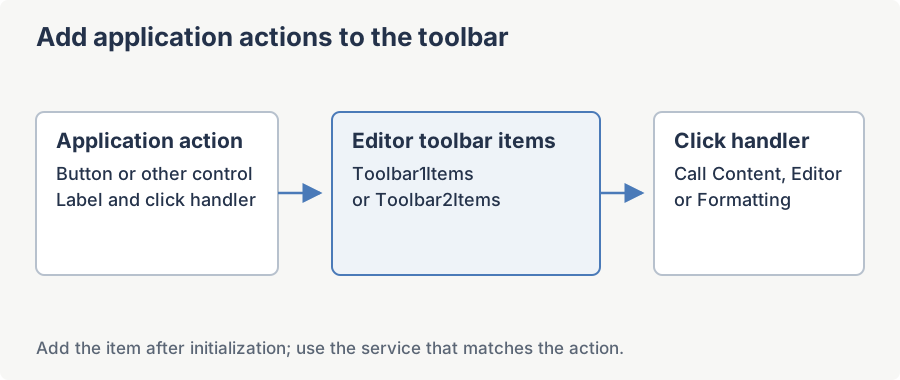
You can extend the editor toolbar with actions specific to your application, such as inserting a standard clause or choosing a template. Add your controls after the editor is initialized so users can access these actions alongside the built-in formatting commands.
Adding toolbar items: the supported ways
Add an item in code
Create a WPF control, wire its event, and add it to Toolbar1Items after InitializeComponent(). Content.InsertHtml inserts at the caret, manages undo, and raises the change notification.
var btn = new Button
{
    Content = "Insert Disclosure"
};
btn.Click += (s, e) => Editor.Content.InsertHtml("<p>Approved compliance text...</p>", keepSelected: false);
Editor.Toolbar1Items.Add(btn);
Dim btn = New Button With {
.Content = "Insert Disclosure"
}
AddHandler btn.Click, Sub(s, e) Editor.Content.InsertHtml("<p>Approved compliance text...</p>", keepSelected:=False)
Editor.Toolbar1Items.Add(btn)Add an item in XAML or via data binding (MVVM)
For MVVM, bind a collection from your view-model to Toolbar1ItemsSource (or Toolbar2ItemsSource); your items render alongside the factory buttons. Bind each item's command to a view-model ICommand that calls into the editor.
XAML
<wpfeditor:WpfHtmlEditor x:Name="Editor"
                         Toolbar1ItemsSource="{Binding MyToolbarButtons}" />
Either approach is additive -- the built-in buttons stay; your items are appended.
What you can do from the item event
From your button's event handler (or bound command) you have the editor's whole public surface, and you do not manage undo or change-tracking yourself:
Editor.Content-- insert HTML at the caret, get/set the body HTML, open files, read the current document.Editor.Formatting-- bold, italic, font name/size, indent, lists, headings.Editor.Selection-- read or change the current selection.Editor.StateQuery-- ask whether the caret is inside a table, hyperlink, image, etc.
Design-time note
WPF has no Smart Tag, and the WPF design-time support assembly targets .NET Framework only. The full design-time story -- the Properties window, XAML, and how this differs between .NET Framework and modern .NET -- is covered in its own page: see Design-time configuration: the Properties window and XAML in the Start Up section. None of that affects toolbar items, which are always added in code, XAML, or by binding as shown above.
Ask your AI to do this
Connect the SpiceLogic MCP server, then give your coding assistant this prompt.
I use the SpiceLogic WPF HTML Editor. Help me add a toolbar button that inserts a signature at the caret. Confirm the exact API names, types and defaults with the SpiceLogic MCP documentation, then show the changes for my project.