


 NuGet
NuGet
User dictionary
A user dictionary remembers words a user accepts, such as names, abbreviations and specialist terms. Those words stop appearing as spelling errors in later sessions. Enable the feature and choose a writable file for each user to persist their additions.
What the user sees
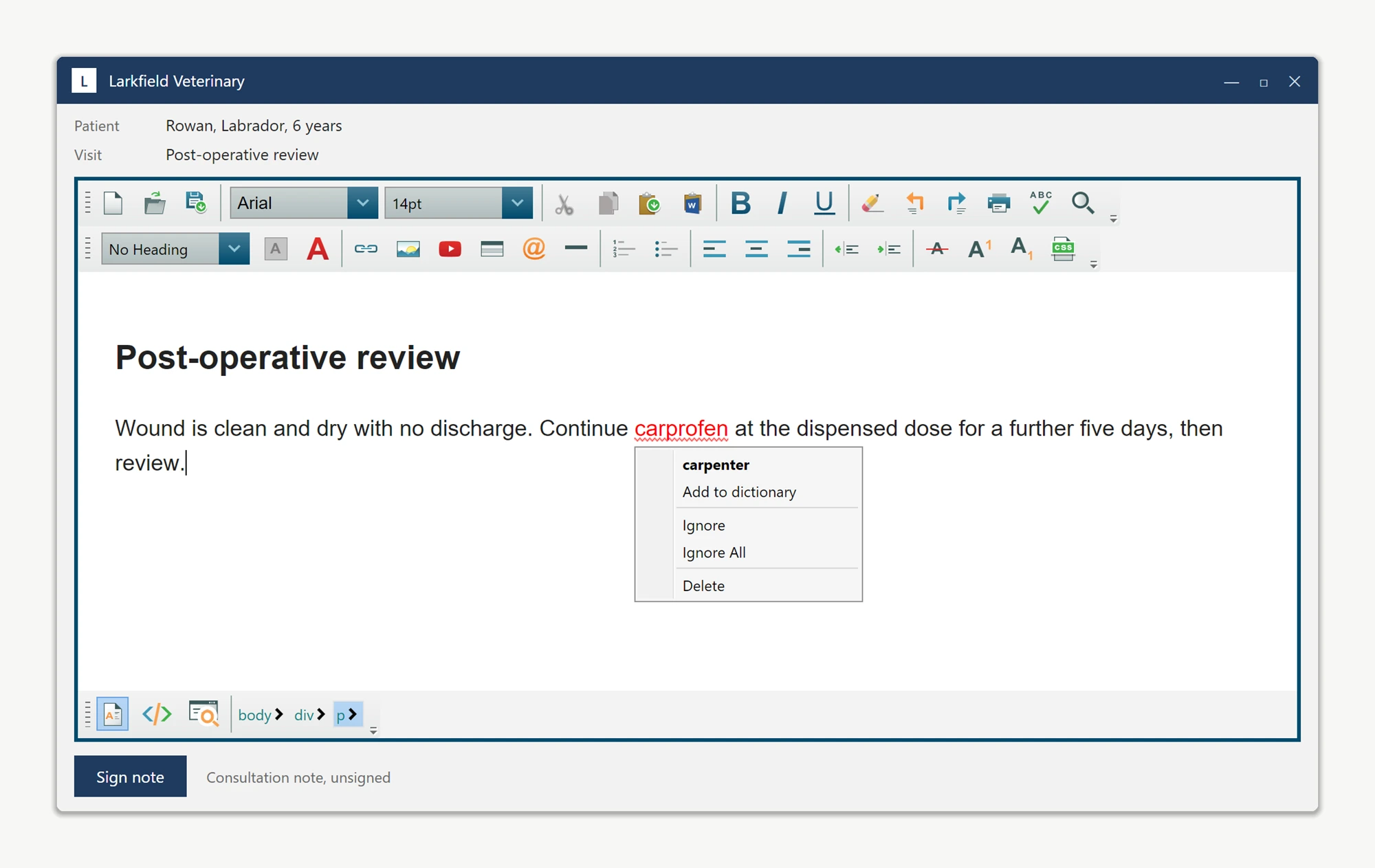
When inline spell checking flags a word, the user right-clicks it. The suggestion context menu appears, and below the suggested corrections is an entry labelled Add to Dictionary. Selecting it removes the squiggle immediately, persists the word to a file, and prevents the word from being flagged again, even in a later session.
Turning the feature on
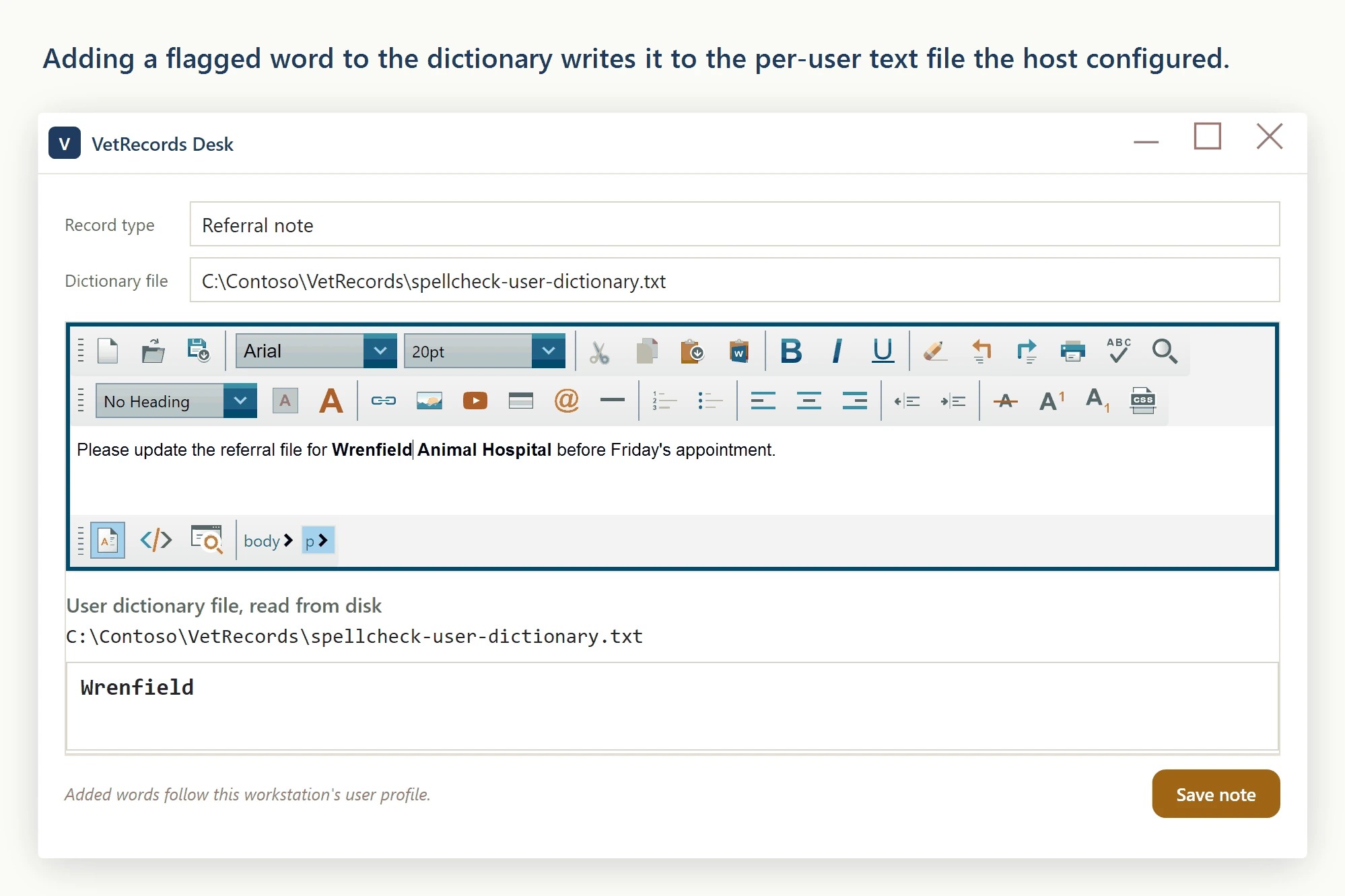
Enable the menu entry and configure a writable per-user file through SpellCheckOptions.DictionaryFile. A local profile file persists on that machine; sharing it between workstations requires your application or profile-management system to synchronize it.
RecordEditor.SpellCheckOptions.DictionaryFile.EnableUserDictionary = true;
var perUserFile = System.IO.Path.Combine(Environment.GetFolderPath(Environment.SpecialFolder.ApplicationData), "VetRecords", "spellcheck-user-dictionary.txt");
RecordEditor.SpellCheckOptions.DictionaryFile.UserDictionaryFilePath = perUserFile;
RecordEditor.SpellCheckOptions.DictionaryFile.EnableUserDictionary = True
Dim perUserFile = System.IO.Path.Combine(Environment.GetFolderPath(Environment.SpecialFolder.ApplicationData), "VetRecords", "spellcheck-user-dictionary.txt")
RecordEditor.SpellCheckOptions.DictionaryFile.UserDictionaryFilePath = perUserFileThe file is plain text, one word per line, created on first save if it does not exist. Back it up by copying the file, or pre-seed it with existing shorthand for new users.
Localizing the menu label
The Add to Dictionary label can be overridden, for example to localize it:
RecordEditor.SpellCheckOptions.AddToDictionaryText = "Agregar al diccionario";RecordEditor.SpellCheckOptions.AddToDictionaryText = "Agregar al diccionario"The same property is the hook for any rebrand - a customer that wants the menu to read Add to Company Glossary only needs to change one string.
Using a custom spell-check engine
A custom engine receives the configured dictionary, affix and user-dictionary paths through Initialize. AddToUserDictionary handles accepted words. Your implementation decides whether to use those paths, another store or memory only.
Ask your AI to do this
Connect the SpiceLogic MCP server, then give your coding assistant this prompt.
I use the SpiceLogic WPF HTML Editor. Help me configure and persist the user dictionary, including an explicit strategy if it must follow the user to another computer. Confirm the exact API names, types and defaults with the SpiceLogic MCP documentation, then show the changes for my project.