


 NuGet
NuGet
Keep custom buttons in sync
A formatting button should reflect the text at the caret: Bold should appear pressed on bold text, and table commands should be available when relevant. Handle SelectionChanged and query StateQuery to keep your own buttons in step with the current selection.
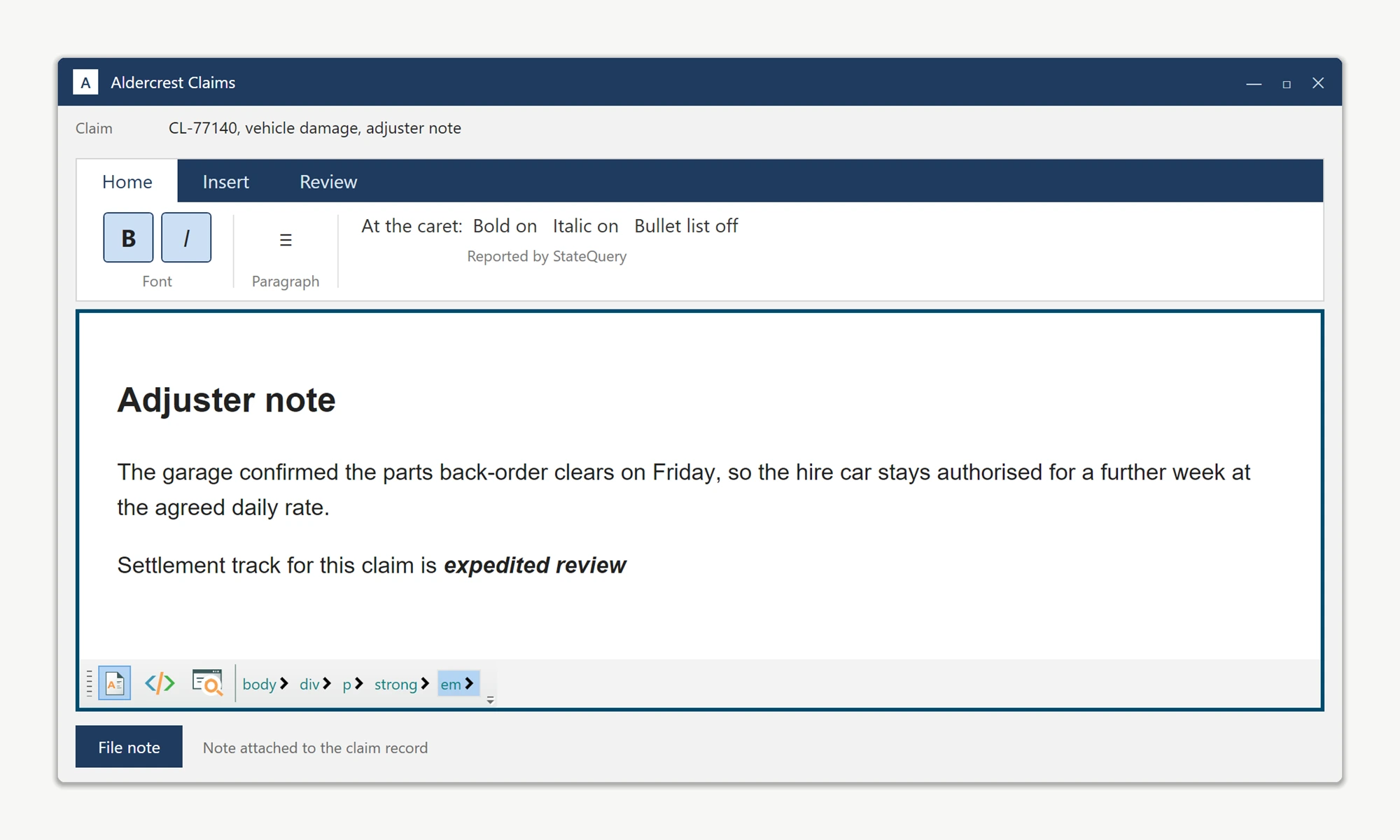
Two members support this. The SelectionChanged routed event on WpfHtmlEditor fires whenever the caret moves or the selection changes. The StateQuery service answers formatting questions such as IsBold(), IsItalic(), IsUnorderedList(), and more.
Subscribe to the event in the editor's Loaded handler, then push the returned state into your view model on each callback, as shown below.
private void ContractEditor_OnLoaded(object sender, RoutedEventArgs e)
{
    ContractEditor.SelectionChanged += ContractEditor_SelectionChanged;
}

private void ContractEditor_SelectionChanged(object sender, RoutedEventArgs e)
{
    var state = ContractEditor.StateQuery;
    var vm = (RibbonViewModel)DataContext;
    vm.IsBold = state.IsBold();
    vm.IsItalic = state.IsItalic();
    vm.IsUnderline = state.IsUnderline();
    vm.IsBulletList = state.IsUnorderedList();
    vm.IsNumberList = state.IsOrderedList();
    vm.IsAlignLeft = state.IsJustifyLeft();
    vm.IsAlignCenter = state.IsJustifyCenter();
    vm.IsAlignRight = state.IsJustifyRight();
    vm.ActiveFontFamily = state.GetActiveFontFamilyName();
    vm.ActiveFontSize = state.GetActiveFontSize();
    vm.CanUndo = state.CanUndo();
    vm.CanRedo = state.CanRedo();
    vm.CanPaste = state.CanPaste();
}
Private Sub ContractEditor_OnLoaded(sender As Object, e As RoutedEventArgs)
AddHandler ContractEditor.SelectionChanged, AddressOf ContractEditor_SelectionChanged
End Sub
Private Sub ContractEditor_SelectionChanged(sender As Object, e As RoutedEventArgs)
Dim state = ContractEditor.StateQuery
Dim vm = CType(DataContext, RibbonViewModel)
vm.IsBold = state.IsBold()
vm.IsItalic = state.IsItalic()
vm.IsUnderline = state.IsUnderline()
vm.IsBulletList = state.IsUnorderedList()
vm.IsNumberList = state.IsOrderedList()
vm.IsAlignLeft = state.IsJustifyLeft()
vm.IsAlignCenter = state.IsJustifyCenter()
vm.IsAlignRight = state.IsJustifyRight()
vm.ActiveFontFamily = state.GetActiveFontFamilyName()
vm.ActiveFontSize = state.GetActiveFontSize()
vm.CanUndo = state.CanUndo()
vm.CanRedo = state.CanRedo()
vm.CanPaste = state.CanPaste()
End SubBind the ribbon toggles in XAML to these properties, for example IsChecked="{Binding IsBold}" and IsChecked="{Binding IsItalic}". Bind Undo/Redo buttons to IsEnabled="{Binding CanUndo}" and IsEnabled="{Binding CanRedo}". As long as RibbonViewModel raises PropertyChanged on each setter, every toggle and button updates automatically as the caret moves.
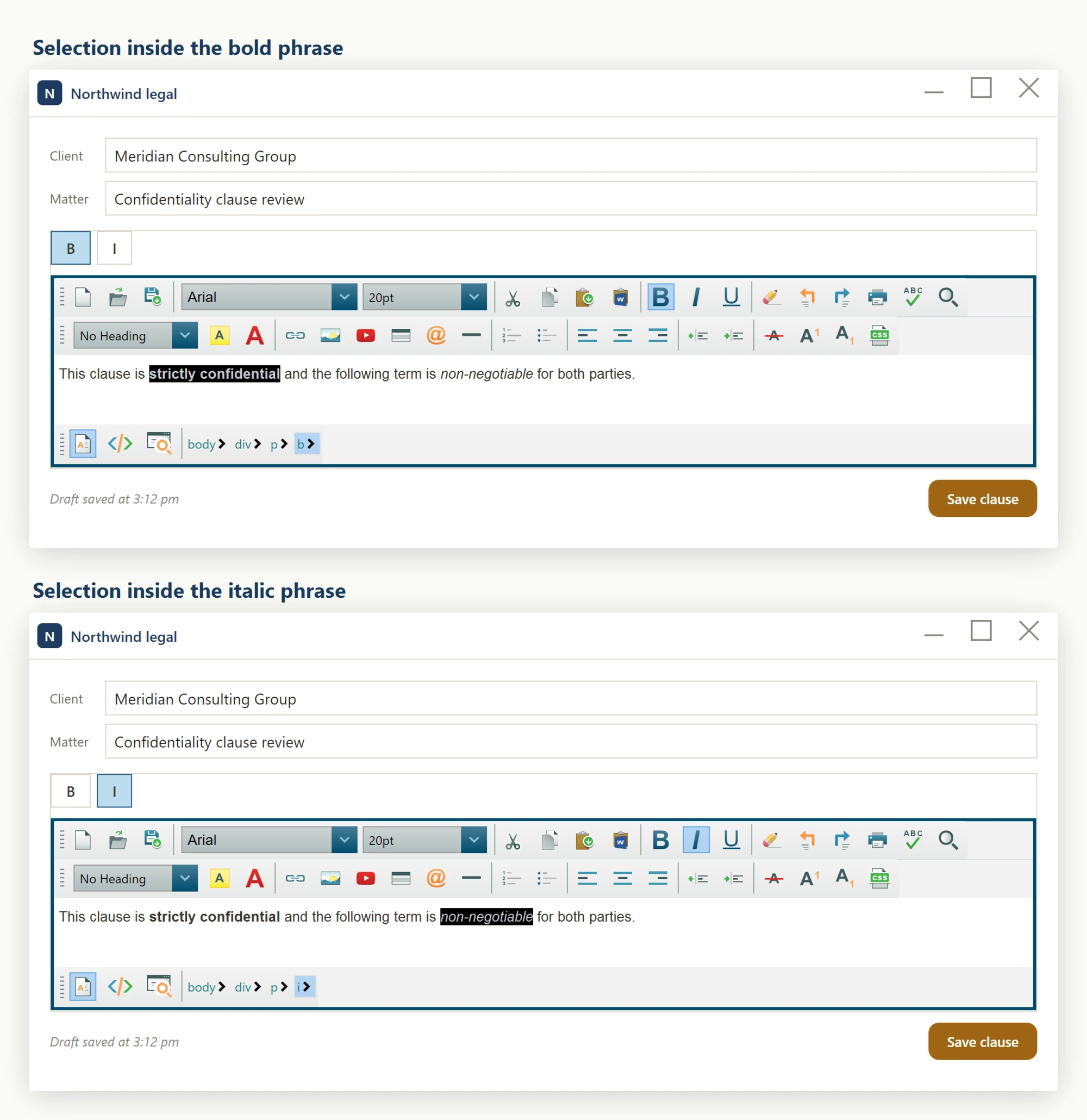
The StateQuery service exposes many additional context queries beyond the formatting toggles shown above, including IsStrikeThrough(), IsSubscript(), IsSuperscript(), IsHyperLink(), IsImage(), IsTable(), IsTableCell(), IsActiveOrAncestorElementHyperLink(), IsActiveOrAncestorElementTable(), GetActiveForeColor(), GetActiveHighlightColor(), GetActiveHeaderTitleNumber(), IsActiveElementHeaderTitle(), CanCut(), CanCopy(), and CanDelete(). Use these to add more ribbon features with the same event-subscription pattern.
- Hook the routed
SelectionChangedevent onWpfHtmlEditorto be notified whenever the caret or selection moves. - Inside the handler, call
editor.StateQuery.IsBold(),.IsItalic(),.IsUnorderedList(), etc. to learn the caret context. - Push the values into your view-model properties so any bound
ToggleButton.IsCheckedandIsEnabledbinding updates automatically.
Ask your AI to do this
Connect the SpiceLogic MCP server, then give your coding assistant this prompt.
I use the SpiceLogic WPF HTML Editor. Help me keep my custom formatting buttons in sync with the current selection. Confirm the exact API names, types and defaults with the SpiceLogic MCP documentation, then show the changes for my project.