


 NuGet
NuGet
Customize the font dropdown
The font dropdown lets users choose the typeface applied to their text. You can tailor its entries to the fonts your application supports. Each entry chooses a CSS font name; it does not install that font or make it available on another computer.
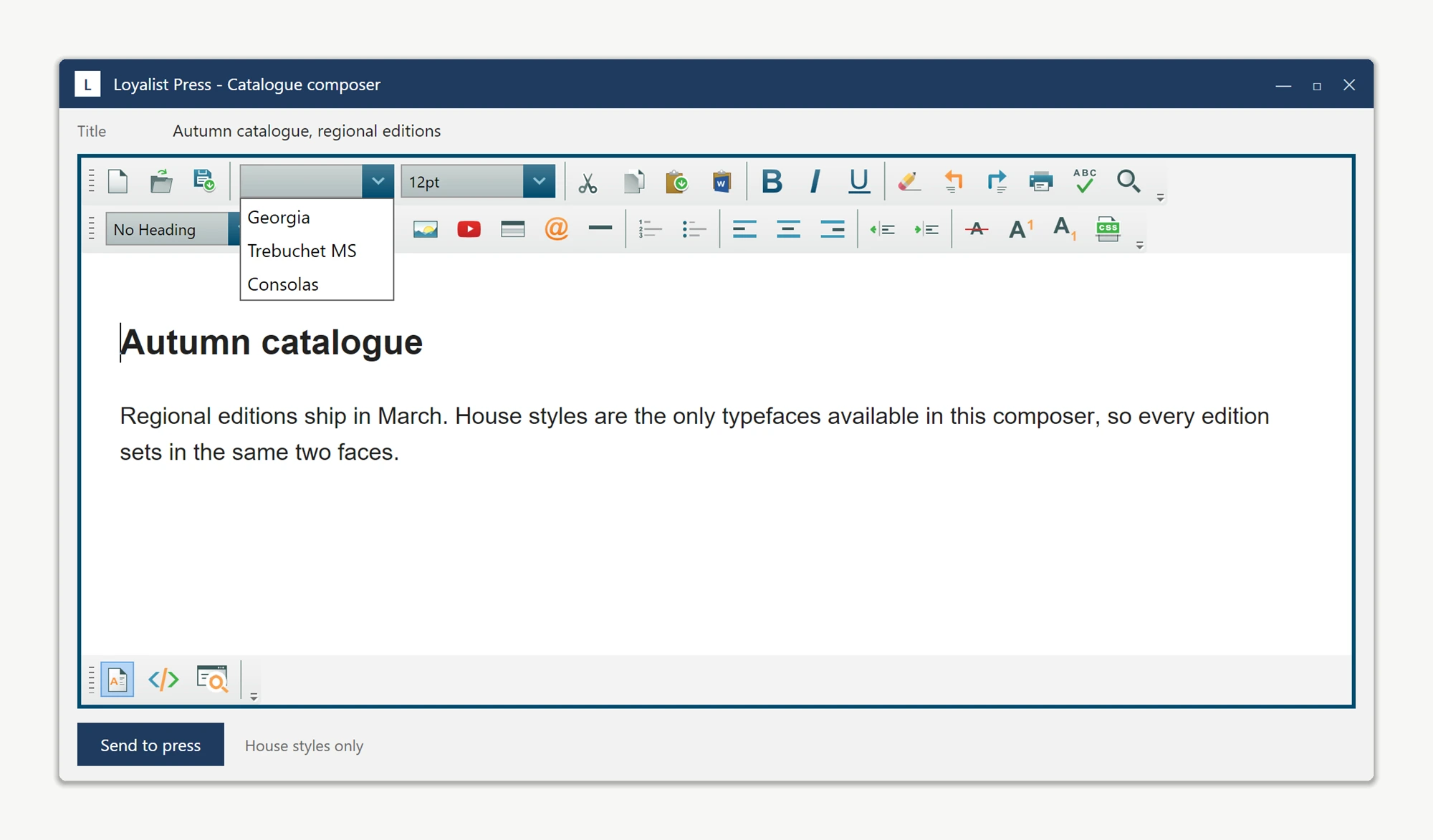
The font combo is populated from System.Drawing.FontFamily.Families and reachable via editor.ToolbarItemOverrider.ToolbarItems.FontName - a plain WPF ComboBox with no dedicated "AddFont" API. Clear it and add your own font names on the Loaded event, after the combo has been populated, to replace the system list.
Selecting an added font calls FormattingService.ChangeFontName("Larken"), writing font-family: Larken into the document's inline style. That only controls selection; add a matching @font-face rule to the document header too, or the WYSIWYG surface falls back to a substitute font.
private void ArticleEditor_OnLoaded(object sender, RoutedEventArgs e)
{
    ComboBox fontCombo = ArticleEditor.ToolbarItemOverrider.ToolbarItems.FontName;
    fontCombo.Items.Clear();
    fontCombo.Items.Add("Larken");
    fontCombo.Items.Add("Larken Display");
    fontCombo.Items.Add("Cardinal Fruit");
}
Private Sub ArticleEditor_OnLoaded(sender As Object, e As RoutedEventArgs)
Dim fontCombo As ComboBox = ArticleEditor.ToolbarItemOverrider.ToolbarItems.FontName
fontCombo.Items.Clear()
fontCombo.Items.Add("Larken")
fontCombo.Items.Add("Larken Display")
fontCombo.Items.Add("Cardinal Fruit")
End SubArticleEditor.HeaderStyleContent = ""
+ "@font-face { font-family: 'Larken'; "
+ "src: url('https://cdn.publisher.example/fonts/Larken.otf'); }"
+ "@font-face { font-family: 'Larken Display'; "
+ "src: url('https://cdn.publisher.example/fonts/LarkenDisplay.otf'); }"
+ "@font-face { font-family: 'Cardinal Fruit'; "
+ "src: url('https://cdn.publisher.example/fonts/CardinalFruit.otf'); }";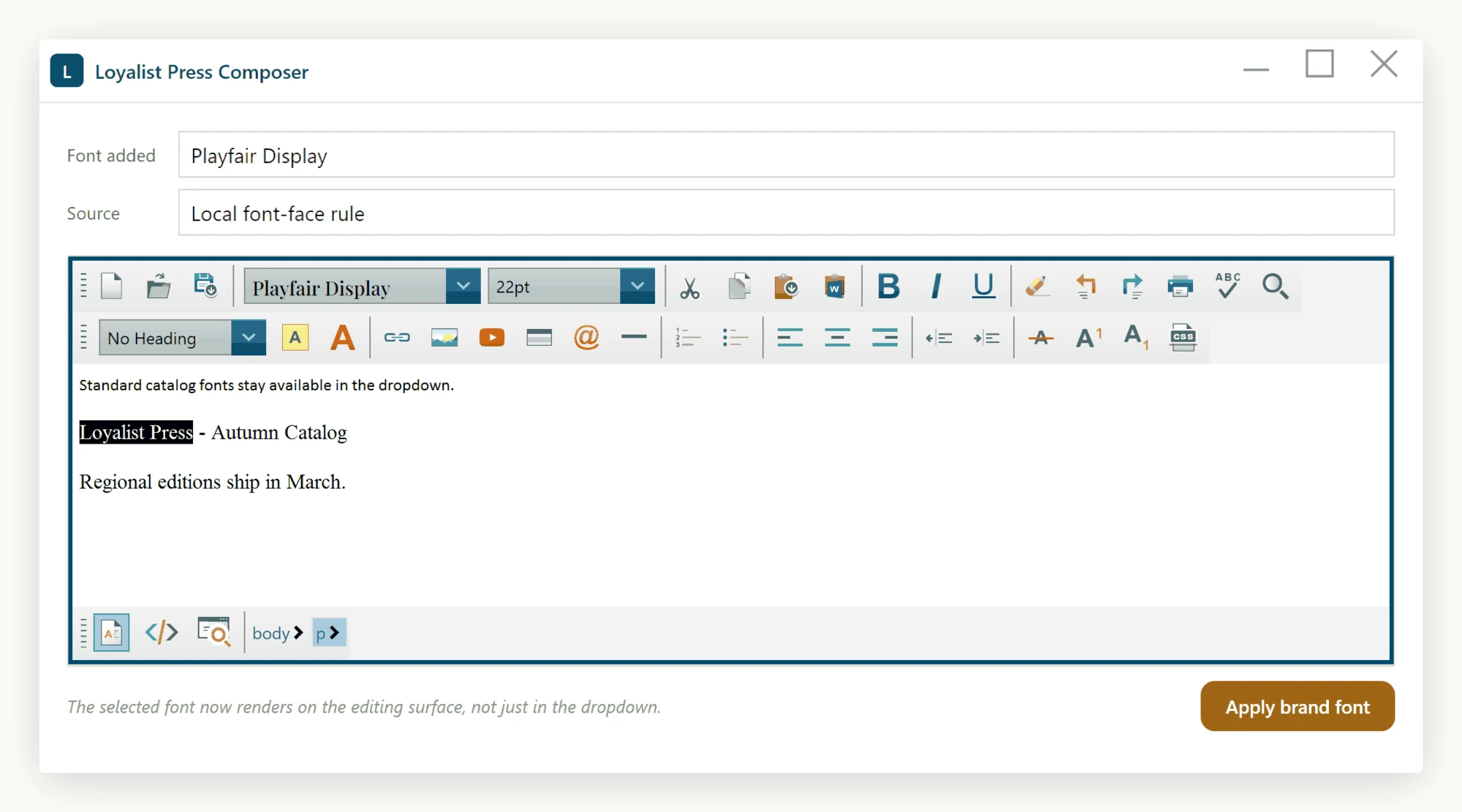
To add fonts on top of the system list instead of replacing it, skip Items.Clear() and append the names - both approaches work. To add another font later, add one line to the ArticleEditor_OnLoaded handler and one @font-face entry; it appears in the dropdown on the next launch.
- The font combo is the standard WPF
ComboBoxreachable viaToolbarItemOverrider.ToolbarItems.FontName. - Add strings to
fontCombo.Items(orClear()first to replace the list entirely). - Pair non-system fonts with an
@font-facerule pushed througheditor.HeaderStyleContentso the editor renders them.
Ask your AI to do this
Connect the SpiceLogic MCP server, then give your coding assistant this prompt.
I use the SpiceLogic WPF HTML Editor. Help me change the fonts available in the editor font dropdown. Confirm the exact API names, types and defaults with the SpiceLogic MCP documentation, then show the changes for my project.