


 NuGet
NuGet
Insert HTML at the caret
HTML insertion lets users add prepared content, such as a signature, a standard clause or a formatted block, at the current caret. Call Content.InsertHtml with the fragment to insert. Its keepSelected argument controls whether the new content stays selected.
// SpiceLogic.HtmlEditor.Abstractions.Services.IContentService
void InsertHtml(string htmlText, bool keepSelected);
Wiring a snippet button
Wire each snippet to a toolbar button. The click handler retrieves the snippet's HTML and passes it to InsertHtml:
<DockPanel xmlns:editor="clr-namespace:SpiceLogic.HtmlEditor.WPF;assembly=SpiceLogic.HtmlEditor.WPF">
    <StackPanel DockPanel.Dock="Top" Orientation="Horizontal">
        <Button Content="Standard Benefits"      Click="InsertBenefits_Click" />
        <Button Content="California Addendum"    Click="InsertCalifornia_Click" />
        <Button Content="Remote Work Provision"  Click="InsertRemoteWork_Click" />
    </StackPanel>
    <editor:WpfHtmlEditor x:Name="LetterEditor" />
</DockPanel>private void InsertBenefits_Click(object sender, RoutedEventArgs e)
{
var html = _snippetRepo.Get("Standard-Benefits-2026");
LetterEditor.Focus();
LetterEditor.Content.InsertHtml(html, keepSelected: false);
}Private Sub InsertBenefits_Click(sender As Object, e As RoutedEventArgs)
Dim html = _snippetRepo.[Get]("Standard-Benefits-2026")
LetterEditor.Focus()
LetterEditor.Content.InsertHtml(html, keepSelected:=False)
End SubCall Focus() before InsertHtml. Clicking the toolbar button moves WPF keyboard focus to the button, so without restoring focus to the editor first, the caret position is undefined and the markup can land in the wrong place. With focus restored, the snippet is inserted exactly at the caret, and the caret ends up at the end of the inserted block, ready for the next keystroke.
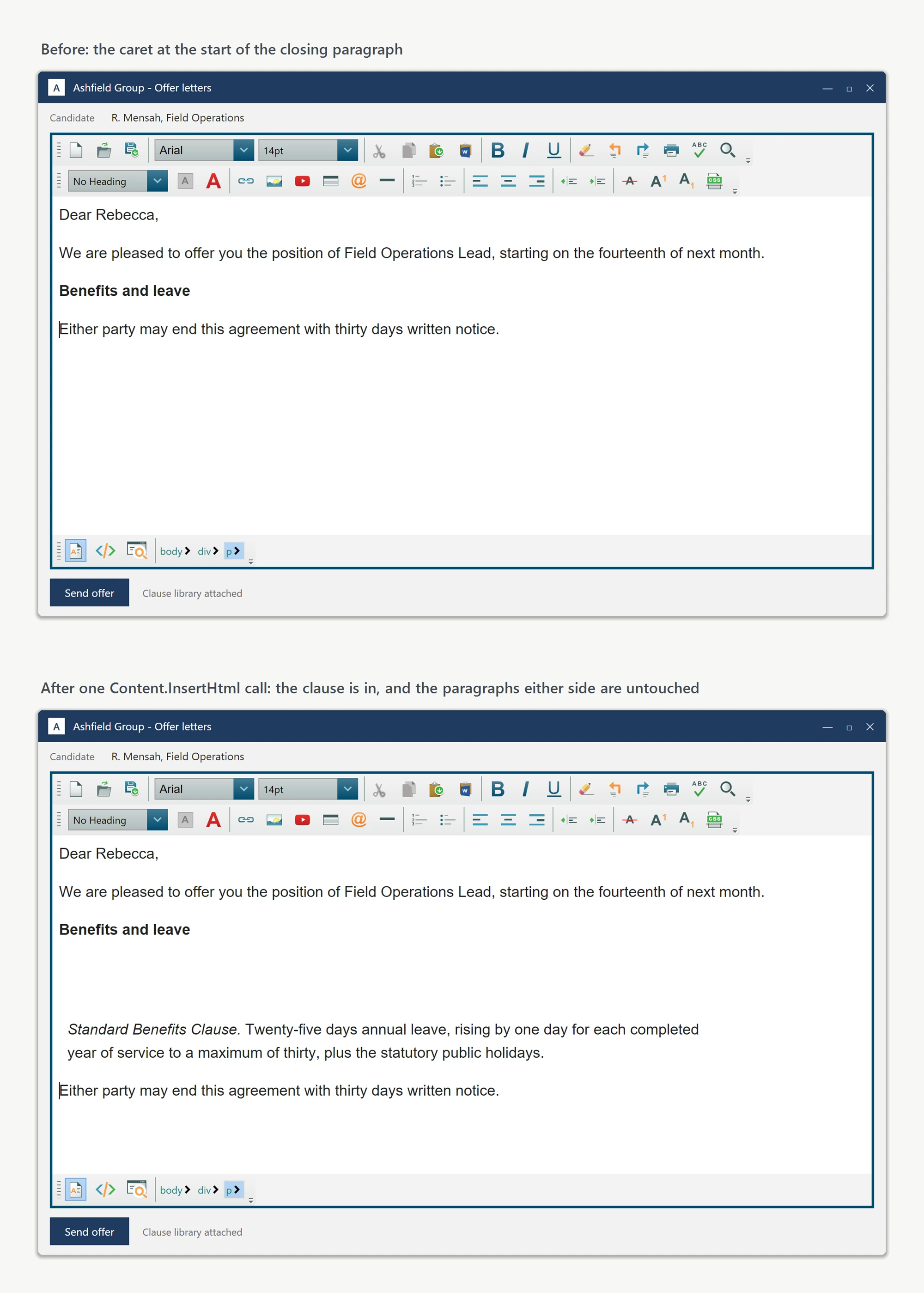
The keepSelected switch
The keepSelected parameter controls what is selected after the insert. Pass false to drop the fragment in and place the caret at the end, ready for the user to keep typing. Pass true when the inserted fragment is a placeholder the user is expected to type over immediately, for example an Insert Signing Bonus Placeholder button: the placeholder text is selected as soon as it appears, so the first keystroke overwrites it:
private void InsertBonusPlaceholder_Click(object sender, RoutedEventArgs e)
{
    LetterEditor.Focus();
    LetterEditor.Content.InsertHtml("<span class=\"placeholder\">[BONUS AMOUNT]</span>", keepSelected: true);
}
Private Sub InsertBonusPlaceholder_Click(sender As Object, e As RoutedEventArgs)
LetterEditor.Focus()
LetterEditor.Content.InsertHtml("<span class=""placeholder"">[BONUS AMOUNT]</span>", keepSelected:=True)
End SubOne method, two distinct user experiences, decided by a single boolean.
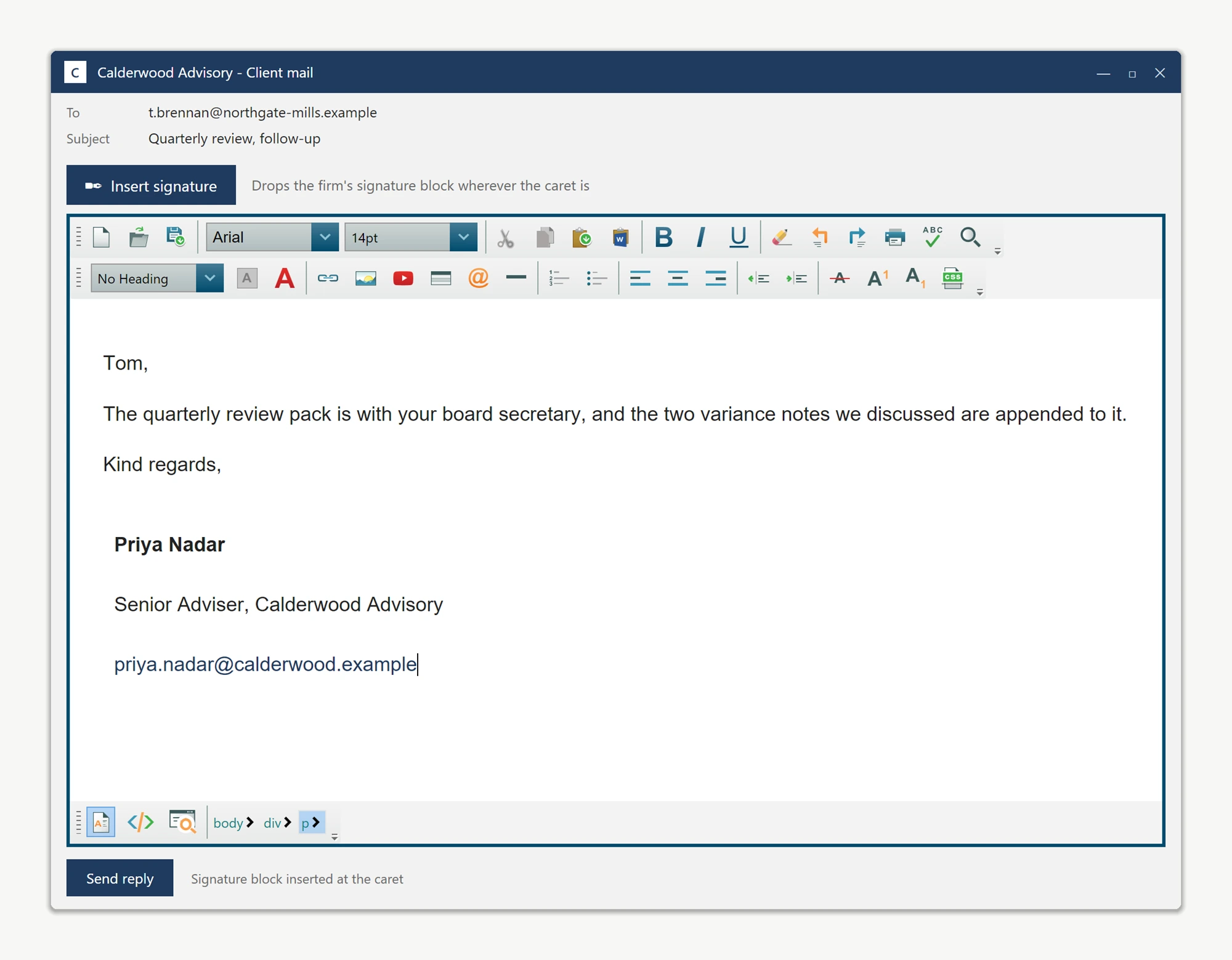
What it will not do
InsertHtml strips inline <script> blocks by design, since caret insertion from an untrusted snippet source could otherwise run arbitrary JavaScript. Use InsertScript(string scriptMarkUp) when a script legitimately belongs in the document. Head-only content (styles, links) inserted at the caret lands in the body and has no effect; use InsertHtmlBetweenHead(string) instead.
Typical usage
This pattern fits any snippet-library workflow: HTML fragments wired to toolbar buttons so the user assembles a document from reusable pieces at the caret, typing only the variable parts by hand, for example an email-signature button in a CRM, a merge-field picker in a contract tool, or a clause library in an offer-letter editor.
Ask your AI to do this
Connect the SpiceLogic MCP server, then give your coding assistant this prompt.
I use the SpiceLogic WPF HTML Editor. Help me insert an HTML fragment at the current caret without replacing the document. Confirm the exact API names, types and defaults with the SpiceLogic MCP documentation, then show the changes for my project.