


 NuGet
NuGet
Get and set HTML
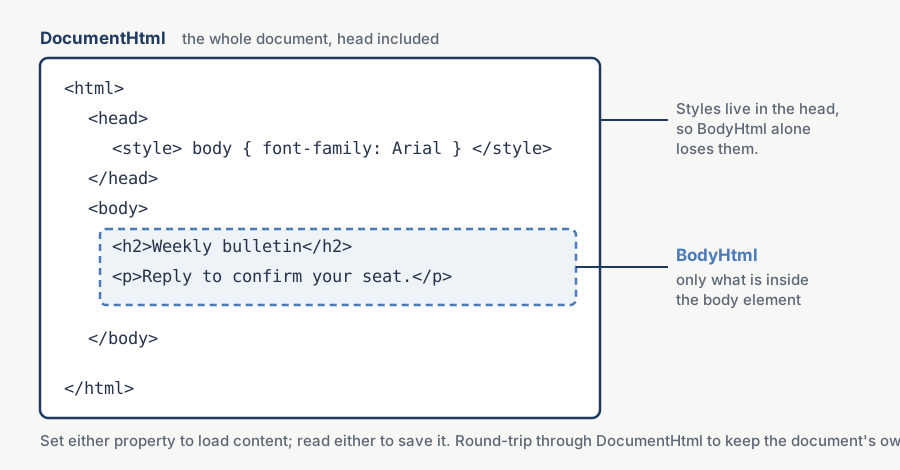
The editor lets you work with either a piece of HTML or a complete HTML document. BodyHtml contains only the markup inside the body element; DocumentHtml includes the body tags, head and document structure. Choose the form that fits how your application stores or exports its content.
Both properties are also available on the WinForms edition. In WPF they are dependency properties that support data binding.
Two properties, two storage models
BodyHtml returns the markup inside the <body> element and nothing else - no DOCTYPE, no <html>, no <head>. Use this shape for a fragment that will be embedded somewhere later: an email body composed inside a larger shell, a CMS rich-text field, a PDF report cell, a chat message.
DocumentHtml returns the complete document, DOCTYPE through closing </html>, with the head block intact, including any <link> stylesheet references and <style> rules the user added. Use this shape for a standalone HTML file: a newsletter opened directly in a browser, an exported report, or a self-contained snapshot saved to disk.
Two-way binding in XAML
Both properties are dependency properties, registered with two-way binding on by default and an UpdateSourceTrigger of LostFocus. Bind BodyHtml directly to a view-model property without touching the editor from code-behind:
<Window xmlns:editor="clr-namespace:SpiceLogic.HtmlEditor.WPF;assembly=SpiceLogic.HtmlEditor.WPF"
        DataContext="{Binding TemplateEditorViewModel, Source={StaticResource Locator}}">
    <editor:WpfHtmlEditor x:Name="TemplateEditor"
                          BodyHtml="{Binding TemplateBody, Mode=TwoWay,
                                              UpdateSourceTrigger=LostFocus}" />
</Window>
LostFocus avoids serializing HTML on each edit. Use HtmlChanged for a dirty indicator, and commit the content when your save or autosave action needs it.
The save handler
A save command can run while the editor still has focus, especially through a keyboard shortcut. Call UpdateBindings() before reading the view model. An Explicit trigger is optional; use it when your application should control every commit.
<editor:WpfHtmlEditor x:Name="TemplateEditor"
                      BodyHtml="{Binding TemplateBody, Mode=TwoWay,
                                          UpdateSourceTrigger=Explicit}" />
UpdateBindings() refreshes BodyHtml, DocumentHtml and DocumentTitle, then commits writable TwoWay or OneWayToSource bindings regardless of their update trigger. It also commits the default LostFocus binding without moving focus:
private async Task SaveAsync()
{
    TemplateEditor.UpdateBindings();
    await _templateRepo.SaveAsync(_viewModel.TemplateId, _viewModel.TemplateBody);
}
Private Async Function SaveAsync() As Task
TemplateEditor.UpdateBindings()
Await _templateRepo.SaveAsync(_viewModel.TemplateId, _viewModel.TemplateBody)
End Function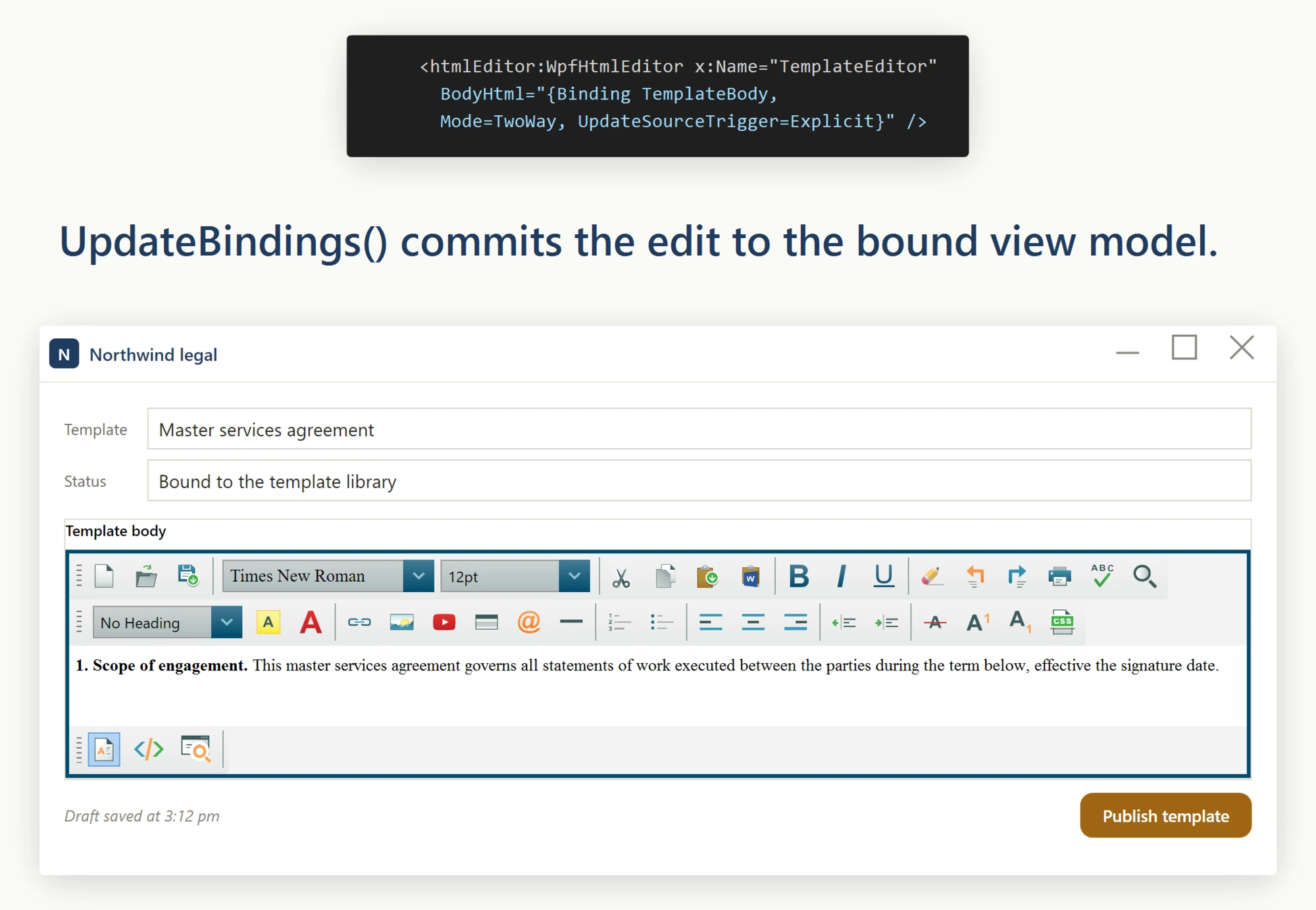
Exporting a standalone HTML file
Use DocumentHtml to export a standalone HTML file with the document head and body-level styles:
private void ExportTemplate_Click(object sender, RoutedEventArgs e)
{
    var dialog = new SaveFileDialog
    {
        Filter = "HTML files (*.html)|*.html"
    };
    if (dialog.ShowDialog() == true)
        File.WriteAllText(dialog.FileName, TemplateEditor.DocumentHtml);
}
Private Sub ExportTemplate_Click(sender As Object, e As RoutedEventArgs)
Dim dialog = New SaveFileDialog With {
.Filter = "HTML files (*.html)|*.html"
}
If dialog.ShowDialog() = True Then File.WriteAllText(dialog.FileName, TemplateEditor.DocumentHtml)
End SubThe same editor instance provides both shapes with no extra configuration: one property for the fragment stored in the database, another for the standalone document written to disk. The user edits once and both forms are available.
Migrating existing full-document rows
Convert stored full documents to fragments only when the destination requires a fragment. Test a copy first: reading BodyHtml discards head styles, body attributes and other document-level information, so it is not a lossless storage migration.
Ask your AI to do this
Connect the SpiceLogic MCP server, then give your coding assistant this prompt.
I use the SpiceLogic WPF HTML Editor. Help me load and save HTML. Choose BodyHtml or DocumentHtml based on whether I need the document head, then configure the source-view format. Confirm the exact API names, types and defaults with the SpiceLogic MCP documentation, then show the changes for my project.