


 NuGet
NuGet
Style the HTML document
Document styling controls the fonts, colors, spacing and backgrounds of the HTML users edit. Body-style properties establish document defaults; header-style properties add CSS rules for elements such as headings and tables. These settings are separate from the appearance of the surrounding editor and toolbar.
Body-level properties:
BodyStyle- inline style applied to the document's<body>(for example"margin:20px; line-height:1.6;").BodyCSSClassName- a class name on the<body>, for targeting from an external stylesheet.BodyColor- background color of the document body (System.Windows.Media.Color).BackgroundImagePath- file or URL whose image becomes the body background.
Typography defaults:
DefaultFontFamily- default body font, for example"Merriweather"or"Inter".DefaultFontSizeInPt- pass with the"pt"suffix (for example"11pt"); without a unit the editor treats the number as pixels and converts.DefaultForeColor- default text color (System.Windows.Media.Color).
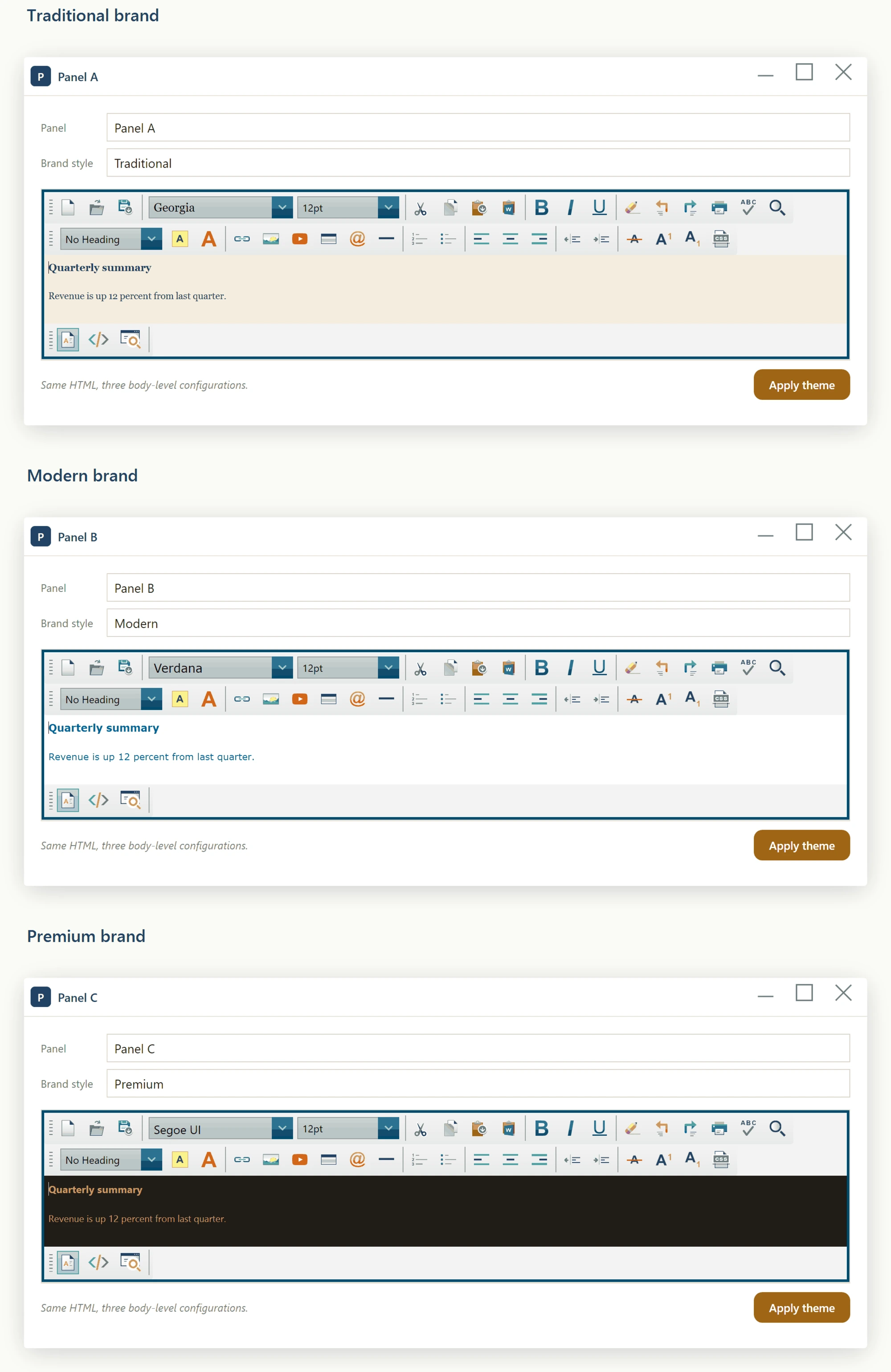
Set DocumentCSSFilePath to the path of a published stylesheet. The editor injects a matching <link rel="stylesheet"> into the document head, so the editor's rendering matches what end users will see.
editor.DocumentCSSFilePath = $@"C:\BrandCache\{brandId}\brand.css";editor.DocumentCSSFilePath = $"C:\BrandCache\{brandId}\brand.css"For style tweaks that don't belong in the published stylesheet, use the inline-stylesheet pair: HeaderStyleContentElementID names the <style> block; HeaderStyleContent sets its body. The ID lets you replace the block later without leaving stale style declarations behind:
editor.HeaderStyleContentElementID = "custom-overrides";
editor.HeaderStyleContent          = "p { line-height: 1.7; } h1 { color: #003366; }";
editor.HeaderStyleContentElementID = "custom-overrides"
editor.HeaderStyleContent = "p { line-height: 1.7; } h1 { color: #003366; }"These are plain properties, not WPF dependency properties, so XAML cannot target them with a {Binding} markup extension - only a real dependency property supports that syntax, and a build using this markup fails with the WPF error: a Binding can only be set on a DependencyProperty of a DependencyObject. Set them imperatively from code-behind instead, for example once in the window's Loaded handler or whenever your underlying data changes:
using System.Windows.Media;

private void Window_Loaded(object sender, RoutedEventArgs e)
{
    editor.DefaultFontFamily = "Merriweather";
    editor.DefaultFontSizeInPt = "11pt";
    editor.DefaultForeColor = Color.FromRgb(0x22, 0x22, 0x22);
    editor.BodyColor = Colors.WhiteSmoke;
    editor.BodyStyle = "padding:24px; line-height:1.6;";
}
Imports System.Windows.Media
Private Sub Window_Loaded(sender As Object, e As RoutedEventArgs)
editor.DefaultFontFamily = "Merriweather"
editor.DefaultFontSizeInPt = "11pt"
editor.DefaultForeColor = Color.FromRgb(&H22, &H22, &H22)
editor.BodyColor = Colors.WhiteSmoke
editor.BodyStyle = "padding:24px; line-height:1.6;"
End Sub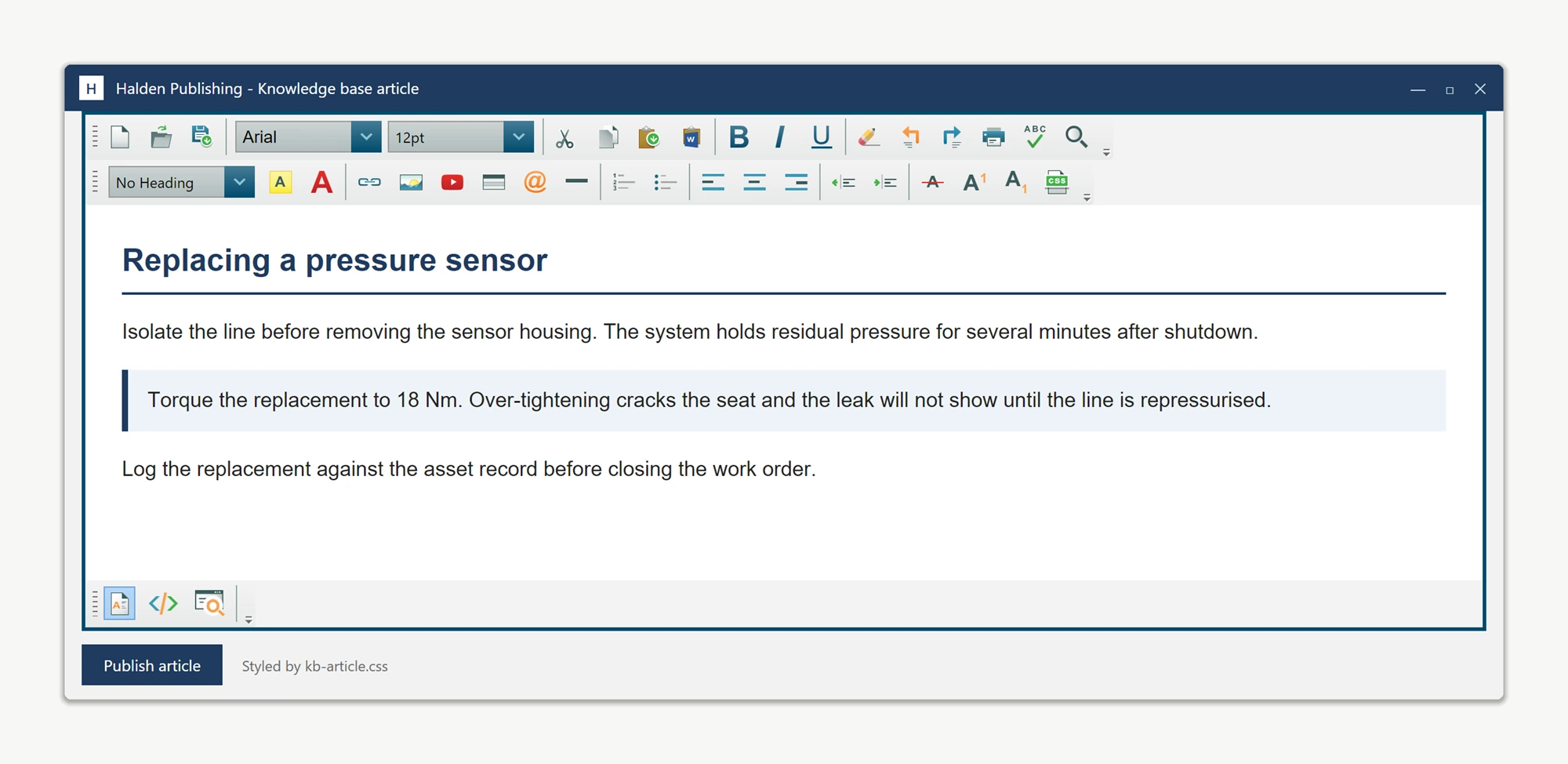
Ask your AI to do this
Connect the SpiceLogic MCP server, then give your coding assistant this prompt.
I use the SpiceLogic WPF HTML Editor. Help me apply document defaults and heading styles, then explain which HTML property preserves head styles. Confirm the exact API names, types and defaults with the SpiceLogic MCP documentation, then show the changes for my project.