


 NuGet
NuGet
Embed images as data URIs
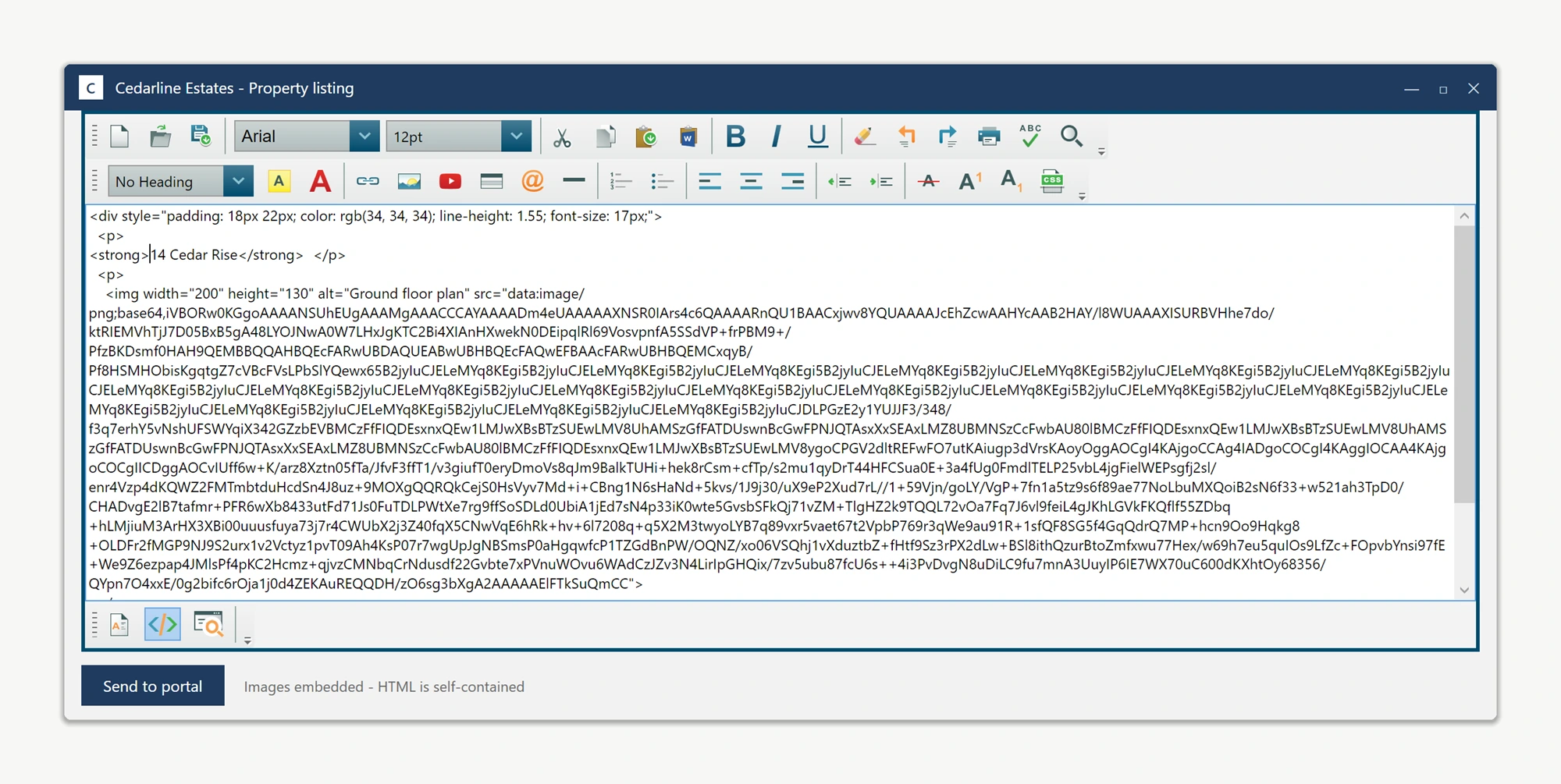
A data URI stores an image's bytes directly inside the HTML instead of pointing to a separate file. This is useful for a single-file document that must travel with its images. Call Content.EmbedLocalImagesAsBase64 to convert local image references before exporting.
Local screenshots dragged into the editor are recorded as file paths, for example <img src="C:\Users\agent\...">, which no longer resolve once the HTML leaves the authoring machine. Fix this with one call:
editor.Content.EmbedLocalImagesAsBase64();editor.Content.EmbedLocalImagesAsBase64()The output contains the image bytes and no longer depends on the original image files. Rendering still depends on the consumer's support for the HTML, image format and data URIs. For email bodies, use the CID helper described below.
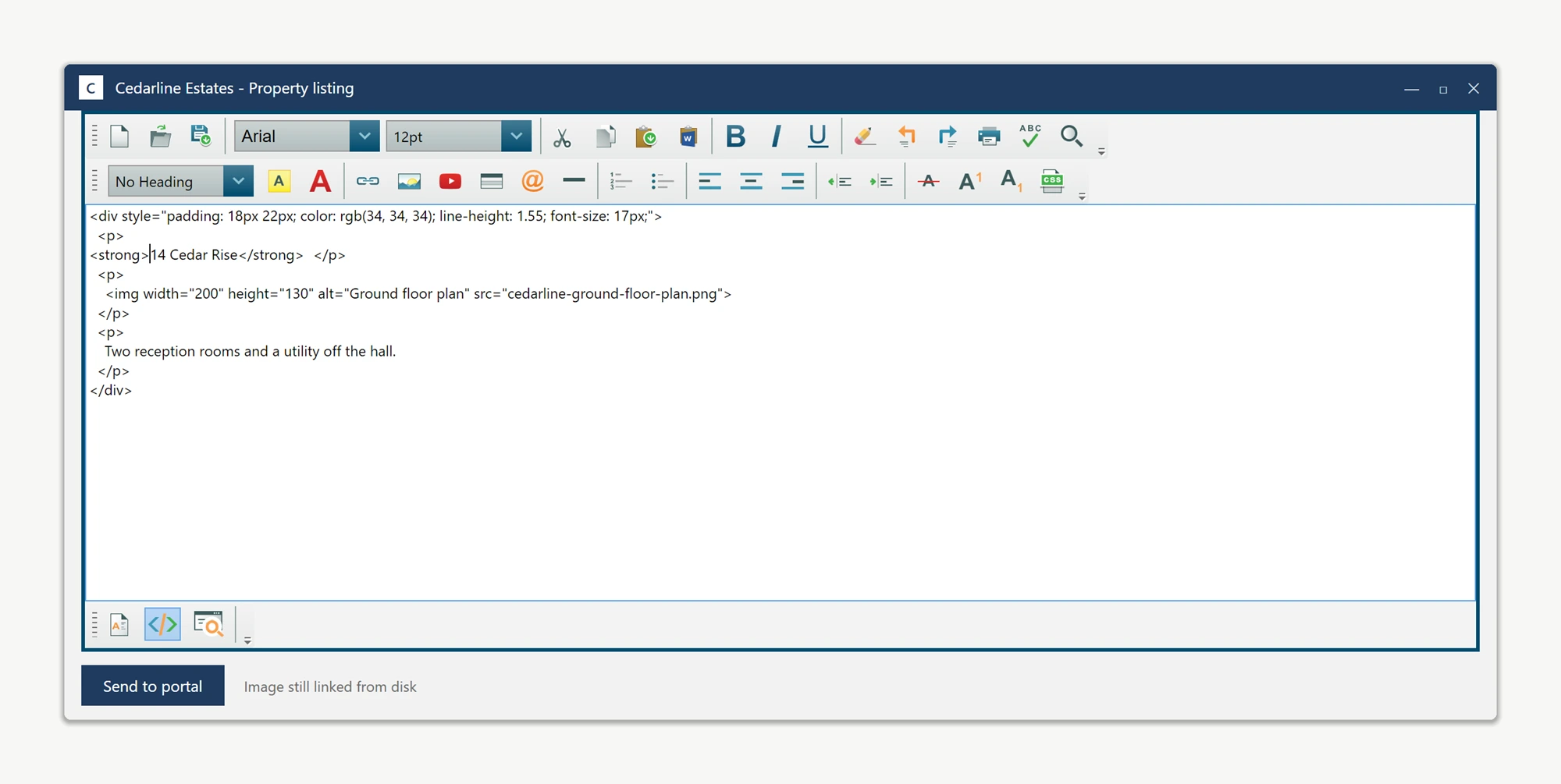
Before embedding:
<p>Open the diagnostics panel:</p> <img src="C:\Users\agent\Pictures\diag.png" alt="diagnostics" />After embedding:
<p>Open the diagnostics panel:</p> <img src="data:image/png;base64,iVBORw0KGgoAAAANSUhEUgAA..." alt="diagnostics" />Wire the call into your export button. Three lines produce a fully self-contained export:
using System.IO;
using System.Windows;

private void ExportOfflineArticle_Click(object sender, RoutedEventArgs e)
{
    // 1. Embed every local image as a base64 data URI
    editor.Content.EmbedLocalImagesAsBase64();

    // 2. Pull the now self-contained article HTML
    string selfContained = editor.DocumentHtml;

    // 3. Write it to the offline bundle; the file no longer depends on the originals
    File.WriteAllText(@"C:\Output\article.html", selfContained);

    MessageBox.Show("Article exported. Drop it on any machine and the images stay.");
}
Imports System.IO
Imports System.Windows
Private Sub ExportOfflineArticle_Click(sender As Object, e As RoutedEventArgs)
' 1. Embed every local image as a base64 data URI
editor.Content.EmbedLocalImagesAsBase64()
' 2. Pull the now self-contained article HTML
Dim selfContained As String = editor.DocumentHtml
' 3. Write it to the offline bundle; the file no longer depends on the originals
File.WriteAllText("C:\Output\article.html", selfContained)
MessageBox.Show("Article exported. Drop it on any machine and the images stay.")
End SubUse this technique for:
- Exporting single-file HTML (offline help, attached reports, archived snapshots).
- Storing the article HTML in a database column without a separate image table.
- Saving a draft and reopening it later on a different machine, with the screenshots intact.
Data URIs are not suited to sending HTML over email: several major email clients downsize or block Base64-embedded images. For that scenario, use CID-linked resources instead - see Embedding Local Images for Email Clients.
Ask your AI to do this
Connect the SpiceLogic MCP server, then give your coding assistant this prompt.
I use the SpiceLogic WPF HTML Editor. Help me export HTML with embedded image data. Explain the size tradeoff and why this format may fail in email clients. Confirm the exact API names, types and defaults with the SpiceLogic MCP documentation, then show the changes for my project.