


Certainty Equivalent Calculation
Try it yourself: the free certainty equivalent calculator prices your own gamble in the browser, with the full working shown.
Imagine you just finished university. You have a great idea for a startup, and you wrote a business plan around it. The plan says you need to put in $50,000. If it works out, you can expect a profit of $400,000 within a year. But it is a coin flip. There is a 50/50 chance the whole thing fails and you lose every dollar you put in.
Now a friend looks at your plan and makes you an offer. He will pay you $5,000 for it right now. The deal is simple. You walk away and never run the plan yourself. He puts up his own money, he takes the risk, and you keep a sure $5,000 for handing over the chance.
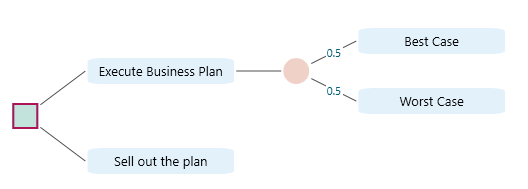
So what would you do? Would you give up the shot at a big payoff for a guaranteed $5,000? If your answer is yes, then in plain economic terms that $5,000 is your Certainty Equivalent for this risky chance. The decision tree below shows the same situation.
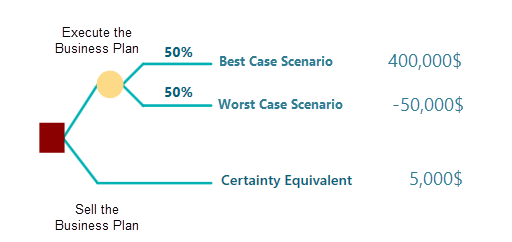
Here is the short definition. The Certainty Equivalent is the sure amount of money that feels equal, in your own mind, to a situation that carries risk. It is the guaranteed payout you would happily take instead of gambling on a bigger but uncertain reward.
You run into this idea more often than you might think. Insurance and extended warranties are good examples. Say you buy a used car and you worry that the engine or transmission could fail in the next five years, which would cost you $10,000 to fix. The dealer offers you an extended warranty. Pay $2,000 now and they cover that repair if it happens. You have no idea whether the car will actually break down. If it never does, your $2,000 is simply gone. But if something does fail and the repair would have cost $10,000, you come out $8,000 ahead. It is a gamble either way. If you decide the $2,000 is worth the peace of mind of being covered for the worst case, then $2,000 is your certainty equivalent for that gamble.
Calculate Certainty Equivalent
Back to your own business plan. Suppose the $5,000 your friend offered does not sit right with you, but you also do not know what a fair price would be. Maybe you should ask for more than $5,000. How would you work that out? Is there a way to find the right number with math?

We saw earlier that a utility function turns a real-world value into a level of satisfaction. If you can describe your own utility function for the money you might gain from a risky investment like this one, then you can use it to find your certainty equivalent.
Let's call your utility function U(X), where X is the real-world money you gain from a risky investment.
With that utility function, you can work out the Expected Utility of the investment. The expected utility of a random variable is just the weighted sum of the utility values, where each weight is the probability of that outcome. The expression below shows it.
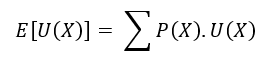
So whatever your utility function looks like, you feed it the two real-world values, 400,000 and -50,000. Doing that gives you a single number for the Expected Utility, E[U(X)], shown here.
![Expected utility formula applied to the startup example with payoffs of 400,000 dollars gain and minus 50,000 dollars loss, producing the expected utility E[U(X)].](https://spicelogicprodstorage.blob.core.windows.net/documentation/DecisionTreeAnalyzer/category-80/page-302/section-1974/expected-utility-applied-400k-vs-50k-startup.png)
Once you have the Expected Utility, the next step is to find the Inverse Function of your utility function.
If inverse functions are new to you, here is the plainest way to think about it. Suppose you have a function f(x) = y. You put in different values of x and get different values of y back. The inverse function runs that backwards. Give it a value of y, and it tells you which input x produced it.
For example, if a function is

then its inverse function is
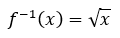
So if we want to know which value of x gives f(x), or y, equal to 9, this inverse function answers it. Plug 9 into the inverse function and you get 3. Now we know that an input of 3 produces f(x) = 9.
Now back to our Expected Utility. The certainty equivalent is what you get when you run the inverse of the utility function on the Expected Utility value. If we write the Certainty Equivalent as CE, then,
![Certainty equivalent formula: CE equals the inverse utility function applied to the expected utility E[U(X)] of the risky payoff.](https://spicelogicprodstorage.blob.core.windows.net/documentation/DecisionTreeAnalyzer/category-80/page-302/section-1980/certainty-equivalent-formula-from-inverse-utility.png)
A Visual Demonstration
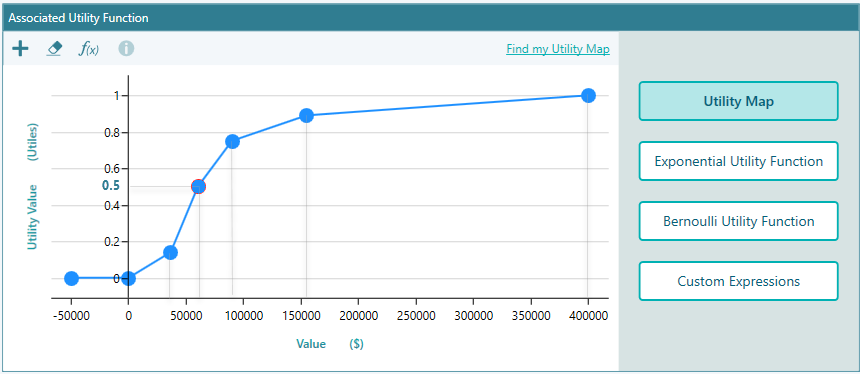
Let's say you have shaped your utility function so that it looks like this:
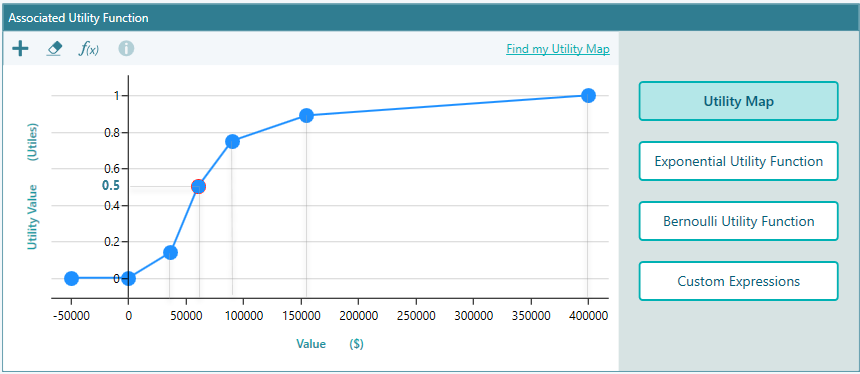
If you have used SpiceLogic Rational Will or the Decision Tree Software, you can build a utility function like this in a few minutes. The screenshot above comes from the SpiceLogic Decision Tree software.
Reading that utility function plot, we find:
U(400,000) = 1.
U(-50,000) = 0.
Expected Utility, or EU = 1 * 0.5 + 0 * 0.5 = 0.5
Certainty Equivalent, or CE = U-1 (EU) = U-1 (0.5)
Now look back at the chart. You can see that an input of around $60,000 gives a utility value of 0.5. So we have,
U-1 (0.5) ≈ $60,000
So your certainty equivalent for this risky investment is about $60,000, not $5,000. Based on this utility function, you should be asking your friend for around $60,000 to hand over the business plan, not $5,000.
If your utility function is a clean math formula whose inverse is also a clean formula, then you can write out a direct formula for the certainty equivalent. For example, if your utility function is an Exponential Utility Function like this:
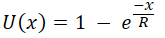
Here R is the Risk Tolerance and x is the random variable for the payoff. Now suppose that in a given investment or lottery you win 'W' with probability 0.5 and lose 'L' with probability 0.5.
Then, using the inverse function, the certainty equivalent works out to
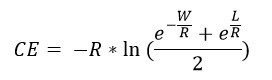
The good news is you do not have to do any of this math by hand. When you use our decision analysis software (Decision Tree Software or Rational Will), it runs every one of these calculations for you, using the inputs you provide. The next sections walk through exactly how.
Using the Decision Tree Software for Certainty Equivalent Calculation
Open the "Decision Tree Software", then click "Set up Criteria".
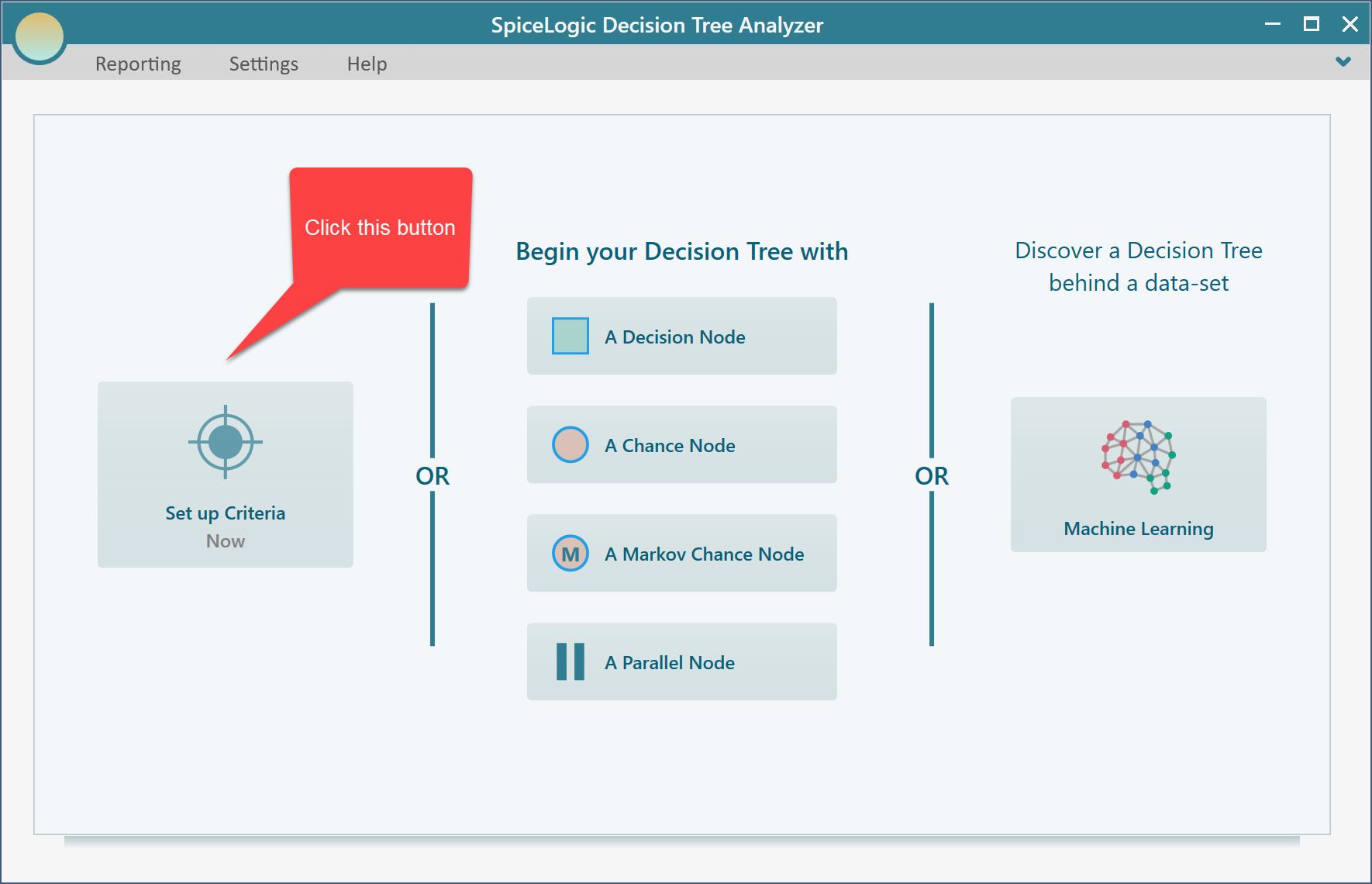
After you click that button, the software asks whether you want a regular single or multiple criteria analysis, or a Cost-Effectiveness analysis. Choose the first option.
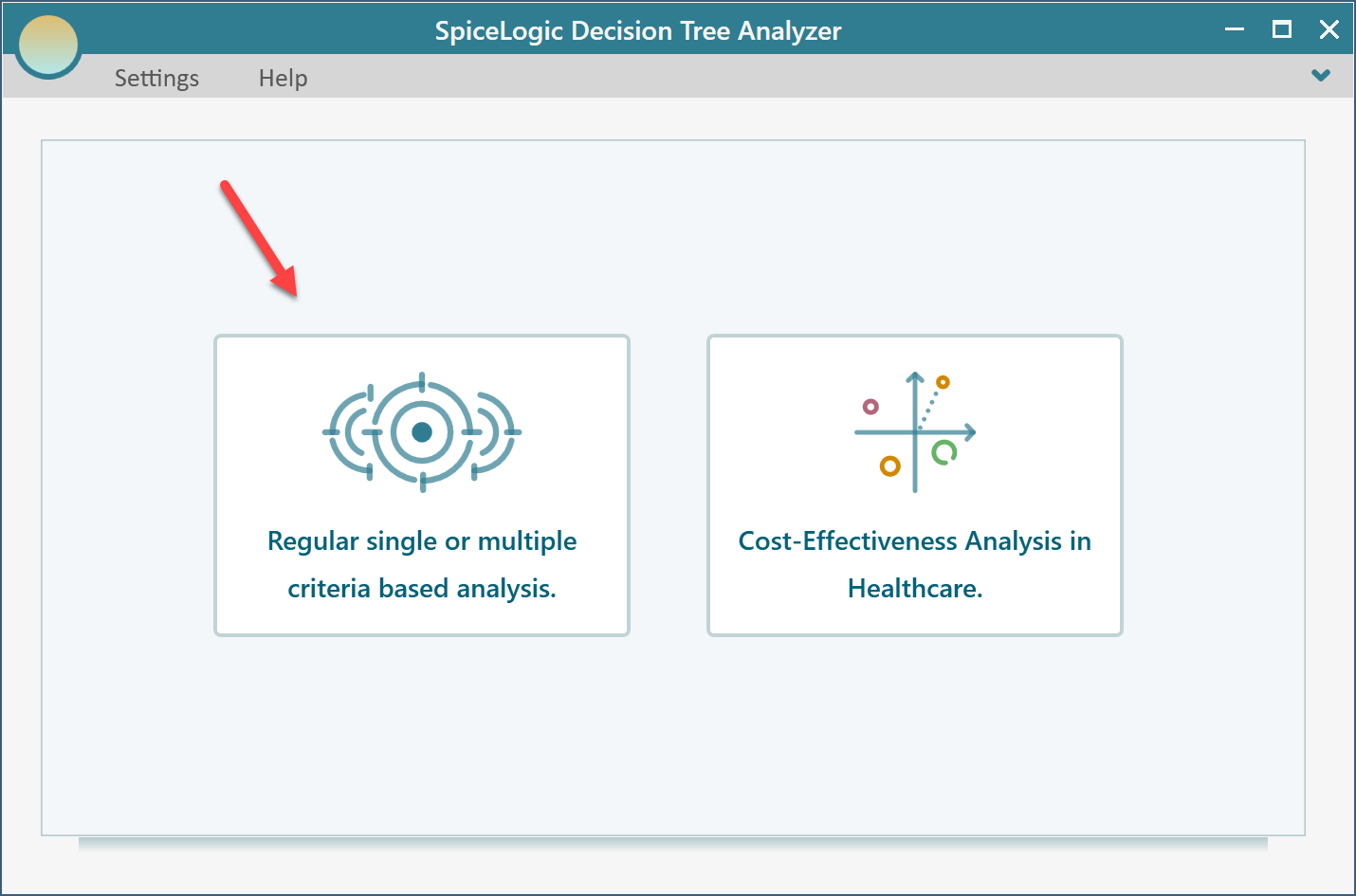
After you click that button, the software asks whether you want a regular single or multiple criteria analysis, or a Cost-Effectiveness analysis. Choose the first option.
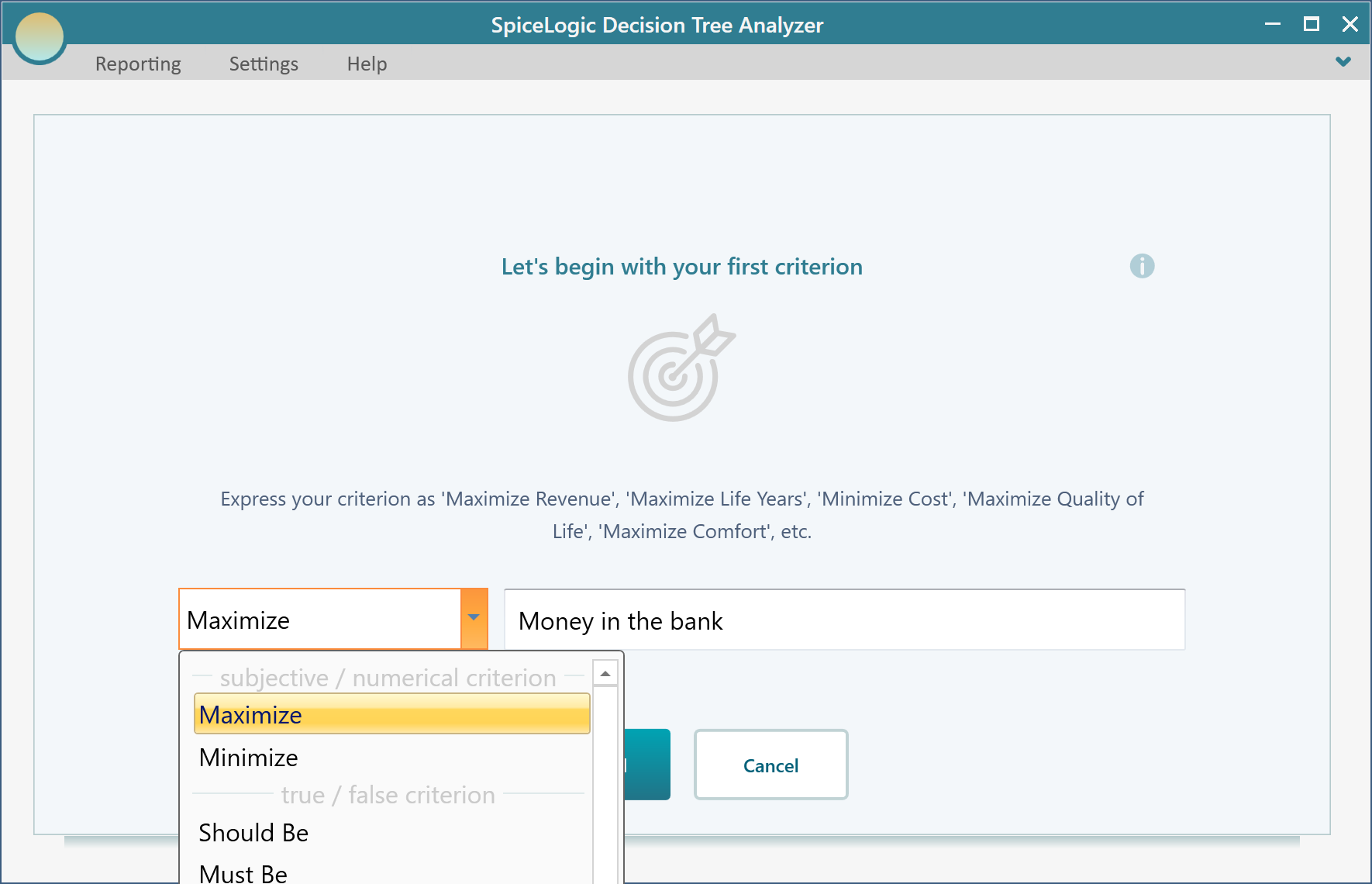
Now click the "Proceed" button. You will be asked what type of criterion you want. Select "Numerical Type". Keep in mind that to use a utility function, the criterion has to be the Numerical type.
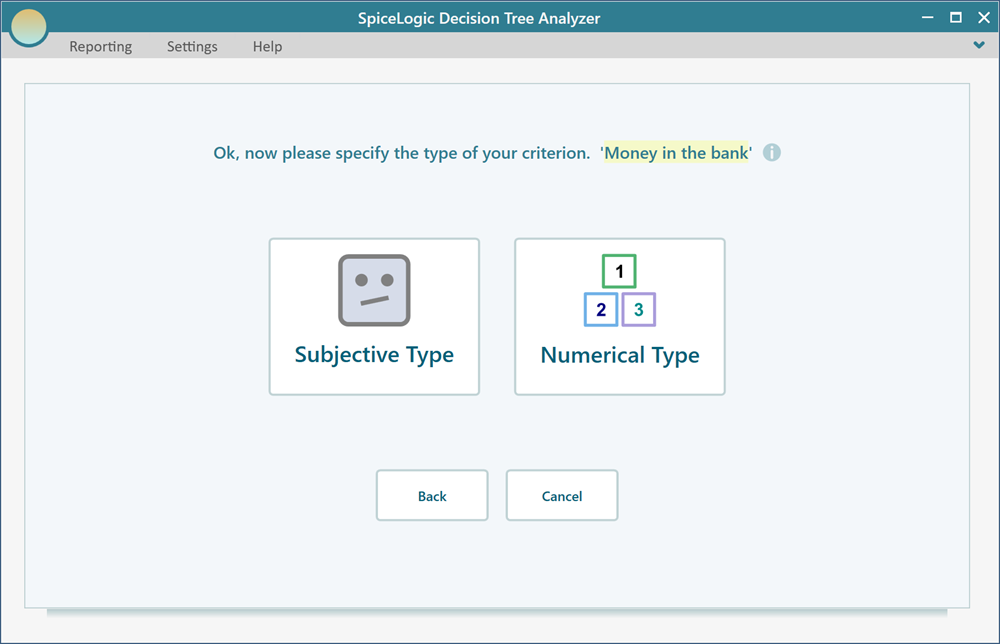
Next you enter the minimum and maximum possible value of the "Money in the bank" for this decision. Set Minimum = -50,000 and Maximum = 400,000. Set Unit = $ (or any currency you like; the unit has no effect on the calculation, it is only for display).
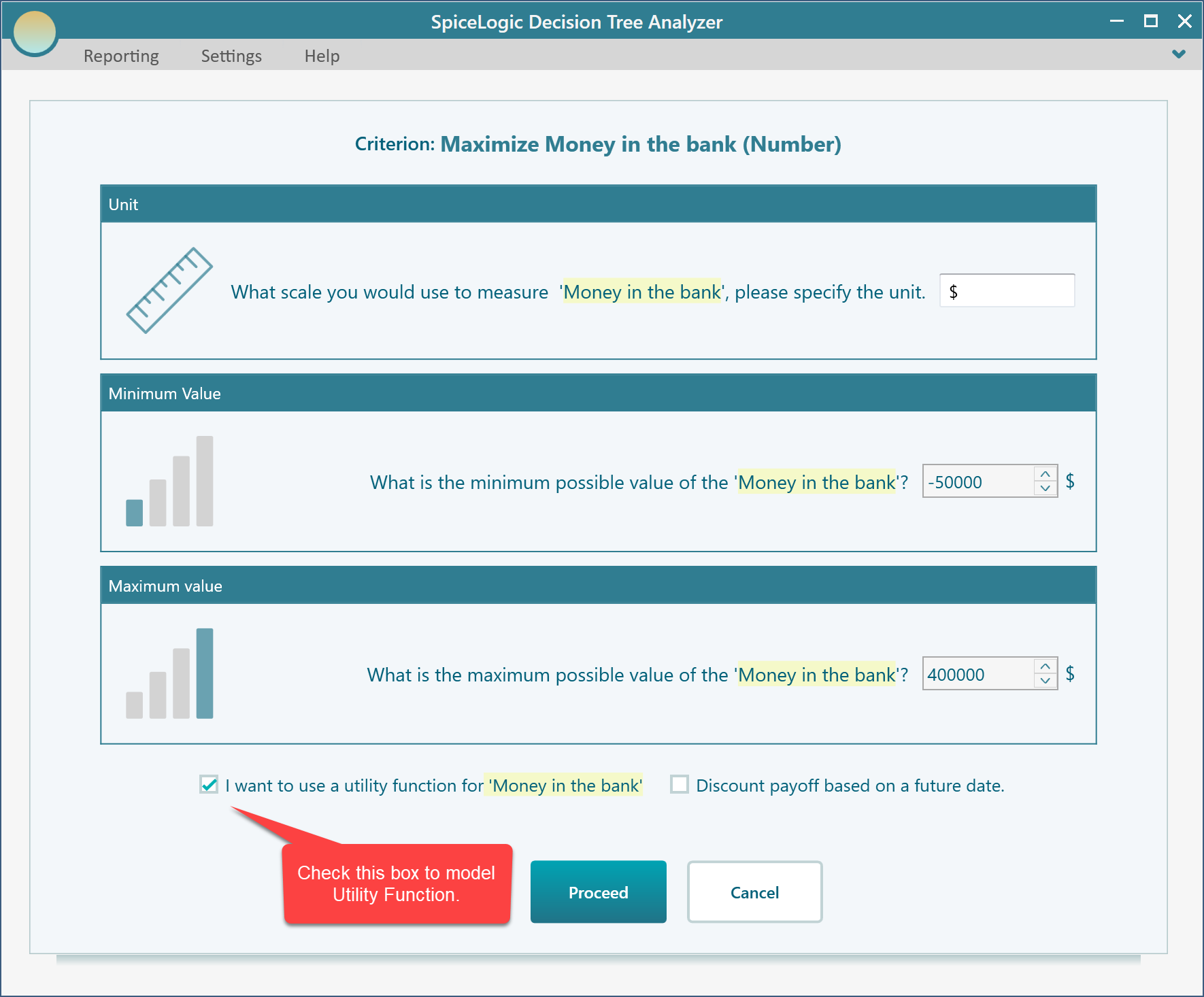
When you proceed, the utility function editor opens. It lets you define a utility function in several ways. The easiest is the visual drag-and-move builder shown below.
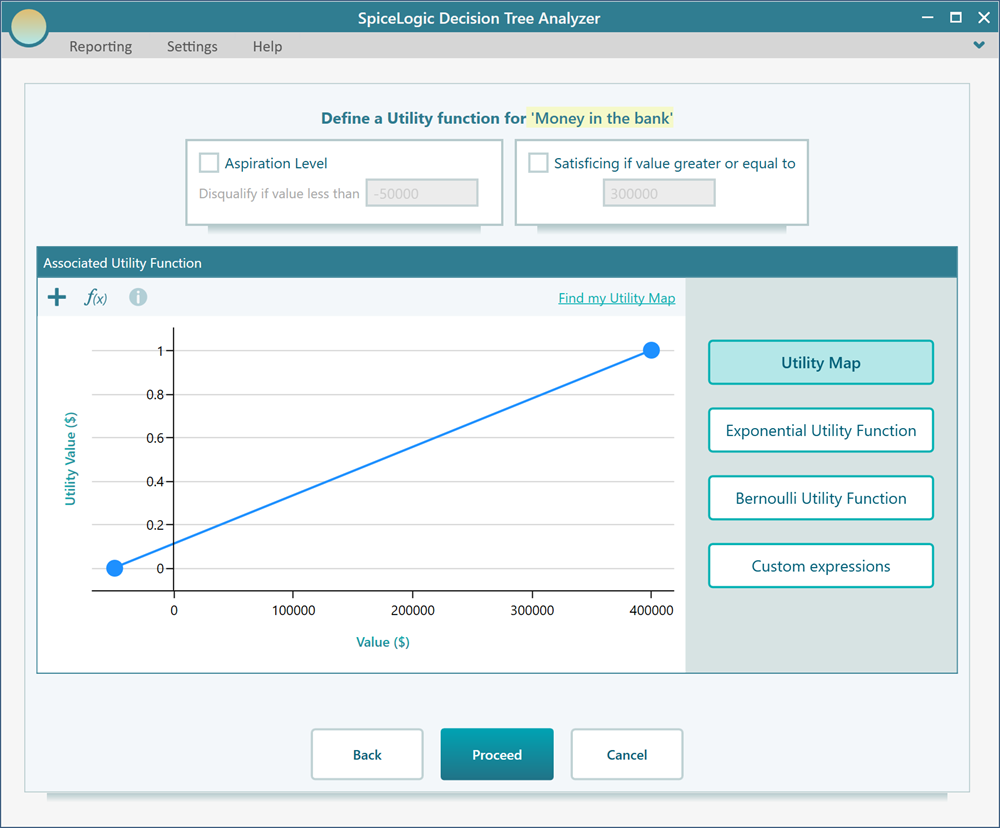
Double-click anywhere on the chart panel to add a utility point. Drag any point with the mouse to move it in any direction. Go ahead and add a few utility points and move them around until the shape matches the screenshot below.
Now click Proceed. The software asks if you want to add another criterion. Answer "No", and it takes you to the Decision Tree start page.
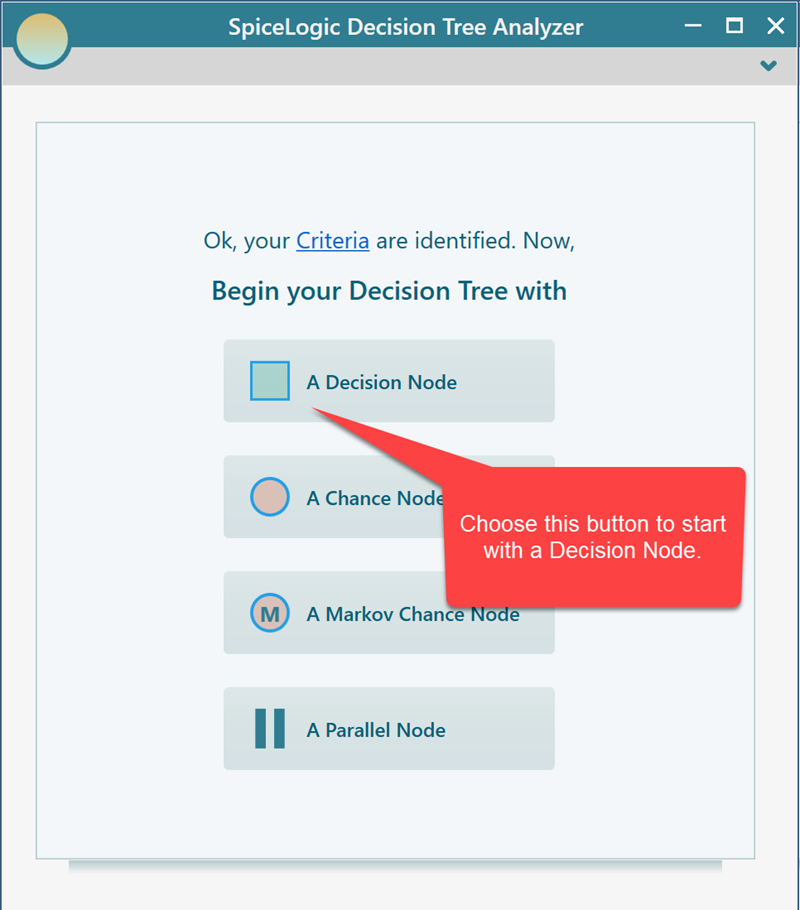
Click the "Decision Node" button to go to the Decision Tree diagram page. This page shows you how to use the Decision Tree tool. Build a decision tree like the one in the screenshot below.
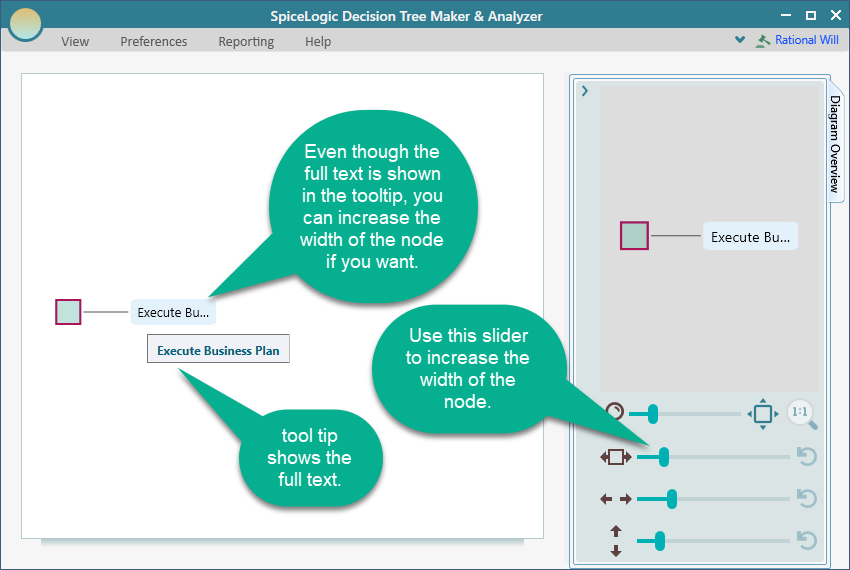
As we covered earlier, you can change how the diagram looks. Here is a quick tip.
Now select the "Best Case" node and attach a reward of $400,000.
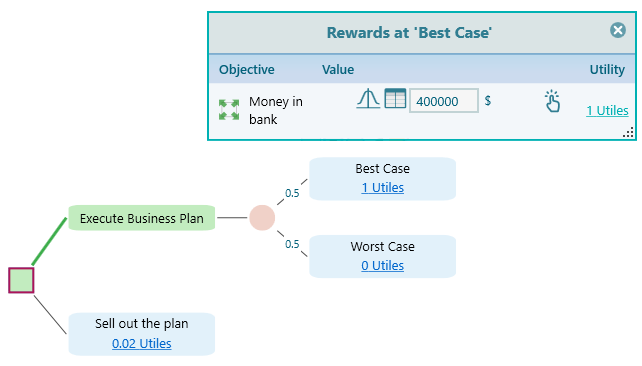
In the same way, attach a reward of -50,000 to the Worst Case. Then select the "Sell out the plan" node and attach a reward of $5,000, the amount your friend offered. Next, expand the "Options Analyzer" tab. Inside it you will find a section called "Metric Selection". Expand that, and check the "Certainty Equivalent" checkbox.
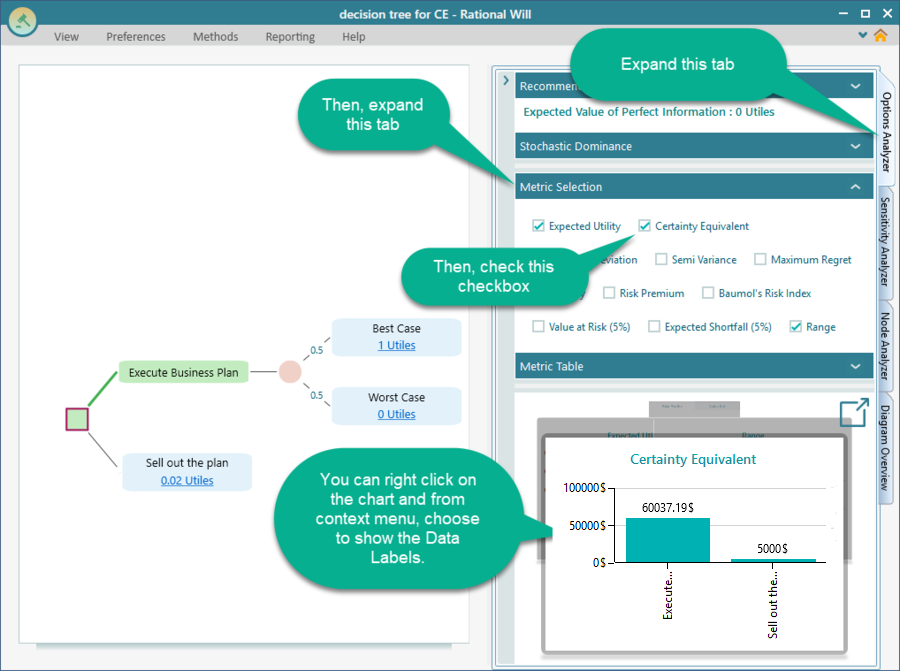
Looking at the Certainty Equivalent chart, you can see that the certainty equivalent for the "Execute Business Plan" option is $60,037, which lines up closely with the $60,000 we read off the utility chart.
The chart also shows that the certainty equivalent for executing the business plan is far higher than the $5,000 offered for selling it. So if you stand by this utility function, you should not sell the plan for $5,000. It only makes sense to sell if you can get close to $60,000 for it.