Subjective criterion
What is a Subjective criterion?
Most of the things you weigh in a real decision are subjective. They matter to you, but no single number really captures how much. Say you are shopping for a house. Three things you care about might be:
- Plenty of trees around the house
- A roomy garage
- A coffee shop nearby
None of these has an exact figure you are chasing. You walk into one house and think the garage feels cramped, so you give it a 3 out of 10. You walk into the next one, the garage is big and open, and you give it a 9 out of 10. That gut-level score is what a Subjective criterion is for.
Here is the key point. A garage can be measured in square feet, and you could write that number down. But you do not really care about the exact square footage. You care whether it feels big enough for you or too small. The Subjective type lets you skip the measurement and rate how you feel about it directly.
This is the simplest criterion type in the software. Pick it when you want to set the value of a payoff straight from your own judgment, using a slider that runs as a percentage. A quick rule of thumb: if you can put a real unit on it (dollars, minutes, miles), one of the other criterion types may fit better. If the best you can say is "this one feels better than that one," Subjective is the right choice.
The user interface for a Subjective criterion
Once you have created a Subjective objective, you use it when you set a payoff on a decision tree node. Instead of typing a number, you get a slider to express how good or bad that outcome feels. For example, suppose you have a Subjective criterion called "Minimize Cost". When you open the Payoff window for a decision tree node, you will see the slider for that criterion shown below.
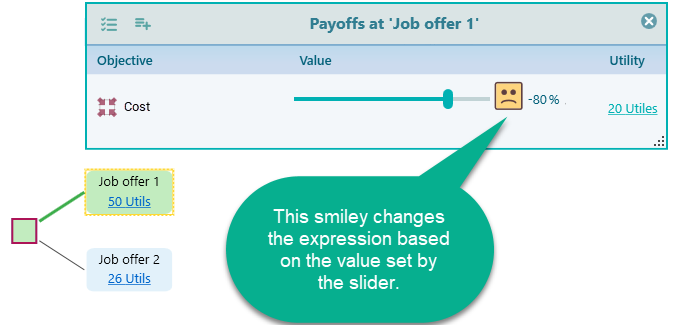
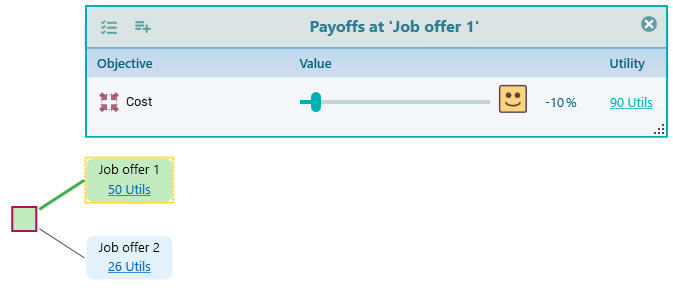
Because the objective here is to minimize cost, a high value is a bad thing, so the smiley face shows a sad expression when the slider is up high. Drag the slider down to a low value and watch the face turn happy. The face is just a quick visual cue, so you can tell at a glance whether the value you set is good or bad for this objective. It saves you from second-guessing which direction is better while you work through a long tree.
How to model a Subjective criterion
Open the Criteria creation wizard and you will see the screen below. To set up a Subjective objective, pick either Maximize or Minimize from the drop-down. Choose Maximize for something you want more of, like comfort or a good location. Choose Minimize for something you want less of, like cost or noise.
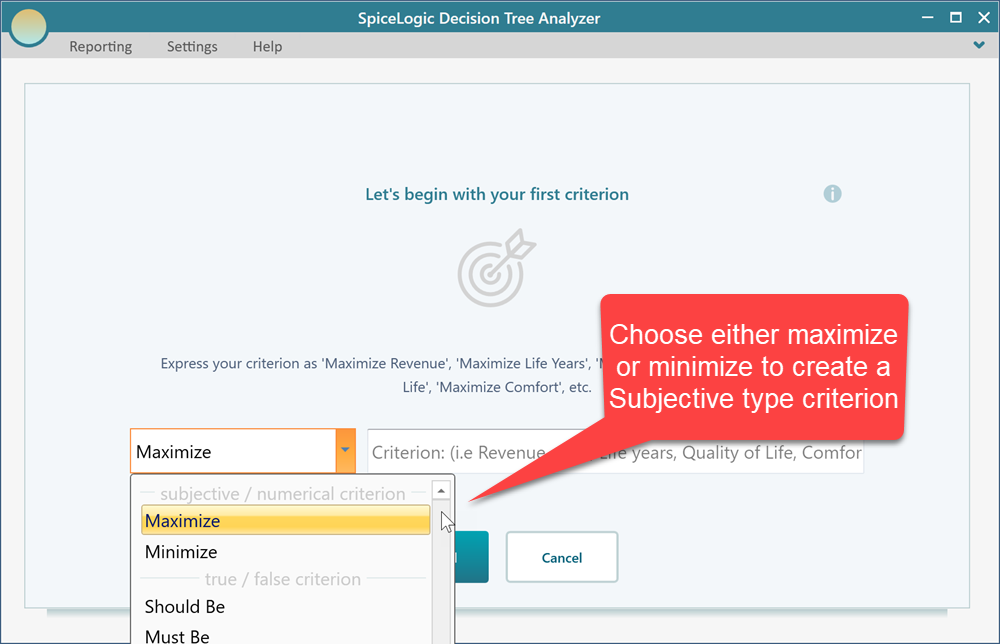
For example, say you are still working on that house decision and you want to rate how much you like each home's location. You might name the criterion "Location appeal" and set it to Maximize, since more appeal is better. Fill in the criterion as shown here.
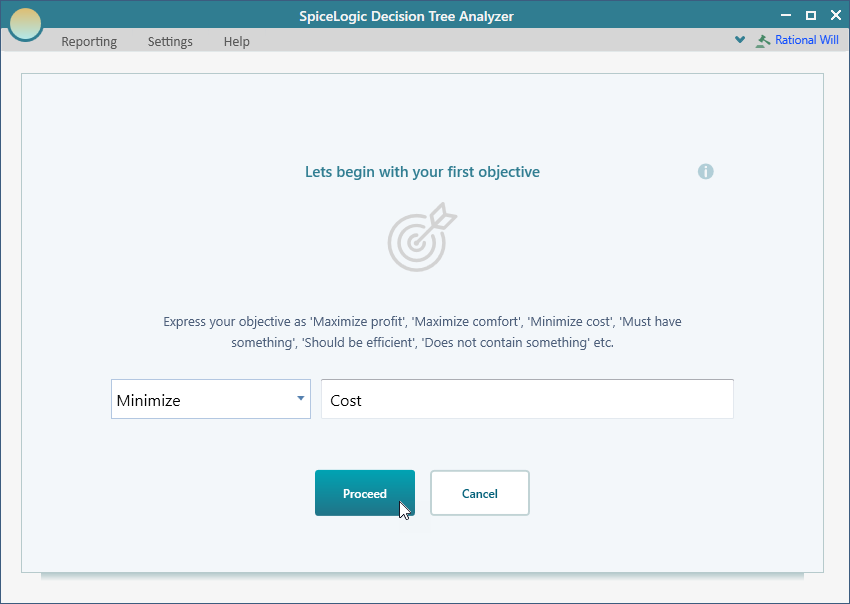
When you click the Proceed button, the software asks you what kind of criterion this should be, on the screen below.
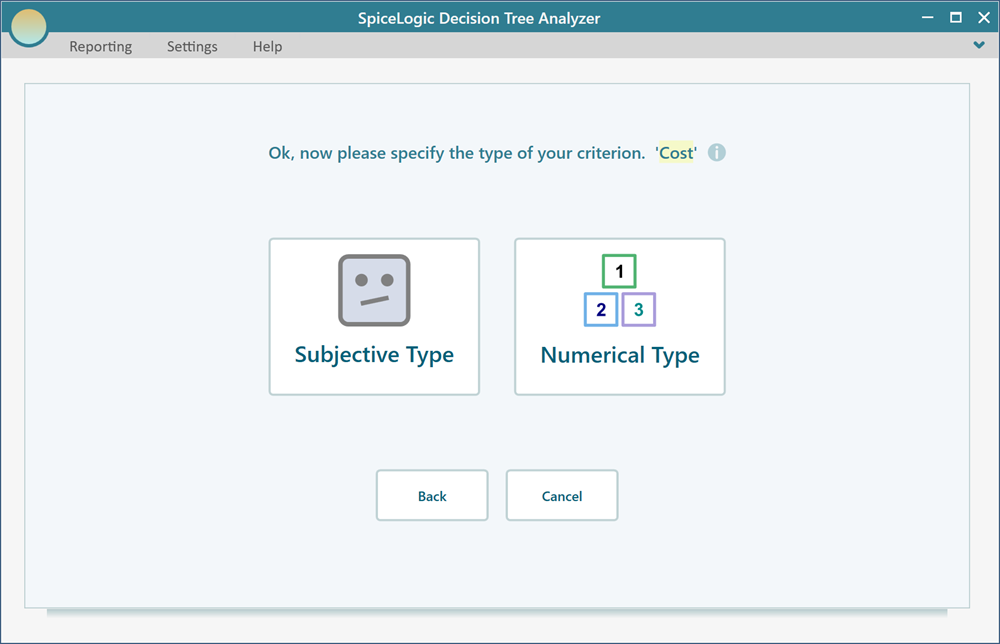
Click the Subjective type button on that screen to make this a Subjective criterion.
Editing the criterion
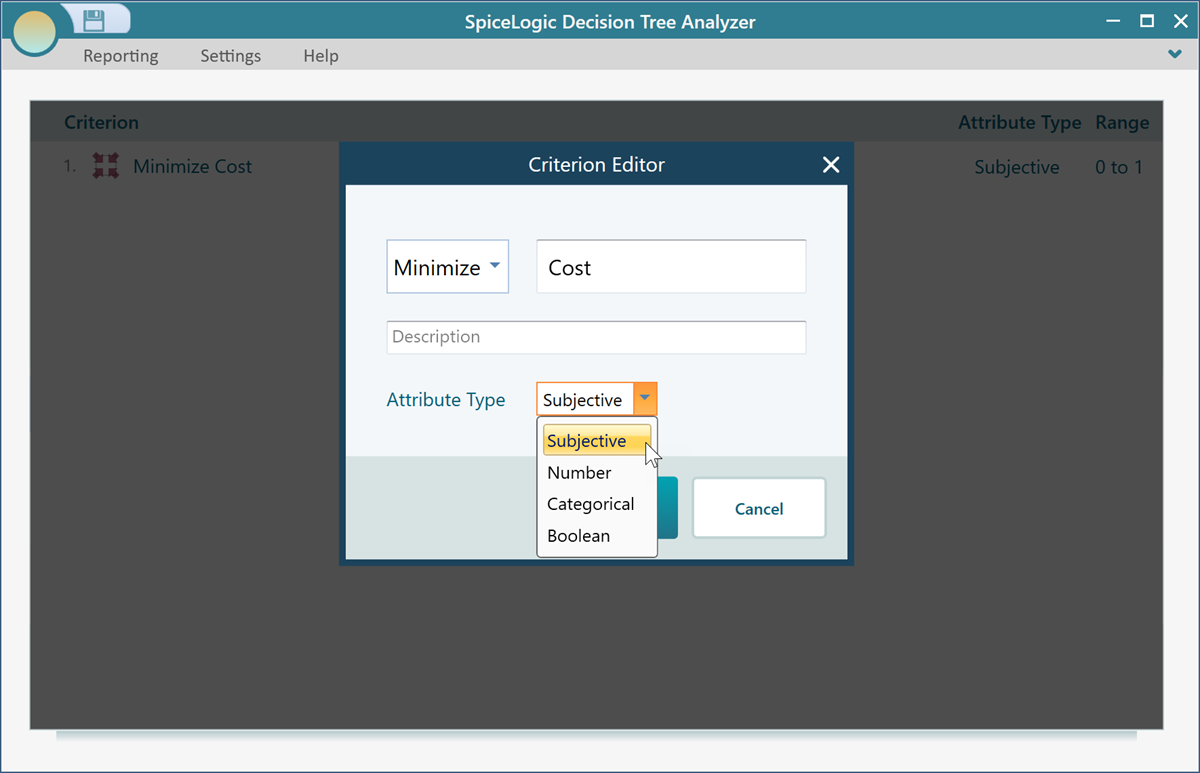
The objective editor and how to open it are covered earlier. Once you have created a Subjective objective and opened the Objective editor for it, you will see the view below. From here you can change its name, switch between Maximize and Minimize, and adjust its settings whenever your priorities shift. So if you start out caring most about cost and later decide location matters more, you can come back and update the criterion without rebuilding your tree.