Modeling Cumulative Distribution Function
A Cumulative Distribution Function, or CDF for short, tells you the chance that a random value lands at or below a given number. In plain words, it answers one question: what is the probability of getting at most this much?
Here is a quick example. Say you roll a fair die. The chance of rolling a 3 or lower is 3 out of 6, which is 0.5. So at the value 3, the CDF is 0.5. At the value 6, the CDF is 1, because every possible roll is 6 or lower. The CDF always climbs from 0 up to 1 as you move from the smallest possible value to the largest.
This is useful in real decisions too. If you model how many days a task might take, the CDF at 10 days tells you the chance the task finishes in 10 days or less. Read it as a confidence level: a CDF of 0.8 at 10 days means you are about 80 percent sure you will be done by then.
For a continuous random variable X, the CDF is written as the integral of its probability density function. You can read the full mathematical definition on Wikipedia.

When you model a probability distribution from a data table, you are not limited to the Probability Mass Function or the Survival Function. You can also enter your distribution as a Cumulative Distribution Function.
This is handy when the numbers you already have are written as "the chance of this value or less." Instead of converting them by hand, you can type them straight in as CDF values.
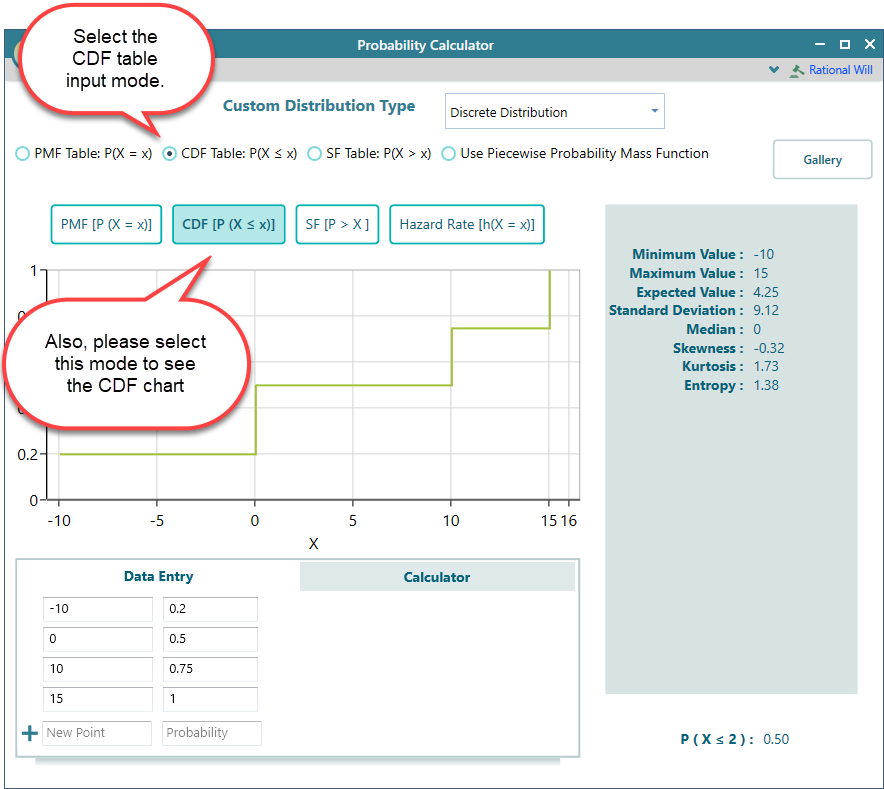
Think of the die again. You would enter a row for the value 3 with a CDF of 0.5, and a row for the value 6 with a CDF of 1. Each row says "the chance of this value or lower." That is all the software needs.
To do this, select the CDF table radio button, as shown below:
By definition, a Cumulative Distribution Function has to reach a probability of 1 at some point. That is the value where every outcome has been counted, so the running total is the full 100 percent.
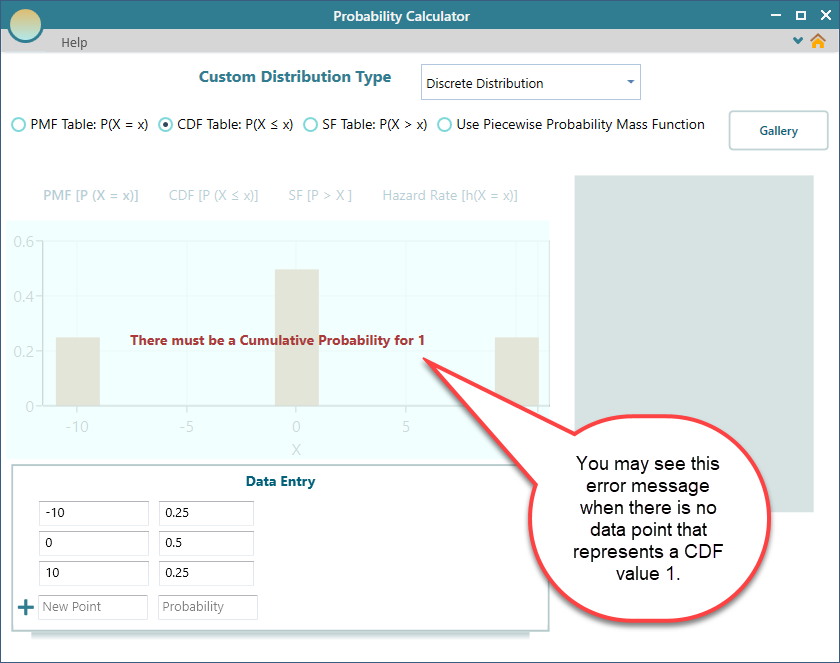
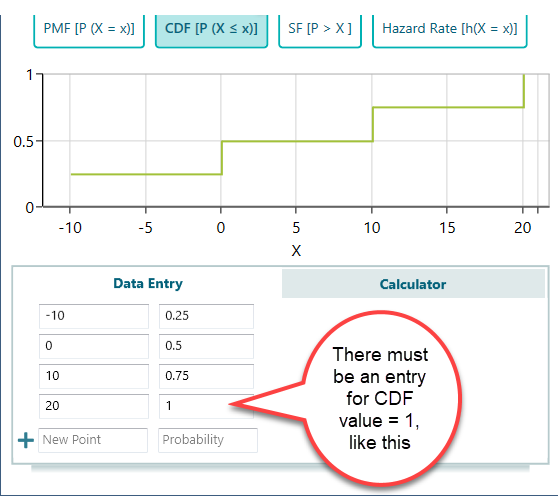
Because of this, your CDF table must include a row whose cumulative probability is 1. For example, if your largest value is 6, that row should have a CDF of 1, since nothing can be bigger than the largest value. If you leave that row out, the software will show this error message:
"There must be a Cumulative Probability for 1"
The fix is simple. Just add a row to the table with a CDF value of 1, and the error goes away.
CDF is a nondecreasing function
A function is called nondecreasing when its output never drops as the input grows. As you move to a larger value, the result can stay flat or go up, but it can never go down.
A Cumulative Distribution Function works exactly this way. Each value you add is the running total of probability up to that point, and a running total can only hold steady or grow. It can never shrink, because you cannot un-count an outcome you already counted.
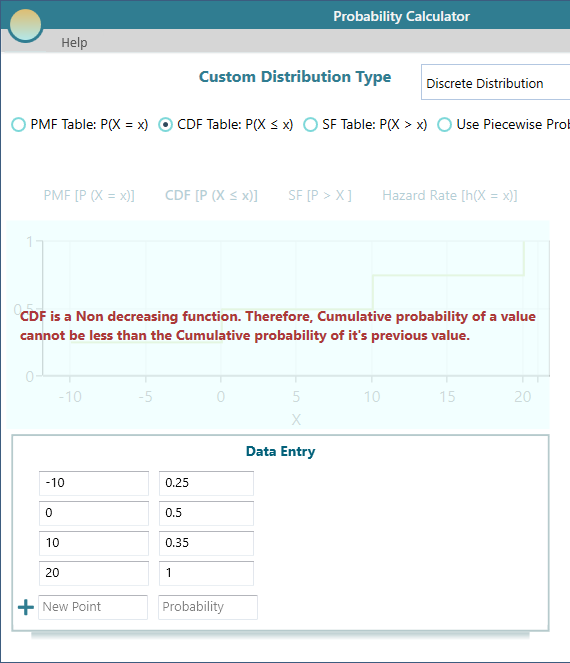
So in your CDF table, the cumulative probability on each row must be equal to or higher than the cumulative probability on the row above it. For example, 0.2, then 0.5, then 1 is fine. But 0.5 followed by 0.3 is not allowed, since the total cannot fall back down. If you break that rule, you will see this error message:
"CDF is a Nondecreasing function. Therefore, the cumulative probability of a value cannot be less than the Cumulative probability of its previous value."
To clear it, check your rows in order and make sure each CDF value is at least as large as the one before it.