


 NuGet
NuGet
Embed images for email
An image that looks correct in the editor can disappear in an email if its HTML points to a file on the sender's computer. Embedding local images as inline email resources lets recipients receive the image data with the message. Content.GetEmailMessageWithLocalImagesEmbedded creates the message; your application addresses and sends it.
The helper packages local images as CID-linked resources in an HTML alternate view. This avoids local file paths in the message, although recipient security settings and client support can still affect image display.
System.Net.Mail.MailMessage mail = editor.Content.GetEmailMessageWithLocalImagesEmbedded();What comes back is a ready-to-send MailMessage with:
- An HTML
AlternateViewwhose body is the document, with every local<img src>rewritten to acid:reference. - One
LinkedResourceper local image attached to that alternate view, each with the matchingContentId.
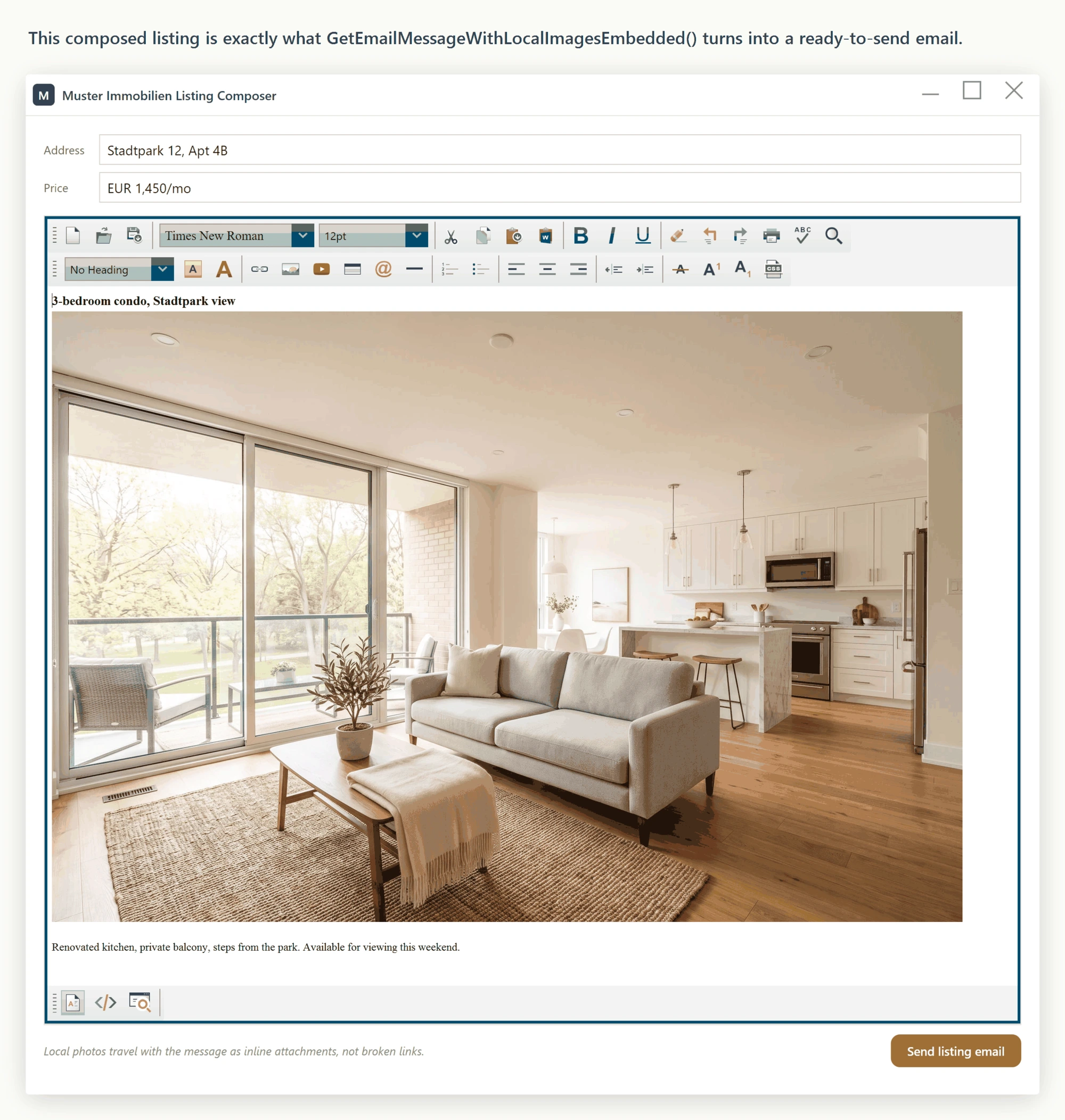
Send the resulting MailMessage through your SMTP client:
using System.Net;
using System.Net.Mail;
using System.Windows;

private void SendListingEmail_Click(object sender, RoutedEventArgs e)
{
    // 1. Build the MailMessage; local photos are embedded as CID resources
    MailMessage mail = editor.Content.GetEmailMessageWithLocalImagesEmbedded();
    // 2. Fill in the envelope
    mail.From = new MailAddress("agent@immobilien.de", "Muster Immobilien");
    mail.To.Add("interessent@example.de");
    mail.Subject = "Ihre Anfrage: Wohnung am Stadtpark";
    // 3. Send through the agency's SMTP server
    using (var smtp = new SmtpClient("smtp.immobilien.de", 587))
    {
        smtp.EnableSsl = true;
        smtp.Credentials = new NetworkCredential("agent@immobilien.de", "app-password");
        smtp.Send(mail);
    }

    MessageBox.Show("Email versendet. Die Bilder reisen mit.");
}
Imports System.Net
Imports System.Net.Mail
Imports System.Windows
Private Sub SendListingEmail_Click(sender As Object, e As RoutedEventArgs)
' 1. Build the MailMessage; local photos are embedded as CID resources
Dim mail As MailMessage = editor.Content.GetEmailMessageWithLocalImagesEmbedded()
' 2. Fill in the envelope
mail.From = New MailAddress("agent@immobilien.de", "Muster Immobilien")
mail.[To].Add("interessent@example.de")
mail.Subject = "Ihre Anfrage: Wohnung am Stadtpark"
' 3. Send through the agency's SMTP server
Using smtp = New SmtpClient("smtp.immobilien.de", 587)
smtp.EnableSsl = True
smtp.Credentials = New NetworkCredential("agent@immobilien.de", "app-password")
smtp.Send(mail)
End Using
MessageBox.Show("Email versendet. Die Bilder reisen mit.")
End SubThe method embeds <img> tags whose src is either a local file path the editor can read or an already-inline base64 data: URI; both are converted to cid:-linked resources. Images that reference an http/https URL are left as URL references, which the recipient's mail client fetches over the network. Local, base64, and remote images can coexist in the same email.
To log or inspect the attachments before sending, enumerate the linked resources under the alternate view:
var altView = (AlternateView)mail.AlternateViews[0];
foreach (LinkedResource lr in altView.LinkedResources)
{
    LogAttachment(lr.ContentId, lr.ContentType.MediaType, lr.ContentStream.Length);
}
Dim altView = CType(mail.AlternateViews(0), AlternateView)
For Each lr As LinkedResource In altView.LinkedResources
LogAttachment(lr.ContentId, lr.ContentType.MediaType, lr.ContentStream.Length)
Next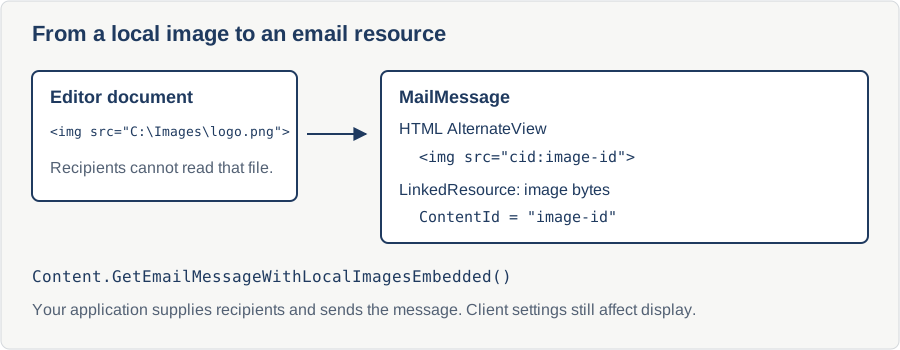
Ask your AI to do this
Connect the SpiceLogic MCP server, then give your coding assistant this prompt.
I use the SpiceLogic WPF HTML Editor. Help me build a MailMessage with local images as linked resources, then send it through my configured mail service. Include error handling and explain client-dependent image display. Confirm the exact API names, types and defaults with the SpiceLogic MCP documentation, then show the changes for my project.