


 NuGet
NuGet
Embedding Local Images using Data URIs
Embedding local images as data URIs turns an HTML document's picture references into self-contained data, which matters the moment you export the editor's HTML somewhere without the original image files - a single-file offline bundle, an emailed document, or an HTML snippet saved into a database column. Left alone, an <img> pointing at a local file path becomes dead weight: the tag survives, but the picture never resolves outside the machine it was created on. This page shows how to call one method and make the exported HTML self-contained.
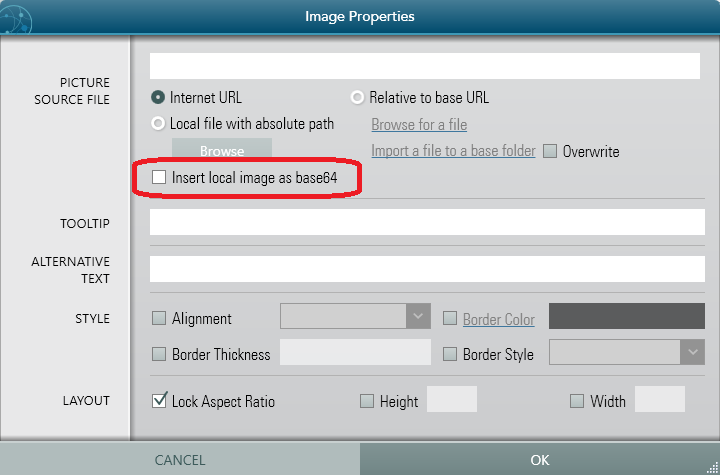
Local screenshots dragged into the editor are recorded as file paths, for example <img src="C:\Users\agent\...">, which no longer resolve once the HTML leaves the authoring machine. Fix this with one call:
editor.Content.EmbedLocalImagesAsBase64();EmbedLocalImagesAsBase64 finds every local <img>, reads the file, Base64-encodes it, and rewrites src as a data:image/...;base64,... URI. The resulting editor.DocumentHtml renders anywhere, with no external image files required.
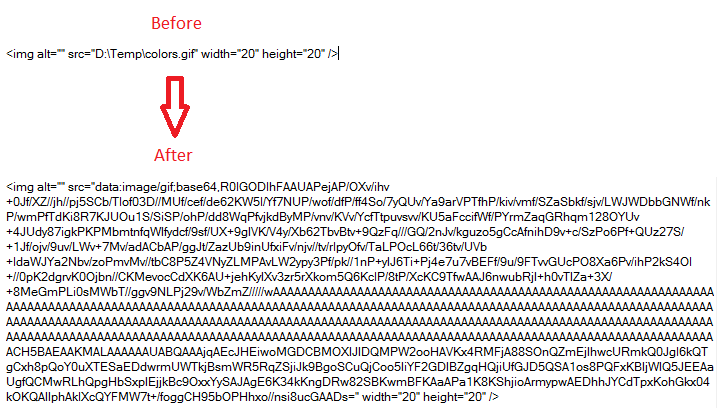
Before embedding:
<p>Open the diagnostics panel:</p> <img src="C:\Users\agent\Pictures\diag.png" alt="diagnostics" />After embedding:
<p>Open the diagnostics panel:</p> <img src="data:image/png;base64,iVBORw0KGgoAAAANSUhEUgAA..." alt="diagnostics" />Wire the call into your export button. Three lines produce a fully self-contained export:
using System.IO;
using System.Windows;

private void ExportOfflineArticle_Click(object sender, RoutedEventArgs e)
{
    // 1. Embed every local image as a base64 data URI
    editor.Content.EmbedLocalImagesAsBase64();

    // 2. Pull the now self-contained article HTML
    string selfContained = editor.DocumentHtml;

    // 3. Write it to the offline bundle; the file no longer depends on the originals
    File.WriteAllText(@"C:\Output\article.html", selfContained);

    MessageBox.Show("Article exported. Drop it on any machine and the images stay.");
}
Imports System.IO
Imports System.Windows
Private Sub ExportOfflineArticle_Click(sender As Object, e As RoutedEventArgs)
' 1. Embed every local image as a base64 data URI
editor.Content.EmbedLocalImagesAsBase64()
' 2. Pull the now self-contained article HTML
Dim selfContained As String = editor.DocumentHtml
' 3. Write it to the offline bundle; the file no longer depends on the originals
File.WriteAllText("C:\Output\article.html", selfContained)
MessageBox.Show("Article exported. Drop it on any machine and the images stay.")
End SubUse this technique for:
- Exporting single-file HTML (offline help, attached reports, archived snapshots).
- Storing the article HTML in a database column without a separate image table.
- Saving a draft and reopening it later on a different machine, with the screenshots intact.
Data URIs are not suited to sending HTML over email: several major email clients downsize or block Base64-embedded images. For that scenario, use CID-linked resources instead - see Embedding Local Images for Email Clients.
Ask your AI to do this
Let your assistant do this for you. With the SpiceLogic MCP server connected, paste this into Claude Code, Cursor, or VS Code Copilot in agent mode.
Using the SpiceLogic WPF HTML Editor already referenced in my project, add an Export offline copy button that calls editor.Content.EmbedLocalImagesAsBase64 before reading editor.DocumentHtml, so a local screenshot such as C:\Users\agent\Pictures\diag.png is converted to a self-contained data URI and the saved file still shows its pictures after I move it off this machine. Save the result to a file named offline-report.html. Look up the exact method name and behavior with the SpiceLogic MCP tools before writing any code.