


 NuGet
NuGet
Inserting HTML at current Caret position
Use caret insertion when you keep a library of reusable HTML fragments - boilerplate clauses, signature blocks, merge sections - that the user inserts into an existing document with one click, without disturbing the surrounding content or replacing the whole document. Swapping in a whole new document blows away formatting the user already typed, and splicing text in by hand with string search-and-replace breaks the moment the surrounding markup shifts. This page shows how to insert HTML precisely at the caret using the Content service the editor exposes directly:
// SpiceLogic.HtmlEditor.Abstractions.Services.IContentService
void InsertHtml(string htmlText, bool keepSelected);
Wiring a snippet button
Wire each snippet to a toolbar button. The click handler retrieves the snippet's HTML and passes it to InsertHtml:
<DockPanel xmlns:editor="clr-namespace:SpiceLogic.HtmlEditor.WPF;assembly=SpiceLogic.HtmlEditor.WPF">
    <StackPanel DockPanel.Dock="Top" Orientation="Horizontal">
        <Button Content="Standard Benefits"      Click="InsertBenefits_Click" />
        <Button Content="California Addendum"    Click="InsertCalifornia_Click" />
        <Button Content="Remote Work Provision"  Click="InsertRemoteWork_Click" />
    </StackPanel>
    <editor:WpfHtmlEditor x:Name="LetterEditor" />
</DockPanel>private void InsertBenefits_Click(object sender, RoutedEventArgs e)
{
var html = _snippetRepo.Get("Standard-Benefits-2026");
LetterEditor.Focus();
LetterEditor.Content.InsertHtml(html, keepSelected: false);
}Private Sub InsertBenefits_Click(sender As Object, e As RoutedEventArgs)
Dim html = _snippetRepo.[Get]("Standard-Benefits-2026")
LetterEditor.Focus()
LetterEditor.Content.InsertHtml(html, keepSelected:=False)
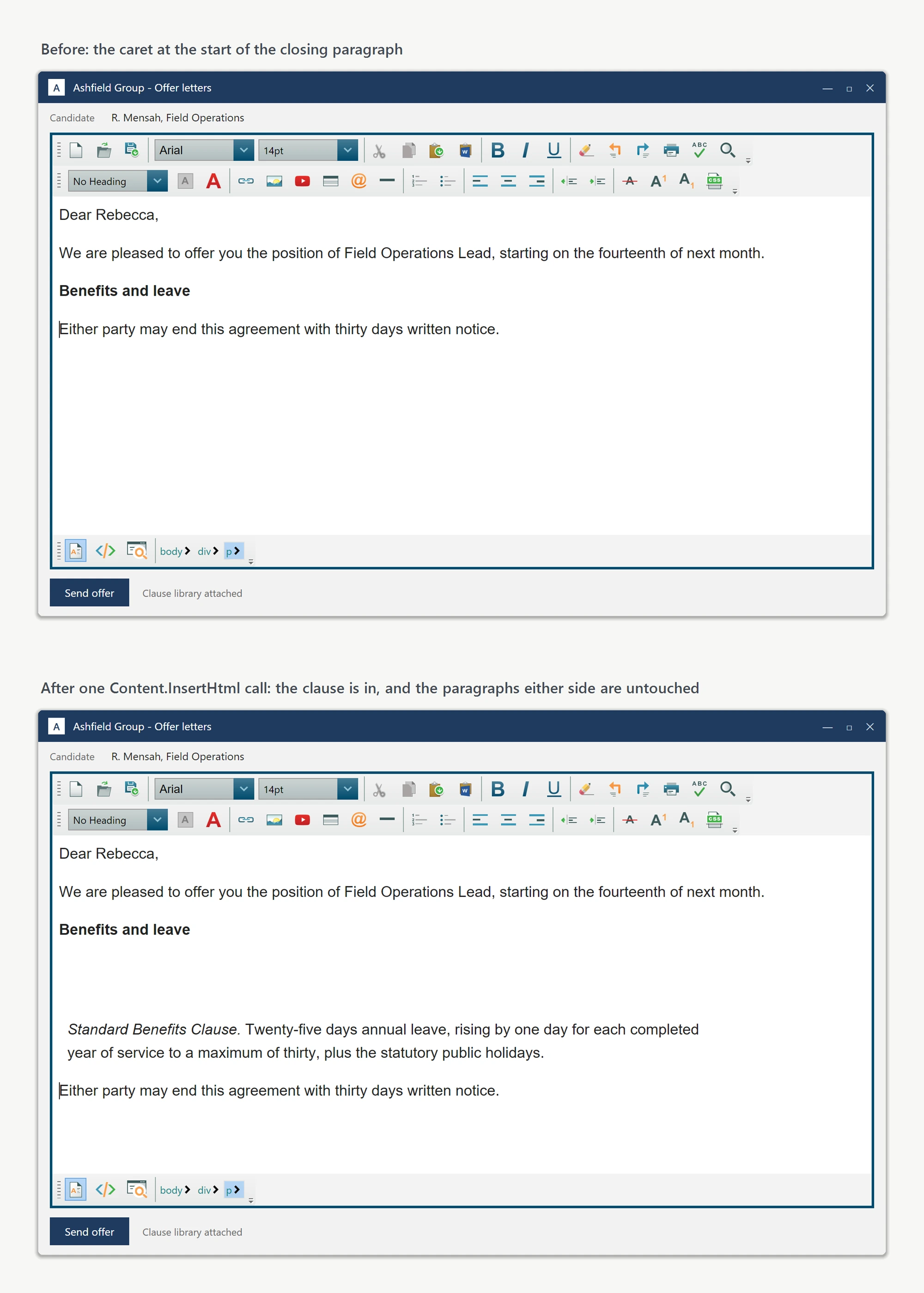
End SubCall Focus() before InsertHtml. Clicking the toolbar button moves WPF keyboard focus to the button, so without restoring focus to the editor first, the caret position is undefined and the markup can land in the wrong place. With focus restored, the snippet is inserted exactly at the caret, and the caret ends up at the end of the inserted block, ready for the next keystroke.
The keepSelected switch
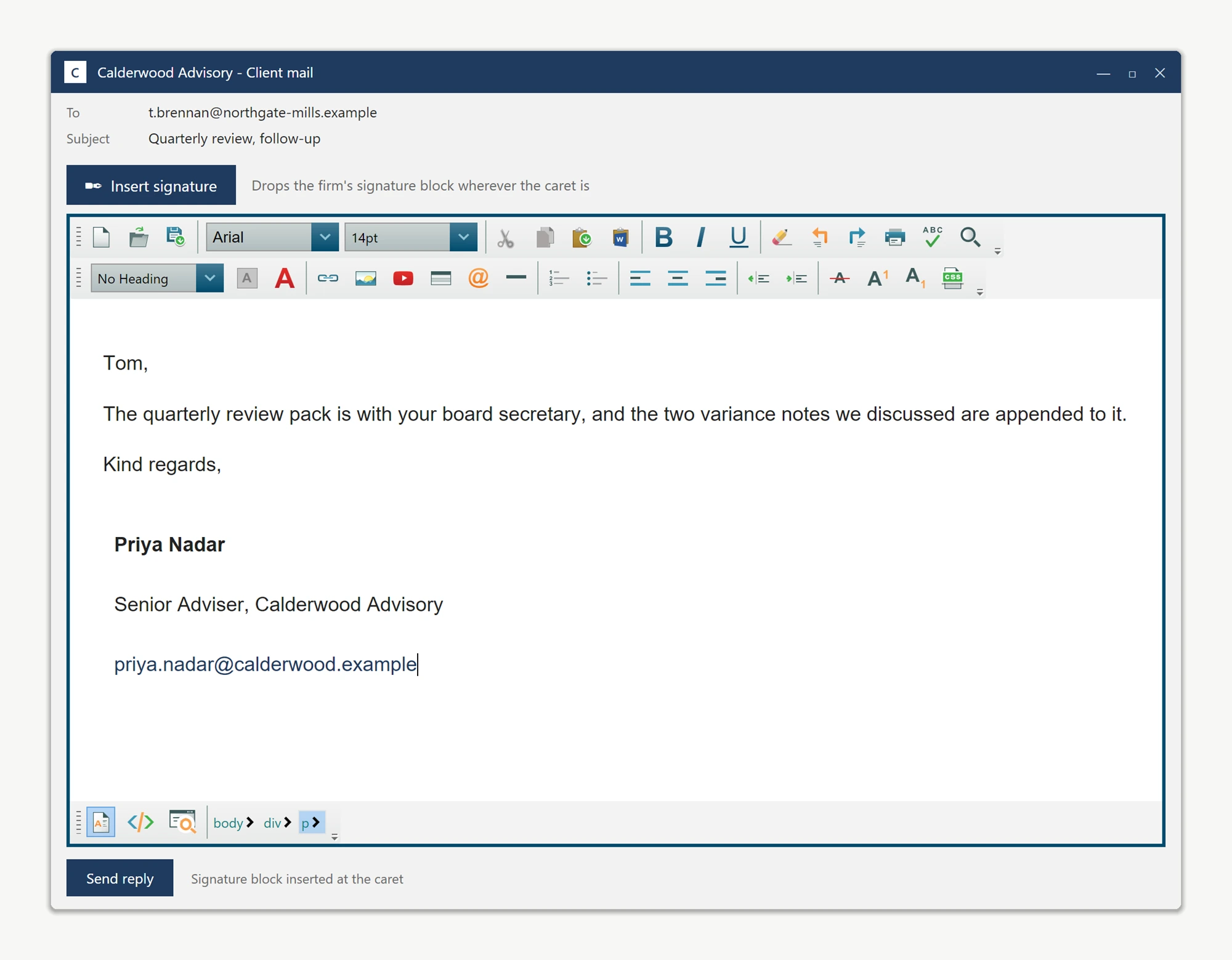
The keepSelected parameter controls what is selected after the insert. Pass false to drop the fragment in and place the caret at the end, ready for the user to keep typing. Pass true when the inserted fragment is a placeholder the user is expected to type over immediately, for example an Insert Signing Bonus Placeholder button: the placeholder text is selected as soon as it appears, so the first keystroke overwrites it:
private void InsertBonusPlaceholder_Click(object sender, RoutedEventArgs e)
{
    LetterEditor.Focus();
    LetterEditor.Content.InsertHtml("<span class=\"placeholder\">[BONUS AMOUNT]</span>", keepSelected: true);
}
Private Sub InsertBonusPlaceholder_Click(sender As Object, e As RoutedEventArgs)
LetterEditor.Focus()
LetterEditor.Content.InsertHtml("<span class=""placeholder"">[BONUS AMOUNT]</span>", keepSelected:=True)
End SubOne method, two distinct user experiences, decided by a single boolean.
What it will not do
InsertHtml strips inline <script> blocks by design, since caret insertion from an untrusted snippet source could otherwise run arbitrary JavaScript. Use InsertScript(string scriptMarkUp) when a script legitimately belongs in the document. Head-only content (styles, links) inserted at the caret lands in the body and has no effect; use InsertHtmlBetweenHead(string) instead.
Typical usage
This pattern fits any snippet-library workflow: HTML fragments wired to toolbar buttons so the user assembles a document from reusable pieces at the caret, typing only the variable parts by hand, for example an email-signature button in a CRM, a merge-field picker in a contract tool, or a clause library in an offer-letter editor.
Ask your AI to do this
Let your assistant do this for you. With the SpiceLogic MCP server connected, paste this into Claude Code, Cursor, or VS Code Copilot in agent mode.
Using the SpiceLogic WPF HTML Editor already referenced in my project, build a snippet library of toolbar buttons that call editor.Content.InsertHtml to drop reusable fragments at the current caret position without disturbing the rest of the document, including an Insert Signing Bonus Placeholder button that passes keepSelected true so the inserted placeholder text is selected and ready to be typed over. Confirm a snippet containing a script tag gets stripped for safety, and use InsertScript instead when a fragment legitimately needs one. Look up the exact InsertHtml, InsertScript, and InsertHtmlBetweenHead signatures with the SpiceLogic MCP tools before writing any code.