


Boolean Criterion
What is a Boolean criterion?
Some things you care about have a simple yes-or-no answer. It either has it, or it does not. It is either true, or false. There is no middle ground. You answer one way or the other, and that is it.
Think about buying a car. Say one of your goals is that the car must have a built-in GPS. When you look at a car, you ask one thing: does it have GPS, yes or no? There is no halfway answer. An attribute like this is a Boolean attribute. When you build a goal around it, you have a Boolean criterion.
Boolean criteria are easy to work with because they are fast to judge. You do not score anything. You do not compare numbers. You look at each option and tick yes or no, and you move on.
The user interface for a Boolean criterion
Once you create a Boolean criterion, setting the payoff for a decision tree node is simple. Instead of typing a number, you get a rounded check button with the two labels you chose: Yes/No, True/False, Has/Does not have, or Contains/Does not contain. You pick the one that matches the option in front of you.
Here is a real example. Say you are looking for an apartment to rent, and these are your goals:
- Must be walking distance from the job
- Should contain a dishwasher
- Must be recently built
- Must not have any broken window
After you model these goals, the payoff window for a decision tree node shows the matching check buttons, like this.
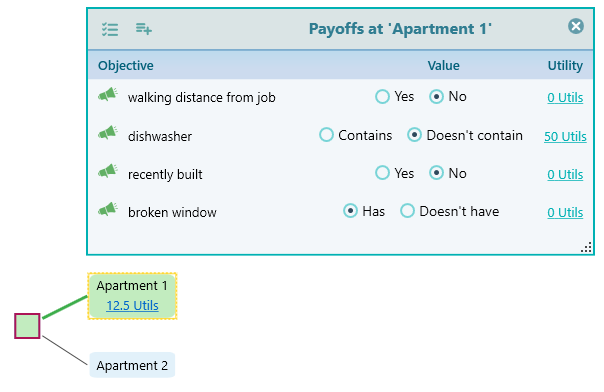
You see this kind of view when you have more than one goal. The software lays them out together so you can answer them one by one. If you have only a single goal, and that one goal is Boolean, there is nothing to lay out. In that case the checkbox shows up right on the decision tree node itself, as shown below.
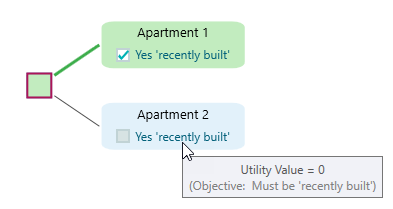
Modeling a Boolean criterion
To create a Boolean goal, open the objective creation wizard. You will see the screen below. The first word you pick decides whether the goal is Boolean. To make it Boolean, choose one of the highlighted conditionals shown here, such as "Must have", "Must not have", or "Should contain".
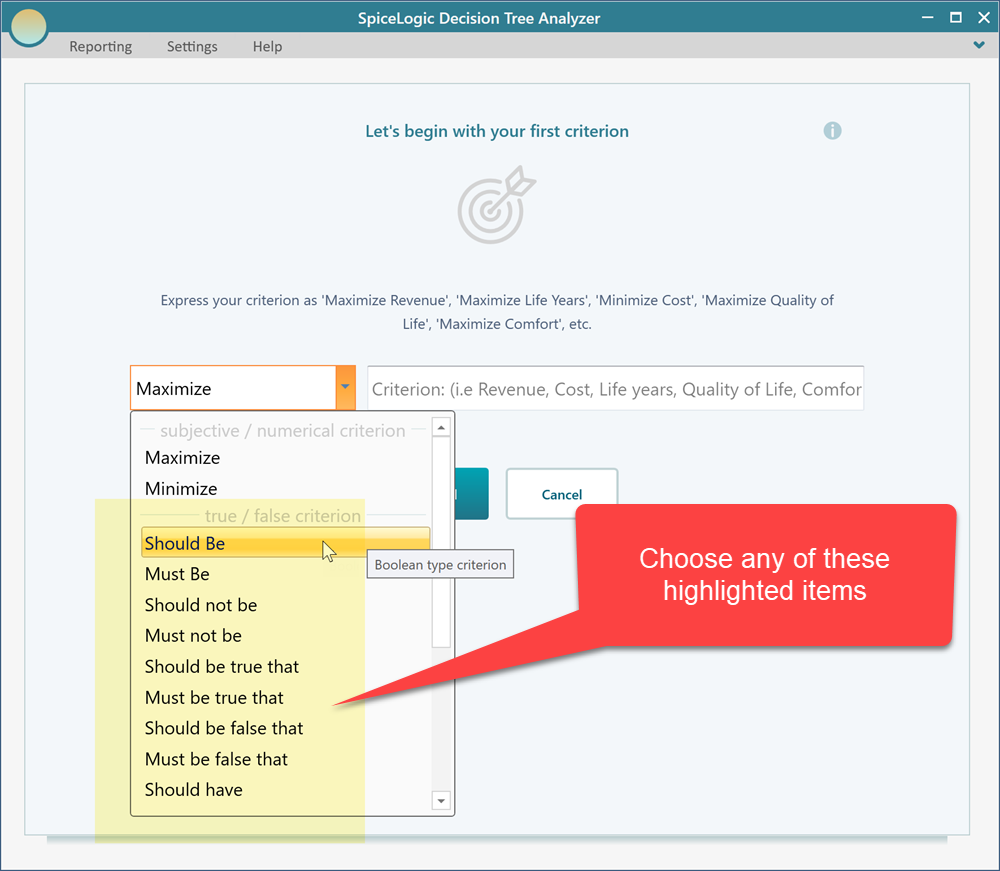
After you pick a conditional from the drop-down, type your criterion in the box next to it. For example, choose "Should contain" and then write "a dishwasher", so the whole goal reads "Should contain a dishwasher". Enter it like this.
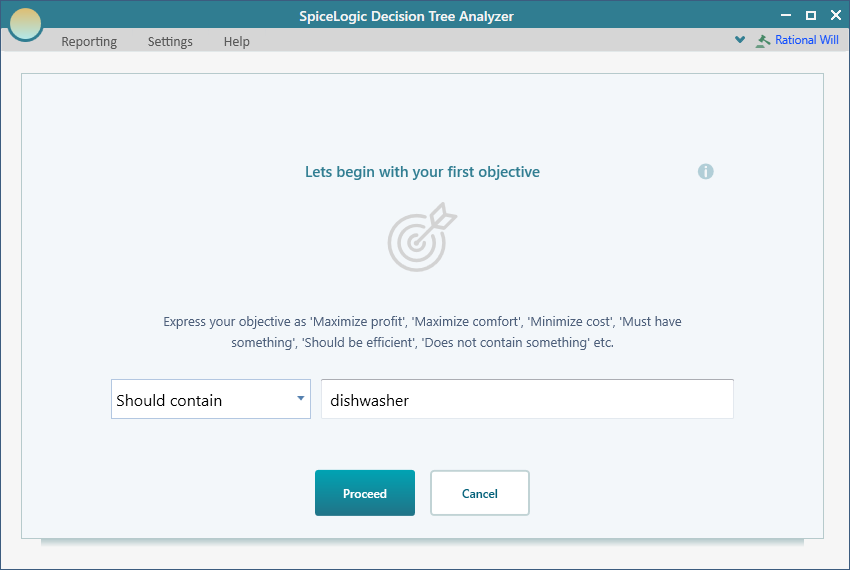
When the goal looks right, click the "Proceed" button to save it.
Editing the criterion
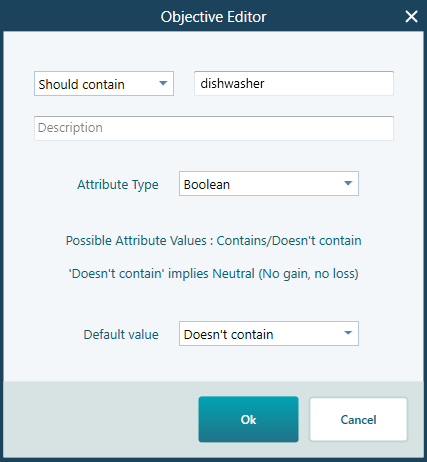
You may want to come back and change a Boolean goal later. Maybe your needs changed, or you worded it wrong the first time. The steps to open the objective editor are covered in how to invoke the objective editor. Once you open the editor for a Boolean goal, you will see the view below, where you can change its settings.
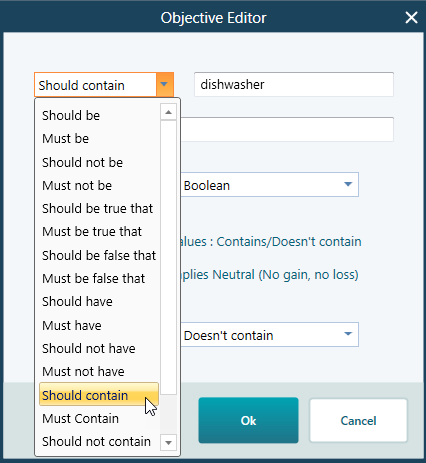
If you picked the wrong wording, or your goal has changed, you can switch the conditional here. Open the drop-down box shown below and choose a different one. For example, you can change "Should contain" to "Must contain".
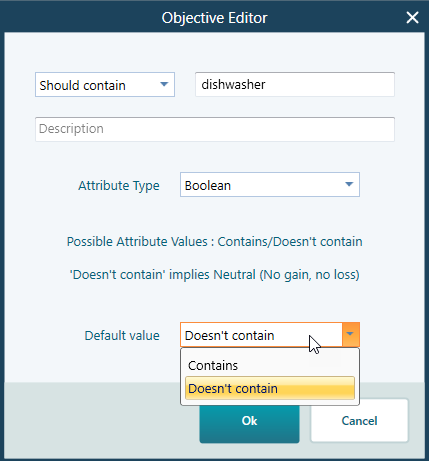
The default value is the answer that comes pre-checked in the payoff window for this goal. It saves you a click when most of your options share the same answer. Set the common answer as the default, and then you only change the few that differ. Say most apartments you look at do have a dishwasher. Set the default to Yes, and you only flip the rare ones that do not. You pick the default value from this drop-down box.
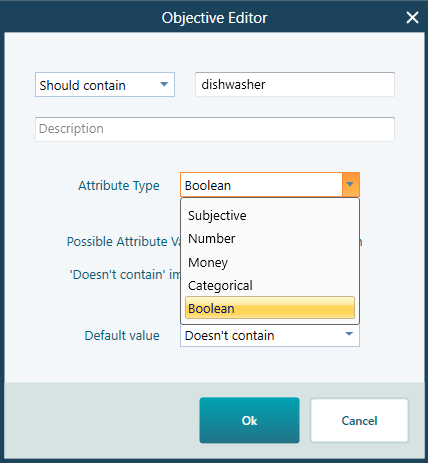
Sometimes a goal turns out to be more than a simple yes or no. When that happens, you do not have to delete it and start over. You can change the criterion type from Boolean to another type using this drop-down.
How the utility value is inferred
Behind the scenes, every Boolean answer is turned into a score so the software can compare your options. For a Boolean goal, that score is normally 0 or 100 (or 0 and 1, depending on your preference). You do not type the number yourself. The software reads the conditional you chose, works out what you meant, and assigns the score for you.
The wording matters, because "Must" and "Should" mean different things. Here is how it plays out with a dishwasher.
- If your goal is "Must contain a dishwasher" and an apartment does not have one, the software gives it a score of 0. The word "Must" tells the software this is a hard requirement, so an option that fails it is as good as ruled out.
- If your goal is "Should contain a dishwasher" and an apartment does not have one, the software gives it a score of 50, the midpoint between 0 and 100. The word "Should" means you would like it but can live without it, so a missing dishwasher hurts the option without killing it.
- Either way, if the apartment does have a dishwasher, the score is 100.
The same logic applies to the other conditionals, such as "Must be", "Must not be", and "Should be". "Must" wording is strict and scores a failure as 0. "Should" wording is softer and scores a failure as 50. This lets you mix hard requirements and nice-to-haves in the same decision, and the software weighs each one the way you meant it.