


 NuGet
NuGet
Spell Checker
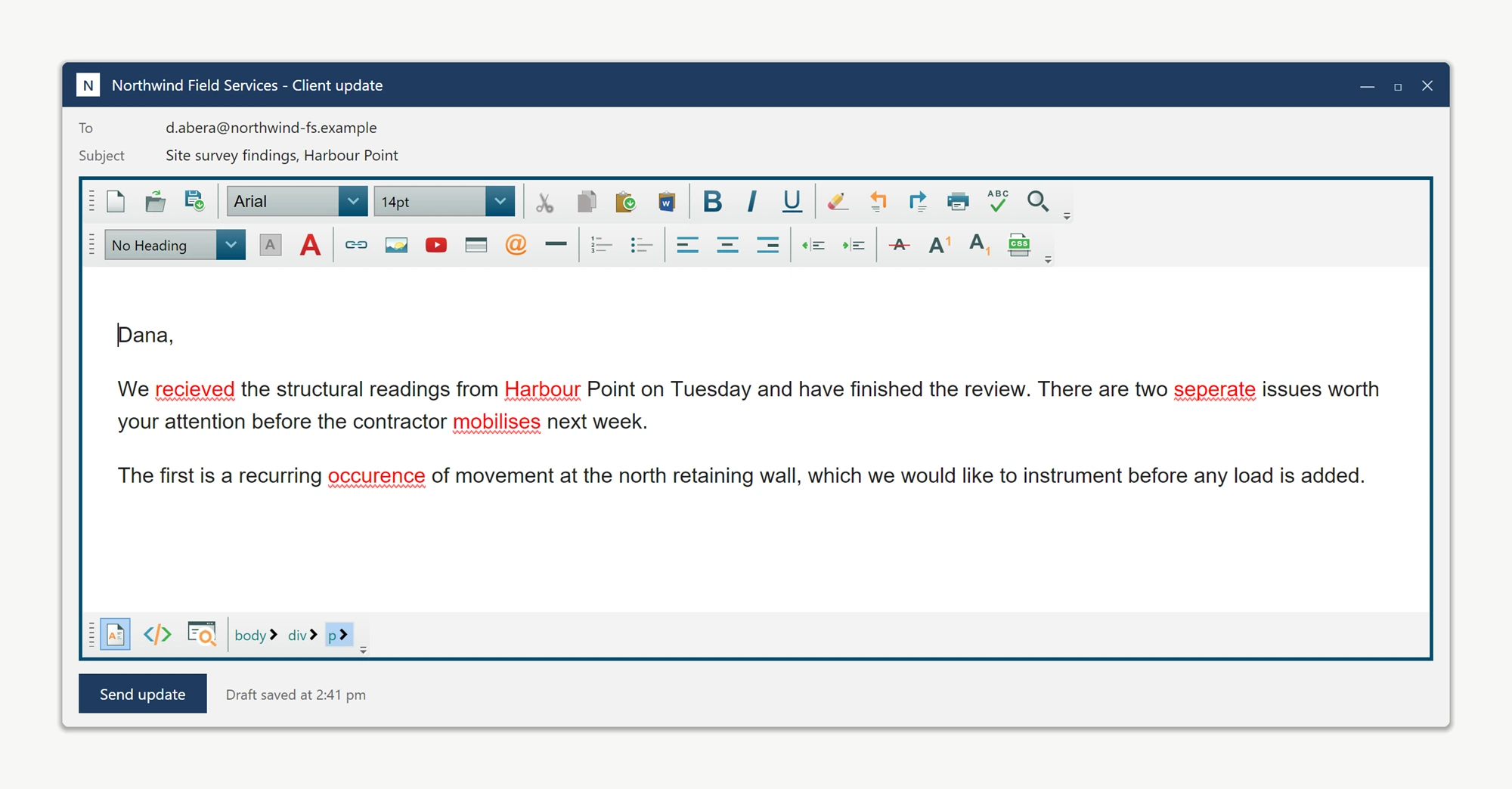
Any place users type freeform text into your app - a support ticket note, an internal comment, a draft email - is a place where a typo can slip through and end up in a report or a message sent to a customer. The WpfHtmlEditor includes a built-in spell checker with a US English dictionary embedded in the assembly - no extra NuGet package, native DLLs, or setup file required. This page shows how it works out of the box and how to configure it. Add the control to a window and misspelled words are flagged automatically as soon as typing starts:
<Window xmlns:editor="clr-namespace:SpiceLogic.HtmlEditor.WPF;assembly=SpiceLogic.HtmlEditor.WPF">
    <editor:WpfHtmlEditor x:Name="NoteEditor" />
</Window>
Two ways to check, and they coexist
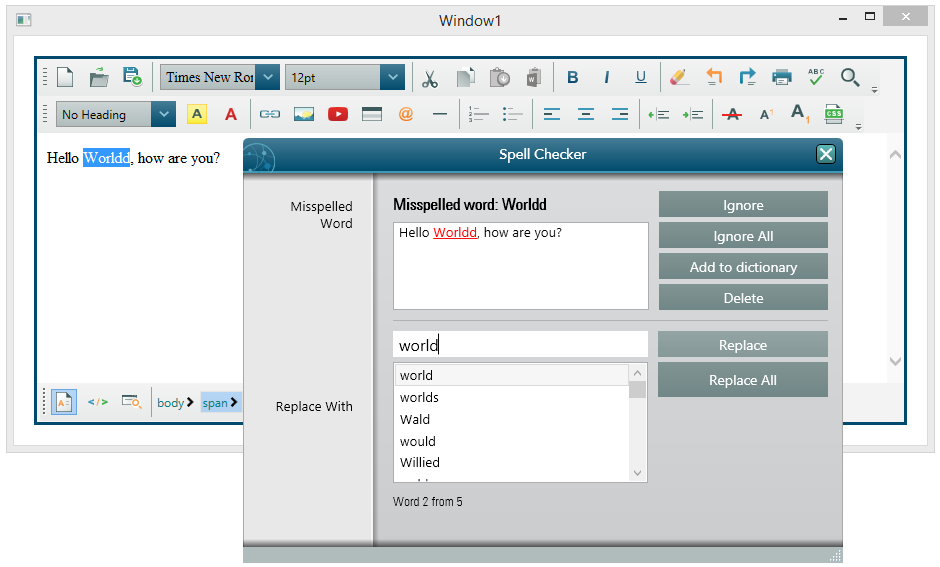
The control supports two checking modes simultaneously: inline squiggles under misspelled words as the user types, and a dialog walker (launched from the toolbar) that steps through every flagged word one at a time, similar to Microsoft Word. Both are configured through the SpellCheckOptions property:
NoteEditor.SpellCheckOptions.FireInlineSpellCheckingOnKeyStroke = true;
NoteEditor.SpellCheckOptions.InlineSpellCheckDebounceMilliseconds = 300;
NoteEditor.SpellCheckOptions.FireInlineSpellCheckingOnKeyStroke = True
NoteEditor.SpellCheckOptions.InlineSpellCheckDebounceMilliseconds = 300InlineSpellCheckDebounceMilliseconds coalesces a burst of typing (such as a pasted, thousand-line block of text) into a single check instead of re-scanning on every keystroke. The default 300 ms window keeps the editor responsive even on lower-powered devices.
Using a different dictionary language
To spell-check in a language other than US English, supply an OpenOffice-format .dic/.aff dictionary pair and point the editor at the files:
NoteEditor.SpellCheckOptions.DictionaryFile.DictionaryFilePath = @"Dictionaries\de_DE.dic";

NoteEditor.SpellCheckOptions.DictionaryFile.AffixFilePath      = @"Dictionaries\de_DE.aff";

NoteEditor.SpellCheckOptions.SpellCheckLanguage = SpellCheckLanguage.German;
SpellCheckLanguage defaults to SameAsEditorLanguage, so the spell checker tracks whatever the editor's Language dependency property is set to. For a multilingual application, bind both to a user-profile language selector so the same window serves every locale.
Handling product names and other custom terms
Words that are not in any dictionary, such as product or brand names, will be squiggled by default. Enable the user dictionary so users can right-click a flagged word and choose Add to Dictionary to stop it being flagged again. See the User Dictionary page for the full walkthrough.
Using an external spell-check service
When spelling must be validated against an external source, such as an internal terminology or compliance service, instead of a local dictionary file, implement ISpellCheckerEngine and assign it to the editor. Every spell check call, inline squiggles, dialog suggestions, and Add-to-Dictionary, then routes through that engine. See Using a Custom Spell-Check Engine.
Detecting when a check has completed
Subscribe to SpellCheckCompleted to know when a spell-check pass finishes, for example to gate a Save action until the document has been checked. The event fires once per dialog-mode pass:
NoteEditor.SpellCheckCompleted += (sender, e) =>

{

    _viewModel.LastSpellCheckUtc = DateTime.UtcNow;

    _viewModel.SaveCommand.NotifyCanExecuteChanged();

};
The following pages in this section cover the deeper API surface for each of these topics.
Ask your AI to do this
Let your assistant do this for you. With the SpiceLogic MCP server connected, paste this into Claude Code, Cursor, or VS Code Copilot in agent mode.
Using the SpiceLogic WPF HTML Editor already referenced in my project, switch its built-in spell checker from the default US English dictionary to German by pointing SpellCheckOptions.DictionaryFile at de_DE.dic and de_DE.aff and setting SpellCheckLanguage to German, then subscribe to SpellCheckCompleted so my SaveCommand cannot run until a spell-check pass has finished on the editor named NoteEditor. Verify the exact SpellCheckOptions and SpellCheckCompleted members with the SpiceLogic MCP tools first, then write the code.