


 NuGet
NuGet
Customizing Keyboard Shortcuts
Every WpfHtmlEditor instance exposes a KeyBindings property of type KeyBindingsManager that lets you add, replace, override, or disable keyboard shortcuts at runtime without subclassing the control. The manager is the keyboard counterpart to ToolbarItemOverrider: where the overrider intercepts clicks on a built-in toolbar button, the key-bindings manager intercepts presses of the key combination mapped to a built-in editor action.
Default shortcut map
Out of the box only two shortcuts are pre-bound. Browser-native shortcuts handled by MSHTML (Ctrl+B, Ctrl+I, Ctrl+U, Ctrl+Z, Ctrl+Y, Ctrl+A, Ctrl+C, Ctrl+X, Ctrl+P) are intentionally not intercepted, because letting MSHTML execute them natively is faster and avoids round-tripping through the WPF dispatcher. Bind them yourself if you need to override their behaviour.
| Default combo | Action | Why we intercept |
|---|---|---|
| Ctrl+F | EditorActionId.Search | Replaces Internet Explorer's built-in Find dialog with the editor's own Find/Replace UI. |
| Ctrl+V | EditorActionId.Paste | Replaces MSHTML's native paste, which doubles up <span> style wrappers. |
The EditorActionId enum
Every shortcut targets a value of EditorActionId. The enum mirrors the action set already exposed by ToolbarItemOverrider, so a key press routes through the same default-action pipeline as a toolbar click.
| Group | Members |
|---|---|
| File | New, Open, Save, Print |
| Clipboard | Cut, Copy, Paste, PasteFromMsWord |
| History | Undo, Redo |
| Inline format | Bold, Italic, Underline, Subscript, Superscript, StrikeThrough |
| Editor tools | Search, SpellCheck, FormatReset, BodyStyle |
| Block / list | HorizontalRule, OrderedList, UnOrderedList |
| Alignment | AlignLeft, AlignCenter, AlignRight |
| Indent | Outdent, Indent |
| Insert | TableInsert, ImageInsert, HyperLinkInsert, SymbolInsert, YouTubeVideoInsert |
| Color | TextHighlightColor, FontForeColor |
The full enum lives in SpiceLogic.HtmlEditor.Abstractions.KeyBindings.EditorActionId (35 members in total).
Constructing a KeyBindingCombo
A KeyBindingCombo is an immutable value object that captures the modifier flags and the Win32 virtual-key code of a keystroke. Because the type lives in the shared SpiceLogic.HtmlEditor.Abstractions assembly (which targets WinForms and WPF), it does not reference System.Windows.Input.Key directly. WPF callers convert a Key value to a virtual-key code with KeyInterop.VirtualKeyFromKey:
using System.Windows.Input;
using SpiceLogic.HtmlEditor.Abstractions.KeyBindings;

// Ctrl + Shift + B
KeyBindingCombo combo = new KeyBindingCombo(ctrl: true, alt: false, shift: true, virtualKeyCode: KeyInterop.VirtualKeyFromKey(Key.B));
Imports System.Windows.Input
Imports SpiceLogic.HtmlEditor.Abstractions.KeyBindings
' Ctrl + Shift + B
Dim combo As KeyBindingCombo = New KeyBindingCombo(ctrl:=True, alt:=False, shift:=True, virtualKeyCode:=KeyInterop.VirtualKeyFromKey(Key.B))The constructor signature is KeyBindingCombo(bool ctrl, bool alt, bool shift, int virtualKeyCode). The four properties (Ctrl, Alt, Shift, VirtualKeyCode) are read-only, and value-equality is implemented across all four fields, so two combos that describe the same keystroke compare equal.
Common operations
The KeyBindingsManager exposes a small, deliberate API surface. The snippets below assume editor is your WpfHtmlEditor instance.
Bind - assign a combo to an action. Throws InvalidOperationException if the combo is already bound to a different action; rebinding the same action is allowed.
// Bind Ctrl+S to Save (no default ships for Save).
editor.KeyBindings.Bind(EditorActionId.Save, new KeyBindingCombo(ctrl: true, alt: false, shift: false, virtualKeyCode: KeyInterop.VirtualKeyFromKey(Key.S)));
' Bind Ctrl+S to Save (no default ships for Save).
editor.KeyBindings.Bind(EditorActionId.Save, New KeyBindingCombo(ctrl:=True, alt:=False, shift:=False, virtualKeyCode:=KeyInterop.VirtualKeyFromKey(Key.S)))Unbind - remove the combo for an action (no-op if the action was unbound).
editor.KeyBindings.Unbind(EditorActionId.Search);Override - replace the editor's default behaviour for an action with your own delegate. Pass null to clear an existing override.
// Replace the built-in Save handler with your own.
editor.KeyBindings.Override(EditorActionId.Save, () =>
{
    File.WriteAllText(currentFile, editor.BodyHtml);
    statusBar.Text = "Saved at " + DateTime.Now.ToString("T");
});
// Later, restore the default Save behaviour:
editor.KeyBindings.Override(EditorActionId.Save, null);
' Replace the built-in Save handler with your own.
editor.KeyBindings.Override(EditorActionId.Save, Sub()
    File.WriteAllText(currentFile, editor.BodyHtml)
    statusBar.Text = "Saved at " & DateTime.Now.ToString("T")
End Sub)
' Later, restore the default Save behaviour:
editor.KeyBindings.Override(EditorActionId.Save, Nothing)
Disable / Enable - suppress an action without unbinding it. A disabled action still consumes the keystroke (so the browser's native shortcut, if any, does not fire either) but neither the default routing nor any registered override runs.
editor.KeyBindings.Disable(EditorActionId.Print);
// ...later...
if (editor.KeyBindings.IsDisabled(EditorActionId.Print))
    editor.KeyBindings.Enable(EditorActionId.Print);
editor.KeyBindings.Disable(EditorActionId.Print)
' ...later...
If editor.KeyBindings.IsDisabled(EditorActionId.Print) Then editor.KeyBindings.Enable(EditorActionId.Print)
GetBinding / AllBindings - introspect the current map. GetBinding returns null when the action is unbound; AllBindings exposes a read-only snapshot suitable for building a "Keyboard shortcuts" help dialog.
KeyBindingCombo current = editor.KeyBindings.GetBinding(EditorActionId.Search);
if (current != null)
    Debug.WriteLine("Search is on " + current); // e.g. "Ctrl+F"
foreach (var kvp in editor.KeyBindings.AllBindings)
    Console.WriteLine(kvp.Key + " => " + kvp.Value);
Dim current As KeyBindingCombo = editor.KeyBindings.GetBinding(EditorActionId.Search)
If current IsNot Nothing Then Debug.WriteLine("Search is on " & current.ToString()) ' e.g. "Ctrl+F"

For Each kvp In editor.KeyBindings.AllBindings
    Console.WriteLine(kvp.Key.ToString() & " => " & kvp.Value.ToString())
Next
Worked example
Suppose your application already uses Ctrl+B for a "Bookmark" command in its menu, so you want the editor's Bold action on Ctrl+Shift+B instead. At the same time, you want to fully disable Ctrl+O so it does not open anything inside the editor - your shell handles "Open" globally. Wire both up once after the editor loads:
using System.Windows.Input;
using SpiceLogic.HtmlEditor.Abstractions.KeyBindings;

private void Editor_Loaded(object sender, RoutedEventArgs e)
{
    // 1. Move Bold from Ctrl+B (the MSHTML default) to Ctrl+Shift+B.
    editor.KeyBindings.Bind(EditorActionId.Bold, new KeyBindingCombo(ctrl: true, alt: false, shift: true, virtualKeyCode: KeyInterop.VirtualKeyFromKey(Key.B)));
    // 2. Bind Ctrl+O to Open, then immediately disable it,
    //    so the keystroke is swallowed by the editor and the shell
    //    InputBinding for Ctrl+O fires uncontested.
    editor.KeyBindings.Bind(EditorActionId.Open, new KeyBindingCombo(ctrl: true, alt: false, shift: false, virtualKeyCode: KeyInterop.VirtualKeyFromKey(Key.O)));
    editor.KeyBindings.Disable(EditorActionId.Open);
}
Imports System.Windows.Input
Imports SpiceLogic.HtmlEditor.Abstractions.KeyBindings

Private Sub Editor_Loaded(sender As Object, e As RoutedEventArgs)
    ' 1. Move Bold from Ctrl+B (the MSHTML default) to Ctrl+Shift+B.
    editor.KeyBindings.Bind(EditorActionId.Bold, New KeyBindingCombo(ctrl:=True, alt:=False, shift:=True, virtualKeyCode:=KeyInterop.VirtualKeyFromKey(Key.B)))
    ' 2. Bind Ctrl+O to Open, then immediately disable it,
    '    so the keystroke is swallowed by the editor and the shell
    '    InputBinding for Ctrl+O fires uncontested.
    editor.KeyBindings.Bind(EditorActionId.Open, New KeyBindingCombo(ctrl:=True, alt:=False, shift:=False, virtualKeyCode:=KeyInterop.VirtualKeyFromKey(Key.O)))
    editor.KeyBindings.Disable(EditorActionId.Open)
End Sub
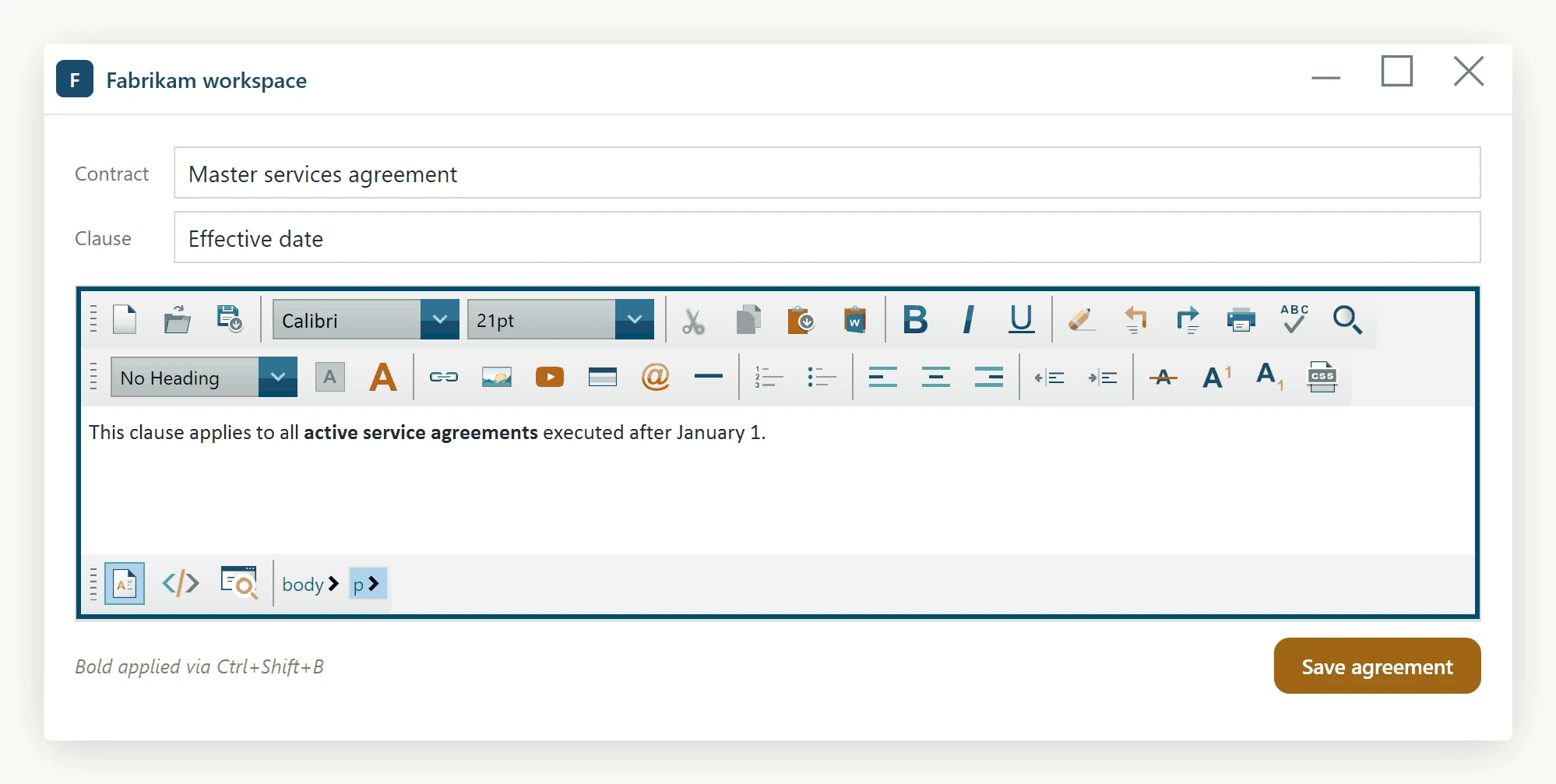
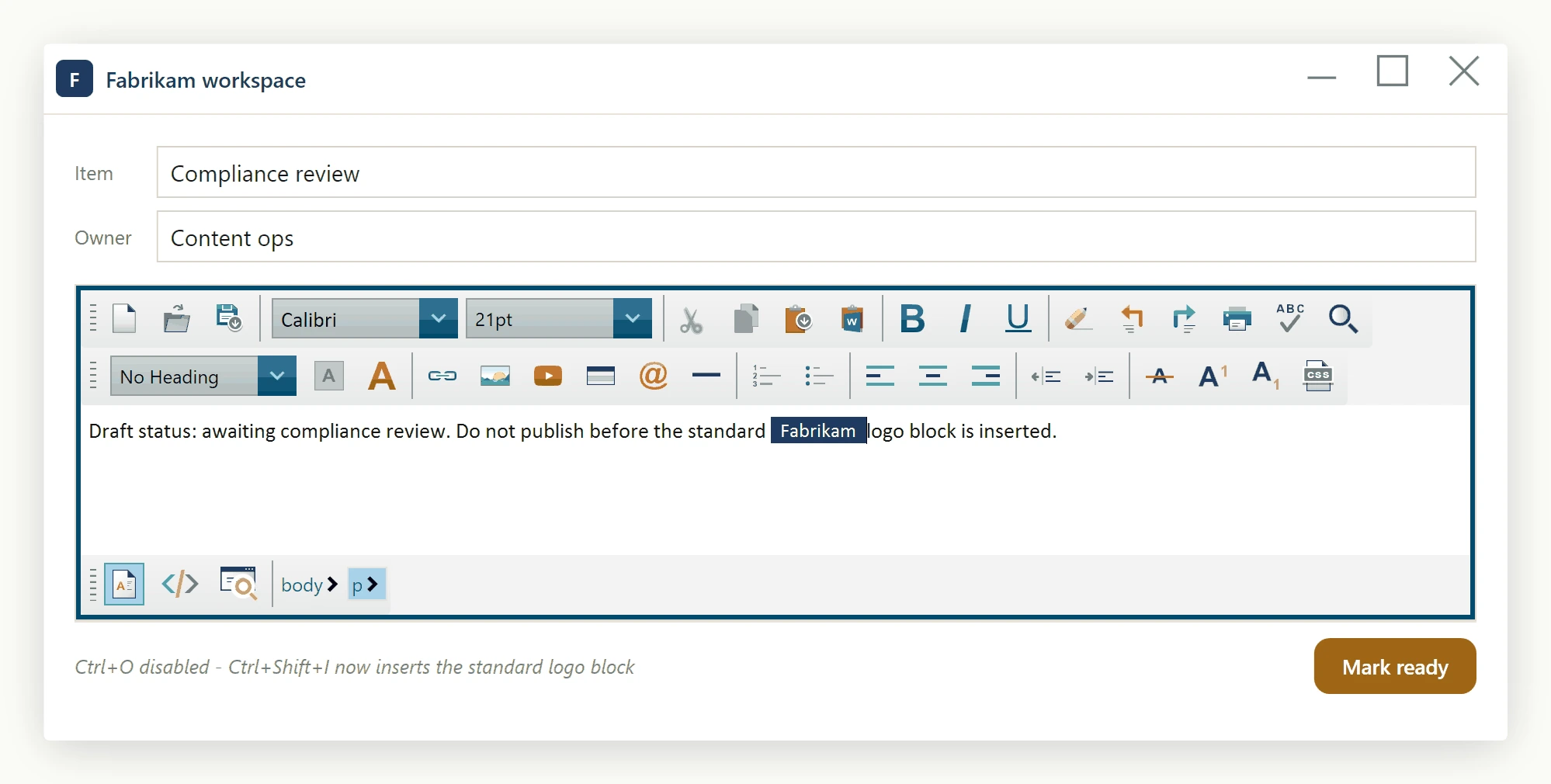
Because the manager is a plain CLR property on the control, you can reconfigure shortcuts at any point in the application lifecycle - for example, in response to a user-visible "Customize shortcuts" dialog - and the changes take effect on the very next key press. There is no need to rebuild, re-template, or recreate the WpfHtmlEditor instance.
Ask your AI to do this
Let your assistant do this for you. With the SpiceLogic MCP server connected, paste this into Claude Code, Cursor, or VS Code Copilot in agent mode.
Using the SpiceLogic WPF HTML Editor already referenced in my project, add a custom keyboard shortcut on my WpfHtmlEditor instance named MyEditor that binds Ctrl+Shift+K to insert a hyperlink, using the KeyBindingsManager exposed through the editor's KeyBindings property and the EditorActionId.HyperLinkInsert action, building the KeyBindingCombo with KeyInterop.VirtualKeyFromKey the way the docs show. Wire it up in the MainWindow constructor after InitializeComponent so it is active from startup, and handle the case where the combo is already bound to a different action. Look up the real KeyBindingsManager, KeyBindingCombo, and EditorActionId members with the SpiceLogic MCP tools before writing any code.