Global Events and Decision Matrix
We already showed how to model uncertainty in a decision matrix. Now let's look at a situation that comes up a lot. You have two choices. The outcome of each one is uncertain. And the same uncertain event affects both of them.
Here is a real example. You are deciding between two paths. You can go to school for a diploma, or you can take a job offer that is already on the table. If you go to school and finish the program, your chances of landing a higher salary go up. But there is a worry. A recession could hit in the next few years. If it does, finding a job afterward could be very hard. So the real question is this. Should you turn down the job in hand and bet on school, or play it safe and take the job?
Notice that the recession affects both choices. If a recession comes, it changes your salary whether you went to school or took the job. An event like this, one that touches every option, is called a global event. In other words, it is global to all of your options. It is not tied to just one.
Let's walk through how to model this.
Open the Decision Matrix and create an objective called "Maximize Salary" as a Number type. We covered how to set up objectives in the Getting Started with Decision Matrix tutorial, so check that first if you need a refresher.
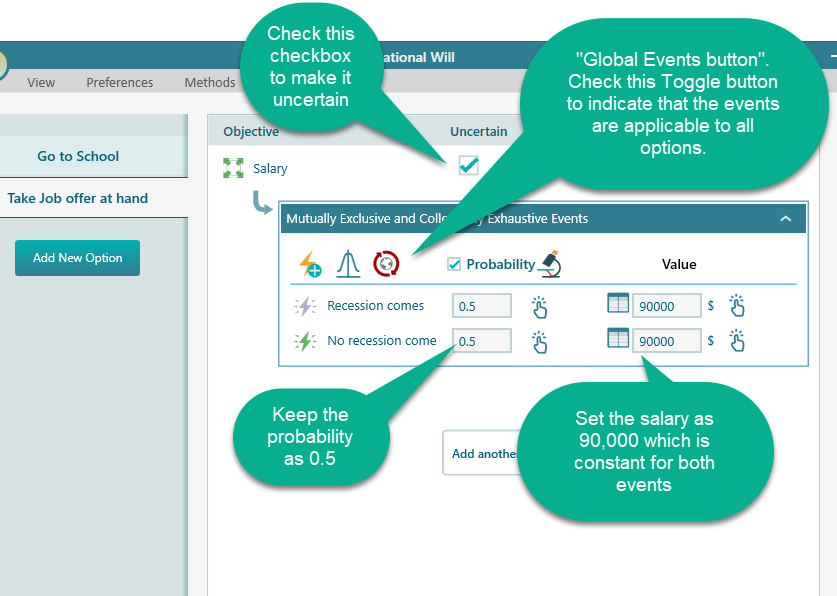
Now put in the numbers. The job offer in hand pays 90,000$/year. If you finish the diploma and get a job after, you expect to earn 120,000$/year.
You don't really know how likely a recession is, so let's keep its probability at 0.5, a simple fifty-fifty.
Model the option "Take job offer at hand" as shown below. Look for the Global event button. Click it to mark these events as global, which means they apply to every option, not just this one.
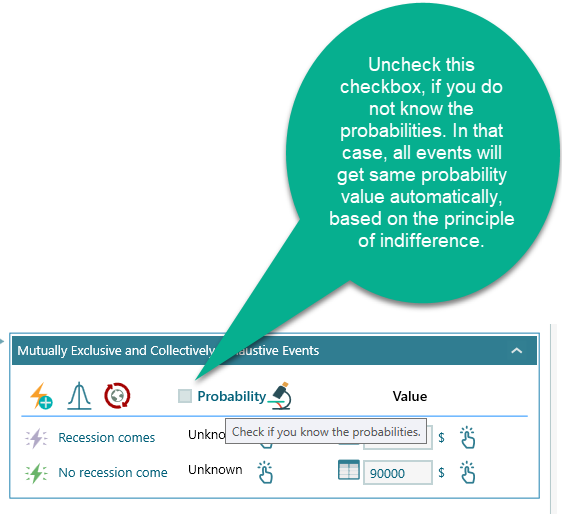
When you really don't know how likely each event is, you can lean on the Principle of Indifference. The idea is simple. If you have no reason to think one event is more likely than another, treat them all as equally likely. So you don't have to type in 0.5 by hand. The software splits the probability evenly for you. If you have two events, each one gets 0.5. Add a third event and all three become 1/3 on their own. It is a fair place to start when you have nothing better to go on, and you can always change the numbers later once you learn more.
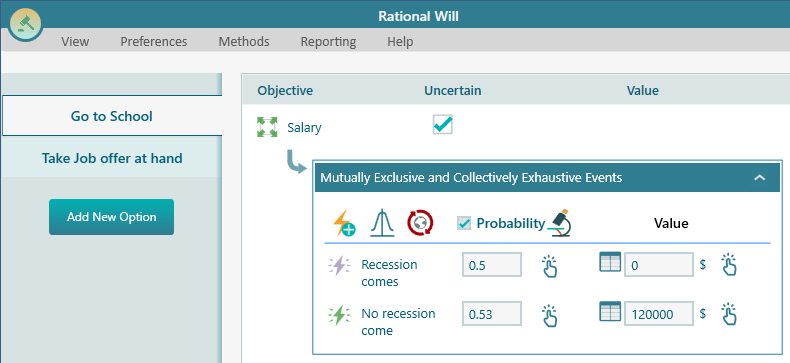
Now select the option "Go to School". You will see the same global events are already here for this option too, because you turned on the global event button earlier. That saves you from entering them again. Now think through what each outcome means for school. If the recession comes, your salary is 0, because you finished the diploma but there is no job to be found. If the recession does not come, your salary can be 120,000. Enter this scenario as shown in the screenshot below.
That is it. You have now modeled the whole situation. Two options, one shared recession event, and the salary outcome for each case. Let's look at what the analysis tells you.
Analyzing the Result
Expand the Options analyzer. It works out the numbers for you and shows the insights below.
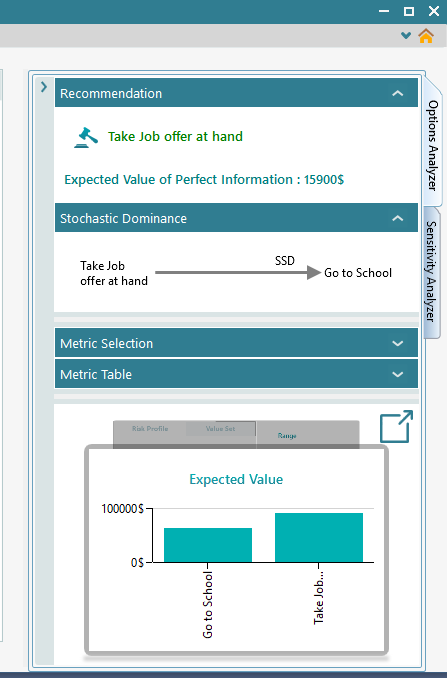
The recommendation here is based on the "Maximize Expected Value" criteria. The Expected value chart shows it clearly. Taking the job offer in hand has the higher expected value of the two. On top of that, taking the job offer also beats going to school by Second Order Stochastic Dominance, which is a stronger result than just having a higher average. It means the job offer is the better bet even once you account for risk, not only the raw expected number. The expected value of perfect information is worked out too. That tells you how much it would be worth to know in advance whether the recession will actually happen.
Sensitivity Analysis
A decision analysis isn't really finished until you run a sensitivity analysis. The point is to find out which factor is really driving the decision. Then you know where to put your attention and what is worth digging into further. Let's do that now. Expand the "Sensitivity Analysis" tab.
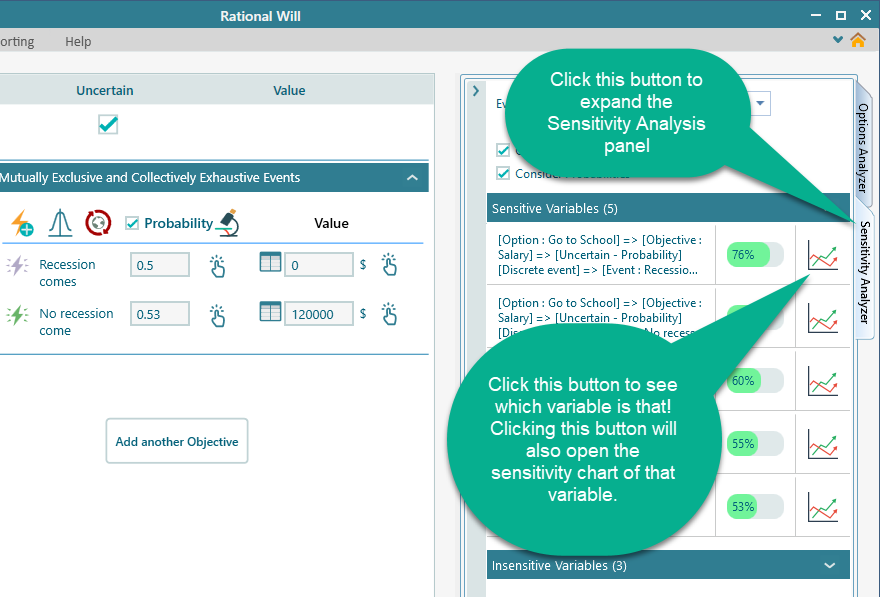
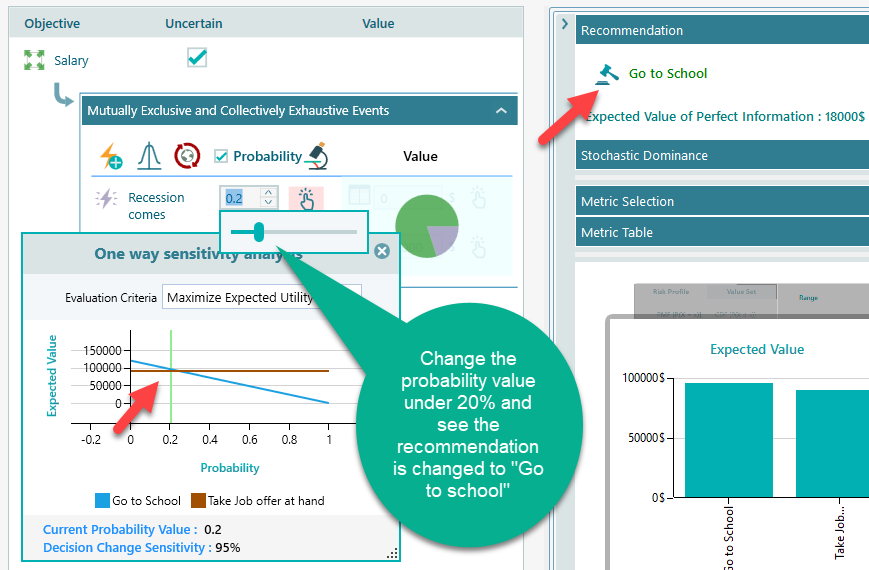
The Sensitivity Analysis tab shows that the most influential variable has 76% sensitivity. The higher that number, the more the final decision swings on that one variable. So this is a strong hint about which factor matters most here, and it is worth taking a closer look at it.
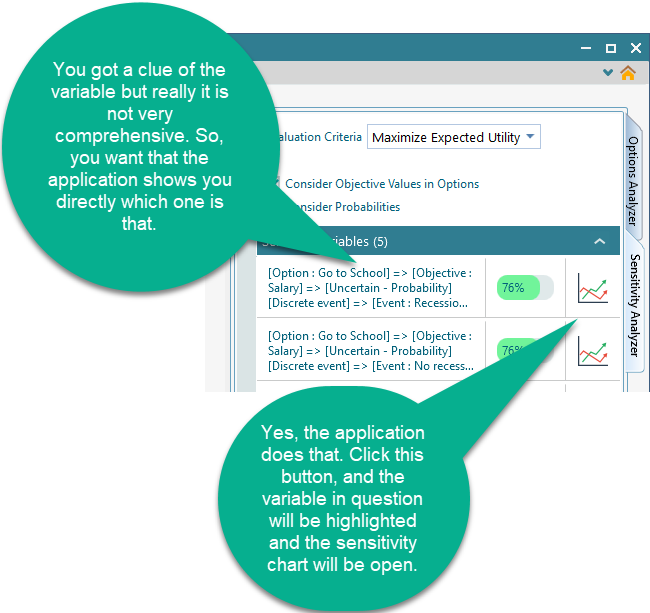
Click that button and you will see the following view, which lets you study that key variable on its own.
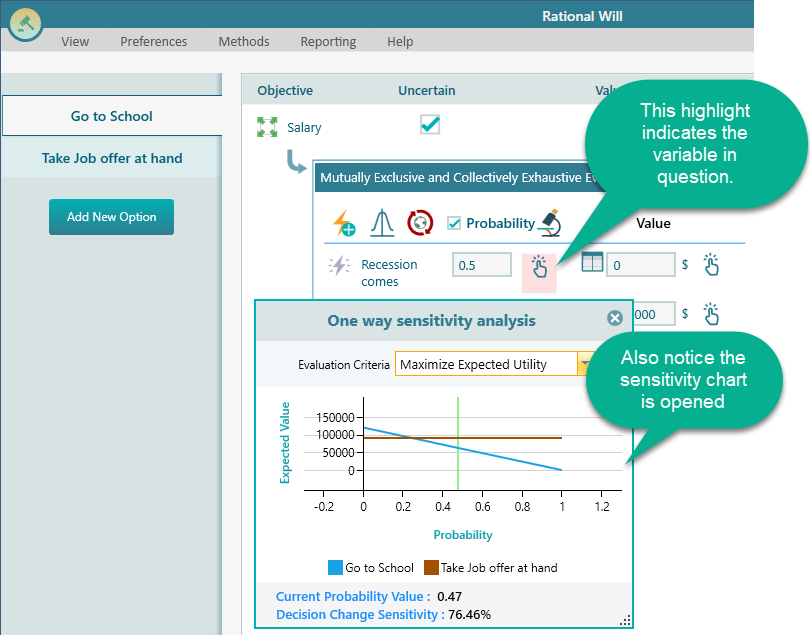
The chart above makes it plain. The probability of recession is the main factor in this decision. If the chance of a recession were very low, then going to school would clearly be the smart choice, since you would likely finish the diploma and earn the higher 120,000$ salary. But if the chance of a recession is high, the safer move is to take the job offer in hand and lock in the 90,000$. So your whole decision really comes down to how likely you think a recession is, and that is exactly the kind of insight a sensitivity analysis is meant to bring out.