


Update belief by Bayesian Inference
Bayesian Inference is a way to update what you believe about something uncertain after you collect new evidence. You start with a first guess about how likely something is. Then you run a test, look at the result, and adjust your guess up or down. The math behind this is Bayes' theorem, but you do not have to do any of it by hand. The Decision Tree software has a built-in tool that updates the probabilities on a Chance node for you, based on what you observe.
Here is a real example to make it concrete. Suppose you just got a job offer and you cannot decide whether to take it or hold out for something better. The offer pays $80,000 a year. You feel there is a 70% chance that if you wait, a better offer will come along. So which is smarter: wait, or take the offer in front of you? That choice is laid out in the decision tree below.
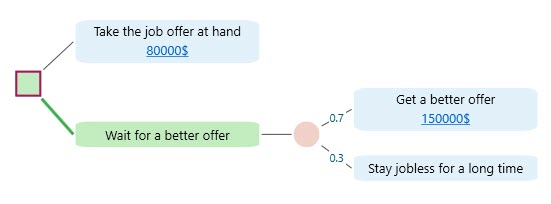
From the Sensitivity Analysis, you already learned that the number doing the most work in this tree is the probability of getting a better offer. Small changes to that one number swing the whole decision, so it is the number worth pinning down.
That 70% was just a feeling. Before you bet your career on a feeling, it pays to gather a little real evidence and update it. For example, you could post your resume on a job site, apply to a handful of openings, and watch how many replies come back. Lots of replies means a better offer is more likely than you thought, so you would raise your number. Hardly any replies means it is less likely, so you would lower it.
To start, select the Chance node and click the "Experiment" button in the flyover menu, as shown below.
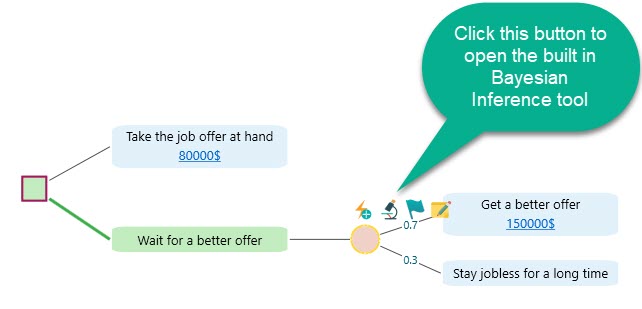
After you click the Experiment button, the Bayesian Inference tool opens. This is the workspace where you set up your tests, record what you saw, and let the tool do the math. It looks like this:
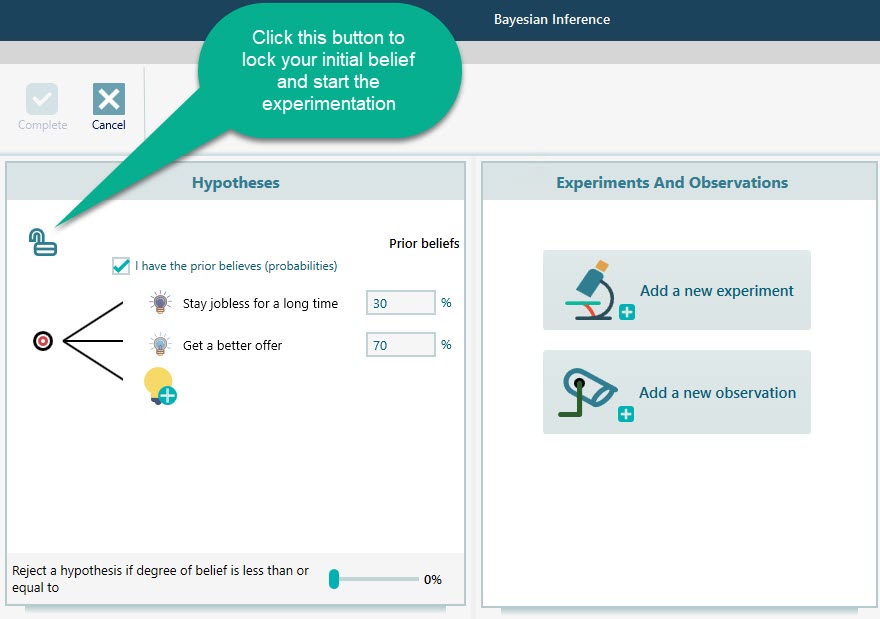
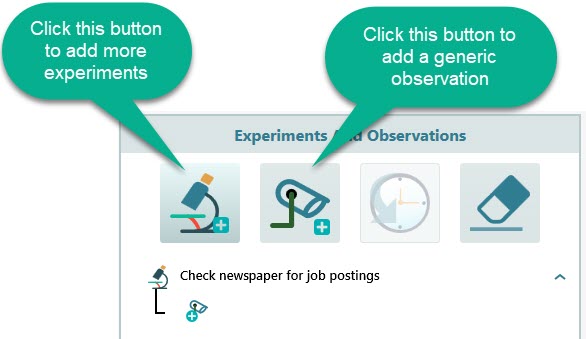
First, click the Lock button. This freezes the 70% and 30% you started with, so the tool knows your starting point before any evidence comes in. Locking matters because the tool measures how far your new evidence moves you from this baseline. Once it is locked, start testing by clicking the "Add a new experiment" button.
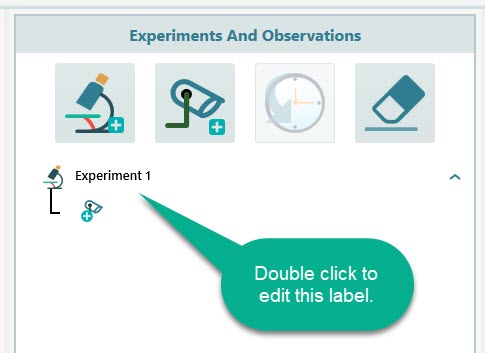
Name this first experiment "Check newspaper for job postings". A clear name helps later, because you may set up several experiments and you want to tell them apart at a glance.
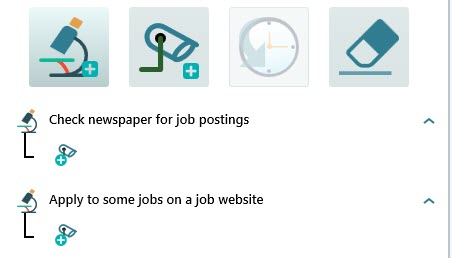
Add a second experiment and name it "Apply to some jobs on a job website". You can line up as many experiments as you like. Each one is just another way to gather evidence about the same question: is a better offer really coming if you wait?
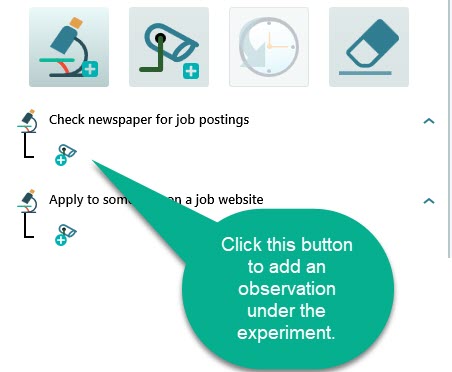
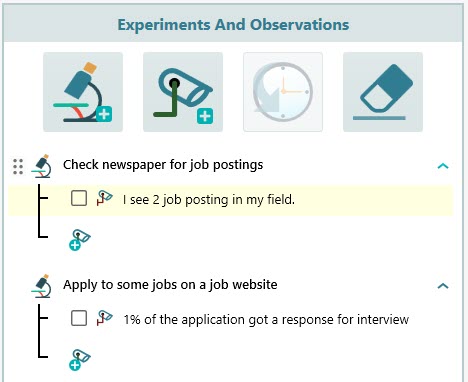
Now go and actually run the first experiment. Open the newspaper and count how many job postings there are in your field. Say you find 2. Once you have that number, enter it as an observation under the "Check newspaper for job postings" experiment.
Do the same for every experiment: run it in real life, then come back and record what you observed. The tool can only update your beliefs from real results, so it is worth doing the legwork. A guess about the evidence would just feed your gut feeling back to you. Fill in each observation once you have it.
Now it is time to run a Causal discovery. This is the step where the software works backward from what you observed to figure out which underlying cause is more likely. Think of it as asking: given that I only saw 2 postings, which world am I probably living in, the one where a better offer is coming or the one where I stay jobless? Behind the scenes it uses Bayes' theorem to update your beliefs, but you just answer a few plain questions and the tool does the calculation.
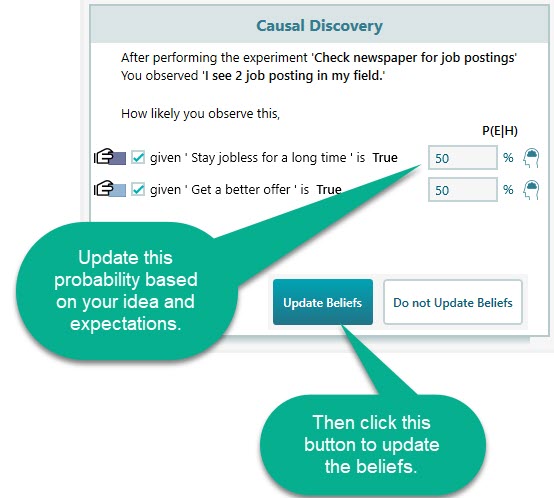
This is where your own judgment comes in. Ask yourself: if you only saw 2 job postings, how surprising is that? Suppose your true situation is that you will "Stay jobless for a long time". Would you have expected more postings than 2, or fewer? If you expected more, lower the likelihood number. If you expected fewer, raise it. In this example you expected more than 2 postings, so set the likelihood for the observation given "Stay jobless for a long time" is true to 80%. In the same way, set the likelihood for the observation given "Get a better offer" is true to 30%. In plain terms, you are saying that only 2 postings fits the jobless world much better than it fits the better-offer world.
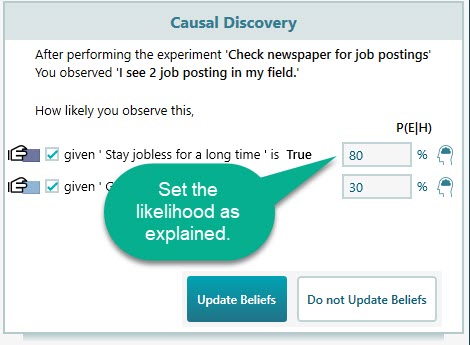
Click the Update Belief button. The tool then asks you the same kind of question for your other experiments. Once you have answered them all, your beliefs are updated, as shown below.
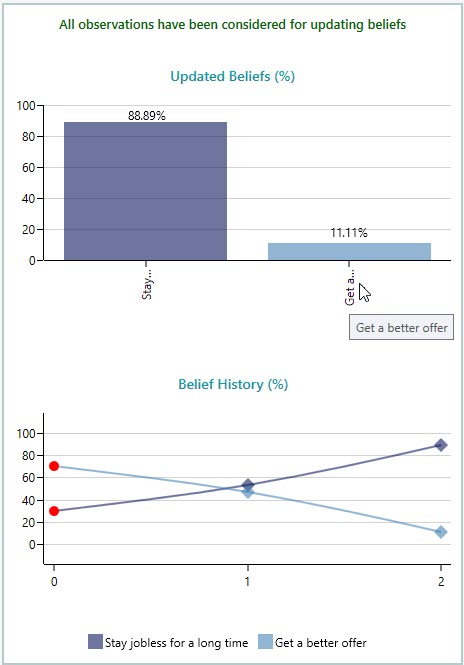
Look at the result. Your belief in "getting a better offer" dropped from 70% all the way down to about 11.11%. The evidence told a very different story than your gut did. Now click the Complete button in the Ribbon.
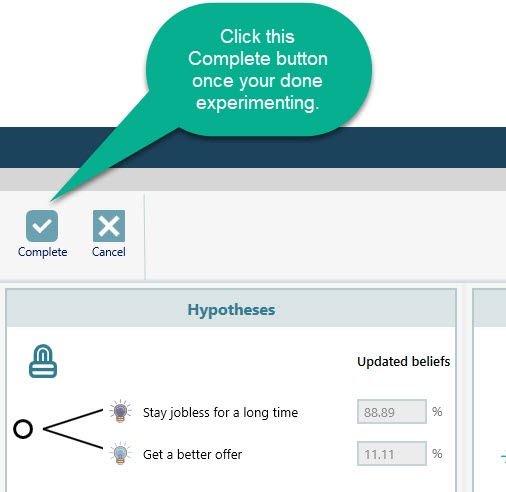
When you click Complete, the Bayesian Inference tool closes and the new probabilities are written back onto the Chance node in your decision tree. The tree then recalculates its expected values using those updated numbers. With the better-offer chance now far lower, the recommended policy flips from "Wait for a better offer" to "Take the job offer at hand". The evidence, not a hunch, is now making the call.
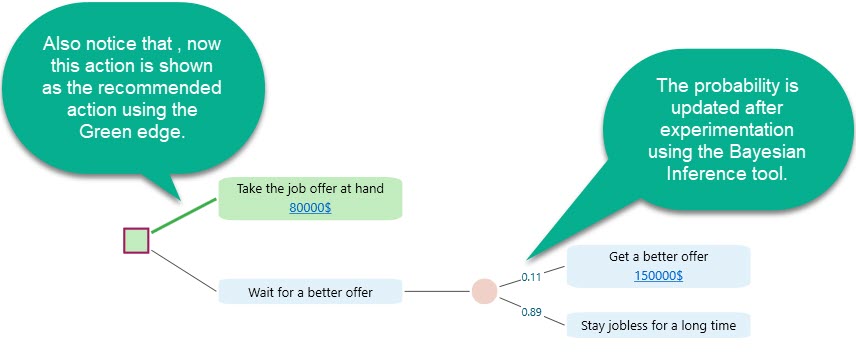
The lesson is simple: testing your assumptions and updating them with Bayesian Inference can change your decision for the better. A guess that felt right at 70% turned out to be closer to 11% once real evidence was in, and that flipped the smart move from waiting to taking the offer. A good habit is to run a sensitivity analysis first, find the uncertain events your decision leans on most, and then use the Bayesian Inference tool to firm up those few numbers before you commit. You spend your effort only where it can actually change the answer.