


 NuGet
NuGet
Align a line or a paragraph
Paragraph alignment positions a whole block of text, so centering one line can also center the lines around it. Give a line its own paragraph when it needs independent alignment. Options.EnterKeyResponse controls whether Enter starts a new paragraph or adds a line break within the current one.
Which one you get is controlled by a single option, Options.EnterKeyResponse. The editor ships with EnterKeyResponses.LineBreak, so out of the box Enter keeps everything inside one paragraph and alignment is paragraph-wide. Set it to EnterKeyResponses.Paragraph and each line becomes a separate block that aligns independently, which is what a signature-block or template designer usually wants.
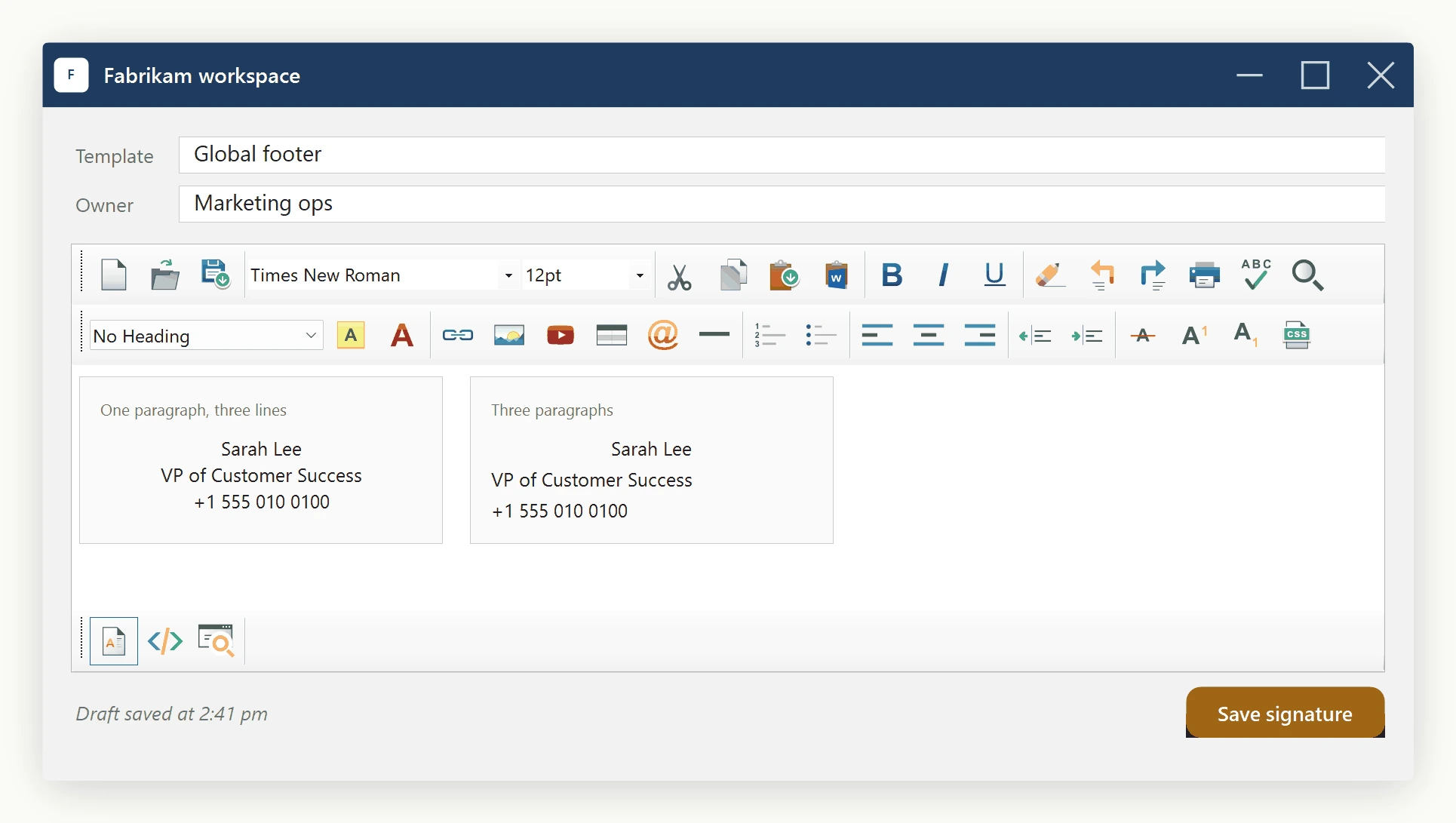
Why it happens: alignment is block-level in HTML
In HTML, text-align applies to a block-level container: <p>, <div>, <li>. It does not align an arbitrary "visual line". If three lines of text live inside a single <p> joined by <br>, setting text-align: center on that paragraph centres all three lines, because all three share the same block. To align only one of those lines, that line has to be its own block.
<!-- One paragraph, three lines: align centres every line -->

<p style="text-align:center">Sarah Lee<br>VP of Customer Success<br>+1 555 0100</p>


<!-- Three paragraphs: each can be aligned independently -->

<p style="text-align:center">Sarah Lee</p>

<p>VP of Customer Success</p>

<p>+1 555 0100</p>
Same visible text. Different DOM. Different alignment behaviour. The question becomes: when the designer hits Enter at the end of a line, do you want the editor to produce a new block, or a soft line break?
The one option that controls it: EnterKeyResponse
Options.EnterKeyResponse takes one of two values from the EnterKeyResponses enum in SpiceLogic.HtmlEditor.Abstractions:
EnterKeyResponses.Paragraph - Enter starts a new paragraph; the editor emits </p><p>. Each line becomes a separate block, so the alignment toolbar buttons affect only the paragraph containing the caret. This is what most word-processor users expect, and it is what a signature-block or template designer wants. It is not the shipped default, so set it explicitly.
EnterKeyResponses.LineBreak - the shipped default. Enter inserts a soft <br> inside the current paragraph. Everything typed stays inside one block, so the alignment toolbar buttons apply to the whole block at once. This is closer to a plain text-editor feel and useful for single-paragraph composer fields like reply boxes or short subject-line entries.
// Per-line alignment is what a signature-block designer needs:

htmlEditor1.Options.EnterKeyResponse =

    SpiceLogic.HtmlEditor.Abstractions.EnterKeyResponses.Paragraph;


// Force single-block behaviour (Enter = <br>, alignment is paragraph-wide):

htmlEditor1.Options.EnterKeyResponse =

    SpiceLogic.HtmlEditor.Abstractions.EnterKeyResponses.LineBreak;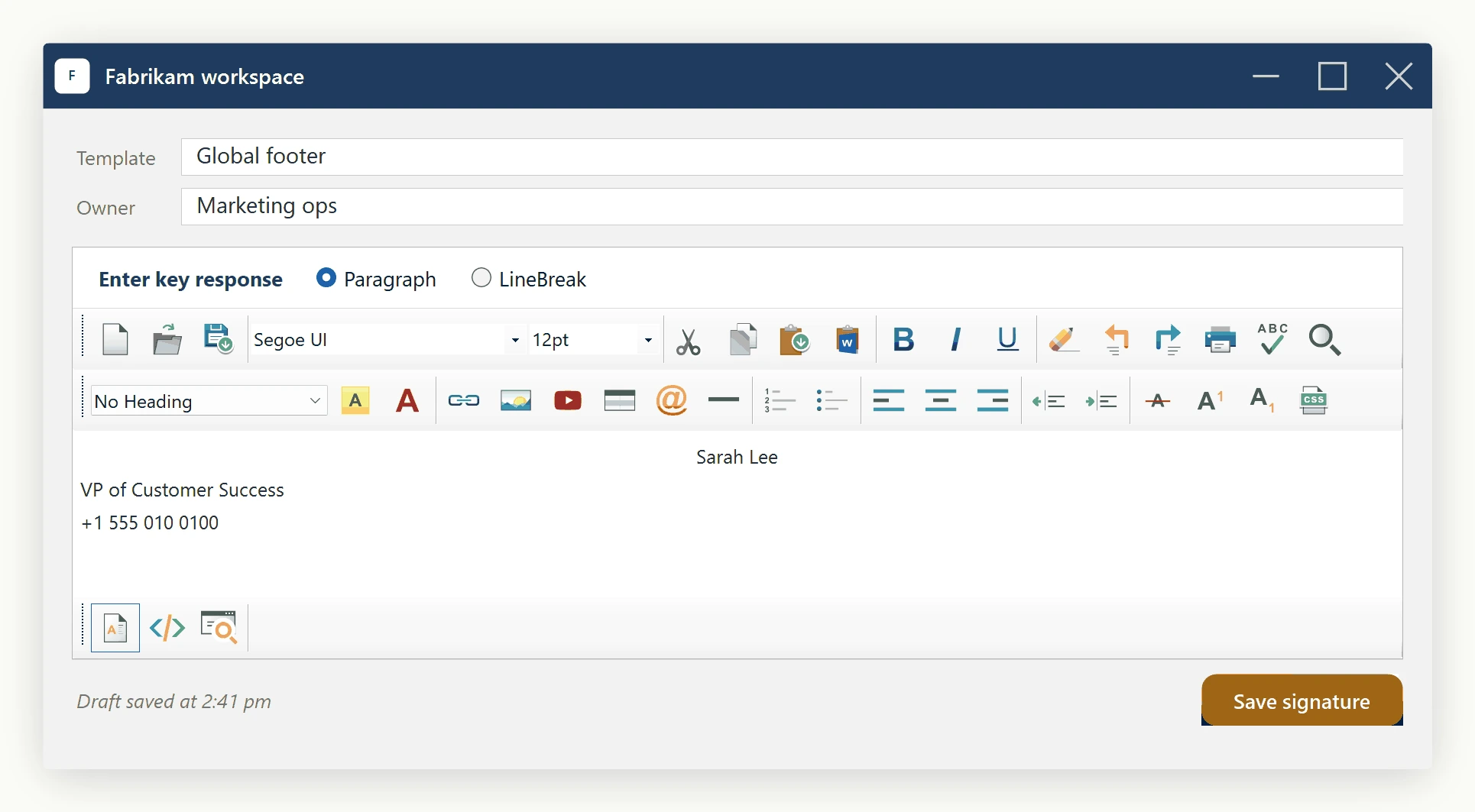
Fixing legacy templates: a single line trapped inside a paragraph
Some legacy templates have signature blocks already saved as one <p> with <br> separators. To align only the middle line, the designer splits that paragraph so the middle line becomes its own block:
1. Place the caret at the start of the line that should be aligned and press Enter (with EnterKeyResponse = Paragraph).
2. Place the caret at the end of that line and press Enter again.
3. With the caret still on the now-isolated line, click the alignment toolbar button.
The middle line is its own <p> and is the only one affected by the alignment command.
Letting the end user pick the mode
Expose a single checkbox in your designer preferences - "Treat Enter as a line break (single paragraph mode)" - and bind it to the option. The change applies to future Enter presses only; existing content is not rewritten:
chkUseLineBreaks.CheckedChanged += (sender, e) =>

{

    htmlEditor1.Options.EnterKeyResponse = chkUseLineBreaks.Checked

        ? SpiceLogic.HtmlEditor.Abstractions.EnterKeyResponses.LineBreak

        : SpiceLogic.HtmlEditor.Abstractions.EnterKeyResponses.Paragraph;

};
The result
A signature block built this way has each line in its own paragraph, with alignment applied per line - the way most users expect it to work.
Ask your AI to do this
Connect the SpiceLogic MCP server, then give your coding assistant this prompt.
I use the SpiceLogic WinForms HTML Editor. Help me choose paragraph breaks or line breaks for a signature, and explain how that affects alignment. Confirm the exact API names, types and defaults with the SpiceLogic MCP documentation, then show the changes for my project.