


 NuGet
NuGet
Embed images as data URIs
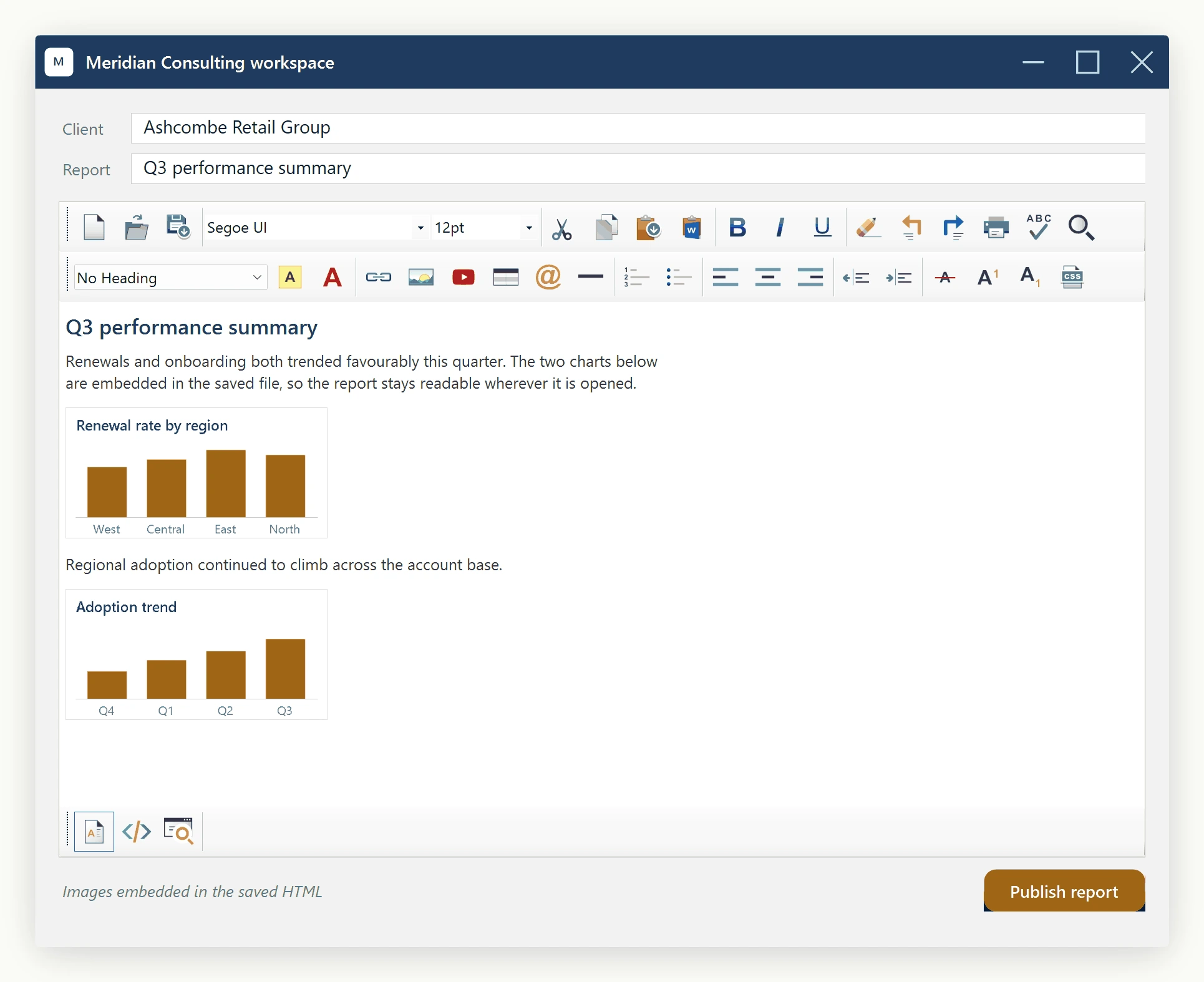
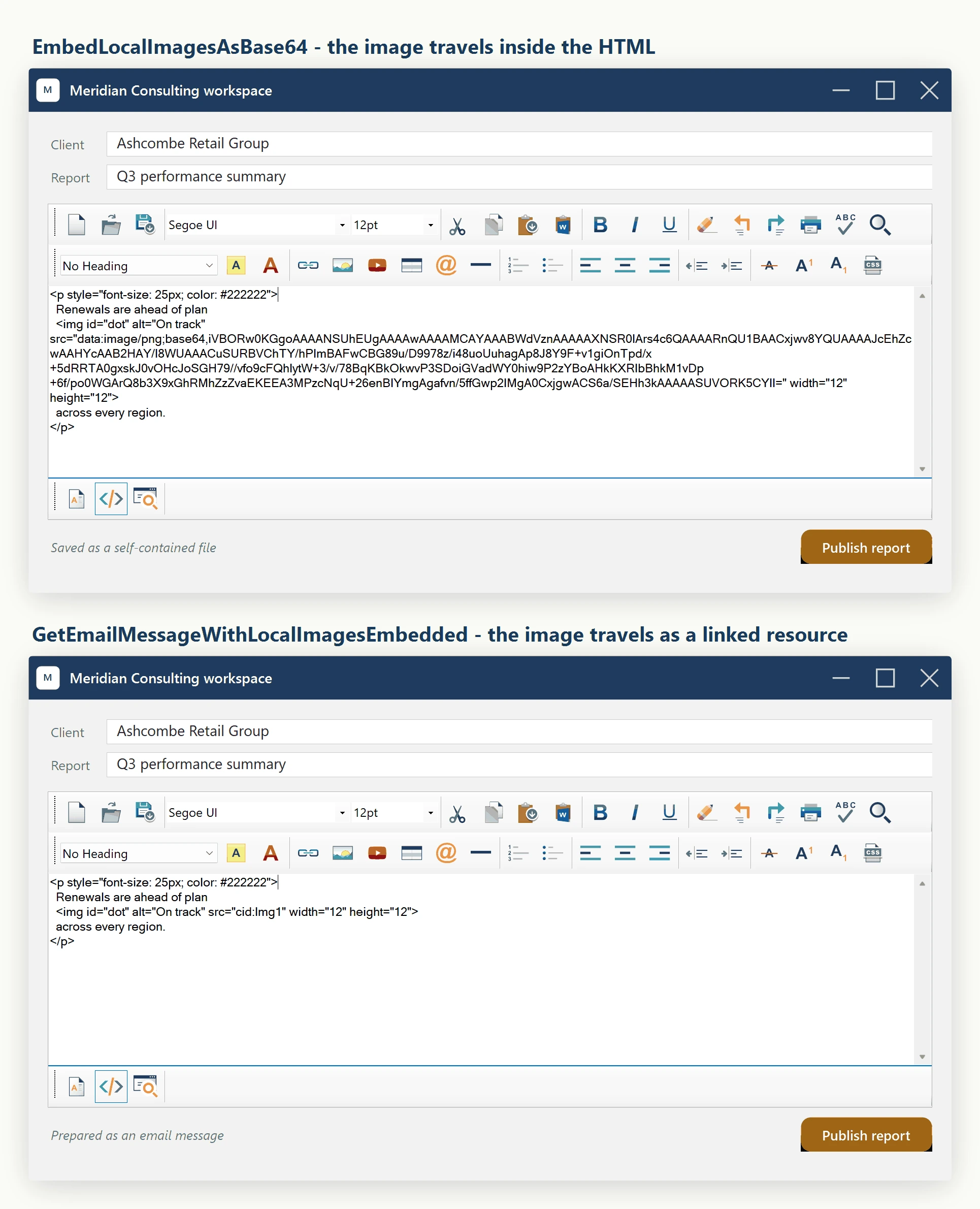
A data URI stores an image's bytes directly inside the HTML instead of pointing to a separate file. This is useful for a single-file document that must travel with its images. Call Content.EmbedLocalImagesAsBase64 to convert local image references before exporting.
Making the HTML self-contained
The output contains the image bytes and no longer depends on the original image files. Rendering still depends on the consumer's support for the HTML, image format and data URIs. For email bodies, use the CID helper described below.
An <img src=> pointing at a local file path only works on the machine that has that file. Save the HTML to a database, email it, or host it on a server, and the image is gone the moment it leaves the original machine. EmbedLocalImagesAsBase64() rewrites every local image reference into a self-contained data: URI, so the HTML carries its own images and needs no external file at all.
The output contains the image bytes and no longer depends on the original image files. Rendering still depends on the consumer's support for the HTML, image format and data URIs. For email bodies, use the CID helper described below.
The helper
On editor.Content (an IContentService):
void EmbedLocalImagesAsBase64();The helper walks the document's <img> elements. For each one whose src is a local file path, it reads the bytes, infers the MIME type from the file extension (image/png, image/jpeg, image/gif, image/webp, etc.), Base64-encodes the bytes, and rewrites the src in place to the equivalent data: URI. Remote URLs (http://, https://) are left untouched, so an image hosted elsewhere can sit alongside local screenshots.
The rewrite happens in the editor's in-memory document, but only while editor.EditorMode is EditorModes.WysiwygDesign or EditorModes.ReadOnlyPreview. If the editor is in EditorModes.HtmlEdit (the raw-HTML source view) at the moment of the call, EmbedLocalImagesAsBase64() is a silent no-op - no exception, no rewritten images - so a save routine that can run while the user is viewing source should check or set editor.EditorMode first. After a successful call, editor.Content.GetBodyHtml(true) and editor.Content.GetDocumentHtml() reflect the new state. Read the HTML out of either of those.
The fixed save path
private async Task SaveReportAsync(Guid reportId)
{
    // 1. Fold local images into the HTML in place.
    //    After this call, every <img src="C:\..."> has become
    //    <img src="data:image/...;base64,...">.
    htmlEditor1.Content.EmbedLocalImagesAsBase64();
    // 2. Read the rewritten body HTML out of the editor.
    string body = htmlEditor1.Content.GetBodyHtml(getInXhtml: true);
    // 3. Persist. One column. One round trip.
    await _reports.UpdateBodyAsync(reportId, body);
}
Private Async Function SaveReportAsync(reportId As Guid) As Task
' 1. Fold local images into the HTML in place.
' After this call, every <img src="C:\..."> has become
' <img src="data:image/...;base64,...">.
htmlEditor1.Content.EmbedLocalImagesAsBase64()
' 2. Read the rewritten body HTML out of the editor.
Dim body As String = htmlEditor1.Content.GetBodyHtml(getInXhtml:=True)
' 3. Persist. One column. One round trip.
Await _reports.UpdateBodyAsync(reportId, body)
End FunctionThe saved HTML is self-contained: it renders correctly wherever it is opened, and the rendering machine never needs access to the original image files.
Refinement -- when not to use this
Base64 inflates the bytes by roughly 33 percent: ten 500 KB screenshots become about 6.7 MB of HTML. A document with a handful of screenshots typically stays well under a couple of megabytes, comfortable for a SQL Server column and for page weight. A document with dozens of high-resolution images per page will hit size limits fast; in that case, keep the images as separate blobs and reassemble them at render time instead.
The conversion is one-way at the markup level: after the rewrite, the original file paths are gone from the HTML, and editing an image means editing the embedded data URI, not the source file. If users need to re-author from originals, store the source files separately (for example keyed by a record ID) alongside the converted HTML. If the source images are disposable (screenshots taken once and never edited again), the one-way conversion is fine on its own.
If the destination is an email message
Email clients differ in data-URI support. Prefer GetEmailMessageWithLocalImagesEmbedded() for an email body: it packages inline images as CID-linked resources. Verify the message in the clients your recipients use.
Ask your AI to do this
Connect the SpiceLogic MCP server, then give your coding assistant this prompt.
I use the SpiceLogic WinForms HTML Editor. Help me export HTML with embedded image data. Explain the size tradeoff and why this format may fail in email clients. Confirm the exact API names, types and defaults with the SpiceLogic MCP documentation, then show the changes for my project.