


 NuGet
NuGet
Guidelines for zero-border tables
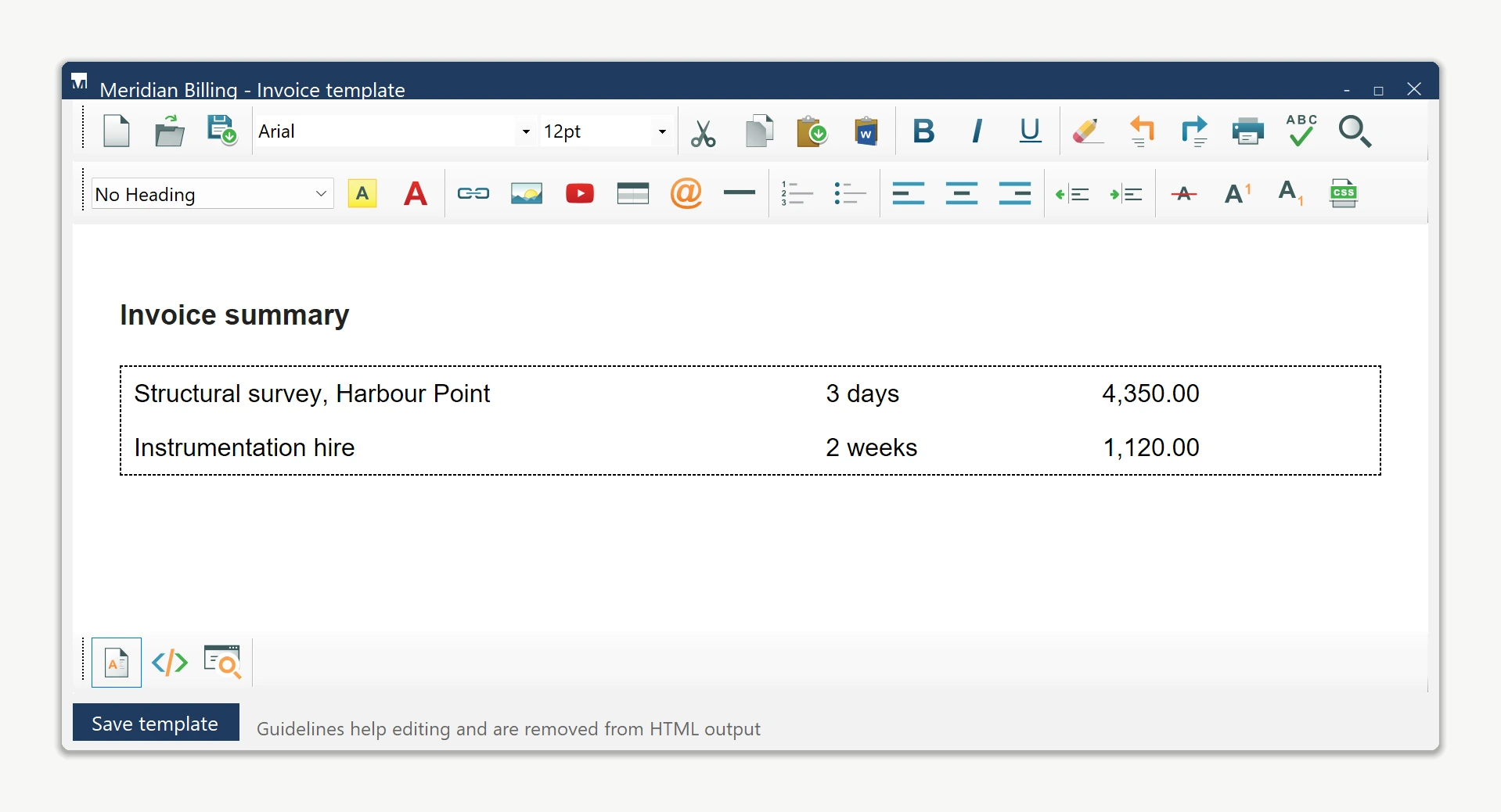
A borderless table can organize a document without showing a grid in the final output, but its cells are harder to locate while editing. Zero-border guidelines make those cell boundaries visible in the editor. Options.ShowZeroBorderGuideline enables them, and Options.ZeroBorderTableGuidelineCss controls their appearance.
Options.ZeroBorderTableGuidelineCss
Set Options.ZeroBorderTableGuidelineCss to give cells inside zero-border tables a visible outline at design time. The property holds a CSS rule body that the editor applies only while editing, scoped to those cells; it never appears in DocumentHtml or BodyHtml, so it never reaches the saved output.
// Set once during designer initialization.
htmlEditor1.Options.ZeroBorderTableGuidelineCss = "border: 1px dashed #c0c0c0;";
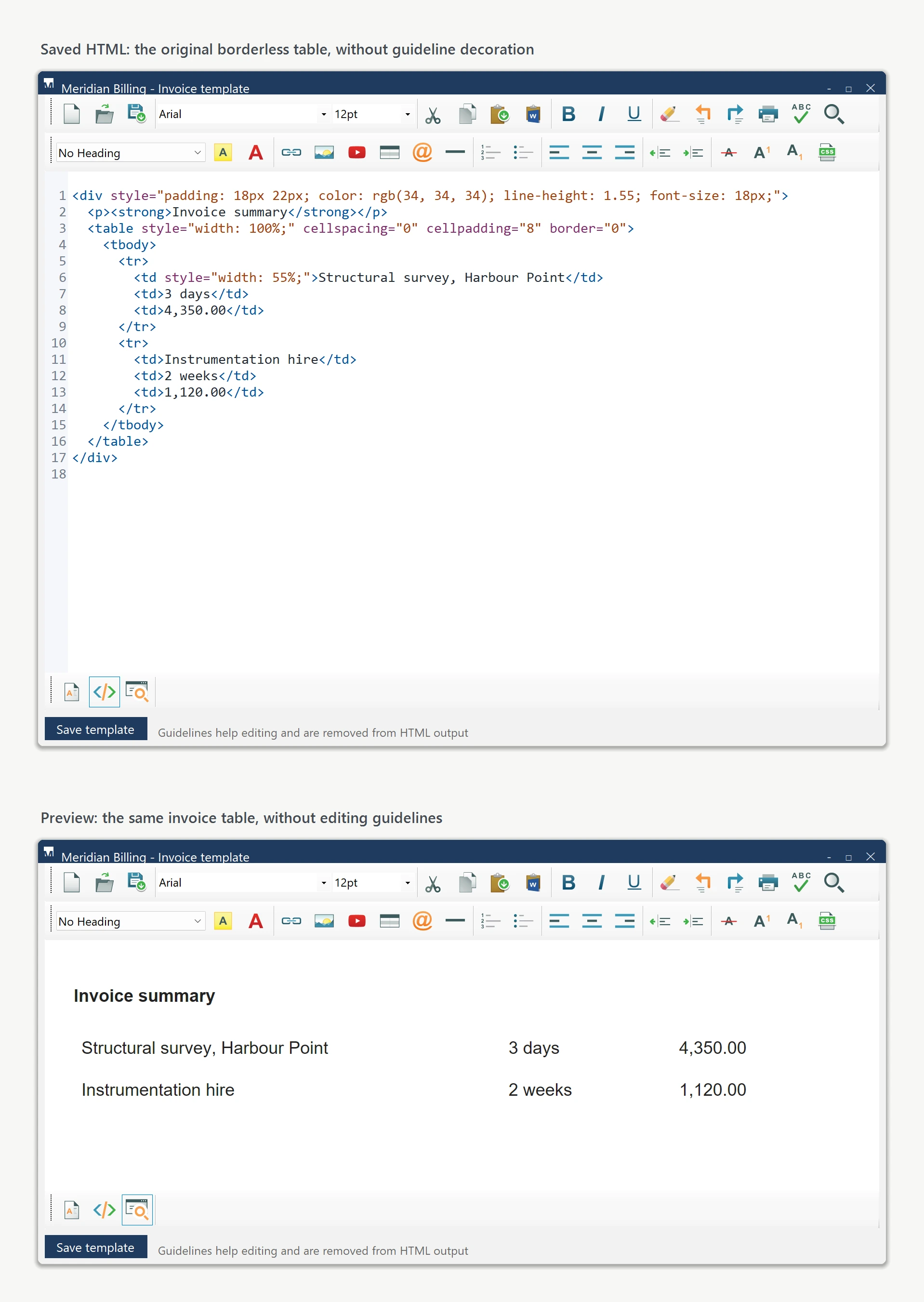
ZeroBorderTableGuidelineCss defines the editing decoration while ShowZeroBorderGuideline controls whether it is displayed. Saved HTML filters this decoration and restores the original table styles.
Customizing the guideline look
The CSS value can be any rule body valid on a <td>. A few examples:
// Default-ish: dashed gray.
"border: 1px dashed #c0c0c0;"

// Wireframe look: dotted blue, no fill.
"border: 1px dotted #6699cc;"

// Solid gray with a soft background tint so
// designers can spot empty spacer cells at a glance.
"border: 1px solid #e8e8e8; background-color: #fafafa;"
Why the saved HTML stays clean
The editor marks its guideline decoration in the live document and filters it from normal HTML output. The table retains its original border and style values when read through BodyHtml or DocumentHtml.
Turning it off for preview mode
Disable the guideline with Options.ShowZeroBorderGuideline = false. Keep ZeroBorderTableGuidelineCss as a valid CSS rule for use when guidelines are enabled again:
previewEditor.Options.ShowZeroBorderGuideline = false;previewEditor.Options.ShowZeroBorderGuideline = FalseUse the boolean option to toggle the guideline; an empty CSS string is not a substitute for disabling it.
Ask your AI to do this
Connect the SpiceLogic MCP server, then give your coding assistant this prompt.
I use the SpiceLogic WinForms HTML Editor. Help me enable ShowZeroBorderGuideline and customize the editing outline for borderless tables. Confirm that saved HTML contains the original table styles. Confirm the exact API names, types and defaults with the SpiceLogic MCP documentation, then show the changes for my project.