


 NuGet
NuGet
Set the default font
Default font settings give newly typed content a consistent starting appearance. Set DefaultFontFamily, DefaultFontSizeInPt and DefaultForeColor before users start typing. Existing HTML can carry its own formatting, so these defaults do not restyle every loaded document.
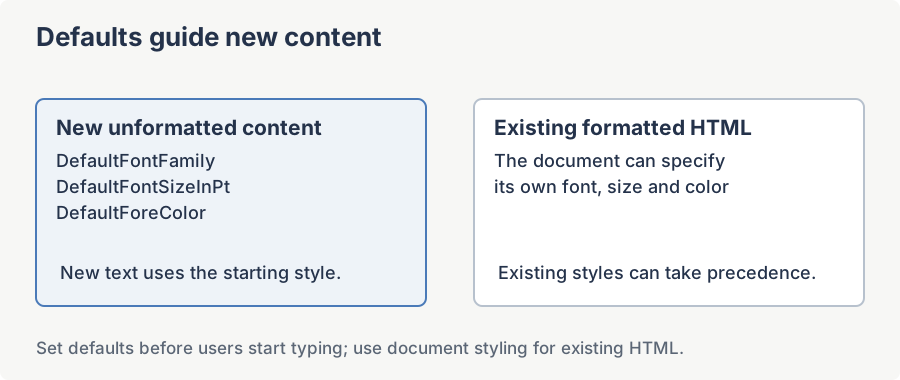
Why a dedicated default-font setting exists
An HTML document has no global "font". The appearance of text inside the <body> is decided by inline styles, <font> tags, CSS rules, or inheritance from a parent element. Loading a fragment such as <p>Type here</p> with no styling falls back to the browser default (typically Times New Roman 12pt on the IE WebBrowser host). Customers want a deterministic starting point - for example Calibri 12pt.
The cleanest pattern (verified property names)
The WinFormHtmlEditor exposes three properties for this purpose directly on the control itself - they are not on the Options object:
DefaultFontFamily-string. Writes the supplied value into the body element's inlinestyle="font-family:...".DefaultFontSizeInPt-string. Pass a value with the unit, e.g."12pt". If you pass a bare number such as"15", the editor treats it as pixels and converts it to the equivalent pt value before showing it in the toolbar, which is rarely what you want.DefaultForeColor-System.Drawing.Color. Writes the body element's inlinestyle="color:...".
Set them after InitializeComponent() but before the first content load. The toolbar Font/Size dropdowns are refreshed automatically when the setter runs, so the user sees the correct labels the moment the form appears.
public partial class MainForm : Form
{
    public MainForm()
    {
        InitializeComponent();
        // Pre-configure the editor BEFORE the user types anything.
        htmlEditor1.DefaultFontFamily = "Calibri";
        htmlEditor1.DefaultFontSizeInPt = "12pt"; // always include the unit
        htmlEditor1.DefaultForeColor = System.Drawing.Color.Black;
    }
}
Partial Public Class MainForm
Inherits Form
Public Sub New()
InitializeComponent()
' Pre-configure the editor BEFORE the user types anything.
htmlEditor1.DefaultFontFamily = "Calibri"
htmlEditor1.DefaultFontSizeInPt = "12pt" ' always include the unit
htmlEditor1.DefaultForeColor = Color.Black
End Sub
End ClassWhy this differs from assigning BodyHtml with inline <font> tags
A common (but wrong) workaround is to seed the editor with markup such as <font face="Calibri" size="3"></font> or <span style="font-family:Calibri;font-size:12pt"></span>. That decorates the already-typed text only - the moment the user clears the document or presses Enter outside the span, the formatting is gone. The three Default* properties write directly to the <body> element's inline style, so the rule is inherited by every paragraph and survives a full clear.
Toolbar Font / Size dropdowns and saved HTML
Each setter writes the value back into CmbFontName and CmbFontSize, so the dropdowns display "Calibri" and "12pt" from the moment the form appears. If the user picks a different font for a specific selection, that overrides the body-level default for that selection only.
Because the rule lives on the <body> element, calling htmlEditor1.BodyHtml or DocumentHtml returns self-describing markup:
<body style="font-family:Calibri; font-size:12pt; color:#000000">

    <p>...your content...</p>

</body>
What happens when the user pastes content from Word
Word puts its own font-family and font-size on every paragraph it copies. Inline styles win over the body-level default (CSS specificity), so the pasted region keeps Word's font. Keep htmlEditor1.Options.AutoDetectWordPaste on (true by default) so the Word-paste cleaner strips those redundant inline styles before insertion. Text typed after the pasted block returns to the body default.
Worked example: open the editor pre-configured to Calibri 12pt and keep it that way after a full clear
using System.Drawing;
using System.Windows.Forms;
using SpiceLogic.HtmlEditor.WinForms;

public partial class MainForm : Form
{
    public MainForm()
    {
        InitializeComponent();
        // 1. Lock down the body-level defaults.
        htmlEditor1.DefaultFontFamily = "Calibri";
        htmlEditor1.DefaultFontSizeInPt = "12pt";
        htmlEditor1.DefaultForeColor = Color.Black;
        // 2. Optional: keep Word-paste cleaning on so external fonts
        //    do not override the default for pasted blocks.
        htmlEditor1.Options.AutoDetectWordPaste = true;
    }

    private void BtnReset_Click(object sender, System.EventArgs e)
    {
        // Even after the user clears everything, the body-level rule
        // survives, so the next character they type is still Calibri 12pt.
        htmlEditor1.BodyHtml = string.Empty;
    }
}
Imports System.Drawing
Imports System.Windows.Forms
Imports SpiceLogic.HtmlEditor.WinForms
Partial Public Class MainForm
Inherits Form
Public Sub New()
InitializeComponent()
' 1. Lock down the body-level defaults.
htmlEditor1.DefaultFontFamily = "Calibri"
htmlEditor1.DefaultFontSizeInPt = "12pt"
htmlEditor1.DefaultForeColor = Color.Black
' 2. Optional: keep Word-paste cleaning on so external fonts
' do not override the default for pasted blocks.
htmlEditor1.Options.AutoDetectWordPaste = True
End Sub
Private Sub BtnReset_Click(sender As Object, e As System.EventArgs)
' Even after the user clears everything, the body-level rule
' survives, so the next character they type is still Calibri 12pt.
htmlEditor1.BodyHtml = String.Empty
End Sub
End ClassThe three properties are the single supported entry point for default body typography. Anything you set on a span, font tag, or CSS class will be subordinate to (and overridable by) inline styles on individual elements, but the body-level rule provides the deterministic fallback the support tickets keep asking for.
Ask your AI to do this
Connect the SpiceLogic MCP server, then give your coding assistant this prompt.
I use the SpiceLogic WinForms HTML Editor. Help me set the default font family, size and color before loading the document. Confirm the exact API names, types and defaults with the SpiceLogic MCP documentation, then show the changes for my project.