


 NuGet
NuGet
How to License the WinForms HTML Editor
Starting with version 9.x, the WinForms HTML Editor Control uses a license-key activation system that replaces the older "download the unlocked DLL" workflow. In earlier versions, every customer downloaded a separate unlocked build from their account after buying, then dropped it into their project by hand. That is no longer how it works. Today you install one NuGet package (SpiceLogic.HtmlEditor.WinForms) for both trial and licensed use, and you unlock the licensed mode with a license key that you apply once in code. There is no need to swap DLLs, clear the Visual Studio Toolbox cache, or ship a separate "unlocked" build.
There is one exception. If you bought the Source Code license, you still download a file from your account after purchase, not an unlocked DLL, but a ZIP that contains the complete C# source of the editor. So, depending on what you purchased, there are two possible things to collect from My Account: a license key (Developer License) or a source-code download (Source Code license).
Where to find your license key or source-code download
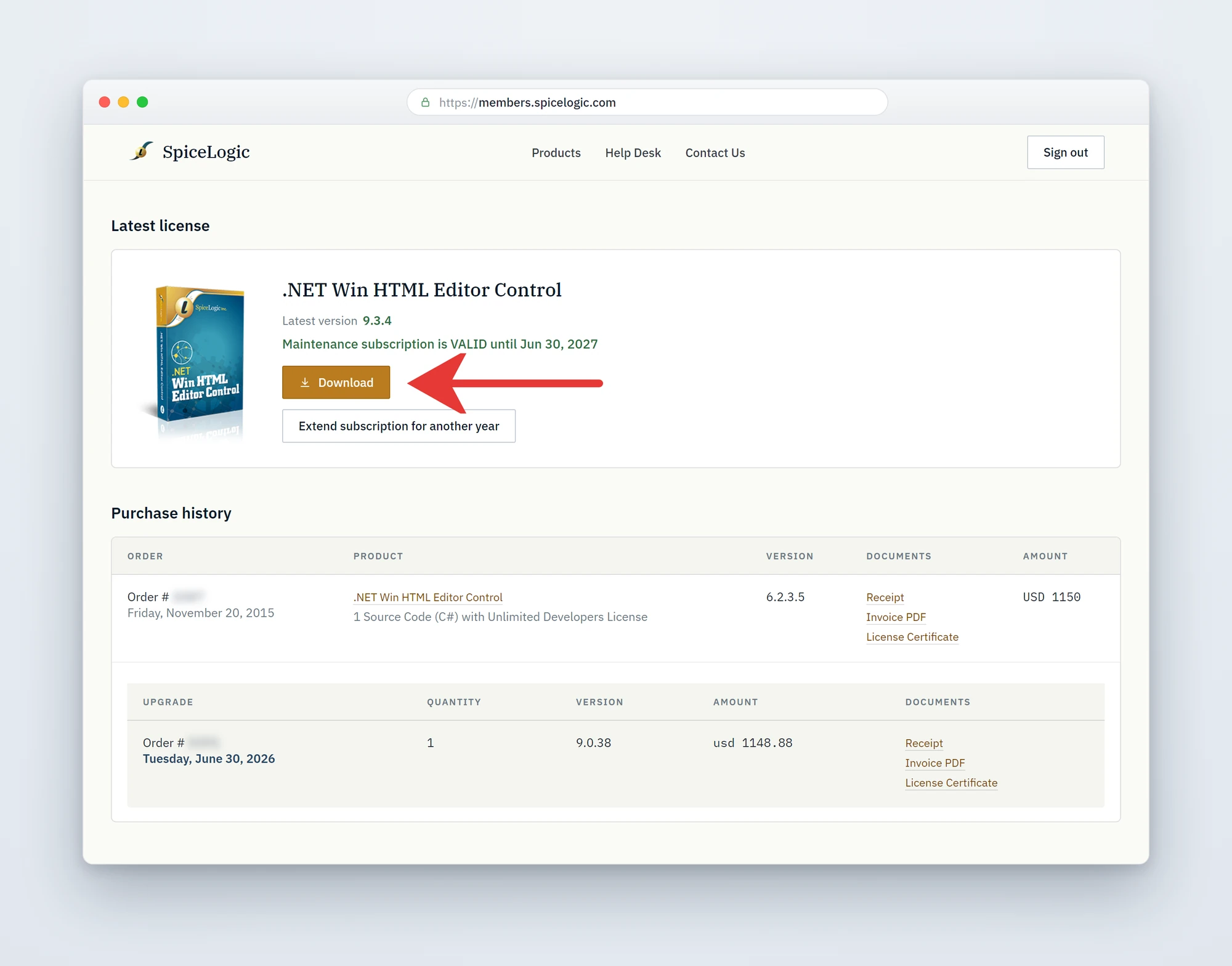
Sign in to your My Account page on the SpiceLogic website and find the WinForms HTML Editor Control in your Latest license card or your Purchase history. What appears there depends on your license type:
- Developer License - your license key is shown with a copy button. Copy it, then apply it in code as described below.
- Source Code license - a Download button appears in its place (shown in the screenshot below). Click it to download the full source-code ZIP. The "Source Code license customers" section further down explains what to do with it.
Apply your license key in code
Set the static WinFormHtmlEditor.LicenseKey property once at application startup, before any editor instance is created. In a typical Windows Forms project, the right place is Program.cs (or Program.vb for VB.NET, or whichever file holds your application's main entry point):
using SpiceLogic.HtmlEditor.WinForms;

internal static class Program
{
    [STAThread]
    private static void Main()
    {
        // Apply the license key once, before any WinFormHtmlEditor instance is constructed.
        WinFormHtmlEditor.LicenseKey = "PASTE-YOUR-LICENSE-KEY-HERE";
        ApplicationConfiguration.Initialize();
        Application.Run(new MainForm());
    }
}
Imports SpiceLogic.HtmlEditor.WinForms
Friend NotInheritable Class Program
<STAThread>
Private Shared Sub Main()
' Apply the license key once, before any WinFormHtmlEditor instance is constructed.
WinFormHtmlEditor.LicenseKey = "PASTE-YOUR-LICENSE-KEY-HERE"
ApplicationConfiguration.Initialize()
Application.Run(New MainForm())
End Sub
End ClassImportant: WinFormHtmlEditor.LicenseKey is a static property. It applies to every editor instance in the process. Set it exactly once, as early as possible in your startup path, and never per-form.
Trial mode vs licensed mode
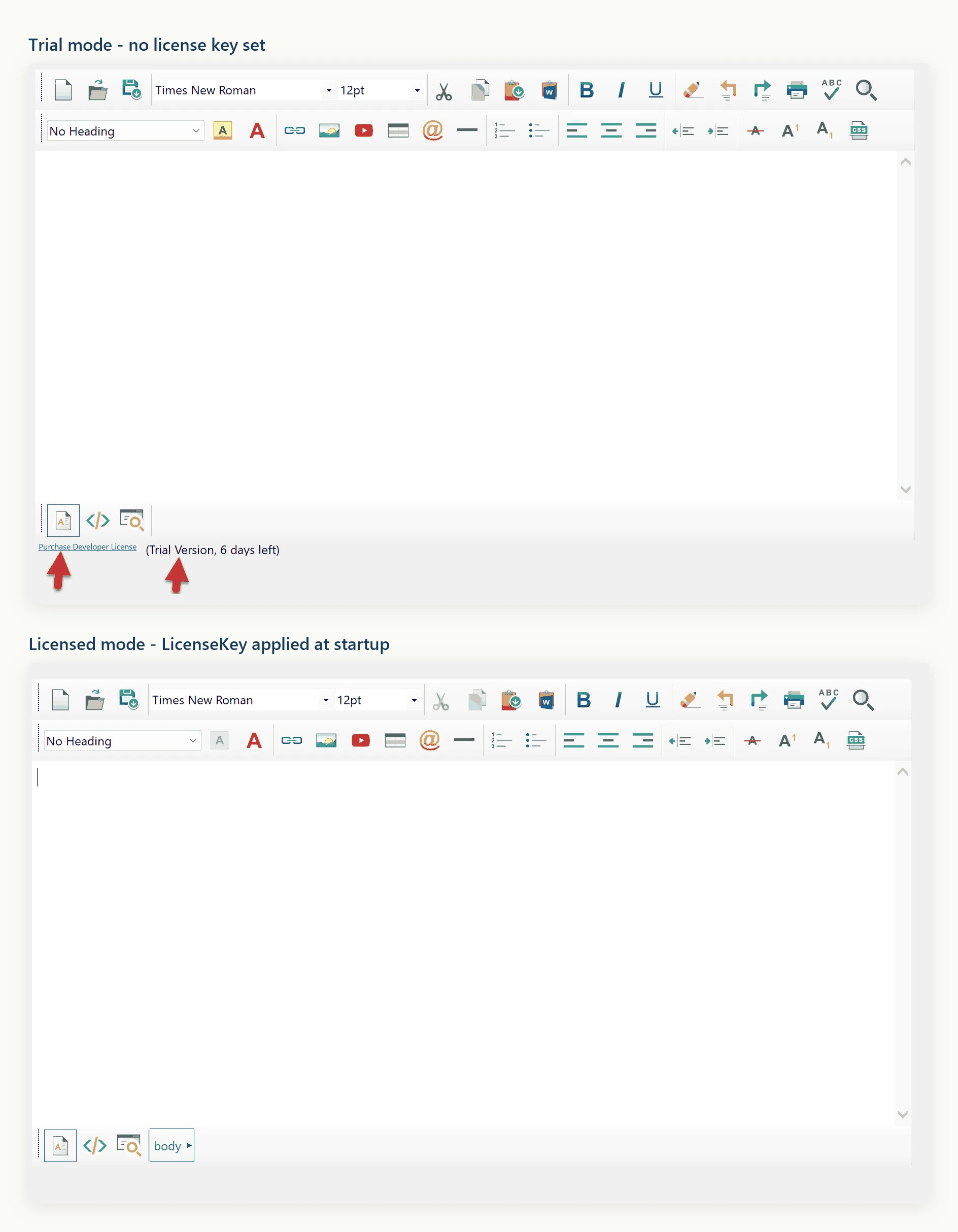
If you have not yet purchased, you can still install the NuGet package and use the editor in trial mode without setting a license key. The editor is fully functional in trial mode for evaluation, and shows a trial indicator with the days remaining next to a purchase link. Once you set a valid LicenseKey value, the editor switches to licensed mode for the remainder of the process and the trial indicator disappears.
Verifying activation
Run your application after setting the key. If the key is recognized, no trial reminders appear. If the key is missing or malformed, the editor continues to run in trial mode - check that the key was copied without surrounding whitespace and that the assignment runs before any editor instance is created. The key string is stored only in memory for the lifetime of the process; nothing is written to disk by the editor itself.
Source Code license customers
If you purchased the Source Code license, your source code is delivered as a download from your account - the same place, and the same kind of Download button, that used to deliver the unlocked DLLs in older versions. To get it:
- Sign in to your My Account page.
- Find the WinForms HTML Editor Control in your Latest license card (or the matching row in Purchase history).
- Click the Download button. The red arrow in the My Account screenshot earlier on this page points to it. Your browser downloads a ZIP,
HtmlEditor-WinForms-SourceCode.zip, containing the complete C# source of the editor.
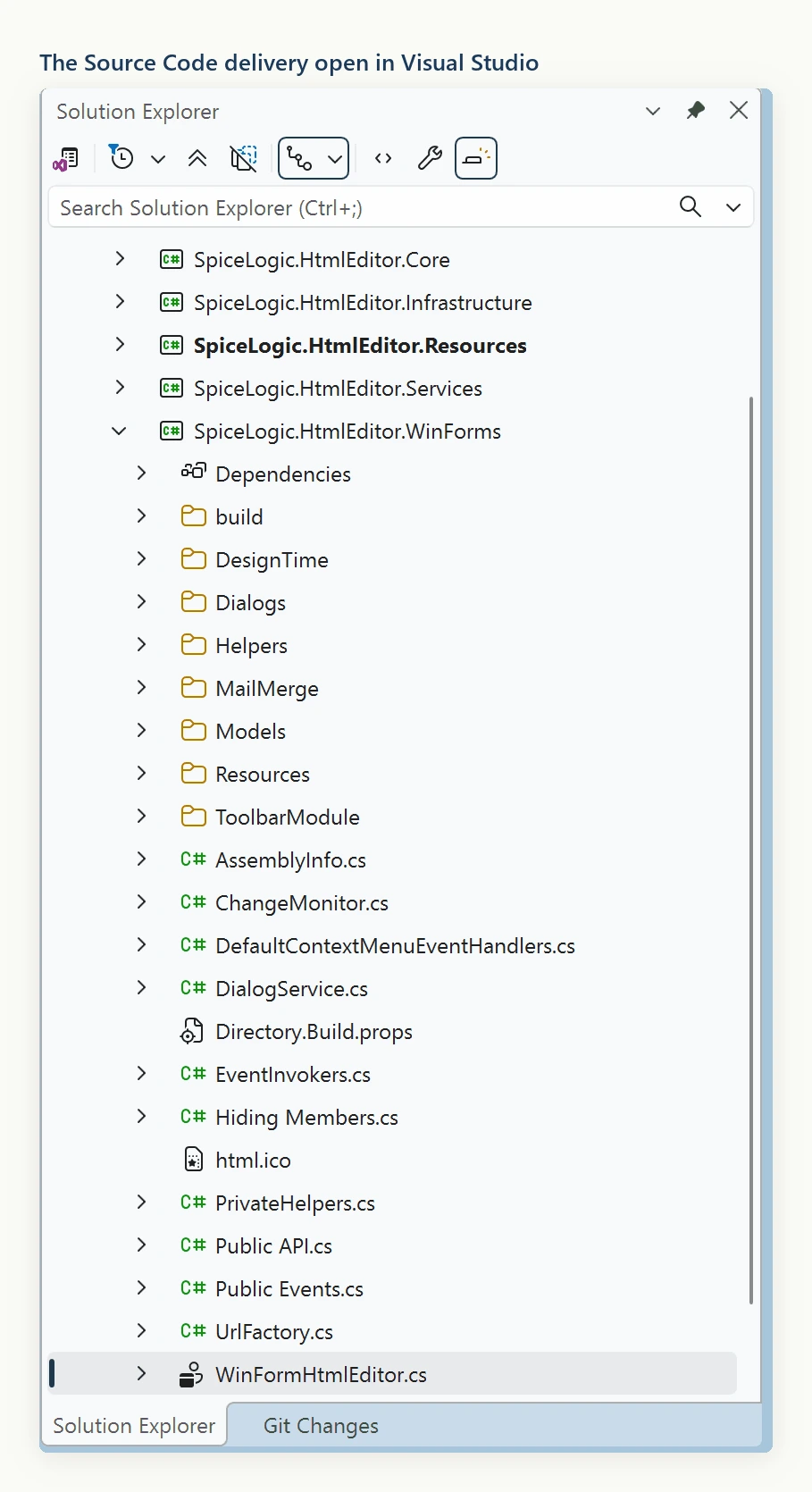
The downloaded source has the license-key logic stripped out. If you reference those projects directly from your own solution and build the editor from your copy of the source, it runs in licensed mode automatically - no WinFormHtmlEditor.LicenseKey assignment is needed.
You are not required to build from source. You can keep using the SpiceLogic.HtmlEditor.WinForms NuGet package and set WinFormHtmlEditor.LicenseKey at startup, exactly like a Developer License customer would. The Source Code license simply gives you the option to switch from the NuGet package to the included source when you need to customize the editor's internals, debug into the source, or satisfy a procurement requirement that every third-party component ships with source.
Upgrading from earlier versions
If you are migrating from a pre-9.x build that used the legacy "download the Unlocked DLL" model, you no longer need to swap DLLs, clear the Visual Studio Toolbox, or close and reopen Visual Studio. Install the SpiceLogic.HtmlEditor.WinForms NuGet package and set WinFormHtmlEditor.LicenseKey at startup. That is the entire migration.
Ask your AI to do this
Let your assistant do this for you. With the SpiceLogic MCP server connected, paste this into Claude Code, Cursor, or VS Code Copilot in agent mode.
Using the SpiceLogic WinForms HTML Editor already referenced in my project, apply my license key at startup by setting the static WinFormHtmlEditor.LicenseKey property in Program.cs before any WinFormHtmlEditor instance is created, reading the key from an environment variable named SPICELOGIC_HTMLEDITOR_KEY instead of hardcoding it, and confirm the trial reminder stops appearing at runtime. Look up the current licensing API with the SpiceLogic MCP tools before writing any code.