


 NuGet
NuGet
Driving the WPF HTML Editor from Your Own UI Controls
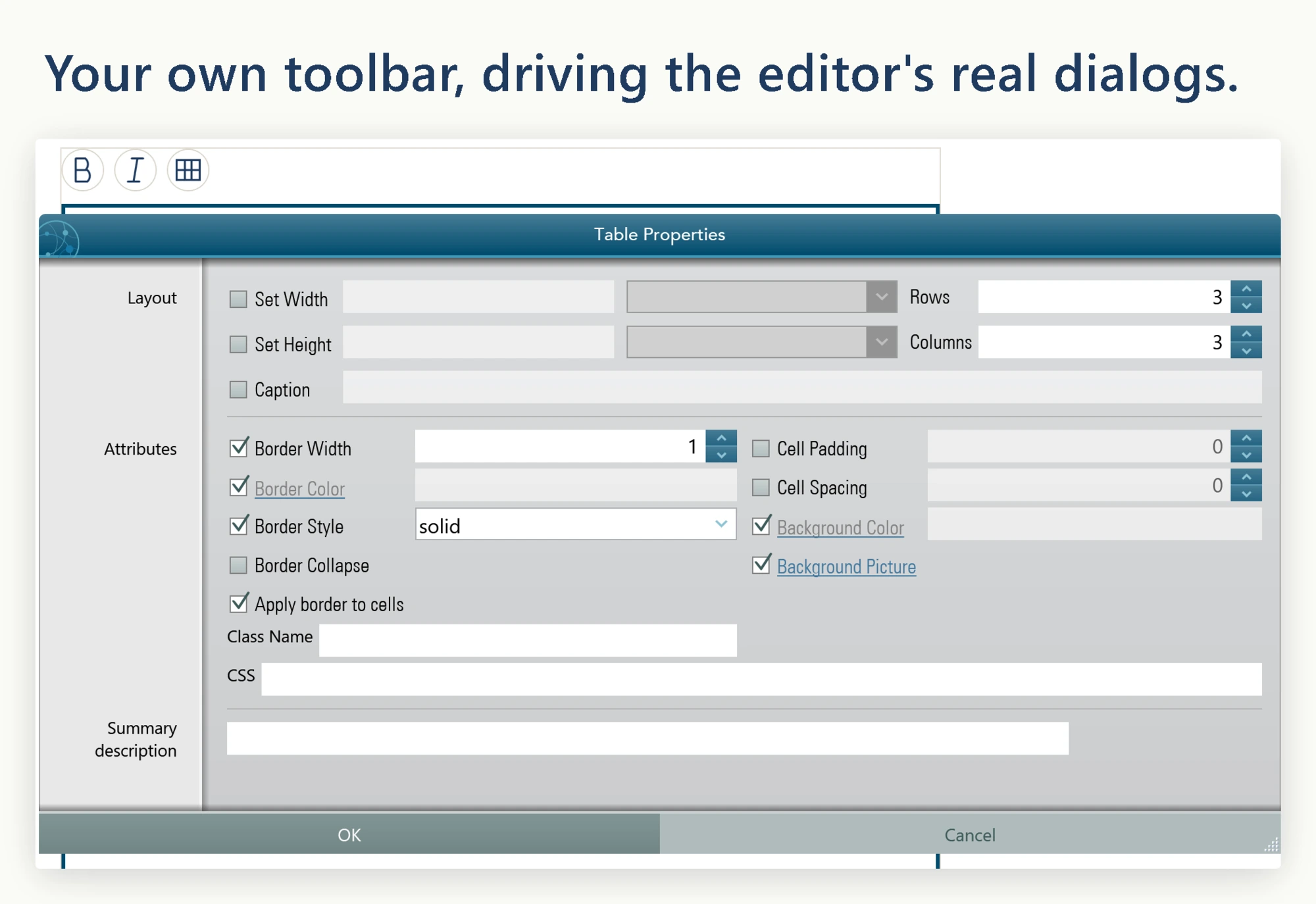
The WPF HTML Editor ships with built-in toolbars, but they carry their own visual style, and that style will not always match the rest of your application - a flat, circular-button AppBar, a ribbon, or any other custom toolbar design instead of the editor's built-in toolbars. Rather than fight the built-in look, you can hide the built-in toolbars completely and wire your own buttons to the same underlying actions, so the editor's formatting commands respond to controls that already match your UI. This page shows how to drive bold, italic, and the rest of the editor's actions from your own controls, and confirms that the built-in dialogs (image picker, hyperlink, color picker, symbol picker, table insert) keep working since only the toolbar buttons are replaced, not the underlying commands.
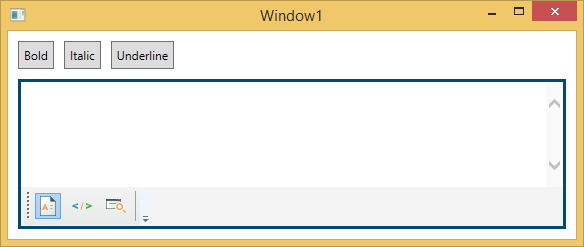
Hide both built-in toolbars in the editor's Loaded event. The editing surface, footer, context menus, and dialogs remain fully functional; only the toolbar strips disappear.
private void KbEditor_OnLoaded(object sender, RoutedEventArgs e)
{
    KbEditor.Toolbar1.Visibility = Visibility.Collapsed;
    KbEditor.Toolbar2.Visibility = Visibility.Collapsed;
}
Private Sub KbEditor_OnLoaded(sender As Object, e As RoutedEventArgs)
KbEditor.Toolbar1.Visibility = Visibility.Collapsed
KbEditor.Toolbar2.Visibility = Visibility.Collapsed
End SubFor simple commands you can call the formatting and content services directly, such as Formatting.Bold() or Content.InsertHtml(...). Commands like Insert Image, Insert Hyperlink, or Symbol are different: the factory click handler opens a dialog, listens for its events, and writes the result back into the document. You do not need to reimplement that logic.
ToolbarItemOverrider exposes a public On...ButtonClicked method for every command. Calling one of these methods runs the exact same code path as clicking the built-in button, so route each custom button through the matching method.
private void Bold_Click(object sender, RoutedEventArgs e) =

    KbEditor.ToolbarItemOverrider.OnBoldButtonClicked(sender, e);


private void Italic_Click(object sender, RoutedEventArgs e) =

    KbEditor.ToolbarItemOverrider.OnItalicButtonClicked(sender, e);


private void InsertImage_Click(object sender, RoutedEventArgs e) =

    KbEditor.ToolbarItemOverrider.OnImageButtonClicked(sender, e);


private void InsertHyperlink_Click(object sender, RoutedEventArgs e) =

    KbEditor.ToolbarItemOverrider.OnHyperLinkButtonClicked(sender, e);


private void InsertTable_Click(object sender, RoutedEventArgs e) =

    KbEditor.ToolbarItemOverrider.OnTableInsertButtonClicked(sender, e);


private void InsertSymbol_Click(object sender, RoutedEventArgs e) =

    KbEditor.ToolbarItemOverrider.OnSymbolInsertButtonClicked(sender, e);
Clicking a custom button opens the same dialog the factory button would have opened, just triggered from your own control. The image picker still validates the URL, still respects the editor's BaseUrl for relative paths, and still fires the HtmlChanged event when the image is inserted.
The full set of overrider methods: OnNewButtonClicked, OnOpenButtonClicked, OnSaveButtonClicked, OnCutButtonClicked, OnCopyButtonClicked, OnPasteButtonClicked, OnPasteFromMsWordButtonClicked, OnUndoButtonClicked, OnRedoButtonClicked, OnPrintButtonClicked, OnBoldButtonClicked, OnItalicButtonClicked, OnUnderlineButtonClicked, OnStrikeThroughButtonClicked, OnSuperScriptButtonClicked, OnSubscriptButtonClicked, OnAlignLeftButtonClicked, OnAlignCenterButtonClicked, OnAlignRightButtonClicked, OnOutdentButtonClicked, OnIndentButtonClicked, OnOrderedListButtonClicked, OnUnOrderedListButtonClicked, OnHyperLinkButtonClicked, OnImageButtonClicked, OnYouTubeVideoInsertButtonClicked, OnTableInsertButtonClicked, OnTableModifyButtonClicked, OnSymbolInsertButtonClicked, OnHorizontalRuleButtonClicked, OnFormatResetButtonClicked, OnBodyStyleButtonClicked, OnFontForeColorButtonClicked, OnTextHighlightColorButtonClicked, OnSearchButtonClicked, and OnCheckSpellingButtonClicked.
Ask your AI to do this
Let your assistant do this for you. With the SpiceLogic MCP server connected, paste this into Claude Code, Cursor, or VS Code Copilot in agent mode.
Using the SpiceLogic WPF HTML Editor already referenced in my project, hide the editor's built-in Toolbar1 and Toolbar2 inside the control's Loaded event, then wire a set of custom circular AppBar buttons labeled Bold, Italic, and Insert Table to the same underlying formatting commands so the editor responds to my own controls instead of its default toolbar. Confirm the built-in hyperlink and image picker dialogs still open correctly when triggered from these custom buttons. Look up the real commands and events behind these actions with the SpiceLogic MCP tools before writing any code.