


 NuGet
NuGet
Various Styling Options
The WPF HTML Editor exposes document-level styling as a focused set of properties on the document body (not the editor chrome) - the properties you reach for when a template has to match a specific brand, for example an invoice with fixed margins, an offer letter in a corporate font, or a report with a watermark background. Setting them correctly matters because the editor's on-screen rendering only matches the published output when the body is styled through these properties rather than loose CSS layered on afterward. This page walks through the properties that control body style, background, and default typography.
Body-level properties:
BodyStyle- inline style applied to the document's<body>(for example"margin:20px; line-height:1.6;").BodyCSSClassName- a class name on the<body>, for targeting from an external stylesheet.BodyColor- background color of the document body (System.Windows.Media.Color).BackgroundImagePath- file or URL whose image becomes the body background.
Typography defaults:
DefaultFontFamily- default body font, for example"Merriweather"or"Inter".DefaultFontSizeInPt- pass with the"pt"suffix (for example"11pt"); without a unit the editor treats the number as pixels and converts.DefaultForeColor- default text color (System.Windows.Media.Color).
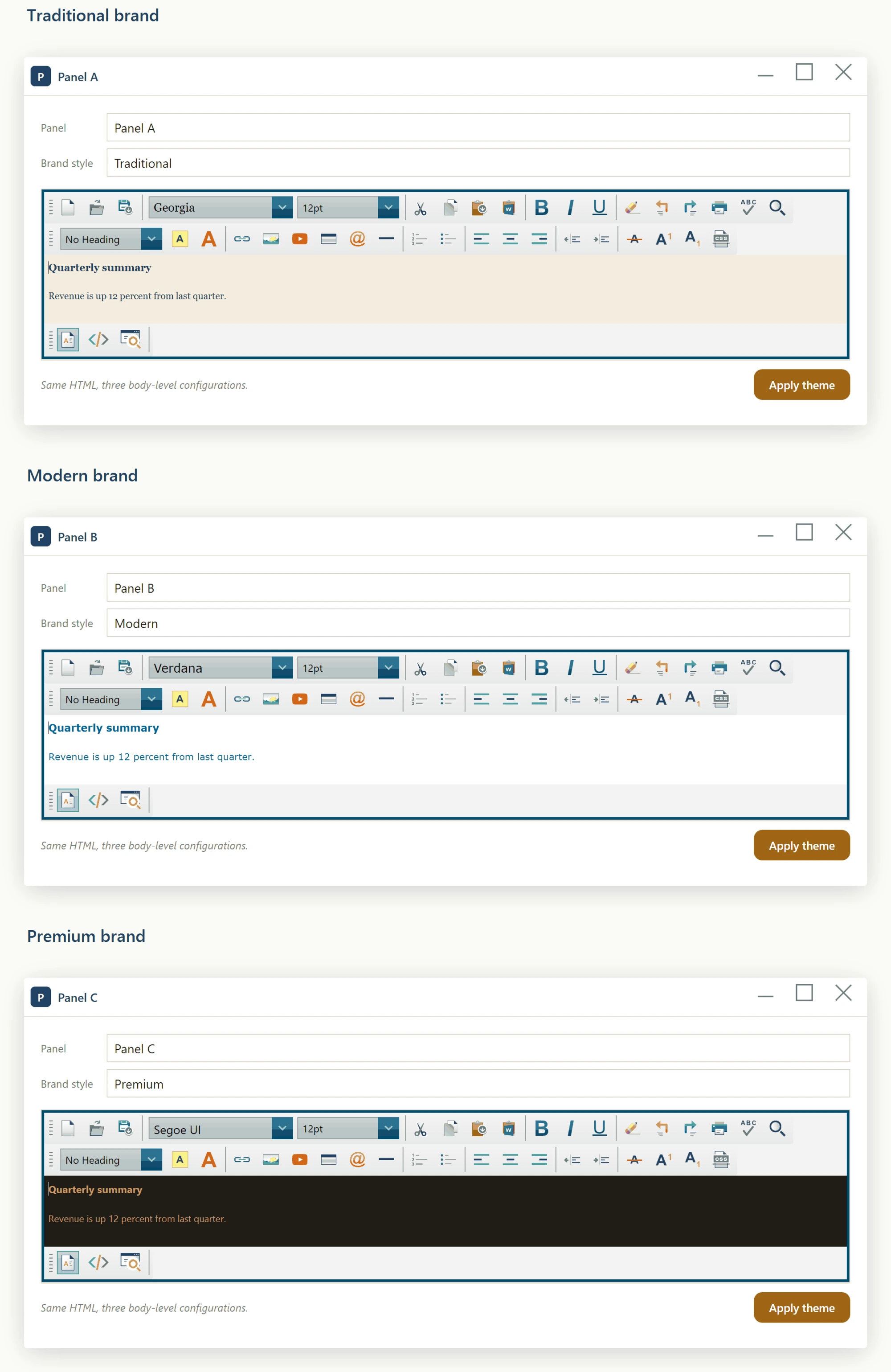
Set DocumentCSSFilePath to the path of a published stylesheet. The editor injects a matching <link rel="stylesheet"> into the document head, so the editor's rendering matches what end users will see.
editor.DocumentCSSFilePath = $@"C:\BrandCache\{brandId}\brand.css";For style tweaks that don't belong in the published stylesheet, use the inline-stylesheet pair: HeaderStyleContentElementID names the <style> block; HeaderStyleContent sets its body. The ID lets you replace the block later without leaving stale style declarations behind:
editor.HeaderStyleContentElementID = "custom-overrides";

editor.HeaderStyleContent          = "p { line-height: 1.7; } h1 { color: #003366; }";
These are plain properties, not WPF dependency properties, so XAML cannot target them with a {Binding} markup extension - only a real dependency property supports that syntax, and a build using this markup fails with the WPF error: a Binding can only be set on a DependencyProperty of a DependencyObject. Set them imperatively from code-behind instead, for example once in the window's Loaded handler or whenever your underlying data changes:
using System.Windows.Media;

private void Window_Loaded(object sender, RoutedEventArgs e)
{
    editor.DefaultFontFamily = "Merriweather";
    editor.DefaultFontSizeInPt = "11pt";
    editor.DefaultForeColor = Color.FromRgb(0x22, 0x22, 0x22);
    editor.BodyColor = Colors.WhiteSmoke;
    editor.BodyStyle = "padding:24px; line-height:1.6;";
}
Imports System.Windows.Media
Private Sub Window_Loaded(sender As Object, e As RoutedEventArgs)
editor.DefaultFontFamily = "Merriweather"
editor.DefaultFontSizeInPt = "11pt"
editor.DefaultForeColor = Color.FromRgb(&H22, &H22, &H22)
editor.BodyColor = Colors.WhiteSmoke
editor.BodyStyle = "padding:24px; line-height:1.6;"
End Sub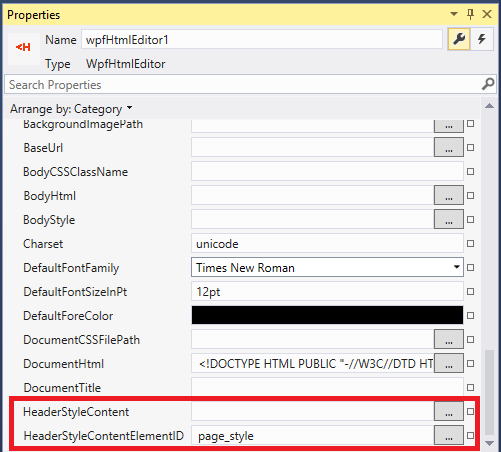
Ask your AI to do this
Let your assistant do this for you. With the SpiceLogic MCP server connected, paste this into Claude Code, Cursor, or VS Code Copilot in agent mode.
Using the SpiceLogic WPF HTML Editor in my project, style a new document template named QuarterlyReport so it opens with 20 pixel body margins and 1.6 line height through BodyStyle, a default body font of Inter at 11pt through DefaultFontFamily and DefaultFontSizeInPt, and a published brand stylesheet linked in through DocumentCSSFilePath so the editor's on-screen rendering matches the final output. Also set a couple of inline overrides through the HeaderStyleContentElementID and HeaderStyleContent pair for tweaks that should not live in the published stylesheet. Verify each property name and its expected value format with the SpiceLogic MCP tools before writing any code.