


 NuGet
NuGet
Embedding Local Images for Email Clients
A common pattern for outbound email, whether it is an invoice, a signed proposal, or a marketing blast, is to use the WinForms HTML Editor as the compose surface. The catch is that most email clients quietly reject anything that looks like a normal <img src="..."> pointing at a file on your local disk, so images that look perfect inside the editor often fail to show up at all once the message lands in someone's inbox. This page shows how to embed those images the way Outlook, Gmail, and every other major client expect, starting with how the body HTML gets from the editor into a MailMessage:
var msg = new MailMessage();
msg.IsBodyHtml = true;
msg.Body       = htmlEditor1.Content.GetBodyHtml(true);
msg.From       = new MailAddress(salesperson.Email);
msg.To.Add(lead.Email);
msg.Subject = "Following up on our chat";
new SmtpClient(...).Send(msg);
If the body HTML still references images by local file path, for example <img src="C:\Users\you\Pictures\photo1.png">, those images render as broken icons in Gmail and most other email clients: recipients have no access to your local file system.
The proper format for embedded images in email
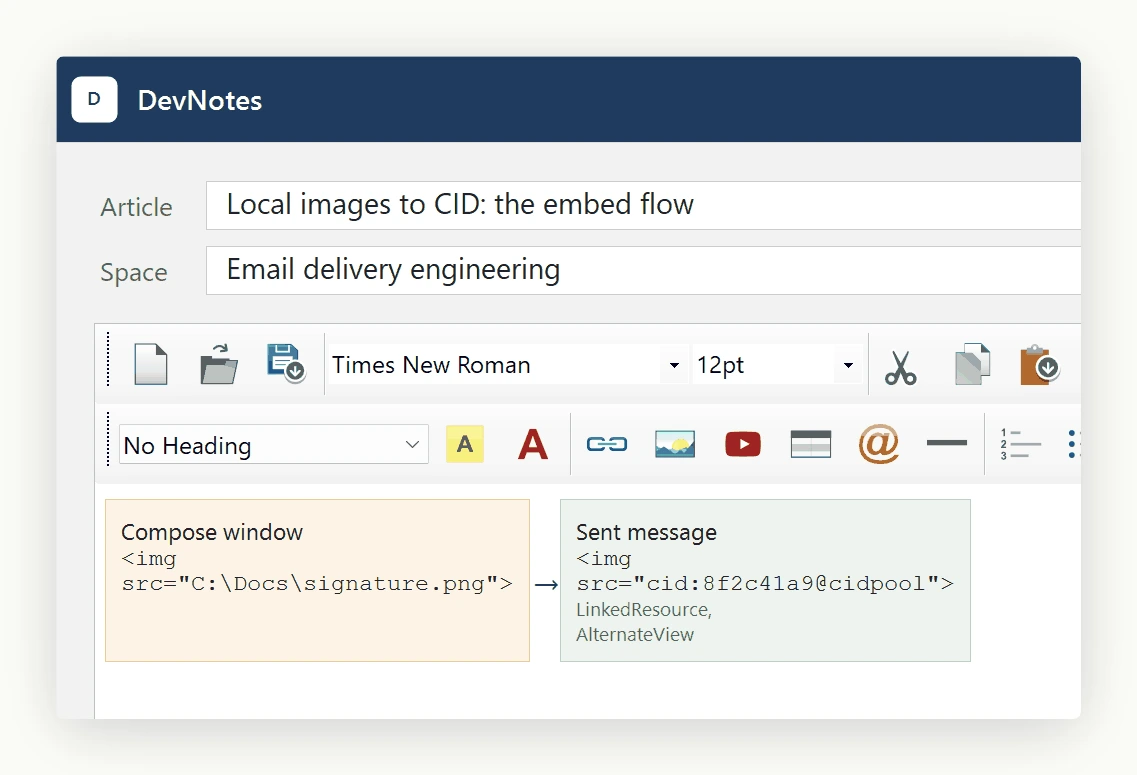
Email clients have rendered embedded images for over twenty years using the same recipe: a multipart/related MIME body (RFC 2387). The HTML lives in one part, each image lives in its own part with a Content-ID header, and the HTML references each image by cid: URI, for example <img src="cid:photo1@cidpool">. Outlook, Gmail, Apple Mail, Thunderbird, and mobile clients all render this correctly without prompting about external content.
Building that structure by hand is fiddly. The editor ships a helper that performs the whole transformation in one call.
The helper
On editor.Content (an IContentService):
MailMessage GetEmailMessageWithLocalImagesEmbedded();This walks the document, finds every <img> whose src points at a local file, reads the file bytes, generates a fresh Content-ID, attaches the image as a LinkedResource under an AlternateView of type text/html, and rewrites the src in the body HTML to cid:<the-id>. Remote URLs (http://, https://) pass through untouched; the recipient's client fetches them at display time as usual.
The returned MailMessage has IsBodyHtml = true, the rewritten body, and the AlternateView with all linked resources. From, To, and Subject are left for the caller to fill in.
The fixed send path
using System.Net;
using System.Net.Mail;

private void btnSend_Click(object sender, EventArgs e)
{
    // 1. Ask the editor to build a multipart/related message.
    //    Local <img src="C:\..."> become cid:<generated-id> automatically.
    using MailMessage msg = htmlEditor1.Content.GetEmailMessageWithLocalImagesEmbedded();
    // 2. Fill in the headers the helper does not own.
    msg.From = new MailAddress(salesperson.Email, salesperson.DisplayName);
    msg.To.Add(new MailAddress(lead.Email));
    msg.Subject = txtSubject.Text;
    // 3. Hand it to SMTP. Standard SmtpClient setup -- the
    //    MailMessage object has all the embedding wiring already.
    using var smtp = new SmtpClient("smtp.crmco.com", 587)
    {
        EnableSsl = true,
        Credentials = new NetworkCredential(smtpUser, smtpPass)
    };
    smtp.Send(msg);
}
Imports System.Net
Imports System.Net.Mail
Private Sub btnSend_Click(sender As Object, e As EventArgs)
' 1. Ask the editor to build a multipart/related message.
' Local <img src="C:\..."> become cid:<generated-id> automatically.
Using msg As MailMessage = htmlEditor1.Content.GetEmailMessageWithLocalImagesEmbedded()
' 2. Fill in the headers the helper does not own.
msg.From = New MailAddress(salesperson.Email, salesperson.DisplayName)
msg.[To].Add(New MailAddress(lead.Email))
msg.Subject = txtSubject.Text
' 3. Hand it to SMTP. Standard SmtpClient setup -- the
' MailMessage object has all the embedding wiring already.
Using smtp = New SmtpClient("smtp.crmco.com", 587) With {
.EnableSsl = True,
.Credentials = New NetworkCredential(smtpUser, smtpPass)
}
smtp.Send(msg)
End Using
End Using
End SubWith the images embedded as linked resources, they display inline in the recipient's inbox with no broken icons and no "external content blocked" banner.
Refinement - mixed local and remote, and re-sends
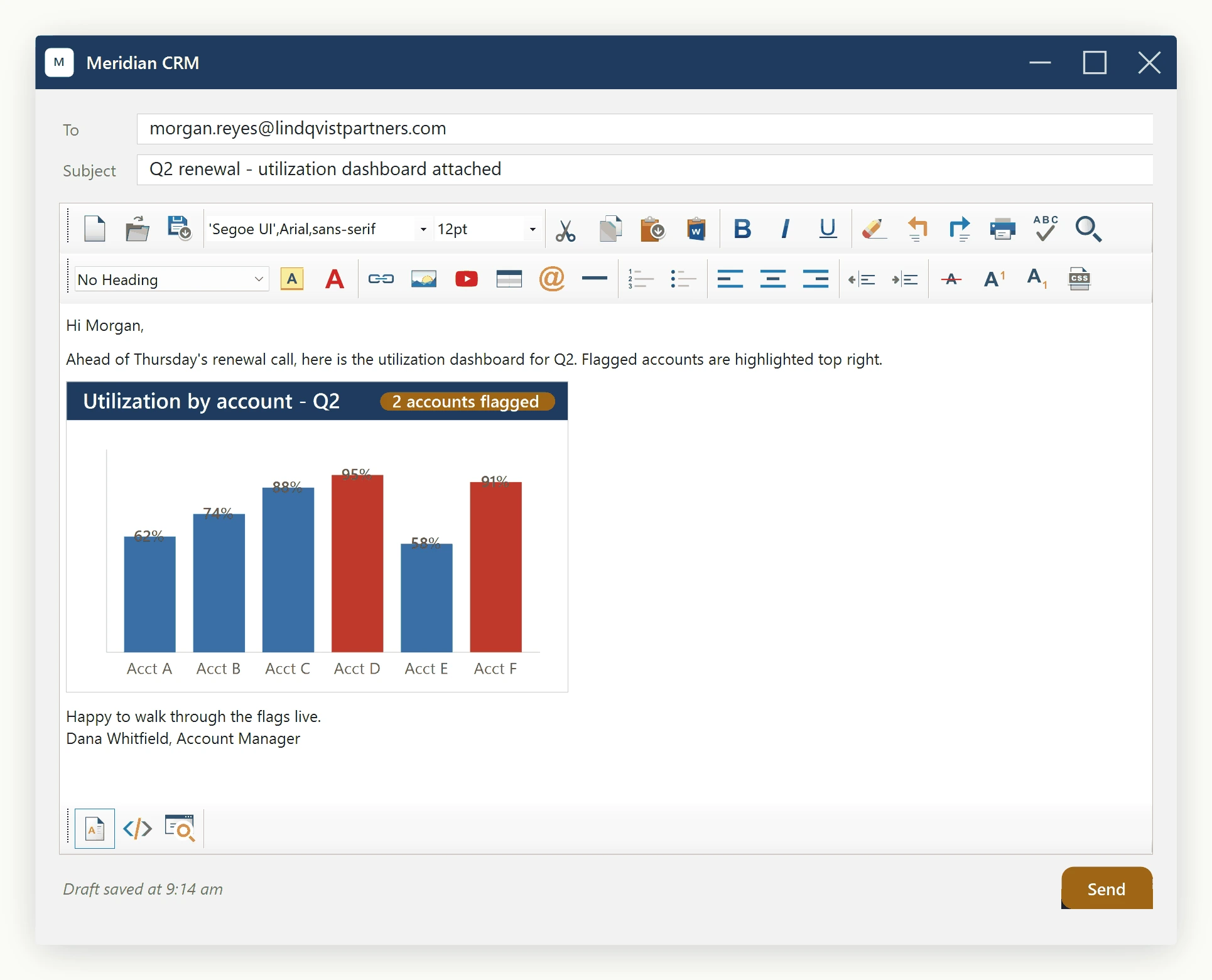
Mixed documents work the same way: a CDN-hosted banner stays a normal HTTP URL, while local screenshots become CID parts - no extra configuration needed.
The helper does not mutate the editor's in-memory document, so calling Send, editing the body, and calling Send again each regenerate a fresh MailMessage with fresh Content-IDs from the current document state. Calls are independent.
If the destination is not SMTP
The "embed images" requirement comes in two shapes: this page covers the email (CID) shape. For a single self-contained HTML string (for a database column or a .html file), use EmbedLocalImagesAsBase64() instead, also on editor.Content; it rewrites src attributes to Base64 data URIs in place. See Embedding Local Images using Data URIs. Using the wrong helper either inflates the email by 33 percent for no benefit (data URIs are not how email embeds work), or leaves a database row with no images attached (CID references are meaningless outside a MIME envelope).
Ask your AI to do this
Let your assistant do this for you. With the SpiceLogic MCP server connected, paste this into Claude Code, Cursor, or VS Code Copilot in agent mode.
Using the SpiceLogic WinForms HTML Editor already referenced in my project, wire a "Send" button whose click handler calls the Content service's GetEmailMessageWithLocalImagesEmbedded method to build a MailMessage with local images embedded as linked resources instead of broken file paths, sets From, To, and a subject like "Following up on our chat", and sends it through SmtpClient so images inserted from my local disk actually render in the recipient's Outlook or Gmail inbox. Confirm the IContentService method signature with the SpiceLogic MCP tools before wiring the Send button.