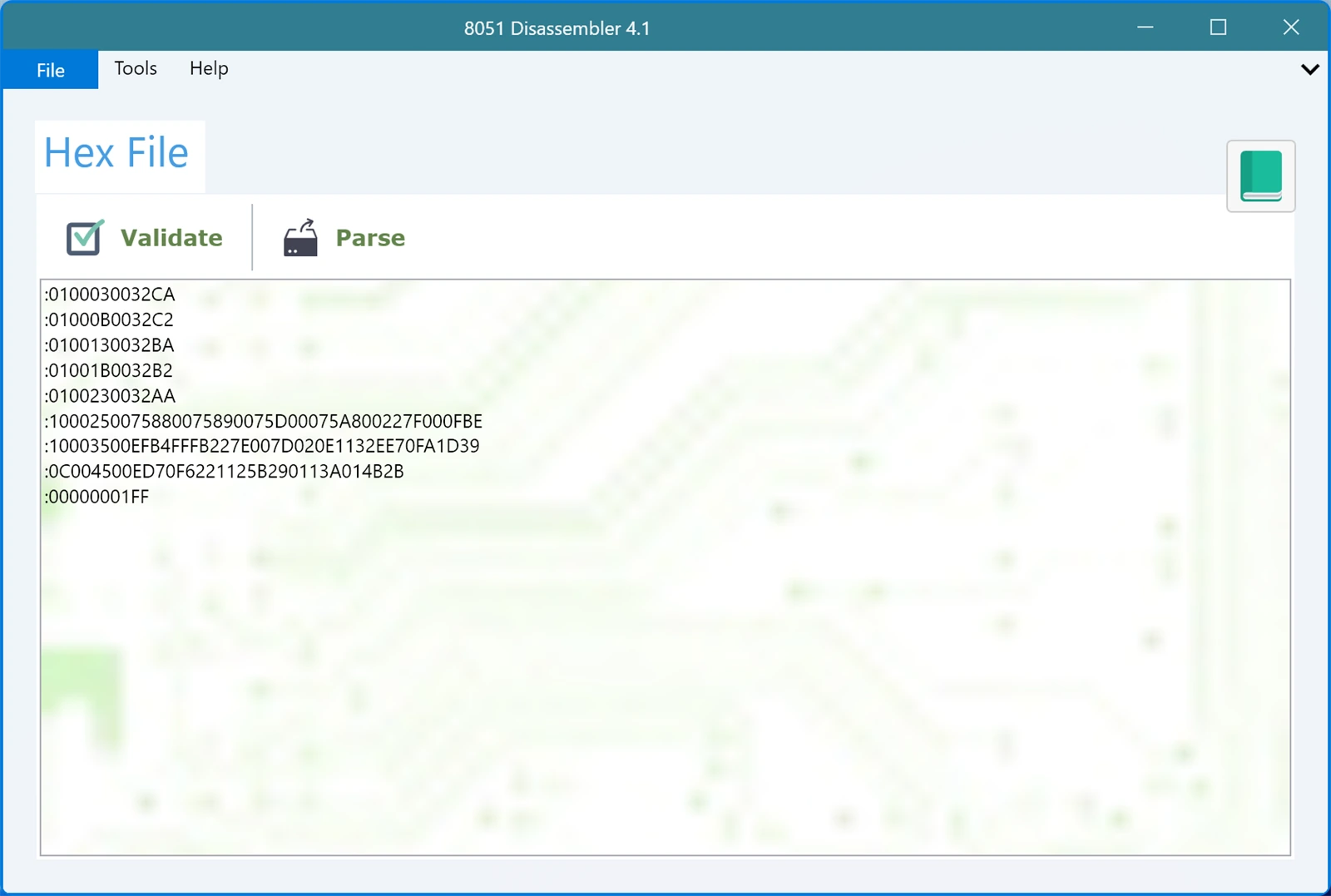
Validating a hex file and fixing errors
Before you spend time reading a disassembly, it is worth knowing the file is sound. Click Validate and the app checks your hex code line by line. If something is wrong you find out now, instead of after twenty minutes of puzzling over instructions that were never really there.
A file that fails validation is not disassembled, on purpose. Half decoding a damaged file would only produce convincing nonsense.
What gets checked
Every record is examined on its own, and the file is checked as a whole:
- The file contains at least one record.
- Each line starts with a colon.
- Each line is long enough to be a real record, which means at least eleven characters.
- Everything after the colon is a valid hex digit, 0 to 9 and A to F.
- The number of hex digits is even, so no byte is left half written.
- The byte count field is a valid number, and the line is exactly as long as that byte count says it should be.
- The data length is right for the record type.
- The checksum on the end matches the checksum calculated from the rest of the line.
- The last line is the end of file record,
:00000001FF.
Problems are reported against the line they occur on, with the offending record quoted back to you, so you can go straight to it.
The errors you are most likely to see
Checksum error. The message shows the checksum it expected and the one it found. This almost always means the line was altered after the compiler wrote it, usually by hand editing or by a copy and paste that dropped or changed a character. Recover the line from the original file rather than trying to patch the checksum, because the checksum is the symptom and not the fault.
Record length mismatch. The byte count at the start of the line does not agree with how much data is actually on it. This is the classic sign of a truncated file, so check whether the file ends earlier than it should.
Invalid hexadecimal characters found. Something that is not a hex digit made it into the line. The usual culprits are a stray space, a letter O typed instead of a zero, or formatting picked up from a document or an email.
Record must start with a colon. A line is missing its colon, or something that is not a record, such as a comment or a blank line with stray characters, ended up in the file.
Missing or invalid end of file record. The last line must be :00000001FF. If it is missing, the file was almost certainly cut short in transit. If there are lines after it, they were appended by mistake.
Record too short. A line does not have room for even the mandatory fields, which again usually points to truncation.
The most common cause of all
In practice, most invalid files are not corrupt so much as damaged in handling: pasted through a chat window that wrapped the lines, saved by an editor that changed the encoding, or copied out of a PDF. When you can, take the .hex file straight from your compiler's output folder rather than from a message.
If your file passes validation, press Parse and get on with reading the code.