Menus, files and staying up to date
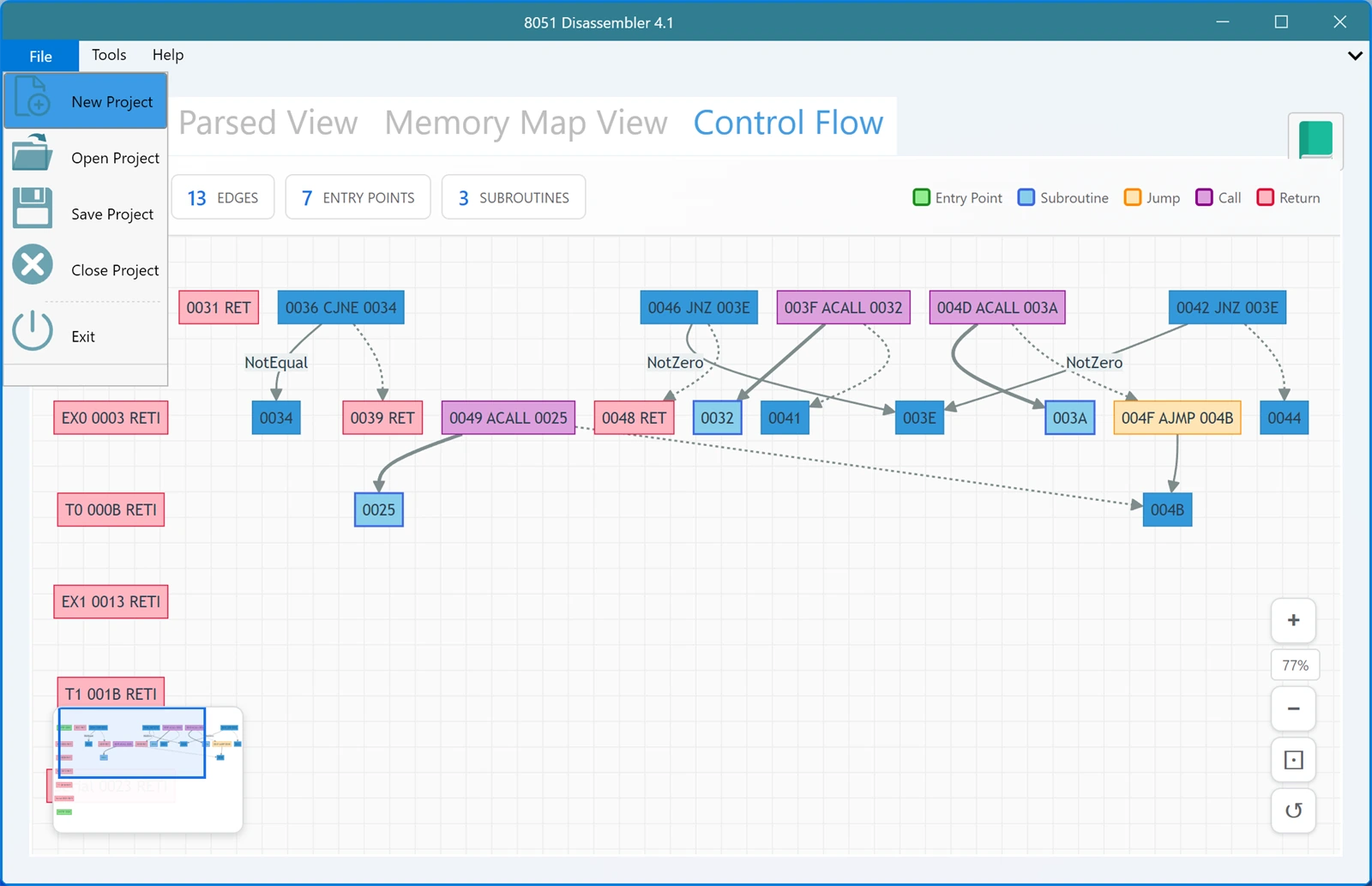
Most of your time is spent in the four tabs, but the ribbon across the top holds the file commands and a few things worth knowing about. There are three tabs on it: File, Tools and Help.
File
The File menu handles getting hex code in and out of the app:
- New Project clears what is loaded so you can start with a blank editor or paste something fresh.
- Open Project opens a hex file from disk. The dialog offers .hex files by default, .txt files next, and any file if you need it, which covers the case where a compiler wrote the hex with an unusual extension.
- Save Project writes the current hex code back out to a file.
- Close Project closes what is open without leaving the app.
- Exit closes the app.
Remember that you do not have to open a file at all. You can paste hex straight into the editor on the Hex File tab, which is often the quickest route when the code arrived in an email or a chat message.
Tools
The Tools tab holds the Number Converter, a small window for converting between hexadecimal, binary and decimal. It has its own page in this documentation.
Help
The Help tab has four buttons:
- Check for Update tells you whether a newer version is available. Worth doing occasionally, since improvements to the disassembler mean better output from the same file. Version 4.1, for example, fixed the address AJMP instructions pointed at and added support for extended address records.
- Tutorials opens the instructional videos.
- Documentation opens these pages in your browser.
- About shows the version you are running, which is the first thing to check when something does not behave the way a page here describes.
A note on the window
The Control Flow graph benefits from room. If the diagram feels cramped, make the window bigger before zooming, since more space usually beats more zoom for reading a graph. The other three tabs are comfortable at the default size.