The Intel HEX file, explained
Your compiler does not hand the chip a program. It hands it a text file full of hex digits, and that file follows a format called Intel HEX. Once you can read it, the rest of this documentation makes a lot more sense, because everything the 8051 Disassembler shows you comes straight out of these lines.
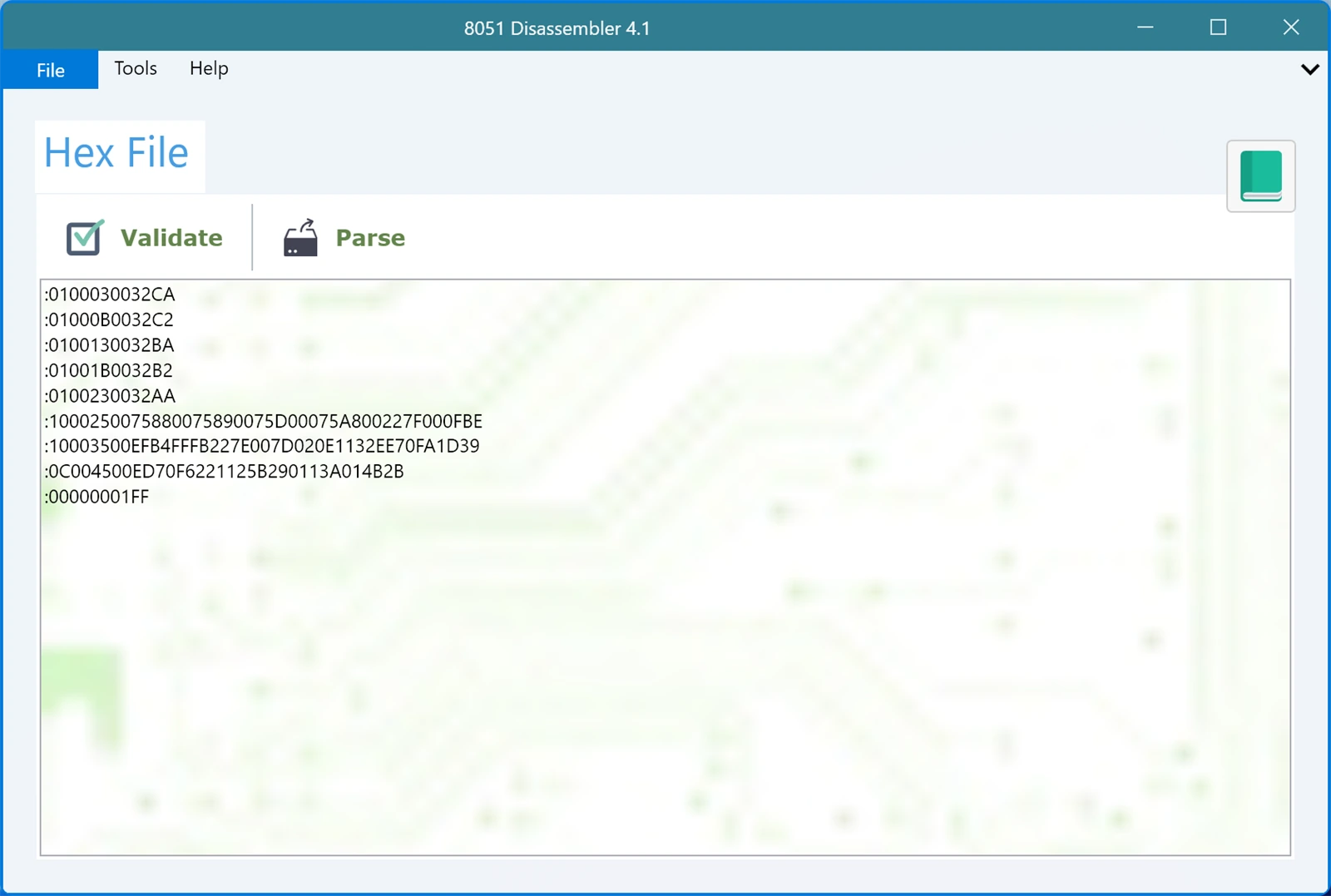
Open the app and look at the sample already loaded in the Hex File box. Every line starts with a colon, and every line is one record.
What one line actually says
Take the first line of the built-in sample:
:0100030032CA
It looks like noise. It is not. Chop it into pieces and it reads like a sentence:
:is where the record starts. Every record begins with it.01is the byte count. This record carries one byte of your program.0003is the address. That byte belongs at address 0003h.00is the record type. Type 00 means "here is program data".32is the data itself. One byte, because the byte count said one.CAis the checksum, which is there to catch a corrupted line.
So that whole line means one thing: put the byte 32h at address 0003h. On the 8051, address 0003h is the external interrupt 0 vector, and 32h is the opcode for RETI. That is why the app labels it EX0 and shows RETI next to it after you parse.
How the checksum works
The checksum is not magic. Add up every byte in the record except the checksum itself, keep the low eight bits, then take the two's complement.
For the line above: 01 + 00 + 03 + 00 + 32 comes to 36h. Subtract that from 100h and you get CAh, which is exactly the checksum on the end of the line. If a line ever gets mangled in an email or a copy and paste, this is the number that stops the app from quietly disassembling garbage.
The record types you will meet
The record type is that two-digit field in the middle, and it changes what the line is for. The 8051 Disassembler recognises all six types the format defines:
- 00, Data Record. The workhorse. This is the only type that carries actual program bytes, and it is most of what you will see.
- 01, End of File Record. The last line, always
:00000001FF. It says the file is finished. - 02, Extended Segment Address Record. Shifts the base address so records after it land higher in memory. The value is multiplied by 16.
- 03, Start Segment Address Record. Records where execution begins, in the older segment form.
- 04, Extended Linear Address Record. The modern way to reach past 64 KB. The value becomes the top 16 bits of the address, so it is multiplied by 10000h.
- 05, Start Linear Address Record. Records the entry point in the linear form.
Types 02 and 04 matter more than they look. Without them, a file that was meant to load at a high address would be read as though it started at zero, and every address on screen would be wrong. Version 4.1 reads both of these records and applies the base address they set, so the addresses you see match the addresses your part will really use.
Where hex files come from
You do not usually write these by hand. You write C or assembly, your compiler or assembler produces a .hex file, and that file is what gets burned onto the chip. Keil, SDCC and the rest all emit this same format, which is why the same file works in a programmer, in a simulator, and here.
That also means the hex file is often the only thing you still have. The C source is long gone, the comments went with it, but the hex file survives in a project folder or on the chip itself. Reading it back is exactly what this tool is for.
Next
Now that the file makes sense, load yours and press Parse. The Memory Map View shows the result laid out by address, the Parsed View keeps the record structure visible including the checksums, and the Control Flow tab turns the jumps and calls into a diagram.