Custom Expression Editor and Chart
The Markov Chain Charts Carousel shows you a set of charts that look at your model from different angles. One handy thing you can do there is forecast a single state. That lets you see how likely the system is to be in that state over time.
But real questions are often not about one state on its own. You might want to ask something like: what is the chance the system is in State A AND State B, or in State C AND NOT State D? That is a composite state. You build it by joining several states with the words AND, OR and NOT.
Here is a quick example. Say you are modeling a customer who can be Active, in a Trial, Lapsed or Churned. "Forecast the chance the customer is Active" is a single-state question. "Forecast the chance the customer is Active AND has paid, OR is in a Trial and has NOT cancelled" is a composite-state question. The carousel lets you ask that exact question and chart the answer.
To do it, open the Custom Expression panel in the carousel, shown below. Then type your expression, joining the states you care about with AND, OR and NOT. For example:
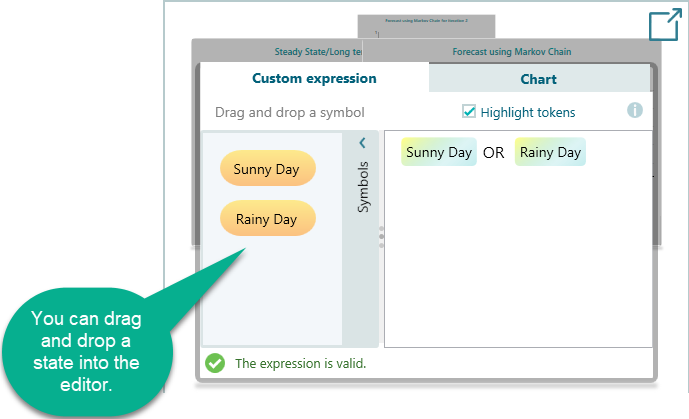
Once your expression is in, click the Chart tab to see the forecast for the composite state you built. The chart shows how the combined probability changes over time, the same way it would for a single state. So if the odds of your composite state climb or fall as the steps go by, you see that right away.
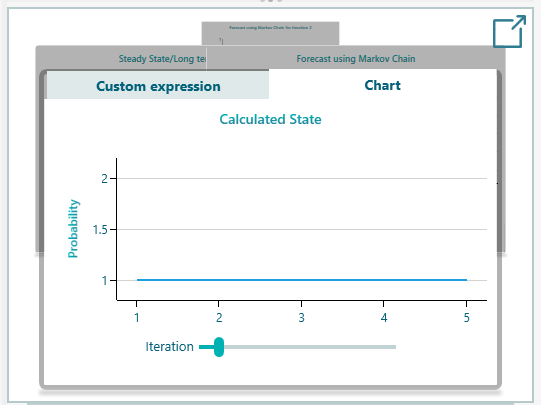
Here is one thing to watch for. Say your expression covers a set of states that cannot overlap, and together they cover every option. Then the result is always 1, which is 100 percent. The reason is simple: at any given time the system has to be in one of those states. You can see this in the Chart tab below, where the line sits flat at 1. It is a nice sanity check that your states add up the way you expect. If you meant to chart something that moves and you get a flat line at 1 instead, that is a hint to look back at your expression.
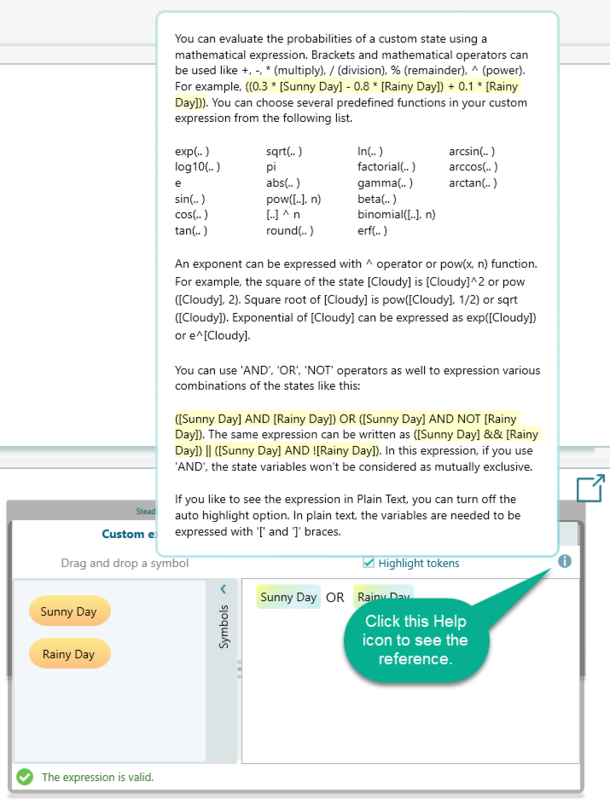
If you ever forget which math functions you can use in an expression, help is right there in the editor. Just click the Help icon in the expression editor. A help tip popup opens and lists the functions you can use, along with how to write each one. There is no need to leave the page or look anything up. So if you are partway through an expression and blank on the name of a function, you stay in the flow. Find the one you need, then type it straight into your expression.